
When the odometer in your Hyundai stops adding miles or kilometers, it can be difficult to tell whether the vehicle is still recording distance correctly. Sometimes the reading is hidden by a display setting, but a faulty speed sensor, blown fuse, damaged wiring, or instrument cluster problem can also stop the odometer from working. A few basic checks can help narrow down the cause. Because mileage records affect maintenance and resale value, avoid guessing at the distance traveled or attempting to change the stored mileage yourself.
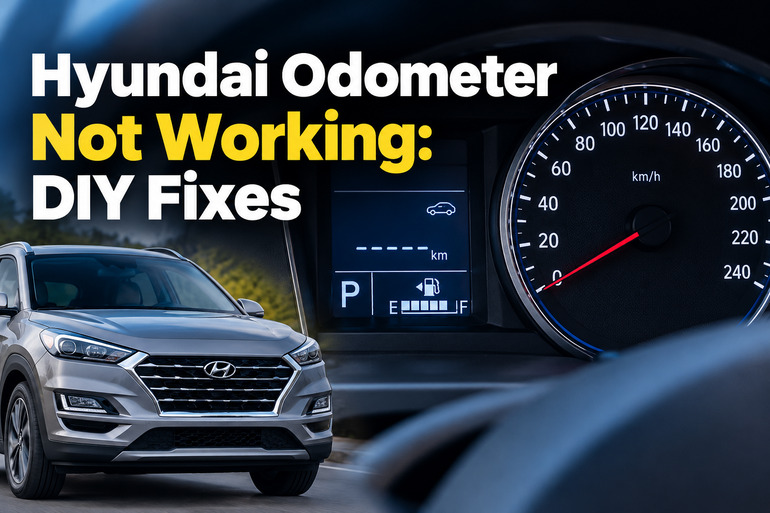
What Does It Mean When Your Hyundai Odometer Stops Working?
Your Hyundai’s odometer records the total distance the vehicle has traveled. Depending on the model and year, the reading may appear on a traditional instrument panel, a digital display, or a fully electronic instrument cluster. Some vehicles also have a trip meter that measures distance over a particular journey. These displays may look similar, but the trip meter can usually be reset while the total odometer records the vehicle’s accumulated mileage. The precise display arrangement varies by model and year.
An odometer that stops counting does not always mean the entire instrument cluster has failed. You may notice that the speedometer still works while the mileage stays fixed, or both readings may stop responding. On a vehicle with a digital cluster, the mileage display might disappear altogether, flicker, or return after restarting the engine.
These differences help identify the likely fault. The speedometer and odometer often depend on related vehicle speed information, which may come from a transmission speed sensor or wheel speed sensors and pass through electronic control modules. A failure in one part of this signal path can affect one reading or several, depending on your Hyundai model.
Leaving the issue unresolved can make it difficult to track service intervals and determine the distance covered on a trip. It can also complicate maintenance records and a future vehicle sale. If your speedometer is also inoperative or the entire instrument cluster goes blank while driving, arrange prompt professional attention because you may lose access to important vehicle information.
Hyundai Odometer Not Working: Likely Causes
Several faults can produce the same symptom, so the odometer reading alone cannot confirm which component has failed. Check whether the speedometer, warning lights, and other instrument cluster displays are also affected before deciding on a repair.
1. A Blown Instrument Cluster Fuse or Power Supply Fault
The instrument cluster needs a reliable electrical supply to display vehicle information. If its fuse blows, a power connection becomes loose, or an electrical ground develops a fault, the display may stop working or behave inconsistently.
A blown fuse is more likely to affect several cluster functions rather than just the odometer. You may also notice missing warning lights, a dark display, or gauges that fail to respond when you switch on the ignition. However, the exact symptoms depend on how the instrument cluster circuits are arranged in your vehicle.
A fuse may blow because of an electrical short or an overloaded circuit. Replacing it without investigating the underlying fault can cause the replacement to fail again. If several electrical features have stopped working together, the power supply deserves attention before you assume the odometer itself is defective.
2. A Faulty Vehicle Speed Sensor or ABS Wheel Speed Sensor
Your Hyundai needs accurate vehicle speed information to operate its speedometer and odometer. Depending on the model, this information may come from a vehicle speed sensor mounted at the transmission or from wheel speed sensors used by the anti-lock braking system (ABS).
A failed sensor may stop sending a usable signal. A sensor can also produce an intermittent signal if its wiring is damaged, its connector becomes loose, or a related component develops a fault. The odometer may then stop counting even though the engine continues to run normally.
Look for related symptoms such as a speedometer that remains at zero, an ABS warning light, or an electronic stability control warning. These clues make a sensor or associated circuit worth investigating, although they do not establish which component has failed. The correct diagnostic procedure depends on your Hyundai model and year.
3. Damaged Wiring, Loose Connectors, or Communication Faults
Electronic vehicle systems exchange information through wiring and communication networks. If the speed signal wire is broken, a connector becomes corroded, or a circuit develops a short, the instrument cluster may fail to receive the information needed to update the odometer.
This problem can develop after repairs involving the wheel hubs, transmission, brakes, or instrument panel. Moisture intrusion, damaged insulation, and poorly secured connectors can also interrupt electrical signals. A fault may appear intermittently, with the odometer working during one journey and stopping during another.
Other symptoms can help narrow the search. Several warning lights appearing together, an intermittent speedometer, or a problem that began after a repair may point to wiring or communication trouble. A diagnostic scan and electrical testing are often needed to distinguish a damaged wire from a defective sensor or control module.
4. A Faulty Instrument Cluster or Odometer Circuit
The instrument cluster contains the display and electronics that present information to the driver. Older Hyundai vehicles may use different arrangements from newer vehicles with digital displays, but either type can develop an internal fault.
If the speedometer operates normally but the odometer remains fixed, the problem may be limited to the display, the cluster’s internal electronics, or the processing of the distance information. Flickering digits, missing segments, a display that works intermittently, or other failing gauges can support this possibility.
A cluster fault should be considered after checking the relevant fuse, power supply, wiring, and incoming speed data. Replacing the cluster immediately can waste money if the actual cause is elsewhere. On some newer Hyundai models, replacement modules also require specific software checks and correct mileage programming by a qualified technician.
5. Instrument Cluster Software Problems
Some newer Hyundai vehicles use electronic instrument clusters that rely on software to display vehicle information. A software problem can cause the display to freeze, restart, or become temporarily blank.
If the odometer disappears alongside the speedometer and fuel gauge, especially when the entire cluster reboots, the issue may involve the cluster’s software or electronics rather than a standalone odometer failure. A restart that temporarily restores the display is useful diagnostic information, but it does not prove the problem has been resolved.
Hyundai has published recall information covering instrument panel display failures on certain model years. Some affected displays may reboot and temporarily go blank. Check the manufacturer’s recall information using your vehicle identification number (VIN) to determine whether your particular vehicle is covered.
Hyundai Odometer Not Working: DIY Fixes
Start with checks that do not require dismantling the dashboard or removing electrical components. If these steps do not restore the odometer, the next step is to identify whether the problem lies in the power supply, speed signal, wiring, or instrument cluster.
1. Check the Odometer Display and Instrument Cluster Settings
Before investigating a mechanical or electrical fault, confirm that the odometer reading is actually missing or no longer updating. Some Hyundai models use buttons on the steering wheel or instrument panel to switch between driving information, trip measurements, and other display modes.
Park safely and switch the ignition on. Use the appropriate trip or display controls described in your owner’s manual to find the total odometer reading. If you have a separate trip meter, check whether its distance changes during a short, safe test drive.
If the total mileage is visible but the trip display has been reset, you may have mistaken a normal trip meter change for an odometer fault. If the total mileage is present but remains unchanged while driving, continue with the remaining checks.
For a digital display, check its brightness settings as well. A dim display may make the numbers difficult to see, although brightness alone would not explain a confirmed failure to record distance.
2. Restart the Vehicle and Check for Other Electrical Symptoms
A temporary electronic fault can sometimes affect a digital instrument cluster. A single controlled restart may help establish whether the display returns to normal.
Park the Hyundai, apply the parking brake, switch off the engine, and turn off unnecessary electrical accessories. Allow the vehicle to shut down normally before starting it again. Observe whether the cluster illuminates correctly and whether the odometer and speedometer respond as expected.
If the display returns, check whether the problem comes back during normal use. A temporary recovery does not identify the cause, particularly if the cluster later freezes or goes blank again.
Avoid repeatedly disconnecting the battery in an attempt to reset the system. Battery disconnection may affect stored settings or other electronic functions, and it will not repair a defective sensor, damaged wire, or failing cluster. If the odometer repeatedly stops, arrange a proper diagnosis.
3. Check the Instrument Cluster Fuse
A blown fuse can interrupt power to the instrument cluster. Checking the fuse is a practical DIY step, provided you follow the instructions for your particular Hyundai.
First, park the vehicle, switch off the ignition, and consult the owner’s manual to locate the correct fuse panel and identify the fuse associated with the instrument cluster. Fuse assignments differ between models, years, and equipment levels, so use the diagram on your vehicle’s fuse panel cover or the specific owner’s manual.
With the vehicle switched off, inspect the specified fuse according to the manual. If the fuse element is visibly broken, replace it only with a fuse of the same type and amperage rating. Never install a higher-rated fuse to stop it from blowing.
Switch on the vehicle and see whether the cluster operates normally. If the replacement fuse blows again, stop replacing it and have the circuit tested for a short or another electrical fault. If the fuse appears intact, the problem may involve the wiring, power supply, sensor signal, or cluster itself.
4. Scan for Vehicle Fault Codes
An automotive diagnostic scanner can help identify faults involving vehicle speed signals, wheel speed sensors, the ABS system, or instrument cluster communication. This is particularly useful when the speedometer and odometer stop working together.
Connect a compatible scanner to the diagnostic port according to its instructions. With the ignition in the required position, read the stored diagnostic trouble codes and write them down before clearing anything. A basic engine code reader may not access the ABS or instrument cluster modules, so a more capable scanner may be necessary.
Pay attention to codes involving vehicle speed information, wheel speed sensors, ABS communication, or instrument cluster operation. Treat these codes as diagnostic clues rather than automatic confirmation that a particular component needs replacement. For example, a wheel speed fault could come from the sensor, its wiring, or another part of the circuit.
If the scanner cannot communicate with the relevant module or provides no useful codes, professional testing may still be necessary. Do not clear stored codes before recording them, because they can help a technician determine what happened when the fault first appeared.
5. Inspect for Recent Repairs and Check for Software Updates or Recalls
Think about when the odometer problem began. If the issue appeared after brake work, wheel bearing replacement, transmission repair, or work around the dashboard, mention that history during diagnosis. A connector or wire may have been disturbed, but the timing alone does not establish the cause.
You can also look for obvious damage to accessible wiring without removing components or reaching beneath an unsupported vehicle. Do not touch exposed electrical conductors, dismantle sensor assemblies, or attempt repairs near moving parts. Leave components that require wheel removal, vehicle lifting, or specialist testing to a qualified technician.
For a Hyundai with a digital cluster that freezes or goes blank, check the vehicle’s recall status through Hyundai or an authorized dealer. Where an applicable software update is offered, follow the manufacturer’s instructions. An eligible recall repair may be available without charge under the applicable recall terms.
6. Contact a Qualified Automotive Technician
If the odometer remains inoperative after these basic checks, a qualified automotive technician can test the speed signal, electrical supply, communication network, and instrument cluster. This is especially important when the speedometer also fails, warning lights appear, or the problem returns after a restart.
Ask for the diagnostic findings before authorizing replacement parts. The technician may need to compare live vehicle speed data with the instrument cluster reading, inspect sensor circuits, or test whether the cluster receives the correct information. These checks help distinguish a failed sensor from a wiring problem or an internal cluster fault.
If the cluster needs replacement, make sure the repairer follows the procedures applicable to your Hyundai for mileage documentation and programming. Keep the existing mileage record and repair paperwork, and do not attempt to alter the displayed mileage to make a replacement cluster match.
If your speedometer is inoperative or your instrument panel goes blank while driving, do not continue driving as though the vehicle were functioning normally. Arrange suitable assistance because you may be unable to monitor speed or other critical warnings safely.
Wrap-Up
A Hyundai odometer that stops working can indicate a simple electrical problem, a failed speed sensor, damaged wiring, or a fault in the instrument cluster. The speedometer, warning lights, and other displays provide useful clues, but no single symptom confirms the exact cause. Start with the display settings and the correct fuse, then use diagnostic testing to narrow down more complicated faults.
If the reading remains frozen or the instrument panel keeps going blank, seek a qualified diagnosis rather than replacing parts at random. Accurate mileage records are essential for scheduled maintenance and future vehicle transactions. Addressing the fault promptly helps restore reliable distance tracking and ensures that other instrument cluster problems receive appropriate attention.