
Your Kia EV3 should begin charging once it’s properly connected to a working charger. However, sometimes the charging session won’t start, the battery percentage stays the same, or charging stops unexpectedly. These problems can be frustrating, especially when you need enough battery power for your next trip.
Fortunately, several charging problems have straightforward solutions. Understanding what prevents your EV3 from charging can help you identify the cause, restore normal charging, and recognize when professional repairs are necessary.
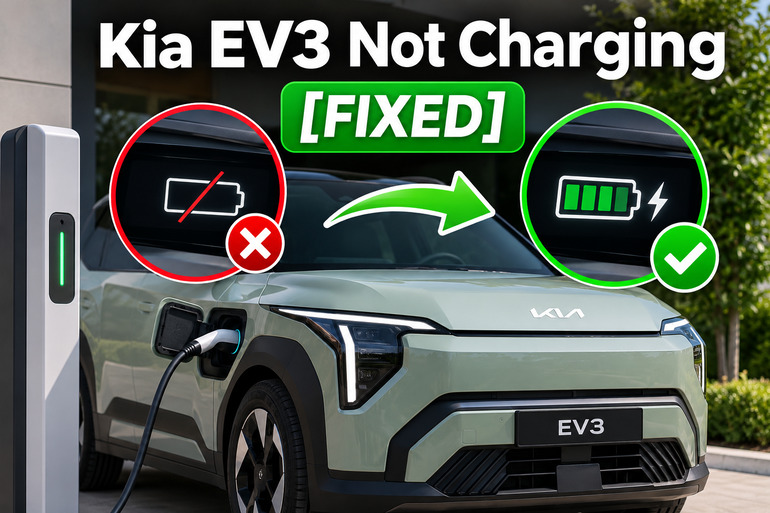
Why Your Kia EV3 Isn’t Charging
When your Kia EV3 isn’t charging, it means the vehicle isn’t receiving or storing electrical energy as expected. This can happen with a home AC charger, a portable charging cable, or a public DC fast charger. Sometimes the charging process never begins. Other times, it starts normally before stopping a few minutes later.
The EV3 uses a high voltage battery to power its electric motor. During AC charging, the vehicle’s onboard charger converts electricity into a form the battery can store. DC fast charging supplies controlled direct current through a different charging process. Because these systems work differently, a problem affecting AC charging might not affect DC charging.
Your EV3’s charging indicator can provide useful clues. A blinking green light means charging is underway, while a steady orange light indicates scheduled charging. A blinking red light indicates a charging problem involving the vehicle or charger. A blinking sky blue light means the vehicle is communicating with the charger, which doesn’t necessarily mean electricity is entering the battery.
You might also notice messages such as “Charging interrupted. Please check the AC charger” or “Charging interrupted. Please check the cable connection.” These warnings help identify where to begin troubleshooting. Persistent electrical warnings, smoke, unusual burning smells, or overheating require immediate attention rather than repeated attempts to charge.
Kia EV3 Not Charging [FIXED]: Common Causes
Several conditions can prevent your Kia EV3 from charging, even when the cable appears properly connected. The most likely causes involve charging settings, the external power supply, cable connections, temperature protection, or faults within the vehicle.
1. Incorrect Charging Schedule or Battery Charge Limit
Your Kia EV3 allows you to schedule charging sessions for specific periods. This feature is useful when electricity costs less overnight, but it can also make the vehicle appear to have a charging problem. If scheduled charging is enabled, plugging in an AC charger might not immediately start charging.
For example, suppose your charging schedule begins at 11 p.m., but you connect your EV3 at 6 p.m. The vehicle may recognize the charger and remain connected without drawing power until the scheduled charging period begins. The orange charging indicator is an important clue that this behavior is intentional.
Your battery charge limit can cause similar confusion. The EV3 allows you to set separate target levels for AC and DC charging in 10% increments. If the battery is already at or above the selected limit, charging won’t begin. A battery showing 80% charge with an 80% target generally doesn’t need additional charging, even when the charger is working correctly.
2. Faulty Charging Station or Interrupted Power Supply
An external charging station can prevent your EV3 from charging if it develops an electrical fault, loses power, or cannot communicate correctly with the vehicle. This problem can affect home charging equipment and public stations.
At home, an overloaded electrical circuit, defective charger, or interrupted power supply might stop charging. Public chargers can experience equipment faults, network problems, or payment authorization failures. If your EV3 charges normally at another station, the original charger or its power supply becomes the more likely cause.
3. Loose, Dirty, or Damaged Charging Connections
A charging connector must fit securely inside your Kia EV3’s charging inlet. If the connector isn’t fully inserted, the vehicle might not establish the electrical connection required to begin charging. Even a small obstruction can interfere with proper contact.
Dust, moisture, damaged connector pins, and wear can contribute to connection problems. You might notice that the charger initially recognizes the vehicle but stops before transferring electricity. The dashboard may also display a cable connection warning.
The connector locking mechanism is another possible source of trouble. Depending on the selected AC charging lock mode, the EV3 can lock its connector when plugged in or while charging. A connector that doesn’t engage correctly, or a damaged locking mechanism, may interfere with charging. However, a cable that stays locked after charging isn’t necessarily evidence of a charging system fault.
4. Excessive Temperature or Charging Current Problems
Your EV3 has protective systems that monitor battery conditions during charging. When temperatures become excessive, these systems can restrict or interrupt charging to protect the battery and electrical equipment.
For example, a battery that becomes excessively hot may temporarily prevent charging. The external charger can also stop operating if its temperature or supply voltage falls outside acceptable limits. Cold conditions may slow charging, although reduced charging speed alone doesn’t indicate a failure.
AC charging current can also contribute to interruptions. If the charging setup cannot reliably support the selected current, charging may stop unexpectedly. Kia provides an adjustable AC charging current setting that can help in certain situations, although persistent electrical problems still require inspection.
5. Faulty Vehicle Charging Components or 12V Electrical System
If your Kia EV3 refuses to charge using several known working chargers, the problem may involve its internal charging equipment. Possible faults include the onboard AC charger, charging control electronics, connector locking components, or battery management system.
The vehicle also relies on a separate 12V battery to operate many electrical controls. A severely discharged 12V battery can interfere with the vehicle’s normal operation and may prevent charging from being initiated. If the dashboard won’t turn on, the locks behave unusually, or electrical warnings appear, the 12V system deserves attention.
However, these symptoms don’t establish that a particular component has failed. Proper diagnosis requires checking fault codes and electrical measurements with suitable equipment.
Kia EV3 Not Charging [FIXED]: DIY Fixes
The best way to troubleshoot your Kia EV3 is to start with its charging settings and basic connection requirements before considering internal electrical faults. The following methods can help restore charging when the problem involves something you can safely check or adjust.
1. Confirm the Vehicle Is Ready to Charge
Start by checking whether your EV3 meets the normal conditions for charging. Kia specifies that the vehicle should be in Park, with the parking brake applied and the vehicle switched off before connecting the charger.
Follow these steps.
- Park your EV3 in a safe location.
- Press the brake pedal and select P (Park).
- Apply the parking brake.
- Turn off the vehicle and unnecessary accessories.
- Connect the appropriate charging cable according to the charger’s instructions.
- Check the charging indicator and instrument cluster for charging activity.
The vehicle should recognize the connection and begin the appropriate charging process unless another condition prevents it. Communication with the charger may take some time, and the EV3 can perform additional battery checks during charging.
If the charging indicator flashes red, read any warning message before trying another solution. Also, stop immediately if you notice smoke, a burning smell, damaged charging equipment, or an overheating warning. These symptoms require qualified assistance.
2. Disable Scheduled Charging and Adjust the Charge Limit
If your EV3 recognizes the charger but doesn’t begin charging, check whether scheduled charging is enabled. You can manage this feature through the vehicle’s infotainment system or the Kia Connect app, depending on your vehicle’s software and market.
To begin charging immediately, open the electric vehicle charging settings and disable the active charging schedule. Alternatively, Kia’s EV3 manual explains that you can press and hold the immediate charging switch near the charging inlet for approximately two seconds to override scheduled charging.
Next, verify the battery charge limit.
- Open the Electric Vehicle menu on your infotainment screen.
- Select the EV settings or charging limit option.
- Check the target percentage for the type of charger you’re using.
- If you need more charge, increase the target above the battery’s current percentage.
- Recheck the charging status to confirm charging begins.
For example, if the battery is at 70% and the AC charging limit is set to 70%, raising the target to 80% allows additional charging. Keep in mind that charging menus and labels can differ with software versions.
Once you’ve made these adjustments, confirm that the battery percentage begins increasing. If the vehicle still refuses to charge, the issue likely involves another setting, the charger, or the connection.
3. Inspect and Reconnect the Charging Cable
A loose charging connector can prevent your EV3 from charging correctly. Before reconnecting anything, stop the charging session through the vehicle or charging station and follow the proper disconnection procedure.
Unlock the vehicle if necessary, then disconnect the charging cable using its handle. The EV3 offers different connector locking settings, and in the Always Lock mode, unlocking the doors releases the connector for a limited period. Kia notes that the connector can lock again after approximately 15 seconds.
Once disconnected, visually examine the cable and charging inlet. Look for obvious dirt, moisture, damaged plastic, corrosion, or bent contacts. Don’t insert tools, fingers, or cleaning liquids into the electrical contacts.
If everything appears clean, dry, and undamaged, reconnect the compatible charger firmly according to its instructions. The connector should fit securely without excessive movement.
Watch the charging indicator afterward. If charging begins normally and continues without interruption, an incomplete connection may have caused the problem. However, if the plug feels loose, the cable shows damage, or the vehicle repeatedly displays a connection warning, stop using that equipment until it’s inspected.
4. Check the Charger and Try Another Charging Station
When your EV3 won’t charge, testing a different charger can help determine whether the problem is external to the vehicle. First, examine the charging equipment’s status display for error messages or signs that it’s unavailable.
For a home charger, check whether the unit has power and whether its normal status indicator is active. If a circuit breaker has tripped, don’t repeatedly reset it. An electrician should investigate repeated trips, unusual heating, or damaged electrical equipment. Never open a charging unit or attempt electrical repairs yourself.
At a public charging station, make sure the charging session has been properly authorized. Depending on the operator, you may need to use an app, charging card, or payment terminal. If the station reports a communication or authorization error, cancel the session and follow its instructions to try again.
You can also test another compatible, known working charging station. If your EV3 charges successfully elsewhere, report the original equipment’s failure to its operator.
If the vehicle fails at multiple chargers, note whether the issue occurs with AC charging, DC fast charging, or both. This information can help a technician identify the affected system.
5. Reduce AC Charging Current and Check Temperature Conditions
If charging starts but repeatedly stops, the AC charging current setting is worth checking. Your EV3 allows you to adjust this setting through its infotainment system, and Kia specifically recommends selecting another appropriate current when AC charging fails to start or stops unexpectedly.
Open the Electric Vehicle settings and locate the AC charging current option. Select a lower available setting, then attempt another charging session using equipment that is otherwise safe and operating normally.
Reducing the current decreases the amount of electrical power requested from the charger, which may help if the charging setup cannot sustain the previous setting. However, charging will generally take longer. This adjustment applies to AC charging and should never be used to ignore signs of damaged wiring or overheating.
Temperature also deserves attention. If the vehicle has an overheating warning, stop using it and follow the instructions displayed on the dashboard. Don’t attempt to cool the battery by spraying water or interfering with the cooling system.
In less serious situations, allowing the vehicle and charger to return to a normal operating temperature may resolve a temporary charging restriction. If charging repeatedly fails after temperatures normalize, professional diagnosis is necessary.
6. Check Plug & Charge Settings for DC Charging
Some Kia EV3 versions support Plug & Charge, a feature that allows compatible DC charging stations to recognize an active charging contract automatically. If the feature is enabled without a valid contract, the charging station may fail to authorize a session.
Check whether your EV3 has a Plug & Charge option in its Electric Vehicle settings. If you don’t have an active contract, Kia recommends disabling the feature. You can then try charging through the station’s supported external payment method.
If your Plug & Charge service previously worked but has stopped, check whether the contract or certificate has expired. Contract renewal may be necessary before automatic billing works again. This solution is relevant to compatible DC charging systems and won’t correct a physical charging fault.
7. Contact a Qualified Kia Technician
If none of these solutions restores charging, your EV3 may need professional diagnosis. This is especially important when charging fails at several working stations, charging repeatedly stops without an obvious external cause, or the vehicle displays a persistent service warning.
A qualified Kia technician can examine charging system fault codes, check the 12V power supply, and test the relevant charging components. These checks help distinguish a faulty onboard AC charger from a communication problem, damaged charging hardware, or a battery management fault.
Don’t attempt to disconnect the high voltage battery, open electrical control units, or repair orange high voltage cables yourself. These components can remain dangerous even when the vehicle is switched off.
If the dashboard displays “Check electric vehicle system,” “Stop safely and check power supply,” or a persistent battery overheating warning, follow Kia’s safety guidance and arrange appropriate professional assistance. Towing may be necessary, depending on the warning and vehicle condition.
Before contacting the dealership, record the warning messages, the battery percentage, the charger types you’ve tried, and whether the problem occurs immediately or after charging begins. These details can make diagnosis easier and help avoid unnecessary repairs.
Wrapping Up
A Kia EV3 that won’t charge may have something as simple as an active charging schedule, an unsuitable charge limit, or a poor cable connection. Other problems involve faulty charging equipment, temperature restrictions, or internal electrical components that require professional attention.
Start with the safest checks and pay close attention to the vehicle’s charging indicators and warning messages. If charging resumes, confirm that the battery percentage increases normally and the session remains stable. However, if the problem continues or serious warnings appear, having your EV3 inspected is the safest next step.