
Your Kia EV9 should start charging once you connect it to a working charger, provided the charging settings allow it. However, sometimes the vehicle refuses to charge, stops unexpectedly, or displays a charging error. This can be frustrating, especially when your battery is running low.
Fortunately, several charging problems have straightforward solutions. Understanding what prevents your EV9 from charging can help you identify the cause, perform safe troubleshooting checks, and determine when professional repairs are necessary.
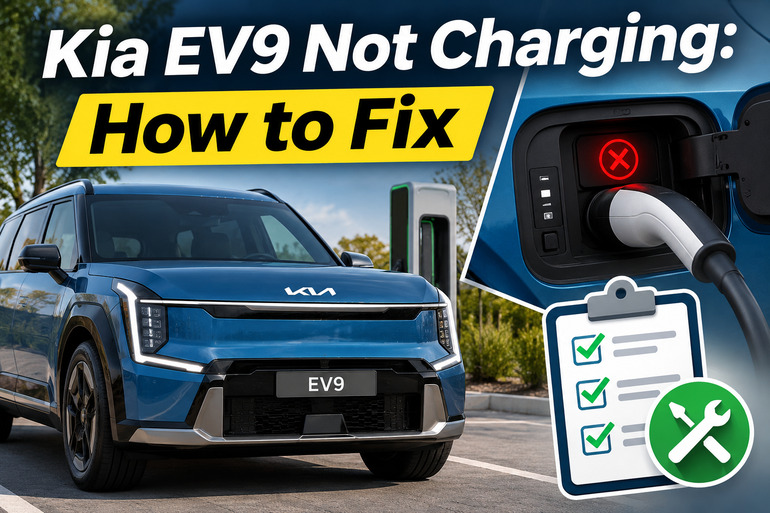
Understanding Kia EV9 Charging Problems
The Kia EV9 uses a high voltage battery to power its electric motors. You can recharge this battery using a Level 1 household charger, a Level 2 AC charger, or a compatible DC fast charger. During AC charging, the vehicle’s onboard charging equipment converts electricity into a form the battery can store. DC fast charging uses a different charging process.
When something interrupts this process, your EV9 may refuse to start charging or stop before reaching the selected battery percentage. Sometimes the charging indicator remains off, while other times the vehicle briefly begins charging before displaying an error message.
You might see warnings such as “Charging interrupted. Please check the AC charger” or “Charging interrupted. Please check the cable connection.” According to Kia’s owner’s manual, these messages can indicate problems with the external charger, a damaged cable, or an improperly connected charging plug.
It’s also worth distinguishing an actual charging failure from normal charging behavior. Scheduled charging can delay the start of a session, while a charging limit can stop the battery from charging beyond a selected percentage. However, repeated interruptions, electrical warning lights, or charging failures across several working chargers may indicate a problem requiring professional diagnosis.
Kia EV9 Not Charging: Common Causes
Several conditions can prevent your Kia EV9 from charging properly. Some involve simple settings or charging equipment, while others originate from the vehicle’s electrical system.
1. Incorrect Charging Schedule or Battery Limit
Your Kia EV9 allows you to schedule charging for particular times, which can help you take advantage of lower electricity rates. However, this feature can make the vehicle appear unresponsive when you connect a charger outside the scheduled charging period.
For example, if you’ve configured your EV9 to charge overnight, plugging it in during the afternoon might not start an immediate session. The vehicle can recognize the charger while waiting for its programmed charging time. Kia confirms that scheduled charging can delay charging when an AC charger or portable charger is connected.
Another possible cause is the battery charging limit. Your EV9 lets you select separate charging targets for AC and DC charging. If the battery has already reached its selected target, charging won’t continue simply because you connect another charger. Therefore, checking the displayed battery percentage against your charging limit is a useful first step.
2. Loose or Damaged Charging Connector
A charging connector must fit securely into the EV9’s charging port before the vehicle can charge properly. If the plug isn’t fully seated, the vehicle may fail to establish a stable connection with the charging equipment.
This can happen when the cable is pulling downward on the connector, the plug hasn’t been pushed in completely, or the connector has become worn or damaged. Dust, moisture, and foreign material around the connection can also create problems.
You might notice that charging fails immediately after plugging in or that the vehicle displays a cable connection warning. A connector that doesn’t sit securely or has visible damage deserves attention before another charging attempt.
3. Faulty Charging Station or Unstable Power Supply
Sometimes, the problem comes from the charging equipment rather than your Kia EV9. A malfunctioning charging station, damaged charging cable, or interruption in the electricity supply can prevent charging from starting.
At home, a tripped circuit breaker, faulty outlet, or problem with your wall charger can interrupt power delivery. Public charging stations may also experience equipment failures, communication errors, or payment authorization problems. If your EV9 charges normally at another station, the original charger becomes a stronger suspect. Kia specifically recommends testing a different working charger when charging fails.
4. Excessive Charging Current or Temperature Problems
Your EV9’s charging system monitors operating conditions to help protect its electrical components. When the charging equipment or vehicle detects certain abnormal conditions, charging may slow down or stop.
For example, a charging session that repeatedly stops after several minutes may involve overheating charging equipment, an electrical supply problem, or a fault in the vehicle’s charging system. Kia allows owners to adjust the AC charging current and recommends trying another appropriate current setting when charging fails or stops unexpectedly.
Temperature can affect DC fast charging, too. Extremely cold batteries may charge slowly because the vehicle limits charging power to protect battery health. This is different from an immediate charging failure, so it’s useful to observe whether the battery is receiving a small amount of power or whether the charging session is being rejected completely.
5. Faulty Integrated Charging Control Unit or Software
The Integrated Charging Control Unit, commonly called the ICCU, manages important electrical functions in your Kia EV9. These include functions involved in AC charging and maintaining the smaller 12-volt battery. When the ICCU develops a fault, the vehicle may lose certain charging functions.
Kia has documented specific ICCU problems affecting some EV9 vehicles. Service Action SA570 addresses AC charging interruptions and possible ICCU damage in certain 2024 EV9 models. Meanwhile, Service Action SA639 addresses ICCU replacement on certain 2026 models that cannot charge using Level 1 or Level 2 equipment. These programs apply to specific vehicles, so a charging failure alone doesn’t confirm that your ICCU is defective.
Kia EV9 Not Charging: DIY Fixes
The safest way to troubleshoot your EV9 is to begin with its charging settings and external equipment. If those checks don’t resolve the problem, you can narrow down whether the issue involves the vehicle itself.
1. Check Your Charging Schedule and Battery Limit
Start by checking whether your EV9 is programmed to charge at a later time. On the infotainment display, open the electric vehicle settings and look for scheduled charging or charging and climate settings. The exact menu names and arrangement can vary with the model year and software version.
If scheduled charging is enabled, temporarily disable it and try charging again. Some EV9 versions also allow you to request immediate charging by pressing and holding the charging button near the charging port for approximately two seconds. Kia documents this function for supported EV9 configurations.
Next, check the battery charging limit. If your battery is at 80% and you’ve set an 80% charging target, the vehicle has already reached its selected level. Increase the target temporarily, provided you want to charge further, and check whether charging starts. If the battery percentage begins rising, your charging settings were likely responsible.
2. Disconnect and Reconnect the Charging Cable
An improperly seated charging connector can interrupt the connection between your EV9 and the charger. Fortunately, reconnecting it correctly may resolve the problem without additional repairs.
First, stop the charging session using the charger controls or the vehicle’s supported charging controls. Unlock the connector according to your EV9’s settings, then remove it by holding the connector handle. Never pull on the cable itself.
Before reconnecting, visually examine the connector and charging port. Look for obvious dirt, moisture, damage, bent components, or signs of overheating. Do not insert tools or fingers into the charging contacts, spray cleaning products inside the port, or attempt to repair damaged terminals. If you find moisture, allow the connector to dry safely before use. Damaged or melted parts require professional inspection.
If everything appears clean, dry, and undamaged, align the connector and push it firmly into the port until properly seated. Make sure the cable isn’t pulling the connector sideways or downward. Then restart the charging session and watch for confirmation that electricity is reaching the battery.
If the cable connects securely but the same warning returns, avoid repeatedly forcing the plug into place. The problem may involve the connector, charging port, locking mechanism, or another part of the charging system.
3. Test Another Charging Station or Power Source
Testing your EV9 with another known working charger is one of the most useful ways to separate vehicle problems from external equipment faults.
If you’re using a home wall charger, first check its display or indicator lights for fault messages. You can also check whether its circuit breaker has tripped. A single breaker trip may have several explanations, but repeated tripping, buzzing, burning smells, or a hot outlet requires a licensed electrician. Don’t keep resetting a breaker that trips repeatedly.
At a public charging station, check that the charger is operational and that any payment or account authorization has been completed. If the session fails, end it correctly and try another compatible station. A successful session elsewhere suggests the original station, its cable, or its power supply may be responsible.
Make sure you’re using the correct charging connector for your EV9. In the United States, 2024 and 2025 models have CCS charging ports, while 2026 models have factory NACS ports. Depending on your vehicle and the charging station, an approved adapter may be necessary. Not every Tesla Supercharger is accessible to every vehicle, so check compatibility through the supported charging app.
For home charging, avoid extension cords and damaged outlets. If you’re using portable charging equipment, follow its instructions and confirm that the electrical circuit is suitable for the selected charging load.
4. Reduce the AC Charging Current
If your EV9 starts charging but repeatedly stops during Level 2 charging, adjusting the charging current may help identify whether the problem is related to the charging load.
Open the vehicle’s AC charging settings and locate the charging current option. Select a lower available setting, following the instructions for your particular model. Then reconnect the charger and observe whether the vehicle maintains a stable charging session.
Lowering the current reduces the amount of electricity drawn during charging. As a result, it may reduce heating and allow charging to continue where a higher setting causes an interruption. However, it will also increase the time needed to recharge the battery.
A successful session at a lower current provides a useful diagnostic clue, but it doesn’t prove the equipment is safe or that the fault has been repaired. If charging repeatedly fails at higher current settings, arrange an inspection of the charger, electrical installation, and vehicle as appropriate. Never use a lower setting to ignore signs of electrical damage or overheating.
5. Check Battery Temperature and Use Battery Conditioning
When your Kia EV9 charges unusually slowly in cold weather, battery temperature may be part of the explanation. Lithium-ion batteries operate best within suitable temperature ranges, and the vehicle can restrict charging power when the battery is too cold or hot.
If your EV9 has battery conditioning, check whether the feature is enabled. You can find the relevant controls through the vehicle’s electric vehicle settings on supported versions. When you’re planning to use a DC fast charger, selecting a compatible charging station as your destination through the vehicle’s built-in navigation may allow the battery conditioning system to prepare the battery before arrival.
Kia explains that battery conditioning helps optimize battery temperature for charging, particularly in cold conditions. However, its operation depends on vehicle equipment, battery conditions, and software.
After the battery reaches a suitable temperature, charging performance may improve. Keep in mind that an extremely cold battery can still require time before accepting higher charging power.
If the vehicle repeatedly refuses to charge, displays electrical system warnings, or fails at normal temperatures, don’t assume the weather is responsible. A complete charging failure needs further investigation.
6. Check for Software Updates and Applicable Kia Service Actions
Software problems can sometimes affect charging behavior, and Kia has issued updates addressing specific EV9 charging faults. Checking whether your vehicle has an outstanding update is particularly worthwhile if other troubleshooting methods haven’t helped.
For example, Kia released an update addressing the electric water pump control logic on certain 2024 EV9 vehicles. The update was intended to improve AC charging performance and help prevent interruptions. Some eligible vehicles could receive the update over the air, while others may require dealership assistance.
Kia has also issued several service actions involving the ICCU.
- SA568: Addresses 12-volt battery charging concerns in certain 2024 EV9 vehicles through an ICCU software update.
- SA570: Addresses AC charging interruptions involving charging control and cooling system operation in certain 2024 EV9 vehicles. Some affected vehicles may require ICCU replacement.
- SA639: Addresses possible Level 1 and Level 2 charging failure in certain 2026 EV9 vehicles through ICCU replacement.
To check your vehicle, find its 17-character Vehicle Identification Number (VIN), then contact an authorized Kia dealership. Ask the service department to review outstanding software updates, recalls, and service actions for your VIN.
The dealership can determine whether your vehicle qualifies for a particular repair program. It’s important to verify eligibility because these programs don’t apply to every EV9, even when the symptoms appear similar.
7. Contact a Qualified Kia Technician
If your EV9 still won’t charge after you’ve checked the settings, charging connector, and external equipment, professional diagnosis is the next appropriate step.
A Kia technician can use specialized diagnostic equipment to read stored fault codes and examine charging system performance. This helps identify whether the problem involves the ICCU, charging port, onboard charger, electrical communication system, or another component.
Before your appointment, record any warning messages, whether the failure occurs during AC or DC charging, and whether charging starts before stopping. It also helps to note which chargers you’ve tested and whether the vehicle has recently received software updates.
If the service warning light appears, the vehicle reports an electrical system fault, or you notice smoke, burning smells, or damaged charging equipment, stop charging and seek qualified assistance. Do not continue using the vehicle if it displays serious electrical warnings or shows signs of unsafe operation.
Likewise, if your EV9 has a discharged 12-volt battery and won’t enter its normal driving mode, it may require separate diagnosis of the auxiliary battery and charging system. Don’t assume that adding charge to the main battery will resolve that problem.
High voltage components should only be inspected or repaired by technicians trained to work on electric vehicles. Fortunately, a professional diagnosis can help establish the actual fault before unnecessary parts are replaced.
Wrap-Up
A Kia EV9 that refuses to charge doesn’t automatically have a serious battery problem. Sometimes, the cause is a charging schedule, an incorrectly seated connector, or an issue with the external charging equipment. However, repeated failures can also point to electrical or charging control faults that need professional attention.
Start with the simple checks and pay attention to the circumstances surrounding each failed charging attempt. If your EV9 continues showing errors or refuses to charge at multiple working stations, have a qualified Kia technician inspect it before the problem becomes more disruptive.