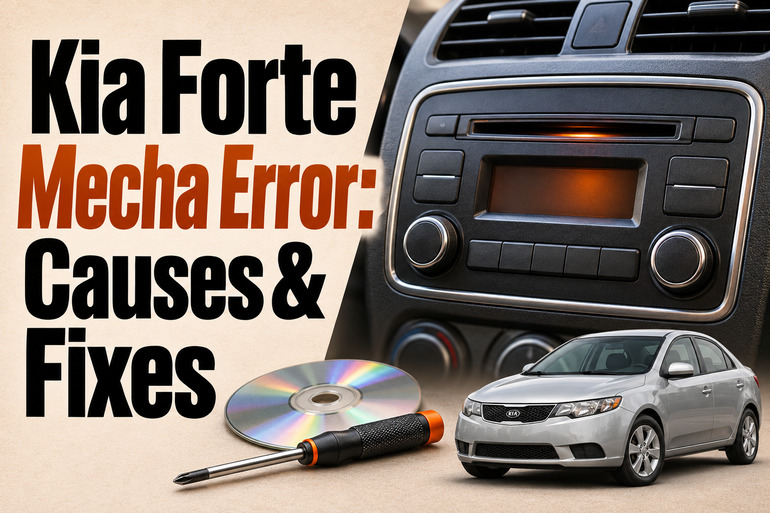
A “Mecha Error” message on your Kia Forte’s stereo can leave you with a CD that won’t play, a disc that won’t eject, or clicking from behind the dashboard. Before replacing the radio, it helps to separate a disc problem from a fault inside the player.
The right next step depends on your stereo’s design and how the trouble started. A few careful checks can narrow the possibilities, while avoiding damage to the player or your disc.
What a Mecha Error Means on Your Kia Forte
“Mecha Error” is used by some audio manufacturers to describe a disc player malfunction. However, it shouldn’t be treated as a confirmed, universal Kia Forte error definition. For example, Kenwood documents this wording for certain stereos, while the reviewed 2010 Forte owner’s manual uses other messages, including “Reading Error.” Confirm the stereo model before applying a specific reset or repair procedure.
A CD player must accept the disc, position it, rotate it, and read its recorded information. It must also return the disc through the slot when you press eject. A failure during one stage can interrupt playback, although the message alone doesn’t identify the failed part.
Your observations help separate the possibilities. A disc that won’t enter or leave the slot suggests a loading problem. A disc that enters normally but fails to play leaves more room for a media or reading issue. These are diagnostic clues rather than proof of a particular failure.
Also, keep the location of the message in mind. This discussion concerns an error on the audio display during CD operation. If a different warning appears in the instrument cluster, especially alongside changes in braking, steering, or engine operation, it needs separate diagnosis.
Kia Forte Mecha Error: Common Causes
Several problems can interrupt CD operation, and their symptoms can overlap. The following possibilities provide a useful starting point without assuming that every Forte stereo uses the same fault messages.
1. A Disc Loading or Ejection Fault
A disc that remains trapped while the player clicks or repeatedly attempts to move it raises concern about the loading mechanism. The stereo may be trying to complete an operation that it can’t finish.
On certain Kenwood units, “Mecha Error” specifically indicates a malfunction in the disc player. Other Kenwood systems associate the same wording with a disc magazine or a broader unit fault. This difference shows why the stereo model matters, particularly if a previous owner installed a replacement radio.
Neither a trapped disc nor a clicking sound confirms a broken motor or gear. An obstruction and an internal component failure may require different repairs. Once normal ejection fails, identifying the cause belongs with an audio repair specialist.
2. A Damaged, Dirty, or Unsuitable Disc
The disc deserves attention before the entire stereo is blamed. Scratches, fingerprints, surface contamination, and distortion can interfere with playback. Kia also warns that some recorded and copy protected CDs may not work correctly in its audio systems. A failure involving one disc therefore doesn’t automatically establish a radio fault.
The useful distinction is whether the problem follows a particular disc. If a clean commercial audio CD works while a homemade disc repeatedly fails, compatibility or disc condition becomes the stronger lead. However, don’t test another CD while the first one remains inside or the loading mechanism is struggling.
3. Extreme Temperature or Moisture
Trouble that appears after the car has been parked in strong heat, exposed to severe cold, or subjected to damp conditions deserves a different approach. Kia’s CD care guidance recognizes temperature extremes and moisture as conditions that can interfere with player operation. These conditions can explain temporary playback trouble, although they don’t prove the cause of a particular “Mecha Error.”
The pattern matters. A player that works again after the cabin returns to a comfortable temperature behaves differently from one that jams every time you press eject. Note whether the fault depends on weather or continues under ordinary conditions.
There’s also a difference between a temporary environmental problem and a recurring hardware fault. If normal cabin conditions make no difference, continuing to wait is unlikely to provide useful diagnostic information. Move on to the other checks instead.
4. A Temporary Stereo Lockup
Sometimes the audio system becomes unresponsive rather than developing an obvious disc jam. Frozen controls or a display that stops reacting may justify checking whether the manufacturer provides a restart or reset procedure.
However, a reset is an option only when it applies to the installed unit. Kia states that some radios have a reset button and directs owners to the appropriate manual to confirm availability. A reset that clears the screen also doesn’t establish that an underlying mechanical problem has been repaired.
Kia Forte Mecha Error: DIY Fixes
Start with checks that establish what the stereo is doing before trying to change anything. If the player grinds, repeatedly struggles with a trapped disc, or becomes unresponsive again after a documented reset, stop repeating the same attempt.
1. Identify the Stereo and Record the Symptoms
Park safely before operating the controls or examining the display. Note your Forte’s model year and whether the stereo appears to be the original unit. A visible manufacturer name or model number can help locate the correct instructions without removing dashboard trim.
Next, record exactly when the message appears. Useful details include whether it happens during loading, playback, ejection, or immediately after switching the stereo on. Also note whether a CD is inside and whether the radio still responds normally. A photo of the message can help a technician distinguish its exact wording.
Finally, match the controls to the correct manual. The 2010 Forte manual, for example, describes both PA710TD and PA760TD audio equipment, with different disc controls. That’s enough reason to avoid assuming that one online button sequence applies to every Forte.
2. Try Normal Ejection Without Forcing the Disc
Use the eject control as described in the installed stereo’s manual. Give the player time to complete its normal movement, and watch for the disc to emerge. If it does, remove it gently and leave the slot empty while you assess its condition.
If the disc remains trapped, stop there. Don’t insert tweezers, a screwdriver, another CD, or an adhesive tool to pull it out. Manufacturer troubleshooting guidance for comparable CD players directs owners to seek service when normal ejection fails and specifically warns against forcing the disc out.
3. Examine the Disc and Compare It With Another
Once the disc is safely outside the player, hold it by its edges and examine both sides under good light. Look for cracks, distortion, deep scratches, attached paper, or loose labels. Set aside any disc that appears physically damaged rather than reinserting it for another trial.
For ordinary fingerprints or dust, use a clean, soft cloth and wipe from the center outward. Avoid household cleaners and solvents. Kia’s Forte guidance recommends this wiping direction and cautions against applying unsuitable chemicals or attaching tape and paper to discs.
If the slot is clear and loading operates normally, try one clean commercial audio CD that you know plays elsewhere. Successful playback makes the original disc a stronger suspect. Failure with the second disc points back toward the player, although it still doesn’t identify the failed component. This comparison is also used in manufacturer CD troubleshooting guidance.
4. Let the Cabin Return to Normal Conditions
If the error began in an unusually hot or cold cabin, switch the stereo off and allow conditions to settle before testing again. Ventilate a hot interior or let a cold cabin warm gradually. If an ejected disc has visible moisture, leave it out until it’s dry. Kia recommends allowing suitable operating conditions before playback.
Avoid using a hair dryer, spraying liquid into the slot, or attempting to speed up the process with direct heat. Once conditions are comfortable, make one normal playback attempt. Record whether the problem disappears completely or returns during loading or ejection. A brief improvement followed by repeated failure still deserves further attention.
5. Use the Documented Restart or Reset Procedure
If the stereo responds to its power control, switch it off normally and then back on. This is a reasonable initial check for an unresponsive audio function. However, turning the display off may differ from performing a full reset, so don’t assume the two actions have the same effect.
For any dedicated reset, follow the instructions for the exact stereo model. Kenwood, for example, provides reset advice for some systems that display “Mecha Error,” while other models direct the owner to eject the disc and seek service if the fault continues. Those instructions apply to the listed Kenwood equipment, rather than every Kia factory radio.
Don’t experiment with unlabeled openings, guessed button combinations, battery disconnection, or repeated fuse removal. After a documented reset, check whether the controls respond and whether normal disc operation returns. If the message comes back, treat that recurrence as useful evidence for diagnosis instead of repeating resets indefinitely.
6. Contact an Automotive Audio Specialist
Arrange professional diagnosis when a disc stays trapped, the mechanism repeatedly clicks or grinds, several suitable discs fail, or the error returns after the applicable checks. An automotive audio specialist or Kia service department can assess the installed equipment and explain whether removal, repair, or replacement is appropriate. Kia specifically advises against dismantling the head unit yourself to retrieve a CD.
Bring your symptom notes and identify any valued disc still inside. Before authorizing replacement, request an explanation of the fault, an estimate, and confirmation that the proposed unit supports the features you use. If you notice smoke or a burning smell, stop using the stereo and seek prompt assistance rather than continuing playback tests.
Wrapping Up
A Kia Forte stereo error is easier to assess when you separate what the display says from what the player actually does. The installed audio unit, the condition of the disc, and the timing of the failure all help determine which checks are worth trying.
Begin with the correct manual and a normal eject attempt. Continue only while the player operates without force or repeated struggling. If a disc remains trapped or the fault keeps returning, your observations will give an audio specialist a clearer starting point for repair.