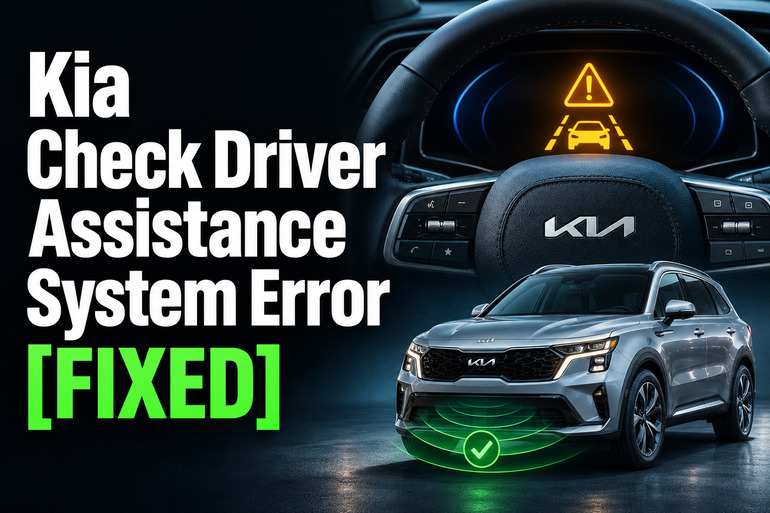
A “Check Driver Assistance System” message on your Kia can leave you unsure which features still work. You might also see an amber warning light or find that a driving aid is unavailable. The message needs attention, but it doesn’t identify a failed part by itself.
The right response starts with the exact warning and the conditions surrounding it. A blocked sensor needs a different approach from damaged equipment, and some faults require professional diagnosis before you can trust the affected feature again.
What the Kia Driver Assistance Warning Means
Kia uses this warning for faults involving several driving aids, depending on the model and equipment. Forward collision assistance, blind spot assistance, Smart Cruise Control, and Driver Attention Warning can display similar wording. Therefore, the message alone doesn’t establish which component needs repair. Other dashboard messages and the vehicle’s diagnostic information help narrow it down.
These features use cameras, radar sensors, or other detecting equipment appropriate to their function. For example, certain forward collision systems combine camera recognition with radar information to monitor traffic ahead. If the equipment cannot gather usable information, the affected assistance may become limited or unavailable. Equipment and capabilities vary, so use the owner’s manual for your particular Kia.
There’s an important distinction between a malfunction warning and a temporary limitation. Kia separately identifies conditions involving an obscured camera or blocked radar. Those messages can result from contamination without a failed component. However, Kia directs owners to seek inspection for a forward collision system malfunction or a limitation that remains after the obstruction is removed.
Until the problem is resolved, don’t depend on the affected assistance. Keep control of your speed, following distance, braking, and steering. If you also experience abnormal braking, difficult steering, or other signs that the vehicle is unsafe, stop somewhere safe and arrange qualified assistance. Don’t continue driving simply to see whether the message disappears.
Kia Check Driver Assistance System Error [FIXED]: Common Causes
Several conditions can interfere with Kia’s driver assistance equipment. The circumstances in which the warning appears provide useful clues, although they don’t replace a proper diagnosis.
1. Dirt, Snow, or Accessories Blocking Detection
Road spray, packed snow, and other debris can cover the surfaces through which the sensors detect their surroundings. The windshield area in front of the camera may look dirty, while a radar cover can collect contamination near the front of the vehicle.
Rear detection equipment needs attention too. On applicable Kia models, contamination around the rear bumper’s radar areas, a trailer, or a carrier can temporarily limit blind spot assistance. A warning involving rear detection therefore deserves a check of the rear bumper rather than repeated cleaning of the windshield.
Accessories can create a less obvious obstruction. Kia warns against unsuitable objects near detecting equipment, including certain license plate frames, bumper films, stickers, and windshield accessories. If the problem began after an accessory was fitted, its position is worth reviewing against the manual’s sensor diagrams.
2. Weather, Condensation, or Strong Glare
A clean vehicle can still have limited driver assistance in poor conditions. Kia lists heavy rain, snow, thick fog, windshield moisture, and sun glare among circumstances that can affect forward collision assistance. Very high or low temperatures around detecting equipment can also limit operation.
The pattern is useful. A limitation that appears during heavy snowfall and clears after conditions improve points to an environmental issue. A recurring malfunction warning on clear days needs further attention. Weather can explain reduced detection, but it shouldn’t become the automatic explanation for every warning.
3. Sensor Damage or Changed Alignment
A warning that starts after a bumper impact, windshield replacement, or body repair deserves a closer look. Kia advises having relevant assistance checked after certain windshield, bumper, camera, or radar repairs and replacements. The timing of the warning is valuable information for the repair shop.
Position matters as well as appearance. Kia warns that force applied around the front sensor can move it out of its correct position. The system may then operate incorrectly even without displaying a warning. A bumper that looks acceptable from outside doesn’t establish that the equipment behind it is correctly positioned.
Some repairs require calibration, which establishes the sensor’s correct reference or aim. The requirements depend on the vehicle and repair performed. This is professional work, so don’t loosen a sensor bracket or attempt to adjust the camera by eye.
4. A Fault Within the Assistance Equipment
Sometimes the warning reflects an actual equipment fault. For example, Kia has issued a service bulletin covering front camera replacement for specified diagnostic trouble codes on covered vehicles. That establishes a possible repair for a defined condition, rather than a universal explanation for this dashboard message.
A warning that returns with clean sensors and clear weather needs diagnosis before parts are ordered. Likewise, a Smart Cruise Control malfunction warning calls for inspection according to Kia’s guidance. Similar symptoms across different vehicles don’t prove that they need the same sensor, camera, or software repair.
Kia Check Driver Assistance System Error [FIXED]: DIY Fixes
Begin with safe observations and cleaning that match the warning displayed. If the message indicates a malfunction, these checks can provide useful information, but they don’t replace Kia’s recommended inspection.
1. Record the Warning and Identify the Affected Feature
Park safely before reading menus or taking pictures. Photograph the exact message and warning symbols, then note the weather, when the warning appeared, and any recent work on the vehicle. Useful details include whether it appeared at startup, during rain, after a car wash, or immediately after a repair.
Next, find the matching warning in your model’s owner’s manual. Some Kia models also provide assistance status information through the instrument cluster’s service messages. Use that information to distinguish a forward detection issue from a rear detection issue before choosing what to check. Menu names and locations can differ.
2. Clean the Windshield Around the Camera’s Viewing Area
Use the owner’s manual to locate the front camera’s viewing area. On equipped vehicles, it is commonly associated with the upper windshield near the inside mirror. Check the glass in that area for dirt, snow, ice, or anything attached that could interfere with the view. Kia specifically cautions against obstructing the camera area with windshield accessories or tint.
Clean the accessible exterior glass using a suitable windshield cleaning method and a soft cloth. Clear frost with the vehicle’s defrosting system before assessing visibility. If the inside glass is fogged, use the windshield defogging controls according to the manual rather than reaching into the camera housing.
Leave the camera assembly attached and dry. Don’t remove its cover, move its mounting point, or spray cleaner into the equipment. If moisture appears trapped inside the housing or the glass is damaged near the camera, arrange an inspection rather than attempting disassembly. Kia warns against taking detecting equipment apart.
3. Gently Clear the Relevant Radar Areas
Find the radar locations in your Kia’s manual before cleaning. Depending on the feature involved, you may need to check a front cover or the rear bumper corners. Don’t assume every visible circle in a bumper is the radar sensor associated with the warning.
Remove loose contamination gently with water and a soft cloth, following the vehicle’s care instructions. Avoid force, abrasive scraping, or a pressure washer aimed directly at the sensor area. Kia warns that excessive force can affect sensor positioning and that unsuitable paint or covers can interfere with radar operation.
After cleaning, look for obvious damage without removing trim or reaching behind the bumper. Cracks, displaced trim, or signs of an impact are reasons to stop the home checks. Cleaning can remove an obstruction, but it cannot establish whether a damaged sensor or mounting bracket remains correctly aligned.
4. Review Accessories and Recent Repairs
Check whether the warning started after fitting a windshield accessory, license plate surround, bumper attachment, bike carrier, or trailer. Compare its location with the detecting areas shown in the manual. For applicable blind spot systems, Kia identifies rear attachments and objects covering the bumper’s radar areas as possible sources of limited operation.
Remove an easily detachable obstruction only when you can do so safely and according to its instructions. Don’t strip bumper coatings, disturb fixed equipment, or dismantle sensor housings. If the warning followed windshield or bumper work, contact the repairer and ask whether the required assistance checks and any applicable calibration were completed.
5. Reassess After the Limiting Condition Clears
If the message specifically concerns restricted detection during bad weather, allow conditions to improve before reassessing it. Clear glass and sensor covers first. Don’t drive into heavy rain, glare, or poor visibility simply to test whether an assistance feature has returned.
A normal restart may be part of the recovery procedure for certain systems after an obstruction is removed. For example, Kia describes restarting after clearing an obstruction affecting blind spot assistance on applicable models. However, restarting doesn’t resolve a continuing obstruction or equipment fault. Follow your manual instead of relying on a universal waiting period.
If normal driving is otherwise safe, observe whether the limitation returns under ordinary conditions. Never test collision assistance by deliberately approaching a vehicle, person, or obstacle. Kia expressly warns against intentional testing of automatic collision intervention. A disappearing warning also doesn’t guarantee correct detection in every situation.
6. Contact a Qualified Kia Technician
Arrange professional diagnosis if the exact malfunction warning persists, returns repeatedly, or appears after an impact or relevant repair. You should also book inspection if a camera or radar limitation remains after cleaning and improved conditions. Kia recommends dealer inspection when the affected assistance continues to operate incorrectly.
Bring your photographs, symptom notes, and recent repair paperwork. Ask the technician to identify the affected system and explain the diagnostic findings before replacing parts. If a bulletin or update is proposed, have the shop confirm that it applies to your vehicle and the fault found.
The completed repair may involve procedures beyond fitting a replacement component. For instance, Kia’s camera bulletin specifies coding, calibration, and diagnostic checks for the repair it covers. Ask what verification was completed and whether any followup is needed. If braking or steering feels unsafe, arrange transport for the vehicle instead of driving it to the appointment.
Wrapping Up
The Kia driver assistance warning is most useful when you read it alongside the conditions that caused it. A temporary detection limit may clear after you remove an obstruction or visibility improves. A persistent malfunction message needs a diagnosis that identifies the actual fault.
Start with the exact wording, use your model’s manual, and keep home checks limited to safe cleaning and observation. If the warning returns, provide the repair shop with clear notes about when it happens. That gives the technician a useful starting point without guessing at replacement parts.