
A Kia Picanto radio that goes quiet can give you several clues before you touch a fuse. The screen might go completely dark, a station might fade into static, or the display might show a song playing while the speakers stay silent. Those symptoms point to different parts of the system.
Start by finding out what still works. A few checks while you’re parked can narrow the problem down and help you decide whether you need to change a setting or book a repair.
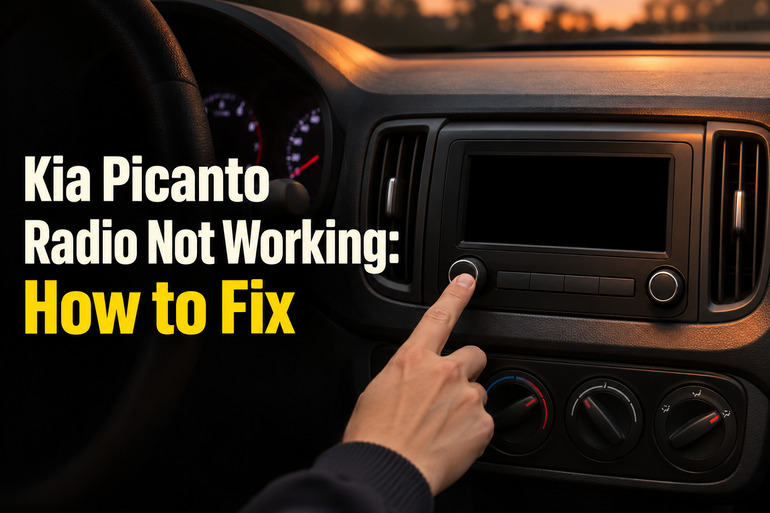
What Your Picanto’s Radio Symptoms Tell You
The unit in the dash, sometimes called the head unit, receives broadcasts through the antenna and sends audio to the speakers. Depending on the model year, trim, and market, that same unit may also play music from a phone or USB device. Those sources share the speakers with the radio, so switching between them can help you locate the fault.
Pay attention to what the display does when the sound stops. A screen that goes dark and then shows the Kia logo again suggests that the unit restarted. A display that keeps responding while every speaker falls silent points you toward the sound settings or the parts that carry audio to the speakers. If you can still hear music through one speaker, the unit is producing at least some audio.
It also matters when the problem appears. Reception that drops in a parking garage and returns on the street fits a weak broadcast signal. If the radio and other electrical features fail at the same time, tell the technician which features went out together. That detail helps them decide where to begin testing.
If you see smoke coming from the dashboard, pull over as soon as it’s safe, shut off the engine, and get everyone out. Move at least 100 feet from the car and away from traffic, then call emergency services.
Kia Picanto Radio Not Working: Common Causes
The fault can start with a setting, a weak signal, or a part that has stopped working. The best clue is often whether the trouble affects one station, one source, one speaker, or the whole unit.
1. The Radio Has Lost Power
A blown fuse can leave the radio dark and unresponsive even when the car starts normally. The fuse protects the circuit by opening when too much current flows. Which fuse supplies the radio depends on your Picanto’s equipment, and some fuse listings show the audio unit sharing a circuit with other equipment.
An intermittent power problem can look different. The radio might restart unexpectedly or work on some trips and stay dark on others. A poor connection in the power or ground wiring can cause that pattern. The ground is the return path the unit needs to complete its electrical circuit.
If the engine also cranks slowly or the dash lights flicker, mention those symptoms when you book a check. The battery, its connections, or the charging system may need attention before the radio itself is tested.
2. The Sound Is Muted or Sent to the Wrong Speakers
A station name can stay on the screen while the system is muted. On equipped Picantos, the steering wheel volume control can also act as a mute button, so a press may silence the radio while leaving the display and other controls working. Low volume can look much the same until you turn the knob with a station playing.
If you can hear the radio from only one part of the cabin, look at the sound position. Balance moves sound between the left and right sides. The fader shifts it between the front and rear on systems that offer that adjustment. A setting pushed to one corner can make several speakers seem dead.
3. The Signal Is Weak or the Antenna Is Damaged
FM can fade or hiss near large buildings or far from the transmitter. If one station sounds rough while other stations come in clearly, the signal for that station may simply be weak where you’re parked. If most local stations sound poor even in an open area where they used to come in clearly, the antenna and its cable are worth checking.
On Picantos with a removable roof mast, reception can suffer if the mast is loose, missing, or damaged. If the trouble began after a car wash, look at the mast and its base from outside the car. Clear Bluetooth or USB playback alongside poor FM reception gives you another reason to focus on the broadcast side of the system.
4. The Unit Has Frozen or the Phone Connection Has Failed
A station name that stays fixed while the buttons and screen stop responding can indicate that the unit has frozen. Some Picanto infotainment systems have a reset button that restarts the unit when it becomes slow or unresponsive. A successful restart can get it working again, though the symptom alone won’t tell you why it froze.
A phone connection can cause a narrower problem. For example, the radio may play normally until you switch to Bluetooth, or the screen may go blank only when Apple CarPlay or Android Auto starts. In those cases, test the phone connection separately so you can see whether the problem follows the phone.
Note what was connected when the fault started. If the screen freezes with the phone disconnected and FM selected, that gives a technician a simpler way to reproduce it.
5. A Speaker, Its Wiring, or the Radio’s Audio Output Has Failed
A speaker that crackles or cuts out on both FM and phone audio may have a fault of its own. A loose connector or something vibrating around the speaker can produce similar sounds. If the same door stays quiet with the sound position centered, the technician can check the speaker and its wiring before deciding whether either needs replacing.
If every speaker is silent on several sources and the controls still respond, the fault could be in a connection shared by the speakers or in the unit’s audio output. Testing those connections can help confirm where the signal stops before you pay for a replacement radio.
Kia Picanto Radio Not Working: DIY Fixes
Start with the check that matches what you’re seeing or hearing. Make one change at a time and test the same station or track again so you can tell what helped.
1. Turn the Radio On and Check the Sound Position
With the car parked, set the ignition to ACC or ON as described in your owner’s manual. Press the radio’s power button, select FM, and tune to a familiar local station. Bring the volume up gradually and clear mute if it’s active. Use the dashboard controls if you’re unsure what the steering wheel buttons do.
If sound comes from only one part of the cabin, open the sound settings and return the position marker to the center. On a unit with separate balance and fader controls, center both. Then move the sound briefly toward each speaker position your car is equipped with. If one position stays quiet, write down which one and return the settings to center.
2. Retune the Radio and Check the Roof Antenna
Park in an open area where you usually get good reception. Select FM and use Seek or Scan if your radio offers it. Try several local stations, including one you know well enough to tune manually. If your unit offers digital radio, you can compare that with FM to see whether the trouble affects both bands.
If your Picanto has a removable screw-on mast, check that it’s present, upright, and secure. An intact mast that has worked loose can be snugged by hand. If the base moves, the threads are damaged, or the antenna is a fixed design, leave it in place and have it checked.
Retest the same stations from the same spot. Clear reception after securing the mast points to the connection you just corrected. If several stations still sound weak while your other audio sources play clearly, a technician can test the antenna base, cable, and tuner.
3. Test the Phone Connection on Its Own
Unplug any USB cable, disconnect the phone from Bluetooth or wireless phone projection, and test FM first. If FM works, reconnect one way at a time. For Bluetooth, select Bluetooth Audio on the car, start a track on your phone, and check the phone’s media volume while the track plays.
If Bluetooth still won’t connect, remove the pairing from both the car and the phone, then pair them again through the car’s device settings. For wired Apple CarPlay or Android Auto, try a known working data cable in the port marked for media or phone connection. Some Picantos have a separate port for charging, so a phone can charge without connecting to the audio system.
4. Restart the Radio Using Its Own Controls
If the unit is frozen, switch the car off and wait for the radio display to shut down fully before turning it on again. On some Picantos, the screen stays on until you open the driver’s door or the system shuts itself off. Wait for the display to go dark before testing again.
If that doesn’t help, look up the reset control in the guide for your exact radio. Some units have a recessed button that you press with a suitable tool, such as a paper clip. Use that method only after identifying the button in the guide. If the radio was installed after you bought the car, use the instructions for that unit.
After the restart, try FM before reconnecting your phone. If the screen keeps freezing or restarting with nothing connected, note how long the radio runs before it fails. That gives the shop a better chance of seeing the fault during testing.
5. Check the Fuse Listed for Your Radio
If the unit stays dark in ACC or ON, use your owner’s manual and the label inside the fuse panel cover to identify the correct fuse. Check both because the manual can show equipment your car doesn’t have. If the radio is an aftermarket unit and its fuse location is unclear, check with the installer.
Follow the manual’s fuse procedure with the ignition and accessories off. Picanto manuals may require disconnecting the negative battery cable before replacing a fuse. If you’re unfamiliar with that step or unsure which fuse to pull, have a shop do it. On an accessible blade fuse, the metal strip may show a visible break when the fuse has blown.
Use a replacement of the same type and amperage specified for that slot. If the new fuse blows again, stop testing the radio and arrange an electrical diagnosis. The fuse is protecting the circuit, and fitting one with a higher rating can damage the wiring.
6. Contact an Auto Electrician or Kia Service Center
Book a diagnosis if the radio remains dead, repeatedly restarts, or stays silent across several sources after you check the settings. An auto electrician or Kia technician can test the power and ground at the unit and trace the fault through the antenna or speaker wiring as needed. If the trouble began after a stereo installation, tell the shop what was fitted and when the symptom started.
Wrapping Up
When the problem comes and goes, jot down what happens while it’s fresh. Record what you were listening to, whether the display stayed on, and whether the sound went out everywhere or just in one part of the car. A short note can help you recognize the same pattern on another trip.
If a simple adjustment brings the radio back, try it again the next time you start the car. If the fault returns, bring those observations when you book service. They give the technician a starting point even if the radio happens to work when you arrive.