A warning about limited features can leave you unsure whether your Kia needs a quick cleaning or a repair appointment. The concern becomes greater when cruise control or another familiar driving aid stops working at the same time.
The right response depends on the exact message and the affected system. A blocked camera needs a different approach from damaged equipment. Understanding that difference helps you make useful checks without replacing parts unnecessarily or relying on assistance that may be unavailable.
What a Limited Features Warning Means on Your Kia
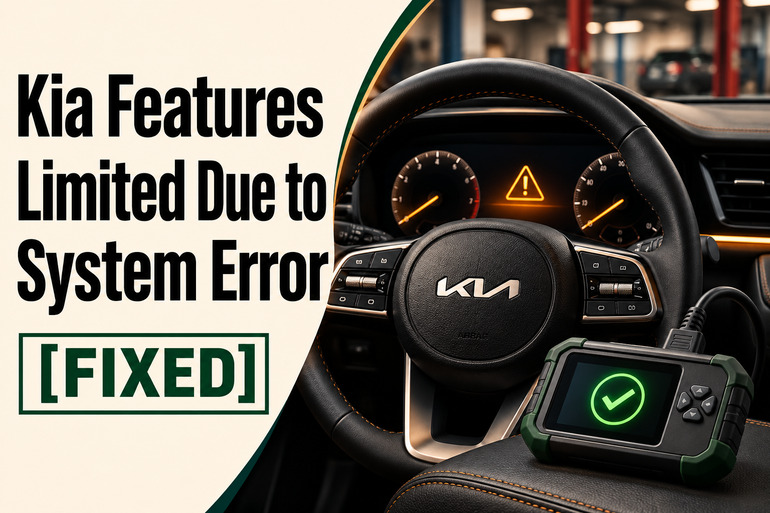
The phrase “features limited due to system error” should not be treated as one universal Kia diagnosis. Depending on the model and year, Kia’s manuals show messages such as “Check Driver Assistance system” or “Driver Assistance system limited,” followed by a camera or radar warning. Match the wording on your dashboard to your vehicle’s manual before choosing a repair.
Driver assistance features use sensors to gather information about nearby traffic and road conditions. For example, Forward Collision Avoidance Assist may use camera and radar information to warn you about a possible collision and help apply the brakes. Equipment and capabilities vary between models, so your Kia may have a different combination of sensors and functions.
The main distinction is between a temporary limitation and a malfunction. Kia identifies camera obstruction and radar blockage separately from warnings that request a system inspection. A limitation may clear when the obstruction disappears. However, a malfunction message requires attention even when the vehicle appears to drive normally.
Until the cause is clear, take full responsibility for speed, following distance, braking, and steering. Don’t assume an affected feature will intervene. If the message appears alongside abnormal braking, difficult steering, smoke, or another serious symptom, stop safely and arrange qualified assistance rather than continuing the checks below.
Kia Features Limited Due to System Error [FIXED]: Common Causes
Several conditions can make driving assistance unavailable, and they don’t all involve broken parts. The circumstances surrounding the warning help narrow down which explanation deserves attention first.
1. Dirt, Snow, or Accessories Blocking a Sensor
A layer of road grime or packed snow can prevent a sensor from gathering usable information. The windshield area in front of the camera and the cover in front of the radar both matter. Kia explains that material covering these areas can temporarily limit or disable assistance.
The timing can provide a useful clue. A warning that begins during a snowy trip or after driving through dirty road spray makes an obstruction worth checking. However, that timing alone doesn’t prove the equipment is undamaged.
Accessories can also interfere. Kia cautions against placing objects such as bumper guards, film, or license plate frames near radar covers. Windshield accessories and reflective objects on the dashboard may affect camera performance too. A recently added accessory deserves attention, particularly if the problem began immediately afterward.
2. Weather, Glare, or Windshield Fogging
Even clean equipment has operating limits. Heavy rain, snow, fog, strong glare, and sudden changes in brightness can affect how a camera or radar system detects its surroundings. Kia also lists windshield moisture and extreme temperatures around certain sensors among possible limitations.
A warning that appears in poor conditions and clears after visibility improves may point to a temporary limitation. Still, a warning that continues on a clear day with clean glass should not be dismissed as weather related. The pattern helps guide diagnosis, but it doesn’t confirm that every component is working correctly.
3. Damage or Misalignment After an Impact or Repair
A warning that begins after windshield replacement, bumper work, or a collision needs a different response from one caused by surface dirt. Kia advises having the assistance system checked after relevant glass, camera, radar, or bumper repairs.
The damage may be difficult to judge from outside the vehicle. Kia warns that an impact around the radar can affect operation even without a dashboard warning. A bumper that looks acceptable therefore doesn’t establish that the equipment behind it is correctly positioned.
Similar concerns apply at the rear of some vehicles. Bumper damage, repainting, replacement, or nearby accessories can affect the radar used for blind spot assistance. Tell the repair shop about recent bodywork, including work that seemed unrelated to the warning.
4. A Malfunction in the Assistance System
If the sensors are unobstructed and the warning persists in suitable conditions, the system may have a fault that requires professional diagnosis. Kia directs owners to an authorized dealer when messages indicate that Smart Cruise Control or another assistance function is malfunctioning.
The dashboard message does not identify a specific failed part. It is not enough evidence to replace a camera, order a radar sensor, blame the battery, or assume a software update will fix everything. The useful next step is to identify which system has reported a problem and have that fault investigated.
Kia Features Limited Due to System Error [FIXED]: DIY Fixes
Start with checks that match the warning and require no disassembly. If the message reports a malfunction, the vehicle has suffered an impact, or its behavior feels unsafe, arrange professional inspection promptly.
1. Record the Exact Message and Check Your Manual
Park safely before reading menus or taking a photograph. Capture the complete warning, any symbols beside it, and other messages that appear during the same event. A description such as “several warning lights” gives a technician less useful information than a clear photograph.
Next, find the relevant section in the owner’s manual for your model, year, and market. Look for the named feature or the exact warning. For example, “Radar blocked” gives you a specific area to check, while “Check Driver Assistance system” points to a malfunction that needs inspection.
Also note when the warning started. Include the weather, whether the windshield was fogged, and any recent collision, glass replacement, bodywork, or accessory installation. These observations help keep the next step focused instead of turning troubleshooting into a series of guesses.
2. Clean the Relevant Exterior Sensor Areas
Use the sensor location illustrations in your Kia’s manual. Don’t assume every model places its radar behind the same grille panel, badge, or bumper section. Clean the outside windshield area through which the front camera views the road, along with the relevant exterior sensor cover.
Kia recommends a soft cloth for radar cover cleaning and warns against directing pressurized water at sensors or their covers. Remove loose contamination gently. Don’t push on a cover, remove trim, or try to reach the camera inside its housing.
Once the obstruction is removed, check whether the warning clears under the conditions described in your manual. Cleaning can resolve a blockage, but it cannot establish that damaged equipment is safe. If the message remains or returns on a clean vehicle, arrange inspection rather than repeatedly scrubbing the same area.
3. Clear Windshield Moisture and Allow Conditions to Improve
If the windshield is fogged or frosted, use the vehicle’s defogging or defrosting controls according to the manual. Make sure the glass in front of the camera becomes clear. Clearing only the area directly in front of the driver may leave the camera’s view obstructed.
During heavy rain, snow, or strong glare, reduce your reliance on assistance and adjust your driving to the conditions. If visibility makes continued travel unsafe, stop somewhere suitable and wait. Kia identifies these conditions as limits on sensor performance, so replacing parts before conditions improve may be premature.
4. Check for Recently Added Obstructions
Consider anything added shortly before the warning began. A bumper guard, decorative film, windshield accessory, or carrier may be relevant. Check its position against the sensor locations and accessory restrictions in your manual.
Remove a loose dashboard object or an easily removable accessory only when you can do so safely and without disturbing vehicle equipment. For fitted guards, windshield film, wiring, or other permanent installations, ask the installer or a qualified shop to assess the interference. Don’t remove required equipment simply to see whether a message disappears.
Rear accessories deserve attention when the warning concerns blind spot assistance. Kia notes that trailers and carriers may affect rear radar performance. Follow your model’s towing guidance because the correct settings and available functions can differ when an accessory is attached.
5. Check for Visible Damage Without Adjusting Anything
From a safe position with the vehicle parked, look for cracked glass near the camera’s viewing area, a damaged radar cover, or a bumper section that appears loose or displaced. This is a visual check. It does not require removing panels or touching sensor mounts.
If you find damage, leave the equipment in place. Kia warns against applying force to the radar cover because moving the sensor out of alignment can affect operation. Don’t try to straighten a bracket, aim a camera, or reposition a radar sensor by eye.
If nothing looks damaged, record that observation without treating it as proof that the system is sound. Likewise, a warning disappearing after a normal vehicle restart does not prove a lasting repair. A recurring fault still needs attention, especially when it began after an impact or repair.
6. Contact a Qualified Kia Technician
Book an inspection if the warning requests a system check, remains after a genuine obstruction is removed, or repeatedly returns. Professional attention is also appropriate after relevant collision damage or sensor repairs. Kia specifically recommends dealer inspection when affected assistance does not recover after the obstruction is cleared.
Bring your photographs and a short account of the conditions that trigger the warning. Ask the technician to explain the diagnosis and the evidence supporting any proposed part replacement, software work, or calibration. Calibration means checking and setting the equipment’s alignment using the procedure required for that vehicle. Whether it is needed depends on the equipment and the work performed.
After a repair, follow the technician’s instructions for returning the feature to use. Never test automatic emergency braking by approaching a person, vehicle, or other obstacle. Kia explicitly warns against deliberately testing Forward Collision Avoidance Assist because doing so can cause severe injury or death. Confirmation should come from the proper inspection and repair process.
Wrapping Up
A limited features warning deserves a response based on the exact message, the driving conditions, and your Kia’s recent history. Simple checks are useful when they reveal a real obstruction. However, a persistent malfunction or a warning after repair work needs a closer assessment before you rely on the affected assistance again.
Start by recording the message and consulting the correct manual. Then address any safe, visible obstruction. If the cause remains unclear, give a qualified technician those observations so the repair can begin with evidence.