
A dead 12V outlet can leave your phone uncharged or your dash cam off even though the rest of your Kia Optima seems to work fine. The first clue is whether the problem follows the charger or stays with the same socket.
Try a charger you know works before buying a fuse or a replacement outlet. If the socket fails that test, the condition of the opening and the fuse diagram for your model year can help you narrow down the fault.
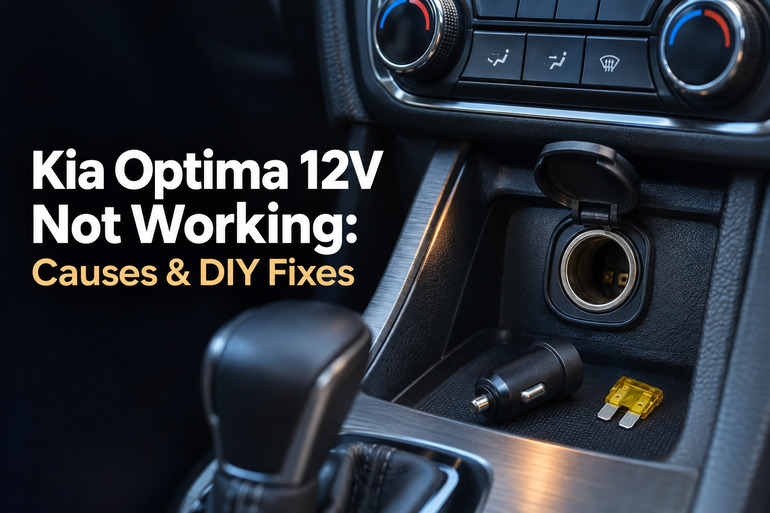
What a Dead 12V Outlet Means
The round 12V outlet powers accessories such as phone chargers and dash cams. The plug’s tip contacts the bottom of the socket, while its side contacts complete the circuit through ground, which is the electrical return path. A poor connection at either point can cut power. If your Optima also has a built in USB port, test the round outlet directly. A working USB port tells you little about the condition of the round socket.
First, make sure you’re testing under the right conditions. Kia’s Optima manuals direct you to use the outlet with the engine running. If your charger lights up as soon as you start the car, the socket has passed that first check. Kia also advises unplugging accessories after use, since leaving them connected for long periods with the engine off can drain the battery.
If the outlet cuts out while you drive, pay attention to what happens just before it loses power. A charging light that flickers over bumps suggests an intermittent connection. An outlet that goes dead and stays dead after you plug in an accessory could have a blown fuse. If you smell burning plastic, see scorch marks, or notice unusual heat at the plug, stop using the outlet and have it checked before testing it again.
Kia Optima 12V Not Working: Common Causes
A dead charger and a dead outlet can look identical from the driver’s seat. How the power dropped out, what was plugged in at the time, and which sockets still work can help you tell the causes apart.
1. A Faulty Charger, Cable, or Plug Fuse
If the charger’s power light stays on but your phone won’t charge, try a different cable. A cable that works only when held at a certain angle may have a damaged connector or a break near the end. If the phone charges when you swap the cable and keep the same adapter, you’ve isolated the problem.
A charger that stays dark in two outlets known to work is a stronger clue that the adapter itself has failed. Some accessories, including certain Garmin power cables, have their own fuse inside the plug. That fuse can blow while the Optima’s outlet still works normally with other devices.
2. A Blown Power Outlet Fuse
The car’s fuse opens when too much current flows through its circuit. A short inside an accessory or an overload from a device that draws too much power can leave the outlet dead. The timing helps. If the socket worked until you switched on a tire inflator or plugged in a power splitter, check what that equipment draws before using it again.
Check the accessory’s input rating against the outlet limit in your owner’s manual. The 2020 Optima manual, for example, specifies accessories that draw less than 10 amps, even though its fuse chart lists 20 amp fuses for certain outlet circuits. Use the accessory limit from the manual when choosing what to plug in.
A single dead socket can still point to a fuse. The 2015 Optima manual lists separate fuses for the front power outlet and the cigarette lighter. A charger that works in one opening can help narrow the search, even when both sockets sit close together.
3. Debris, Corrosion, or Damage Inside the Socket
An open outlet can collect crumbs, bits of foil, or coins. Debris can keep the plug’s tip from reaching the contact at the bottom. A metal object that touches both the center contact and the side wall can short the circuit and blow the fuse. If you can see metal inside, leave the outlet unused until it’s been cleared safely.
A spill can leave sticky residue or lead to corrosion on the contacts. Look for discoloration, pitting, or distorted plastic around the opening. A plug that sits crooked despite fitting normally elsewhere can also point to damage at that particular socket.
4. A Plug That Fits Poorly
Sometimes power comes and goes because the plug backs out slightly. A bulky adapter may hit the surrounding trim before it seats fully, or a cable pulled sideways can put pressure on the plug. If one adapter feels loose but another stays snug and works steadily, the fit of the first adapter is the likely issue.
If several plugs feel loose in the same outlet, the socket itself deserves a closer look. A poor connection can make the plug hot enough to damage it or open the fuse. Avoid propping the plug in place or holding it at an angle to keep the charging light on.
5. A Wiring, Ground, or Relay Fault
A socket can lose power even with an intact fuse. A loose connector behind the outlet, a damaged feed wire, or a poor ground can interrupt the circuit. A weak connection may still light a small indicator on an adapter, then lose enough voltage to interrupt charging once you connect a phone.
If the fault started after work around the center console, mention that to the technician. The timing gives them a place to start checking for a loose connector, especially if only the nearby outlet stopped working.
When several outlets fail at once, a shared power feed is another possibility. The 2016 Optima manual, for example, shows a fuse that supplies the power outlet relay, a switch that controls power to the circuit. A model specific wiring diagram helps a technician work out which parts the failed outlets share.
Kia Optima 12V Not Working: DIY Fixes
Start with a charger and cable you’ve already verified in another vehicle or outlet. If the socket looks clean and undamaged, that simple swap can tell you whether it’s worth opening the fuse panel.
1. Test the Outlet With the Engine Running
Park outdoors, shift into Park, and set the parking brake. With the engine running, seat a known working 12V phone charger firmly in the suspect outlet and connect a phone using a cable you’ve tested. Wait for the phone to show that it’s charging. An indicator on the adapter can be useful, but the phone confirms that power is reaching the device.
If your Optima has another round outlet, move the same charger, cable, and phone to that socket. If the phone charges there, focus on the first outlet and its circuit. If the phone charges steadily in both sockets, go back to the original equipment and change one piece at a time to find what failed.
2. Check the Plug and Its Fit
With the adapter unplugged, look for a crooked tip, loose parts, damaged plastic, or dark marks. Set a damaged adapter aside. If the plug looks sound, try it again with enough slack in the cable that it can hang naturally. The plug should stay seated on its own. If power returns only while you press the plug inward, stop using that combination.
If the accessory manual shows a replaceable plug fuse, follow its instructions with the plug disconnected. Match the specified fuse type and rating, and keep any small parts in the order shown in the manual. If the manufacturer gives no instructions for opening the plug, test with another compatible adapter.
3. Look Inside the Outlet With a Flashlight
Turn the car fully off, unplug the accessory, and shine a flashlight into the opening. Look at the bottom and along the inside wall. A coin can sit flat at the bottom and be easy to miss from straight above, so look from an angle as well. Wipe loose dust from the rim with a dry cloth.
Leave anything lodged inside the socket for a technician to remove with the circuit safely isolated. Keep screwdrivers, tweezers, and liquids out of the opening. Skip further testing if you see moisture, corrosion, scorching, or melted plastic.
If the opening is clear and the socket moves in the trim when you remove an adapter, mention that when you book the repair. The mounting or the socket may need attention before it can hold a plug securely again.
4. Identify and Replace the Correct Fuse
Find the fuse chart for your model year and match it to the label on your car’s fuse panel cover. Look up the affected socket in the circuit description. The 2015 manual uses labels such as POWER OUTLET and C/LIGHTER. The 2020 manual also lists POWER OUTLET 2 in an engine compartment chart. The label, location, and rating can vary, so match all three before pulling a fuse.
With the ignition and accessories off, follow the manual’s instructions for an accessible fuse. Use the fuse puller to draw it straight out and look for a break in the metal strip. If it’s blown, fit a fuse of the same type and amperage. The replacement should sit firmly. A loose fuse or damaged holder needs professional attention.
Put the panel cover back on before retesting with the known working charger. If the new fuse blows again, leave the circuit alone. A higher rated fuse can allow more current through the wiring than the circuit was built to carry.
5. Check Whether One Accessory Triggers the Failure
If the outlet works after a fuse replacement, start with a single compatible device. Leave the splitter, inverter, or inflator aside while you confirm that the phone charger holds steady. This gives you a clear result before you bring other equipment back into use.
Before reconnecting another accessory, check the label or manual for its 12V input current. Compare that figure with Kia’s limit for your outlet. A splitter adds sockets, so count the total draw of everything connected through it. If an accessory was connected when the fuse blew and its demand is unknown or above the limit, leave it unplugged.
If two compatible chargers both cut out in the same socket, or the replacement fuse blows with the socket empty, stop testing. Give the technician that detail. It helps them focus on the outlet circuit without depending on the original accessory to reproduce the fault.
6. Contact an Automotive Electrical Technician
Book a diagnosis if the correct fuse is intact but the outlet stays dead, the replacement blows again, or the socket shows signs of heat damage. Tell the shop which outlets failed, what was plugged in, and whether the fault started after a spill or console repair. If you see smoke or smell burning while driving, pull over safely, turn off the car, and arrange assistance before driving again.
A technician can check the power supply and ground while the circuit is powering a device. That matters because a weak connection can show voltage on a meter with nothing plugged in, then drop too low as soon as the outlet has to supply current. Testing under load helps pinpoint whether the fault is at the socket, its connector, or farther back in the circuit.
Wrapping Up
The most useful clue is a result you can repeat. If your phone charges every time you swap in a different cable, you’ve found a good place to start. If several chargers cut out in the same outlet, write down when it happens. Even a brief flicker over a bump can help a technician reproduce a fault that comes and goes.
Once the outlet is working again, keep its cover closed between uses and give the charger cable enough slack to sit straight. Those small habits help keep debris out and pressure off the plug.