
A Kia Soul radio can stop working in several ways. The screen might stay black, the station name might show with no sound, or FM might fade into static while music from your phone plays clearly. Each symptom gives you a different place to start.
You can narrow down the cause while parked by checking which controls respond and which audio sources still play. Those clues can point to a simple setting, a blown fuse, or a problem that needs testing.
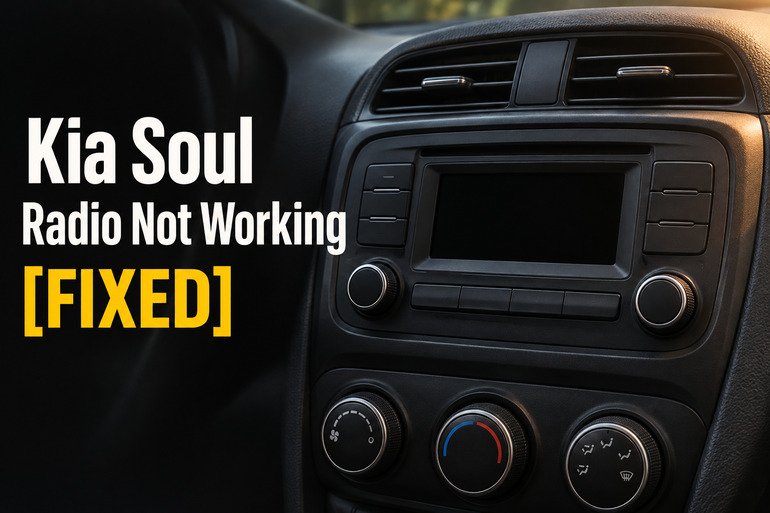
What Your Kia Soul’s Radio Symptoms Mean
The radio, also called the head unit, selects what you listen to and controls the sound. It uses the antenna to pick up AM and FM broadcasts, while Bluetooth and USB bring in audio from a connected device. Some Souls have a separate amplifier that drives the speakers. Since several sources share the same speakers, trying a second source can help you tell where the problem starts.
A black screen can mean the unit has lost power, frozen during startup, or developed a display fault. Listen for sound and try the volume control. If a station is still playing and the volume changes, the unit is getting power. A screen that stays dark even though the audio responds gives you a different clue than a system that’s completely silent and ignores every button.
A working screen with no sound calls for a source comparison. If the station information changes and a Bluetooth track shows that it’s playing, yet both are silent, look at the settings or the parts those sources share. If the speakers play your phone clearly and only AM or FM sounds bad, focus on reception or the radio’s tuner. If the Radio button itself does nothing, software may be involved.
Kia Soul Radio Not Working [FIXED]: Common Causes
What still works can tell you as much as what’s gone quiet. Notice whether the fault affects a single station, one speaker, or the entire system.
1. Muted Audio or a Source That Isn’t Playing
It’s easy to turn up the volume while the system is set to Bluetooth or USB and the phone is paused. The screen can also show a connected phone even when the car isn’t receiving music from it. If FM plays as soon as you select it, check the phone’s playback and connection before looking for a fault in the car’s speakers.
If sound is missing from one end or side of the cabin, check the sound position. Balance moves the sound left or right, and the fader moves it forward or back. Some Kia systems combine these controls in a Position menu with a picture of the seats. A setting moved far from the center can make some speakers seem dead.
2. A Blown Fuse or an Interrupted Power Supply
A fuse opens when too much current flows through it. If the fuse supplying the head unit blows, the display and audio controls may stop responding. If a separate amplifier loses power, the screen can still look normal while the speakers stay silent. The fuse chart for your Soul tells you which circuits supply those parts.
A radio that cuts out and comes back over bumps gives you another clue. A blown fuse stays open, so repeated dropouts are a reason to have the power connections and wiring checked. Take note of whether the Kia logo reappears afterward or whether the screen stays on and only the sound cuts out. That detail helps a technician tell a full restart from a loss of audio.
If the radio started acting up after a dead battery, a jump start, or work behind the dash, mention that timing. It can help guide a check of the power supply and connections before anyone replaces the radio.
3. An Infotainment Software Fault
A software fault can leave the screen stuck or keep one feature from opening. Kia documented a specific example in service action SA582. On certain 2023 and 2024 Souls with the AVN 5.0 Wide system, pressing the Radio button or tapping the Radio icon may do nothing. Kia issued a software update for affected units.
The behavior of the other menus matters. If you can open Settings and play phone audio but can’t enter Radio mode, that pattern is worth reporting to a Kia dealer. If the Radio screen opens normally and tunes stations but all sources are silent, the symptoms call for a broader check.
4. Weak Reception or an Antenna Problem
FM can hiss, fade, or drop out as you move farther from the transmitter or pass behind buildings and hills. A single station that sounds bad in one spot may come through clearly somewhere else. Several familiar local stations suddenly becoming weak across different locations makes a problem on the vehicle side more likely.
Some older Souls have a removable roof antenna mast. If reception got worse after a car wash, check whether the mast is still there and sits firmly on its base. A loose or missing mast can weaken reception while music from your phone continues to play normally.
Other Souls use a shark fin antenna. The cover can look fine even when a connection or antenna cable has a problem. If strong stations still sound weak after you’ve tried a different location, a technician can check the cable, its connections, and the tuner.
5. A Faulty Speaker, Amplifier, or Head Unit
Crackling from the same door speaker on FM and Bluetooth points toward that speaker or its wiring, especially if the other speakers sound clear. A crackle that comes through several speakers on one weak FM station is more consistent with a reception problem. Compare sources at a moderate volume so you can hear where the noise comes from.
When every speaker stays quiet on every source, the fault may be in a shared part of the audio system. Depending on the equipment in your Soul, that could be the separate amplifier, its power supply, the wiring, or the audio output inside the head unit. The working display alone can’t tell you which part has failed.
Kia Soul Radio Not Working [FIXED]: DIY Fixes
Start with the checks that match your symptoms, and test the radio after each change so you can tell what helped. If you see smoke from the dash, pull over safely, shut off the vehicle, get everyone out and away from traffic, and call 911.
1. Check the Volume, Sound Position, and Audio Source
Park the car, turn on the audio system, and choose a strong local FM station. Clear mute if it’s active and raise the volume gradually. If only part of the cabin is quiet, open the Sound settings and center Position, or set both balance and fader to the middle if your system lists them separately.
Then switch to a second source that you can confirm is playing, such as a downloaded song on your phone over Bluetooth. If both sources play normally after you center the sound, try moving the sound position slightly toward each corner to confirm that the previously quiet speakers respond.
If FM works and the phone stays quiet, check that the phone is sending media audio to the Kia. For wired Apple CarPlay or Android Auto, try a known working data cable in the USB port specified for phone connection in your manual. A cable or port can charge your phone without carrying the data needed to play music through the car.
2. Restart the Head Unit
If the screen freezes or the controls stop responding, turn the vehicle off and wait for the audio system to shut down. Then turn the vehicle back on. If the unit stays frozen and your manual identifies a recessed Reset button, follow the instructions for your model. Kia’s general guidance for units with that button is to press it with a paper clip and release it once the screen goes dark or the unit starts rebooting. The button location varies.
Once the system finishes starting, try the same button or source that failed. If it works again, check it the next time you start the vehicle. A freeze that keeps returning after a restart is worth reporting, especially if it happens every time you select the same source.
3. Compare Reception and Check the Roof Antenna
Tune in two or three local FM stations that usually come through clearly. If you’re parked in a garage or next to a large building, repeat the test outdoors in an open area. Clear reception there suggests the surroundings were weakening the signal.
If your Soul has a removable mast and it’s loose, follow your owner’s manual to seat it securely. If it’s missing or visibly broken, use a replacement made to fit your model. For a shark fin antenna, check for visible damage from outside the car and leave removal to a technician.
Retest the same stations in the same spot. If several are still weak while your phone plays clearly, tell the shop which stations you tried and whether the problem changed after moving outdoors. That gives the technician a starting point for testing the antenna and tuner.
4. Check the Audio Fuse Listed for Your Soul
If the radio remains completely unresponsive, look in the Fuses section of your owner’s manual and match its diagram to the label inside your fuse panel cover. Depending on your model and equipment, the chart may show a fuse for the head unit and a separate one for the amplifier. If the display works but every speaker is silent, check whether your chart lists an amplifier fuse.
With the ignition and accessories off, use the fuse puller to remove the identified fuse straight out. Look through the plastic for a break in the metal strip. Replace a blown fuse with one of the same type and amperage. The rating on your car’s fuse chart is the one to follow.
Turn the vehicle back on and test the radio. If the replacement fuse blows again, stop using the audio system and have the circuit checked. Leave the fuse out until the fault is diagnosed. A higher rated fuse can let more current flow than the circuit is meant to handle.
5. Check for the Correct Kia Software Update
If the screen responds but the Radio button or icon won’t open the tuner, note your model year and the software version shown in the system information menu, if available. Owners of a 2023 or 2024 Soul with this symptom can give a Kia dealer the vehicle identification number, or VIN, and ask whether service action SA582 applies. Eligibility depends on the vehicle and its installed system.
If Kia lists an update you can install yourself, confirm it matches your vehicle and audio system before downloading it. Follow Kia’s instructions for keeping power available during the installation and wait for the system to finish. After it restarts, use the Radio button or icon and tune a station to check whether the update resolved the fault.
6. Contact a Kia Dealer or Auto Electrical Technician
Book a diagnosis if the fuse blows again, the screen stays black with the correct fuse in place, or all audio sources remain silent after the basic checks. A Kia dealer can verify service action eligibility. An auto electrical technician can test power and ground at the radio, check the amplifier if fitted, and trace the speaker or antenna wiring before recommending a replacement.
For an intermittent fault, bring a short video taken while parked if you can capture it. Tell the shop which source was playing, what the screen did, and whether the fault started after battery or dash work. That gives the technician a better chance of reproducing a problem that may disappear by the time you arrive.
Wrapping Up
Start with the symptom you can verify. A station that turns to static on the same stretch of road gives you a different clue from a radio that goes silent every time you start the car. Pay attention to what the display shows and whether you can still play music from another source.
If a simple check brings the sound back, try it again at the next startup before calling it fixed. If the fault returns, take your observations to the shop so the technician has a clear place to begin.