
Your Kia’s doors lock when you press the key fob, but the engine stays quiet. Or maybe the Kia Access app reports a failed start even though the car starts normally from the driver’s seat. Those two symptoms point you toward different checks, and neither tells you on its own that a part has failed.
Start by seeing which commands your Kia still responds to. That can help you narrow the problem before you buy a battery or book a service visit.
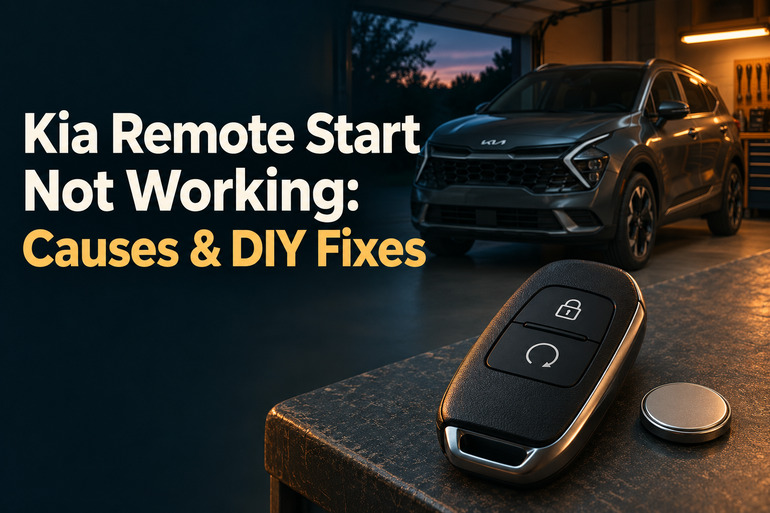
What Happens When Kia Remote Start Fails
On a Kia equipped with factory remote start, the smart key, also called the key fob, sends a signal from nearby. Kia Access sends its request through Kia Connect, which depends on a connection at both the phone and the vehicle. If your Kia supports both methods, trying them under the same conditions can help you work out where the request is getting lost or refused.
Receiving the signal is only part of the process. The car also checks whether it’s ready to start remotely. For example, Kia’s Telluride manual calls for the transmission to be in Park and the hood and liftgate to be closed. If both start methods fail but the car starts normally from inside, look first for a condition they share, such as an open hood.
Pay attention to when the vehicle shuts off. Kia’s 2026 Sportage manual, for example, says the vehicle shuts down after 10 minutes if you take no further action. That’s normal. If it shuts off almost immediately, note whether you had already opened the door and whether you had the registered smart key with you. Some models shut off when you enter without it. On an electric Kia, look for the expected climate response instead of listening for an engine.
Test remote start outdoors where exhaust can disperse. Never start a vehicle with a combustion engine inside an attached garage, even with the garage door open. If an oil pressure warning stays on while the engine is running, shut it off and get qualified help before trying another start.
Kia Remote Start Not Working: Common Causes
The most useful clue is often what still works. A fob that unlocks the doors, an app that still sends other commands, and an engine that starts normally from inside each tell you something different.
1. The Key Fob Sequence or Range Is Off
On many Kia models, the remote start button works only after you send a fresh lock command. If you press Start by itself because the doors are already locked, wait too long after pressing Lock, or tap Start instead of holding it, the car may stay quiet even though the fob works. The timing and confirmation signals are listed in the manual for your model.
Distance matters too. Kia lists roughly 32 to 33 feet for the procedure in several manuals. If you normally try from inside your house, a test from a few steps away gives you a better starting point. A failure from indoors alone gives you little reason to replace the fob.
2. The Fob Battery Is Weak or Its Signal Is Interrupted
A fob that used to work across the driveway but now responds only near the door may have a weak battery. You may also notice that Lock and Unlock take several presses. If those buttons work reliably but remote start alone fails, check the start sequence and compare the fob with your spare before buying a replacement.
Location can help you tell a weak battery from interference. Kia notes that nearby radio transmitters and a phone kept close to the smart key can disrupt the signal. If the same fob works reliably in another parking spot, or after you move your phone to a separate pocket, interference is a possibility.
A recent drop or soaking also matters. If a registered spare works from the same spot and the usual fob still fails with a fresh battery, the original fob or its start button may need attention.
3. The Kia Detects an Open Panel or Another Unmet Condition
A hood can look shut from the sidewalk while the car still reports it open. Sometimes the latch simply hasn’t caught. If the hood is securely closed and the warning remains, a technician may need to check how the vehicle detects the latch position. The same clue applies if the dash keeps showing an open door, trunk, or liftgate after you close it.
Check for a low fuel light, too. Kia lists it as a reason an app start can be refused on a gasoline vehicle, even if there’s enough fuel to start from the driver’s seat. Kia also lists different connection requirements for certain older electric and plug in hybrid models, so check the rules for your exact vehicle if the issue happens while it’s plugged in.
4. Kia Connect Has Lost Its Connection or Access
If the fob starts your Kia but the app reports a timeout, check where the car is parked. A phone can have a strong signal while the vehicle has poor reception in an underground garage. When several app commands fail together, the connection is worth checking before you focus on the start function itself.
A missing start or climate control points you toward a different check. Look at the vehicle selected in Kia Access and see whether your active Kia Connect plan includes the feature. If the control disappeared around the time a trial ended, check your account before assuming something in the car broke. Availability can vary by vehicle.
Time parked can matter as well. Kia says vehicle systems may shut down to save battery power after several days without being turned on. If app commands stop working after a trip away and return once you start the car normally, that pattern fits the power saving behavior Kia describes.
5. The Vehicle Has a Starting or 12 Volt Battery Problem
If the engine also struggles to start from the driver’s seat, listen to how it turns over. A slow, labored sound or an interior light that goes very dim during a start attempt can point to a discharged 12 volt battery. The battery and its connections deserve a check before you spend money on a fob.
If the engine turns at its usual speed but never catches, tell the technician that. It’s a different symptom from a slow start. Also note any warning light that stays on after the engine starts. That gives the shop a better lead than the failed remote command alone.
Kia Remote Start Not Working: DIY Fixes
Start with the checks you can make while the Kia is parked outdoors. Change one thing at a time so you’ll know what made the difference if remote start comes back.
1. Retry From Close Range With a Fresh Lock Command
Stand a few steps from the vehicle with the fob in your hand and your phone in a separate pocket. Follow the steps in the Smart Key section of your owner’s manual. On many Kia models, you press Lock on the fob, then press and hold the remote start button within four seconds. Check your manual for the exact hold time, which is around two seconds on some models.
Watch for the response listed in your manual. The 2026 Sportage manual, for example, describes three hazard light flashes during remote start. If your Kia starts from close range, repeat the test from your usual spot on a separate attempt. A consistent difference gives you a clue about range or interference.
2. Check Park, the Latches, and the Fuel Gauge
With the Kia stationary and the parking brake set, confirm the dash shows P. Switch the vehicle off and close each door and the trunk or liftgate. If you recently opened the hood, check that it’s fully latched using the procedure in your manual. Keep fingers clear of the latch and closing edges.
If you see an open panel warning, use it to identify which panel needs attention. If the warning remains after closing it properly, arrange an inspection. If the hood won’t latch securely, leave the vehicle parked and call for help.
For a gasoline Kia with the low fuel light on, refuel before retrying through the app. Then park, switch the vehicle off, close it up, and lock it before sending a fresh request. If the command works now, you’ve ruled out the need to replace the fob for that failure.
3. Compare the Spare Fob and Replace the Battery if Needed
Try a registered spare with a remote start button, if you have one. Use the same spot and button sequence for both keys. If the spare works while the usual fob struggles with Lock or Unlock as well as Start, a fresh battery is a sensible first step.
Look up the battery type and opening procedure in your manual. Kia specifies a CR2032 for the 2026 Niro smart key, for example, and a CR2450 for the 2026 K5 smart key. Note which way the old battery faces, fit the new one in the specified orientation, and close the case fully. Keep both batteries away from children.
Test Lock and Unlock before trying remote start. If those buttons work again but Start still fails and the spare starts the car, the original fob needs a closer look.
4. Check the Kia Access App and Wake the Vehicle if Needed
Open Kia Access and confirm you’re signed in with the account used to enroll the vehicle. Select the correct Kia if your account has more than one, then check that your plan includes remote start or climate control for that model. If the button is available but the request times out, try again when your phone has a strong connection and the Kia is parked outdoors where it can get a signal.
If the car has been sitting for several days, turn it on normally outdoors. Then switch it off, exit, lock it, and send a fresh request. If the app still fails while the fob works, save the exact app error and try another supported command, such as Remote Lock. That gives Kia Connect support a clearer picture of the failure.
5. Check How the Kia Starts From the Driver’s Seat
With the vehicle safely parked outdoors, use the normal starting procedure. On a gasoline model, listen for slow turning or watch for the interior light to dim sharply. If it starts, check which warnings remain after startup. If it won’t start or struggles, avoid repeated attempts and contact roadside assistance or a repair shop.
Ask for a 12 volt battery and starting system check if the engine turns slowly. If it turns normally but never catches, describe that instead. On a hybrid or electric Kia, use the dashboard’s ready indicator and any warning messages to describe what happens, since the vehicle can power up without an engine sound.
6. Contact Kia Support or a Qualified Technician
Contact Kia Connect support if the app alone keeps failing after you’ve verified coverage, account access, and the plan. If both methods keep failing, a latch warning stays on, or the car also struggles to start normally, contact a Kia dealer or qualified technician. For a separate remote starter installed after purchase, contact its installer with the brand and model if you have them. Bring both fobs and any screenshots or dashboard messages so the technician can reproduce the problem.
Wrapping Up
The detail that matters most is where the failure begins. A Kia that starts from the fob but times out in the app gives you a different lead from one that goes quiet every time you try to start it, even from the driver’s seat. Write down what the car did on the first failed attempt, especially if the problem comes and goes.
If a simple check gets remote start working again, try it under the same conditions the next time you park. A repeatable result gives you more confidence that you’ve found the cause.