
A Kia Soul key fob that suddenly stops working can make something as simple as unlocking your car frustrating. You might find yourself pressing the unlock button repeatedly, standing closer to the vehicle, or struggling to get the engine started.
Fortunately, many key fob problems have straightforward solutions. A weak battery, signal interference, or damaged buttons could be responsible. Understanding the symptoms and checking a few basic things can help you identify the problem and restore normal operation.
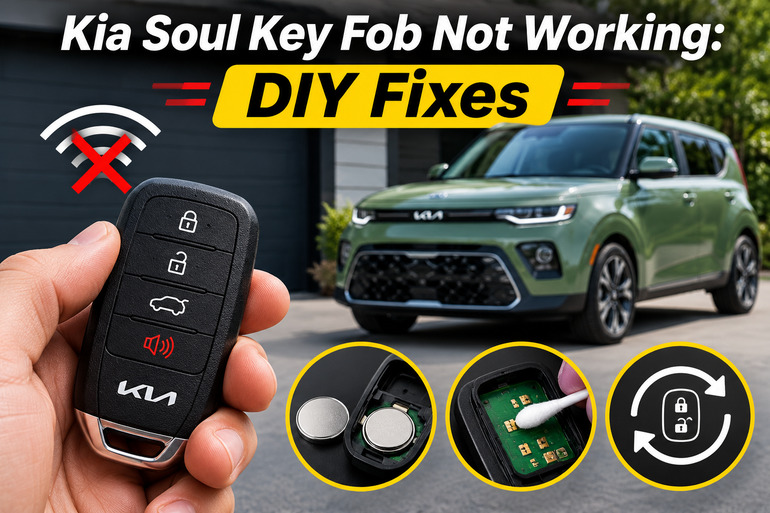
Understanding Kia Soul Key Fob Problems
Your Kia Soul key fob uses a small battery to power a wireless transmitter. When you press the lock or unlock button, the transmitter sends a coded signal to the vehicle. If the car recognizes that signal and the operating conditions are correct, it responds by locking or unlocking the doors. On models equipped with a smart key, the system also helps the vehicle recognize an authorized key when starting the engine.
When something interrupts this communication, the key fob may stop responding completely or work only under certain conditions. You might notice that the buttons require several presses, the doors unlock only when you’re standing close to the car, or the vehicle displays a “Key not detected” message. Some Kia Soul models also display a “Low Key Battery” warning when the smart key battery is depleted.
The symptoms can help narrow down the cause. For example, a remote that gradually loses its operating range often has a weakening battery. If the key stops working immediately after being dropped or exposed to water, internal damage becomes a stronger possibility. Meanwhile, if two different key fobs fail at the same time, the problem could involve the vehicle rather than either remote.
It’s also worth understanding that Kia Soul models don’t all use identical key systems. Some have a folding mechanical key and a conventional ignition switch, while others use a smart key with an Engine Start/Stop button. The correct troubleshooting method depends partly on your vehicle’s model year and equipment, especially when dealing with starting problems or emergency access.
Kia Soul Key Fob Not Working: Common Causes
Several faults can prevent your Kia Soul key fob from communicating with the vehicle. Some affect the remote itself, while others involve interference, operating conditions, or the car’s electrical system.
1. Weak or Dead Key Fob Battery
A weak battery is one of the first things to suspect when your Kia Soul key fob stops working. The small coin battery inside the remote supplies the electrical power needed to transmit lock and unlock commands. As its charge decreases, the signal can become less reliable until the buttons eventually stop producing any response.
Battery failure often develops gradually. You may initially find that the key works from a shorter distance than usual. Later, you might need to press the buttons several times before the doors respond. On some occasions, the remote may work normally, then suddenly become unresponsive.
Cold temperatures can make a weak battery perform even worse. Consequently, a remote that’s already struggling might become particularly unreliable during winter.
Kia specifies a CR2032 battery for the transmitter and smart key covered in its 2025 Soul owner’s manual. However, checking the owner’s manual or existing battery is sensible when working with an older model or a replacement remote. Using the wrong battery type or installing it backward can prevent the key from working.
2. Radio Signal Interference
Your Kia Soul key fob communicates with the vehicle through radio signals. These signals can sometimes be disrupted by nearby electronic devices, radio transmitters, or physical objects that interfere with communication.
For example, keeping your key fob in the same pocket as an active smartphone may cause intermittent problems. Kia also identifies radio transmission sources, obstructing objects, and extreme cold as possible reasons for unreliable remote operation. If the key works normally in one location but repeatedly fails somewhere else, interference deserves attention.
Distance can produce similar symptoms. The operating range varies between models and conditions, so a key that doesn’t respond from across a parking lot may still function properly when you’re standing beside the vehicle. Metal objects and certain metallic window films can also reduce signal strength.
3. Damaged Buttons or Internal Components
A key fob experiences plenty of everyday handling. It gets carried in pockets, dropped onto hard surfaces, squeezed inside bags, and exposed to changing temperatures. Over time, these conditions can damage the casing, buttons, or internal electronic components.
The buttons operate small switches inside the remote. If a switch becomes worn or damaged, pressing the rubber button may no longer activate it properly. You might notice that the lock button works while the unlock button doesn’t, or that one button feels unusually soft, stiff, or loose.
Physical damage can also interrupt the electrical connection between the battery and the circuit board. A remote that stopped working after a fall may have a damaged battery contact, switch, or soldered connection.
Moisture creates another concern. Water entering the casing can cause corrosion or short circuits on the circuit board. Sometimes the remote continues working briefly before the damage becomes noticeable. If the fob has been soaked, its failure may involve internal electronics rather than a discharged battery.
4. Incorrect Operating Conditions
Sometimes a Kia Soul key fob appears faulty because the vehicle isn’t in a condition that allows the requested function. These situations are easy to overlook, especially when the remote previously worked without any problems.
For instance, Kia’s 2025 Soul manual explains that remote locking and unlocking can be restricted when the vehicle is in ACC or ON mode. The vehicle may also refuse a locking command when a door remains open. Furthermore, on models using the standard two press unlock setting, pressing unlock once releases the driver’s door, while a second press unlocks the remaining doors.
For smart key models, starting the engine requires the key to be recognized inside the vehicle. An improperly positioned key, interference, or an unmet starting condition can prevent normal operation. These symptoms can resemble key fob failure even when the remote itself is functioning.
5. Vehicle Battery or Key Recognition Problems
The key fob depends on the Kia Soul’s electronic systems to receive and process its commands. If the vehicle’s 12 volt battery is severely discharged, the central locking system and other electrical features may become unresponsive.
This usually produces additional symptoms. The dashboard might remain dark, the interior lights may be unusually dim, or the engine might struggle to crank. If both remote keys stop operating while other electrical systems are also failing, the vehicle battery deserves investigation.
Less commonly, problems involving the remote receiver, wiring, control modules, or key authorization system can prevent communication. A replacement key that hasn’t been correctly programmed to the vehicle may also fail to operate.
These faults require careful diagnosis because replacing a perfectly good key fob won’t correct an electrical problem inside the vehicle.
Kia Soul Key Fob Not Working: DIY Fixes
The best approach is to start with simple checks before considering replacement parts or electronic repairs. Several common faults can be identified without specialized equipment, and some can be corrected in minutes.
1. Check the Key Fob’s Range and Operating Conditions
Start by standing close to your Kia Soul and pressing the unlock button once. If nothing happens, move nearer to the driver’s door and try again. Watch for the hazard lights flashing or the door locks responding.
Next, remove the key from your pocket or bag, especially if it’s stored beside a phone or other electronic device. Keep the remote away from large metal objects and try operating it again. If the key works after you move away from a particular parking location, radio interference may have been affecting the signal.
Also, check the vehicle’s basic conditions. Make sure the ignition is off, all doors are properly closed, and the key isn’t being prevented from operating by a normal system restriction. If only the driver’s door unlocks, press the unlock button a second time. These checks can help rule out normal operating behavior before you spend money on repairs.
2. Replace the Key Fob Battery
If your Kia Soul key fob has gradually lost its operating range or stopped responding entirely, replacing its battery is a sensible next step. It’s a relatively inexpensive repair that doesn’t normally require any special programming afterward.
For a Kia Soul remote that uses the CR2032 battery specified by Kia, follow these steps.
- Identify your key type. Check whether you have a folding key or a smart key with a removable mechanical blade.
- Remove the mechanical key if necessary. On smart key models, press the release button and slide the metal key out.
- Locate the opening point. Look for the small slot or seam around the remote casing.
- Open the casing carefully. Use a suitable small plastic tool or another tool recommended in your owner’s manual. Apply gentle pressure to separate the cover without damaging the housing.
- Remove the old battery. Note which side faces upward and how the battery sits inside the compartment.
- Install the replacement. Fit a fresh CR2032 battery in the same orientation, making sure the electrical contacts touch the battery properly.
- Reassemble the key fob. Align the casing and press it together until it’s properly secured. Reinsert the mechanical key if applicable.
- Test the remote. Stand near your Kia Soul and press the lock and unlock buttons to confirm that the vehicle responds.
Before closing the casing, make sure the battery is seated securely. If the battery moves around or doesn’t make proper contact, the remote may work intermittently or fail completely. Avoid bending the contacts or forcing the casing shut.
Keep coin batteries away from children and pets. Swallowing one can cause serious internal injuries, and suspected ingestion requires immediate medical attention. Dispose of the old battery according to local battery recycling rules.
If the key still doesn’t work after installing a fresh battery, verify its orientation and check whether the casing has closed correctly. Repeated battery replacement is unlikely to help if the remote has an internal fault.
3. Use the Mechanical Key and Emergency Starting Method
A malfunctioning remote doesn’t always mean you’re locked out of your Kia Soul. Most Kia Soul key fobs include a mechanical key that provides an alternative way to unlock the driver’s door.
On a folding key, press the release button to extend the metal blade. For a smart key, press and hold the release button, then pull out the mechanical key. Depending on the model, the driver’s door lock cylinder may be visible or concealed behind a small cover.
If your model has a covered lock cylinder, consult the owner’s manual before removing it. On the 2025 Soul, Kia describes pulling the driver’s door handle outward, releasing the cover from underneath, and removing it to access the lock. Use the mechanical key gently to unlock the door without forcing the cylinder.
For Kia Soul models equipped with an Engine Start/Stop button, there is another useful option. If the smart key battery is too weak for normal detection, Kia provides an emergency starting method using the fob itself.
Place the transmission in Park, apply the parking brake, and press the brake pedal. Then hold the smart key against the Engine Start/Stop button with the lock button side facing the switch. Press the start button directly with the fob, keeping it at a right angle to the switch.
This procedure is documented for the Kia Soul smart key system and may allow the engine to start even when the remote battery is weak. It doesn’t repair the battery or a damaged fob, so the underlying problem still needs attention.
For models with a conventional ignition, use the correct mechanical ignition key normally. A dead remote battery generally doesn’t prevent an intact, properly programmed conventional key from being recognized by the immobilizer.
4. Examine the Key Fob for Physical Damage
If replacing the battery doesn’t help, inspect the remote for signs of damage. Look carefully at the casing, paying particular attention to cracked plastic, loose buttons, gaps around the cover, and evidence of moisture.
Press each button individually and compare how it feels. A button that sticks, feels unusually loose, or fails while the others still work may have a worn switch or damaged rubber contact. You can remove ordinary dirt from the outside using a soft, dry cloth. Avoid spraying cleaners or other liquids directly onto the remote.
If the key has been exposed to water, stop pressing the buttons and keep it away from heat. Don’t use a hair dryer, oven, or direct sunlight to dry it. Severe moisture damage, visible corrosion, loose battery contacts, and damaged circuit boards are better handled by a qualified automotive locksmith or electronics technician.
5. Test the Spare Key and Check the Vehicle Battery
A spare key can make troubleshooting much easier because it helps identify which side of the system has failed. If you have a second programmed Kia Soul key fob, test it while standing beside the vehicle under the same conditions.
If the spare works normally but the original doesn’t, the problem is likely limited to the original key. A dead battery, damaged switch, or internal electronic fault becomes more likely. However, if both remotes fail, you should investigate conditions affecting the car itself, including interference and vehicle electrical problems.
Once you’re inside the car, check whether the interior lights, dashboard, and other electrical accessories operate normally. A weak vehicle battery may produce dim lighting, clicking when attempting to start, or other electrical symptoms. However, working lights alone don’t prove that the battery is healthy.
If the vehicle appears to have a power problem, arrange a proper battery and charging system test. Don’t disconnect electrical components or remove random fuses in an attempt to reset the key system. These actions may create additional problems without identifying the original fault.
Also, avoid assuming the remote needs programming simply because you replaced its coin battery. A normal battery replacement generally doesn’t erase an existing key’s authorization. If a replacement remote requires pairing, the correct procedure depends on the specific Kia Soul model and key system.
6. Contact a Qualified Automotive Locksmith or Kia Technician
If your Kia Soul key fob remains unresponsive after the basic checks, professional diagnosis is the next sensible option. This is particularly important if both keys have stopped working, the vehicle repeatedly displays key detection warnings, or you suspect a fault in the immobilizer or central locking system.
A qualified automotive locksmith may be able to test whether the remote is transmitting, identify an internal key fault, and supply or program a compatible replacement. A Kia dealership or experienced automotive technician can investigate vehicle receiver, wiring, control module, and key recognition problems using appropriate diagnostic equipment.
Before authorizing a replacement, explain exactly what you’ve observed and which checks you’ve completed. Mention whether the remote failed suddenly or gradually, whether it was dropped or exposed to moisture, and whether the spare key works. These details can help the technician identify the cause more efficiently.
If the car has a starting problem alongside key detection warnings, don’t continue attempting repeated starts indefinitely. Have the starting and authorization systems checked rather than assuming that replacing the fob will solve everything.
Wrapping Up
A Kia Soul key fob that stops working doesn’t automatically mean you need a new remote. Many problems can be traced to a weak battery, interference, or operating conditions that are relatively easy to check.
Start with the simplest possibilities and pay attention to how the remote behaves. A spare key, fresh battery, and mechanical key can all be useful during troubleshooting. If those checks don’t resolve the issue, getting an accurate diagnosis will help you avoid unnecessary replacements and restore dependable access to your Kia Soul.