
A Kia dashboard that stays dark can leave you without a speedometer, warning lights, or a clear sign that your vehicle is ready to drive. Sometimes, the display is simply too dim to see. In other cases, a battery problem or an electrical fault prevents the instrument cluster from working.
Finding the right solution starts with understanding what’s causing the problem. Fortunately, several simple checks can help you identify the fault and determine whether you need professional repairs.
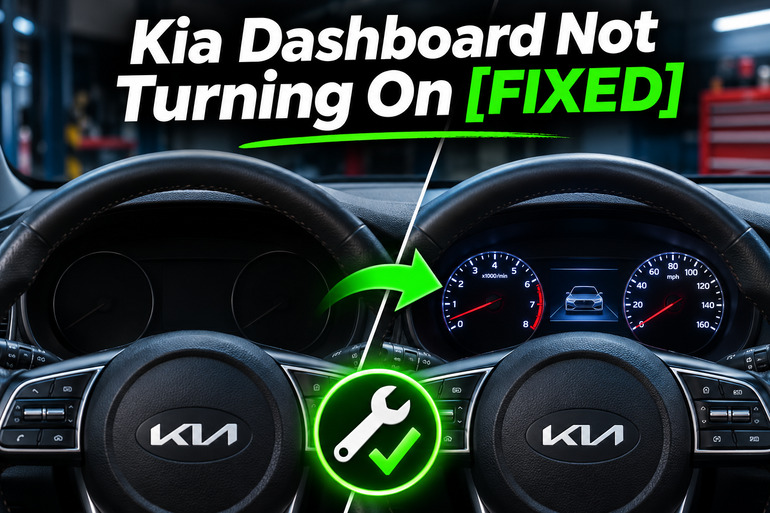
Why Your Kia Dashboard Is Not Turning On
Your Kia’s dashboard contains an instrument cluster that displays important driving information, including your speed, fuel level, engine temperature, and warning indicators. Depending on your model and year, this information may appear on traditional gauges, a small digital screen, or a larger digital display.
Normally, the instrument cluster receives electrical power when you switch on the ignition or activate the vehicle. Its control electronics then display the necessary information. If something interrupts that process, the dashboard may remain completely dark, show only some information, or switch off unexpectedly.
You might notice that the dashboard doesn’t illuminate when you start your Kia, even though the engine runs normally. In other situations, the instrument cluster may flicker, display information intermittently, or become difficult to read when the headlights are switched on. These symptoms provide useful clues about the underlying problem.
However, it’s important to distinguish between a blank instrument cluster and a malfunctioning infotainment screen. The touchscreen in the center of the dashboard operates differently from the display behind the steering wheel. A faulty infotainment system doesn’t necessarily mean the instrument cluster has failed.
If your speedometer, warning lights, and other essential instruments are completely unavailable, avoid driving the vehicle. Losing access to this information creates a safety risk, particularly if the display unexpectedly goes dark while you’re driving.
Kia Dashboard Not Turning On [FIXED]: Common Causes
Several electrical and electronic problems can prevent your Kia’s dashboard from turning on. The most likely cause often depends on whether the entire vehicle has lost power or only the instrument cluster is affected.
1. Incorrect Dashboard Brightness Settings
Your Kia’s dashboard may appear to have stopped working because the illumination brightness has been turned down too far. This can happen after someone adjusts the lighting controls or changes the vehicle’s display settings.
Many Kia models have dedicated illumination buttons that allow you to increase or decrease instrument panel brightness. Depending on the model, these controls work when the ignition is on or when the exterior lights are illuminated. Kia’s owner’s manuals confirm that the brightness adjustment procedure varies between vehicles.
A brightness problem is especially worth investigating if the dashboard becomes difficult to see at night or after switching on the headlights. However, if the instrument cluster remains completely blank at every brightness setting, another fault is more likely.
2. Weak or Discharged 12V Battery
Your Kia relies on a 12V electrical supply to power its instrument cluster and other electronic systems. If the battery becomes severely discharged, the dashboard may fail to illuminate properly when you try to start the vehicle.
Battery problems can develop after the car sits unused, an electrical accessory continues drawing power, or the charging system stops working correctly. Kia also warns that certain aftermarket accessories, including some dashboard cameras, can contribute to battery discharge.
A weak battery often produces other symptoms alongside a dark dashboard. For example, you might hear rapid clicking when attempting to start the engine, notice unusually dim interior lights, or find that the vehicle doesn’t respond normally to the ignition button.
It’s also possible for an electrical charging problem to affect the dashboard after the engine starts. In gasoline powered Kia models, a failing alternator can prevent the battery from receiving sufficient charge. However, a blank instrument cluster alone doesn’t establish that the battery or alternator is defective. These components need to be tested before replacement.
3. Blown Instrument Cluster Fuse
A fuse protects an electrical circuit by interrupting the flow of current when excessive current passes through it. If a fuse supplying the instrument cluster blows, the cluster may lose power even though other parts of the vehicle continue operating normally.
Kia vehicles have several fuses that protect different electronic systems. Some models include a fuse specifically labeled CLUSTER, while others have additional fuses supplying related control modules. For example, Kia’s 2026 EV6 documentation identifies a dedicated instrument cluster fuse. However, fuse names, locations, and ratings vary by model.
A blown fuse becomes a stronger possibility when the dashboard stops working suddenly while the headlights, radio, and other accessories still function. Nevertheless, fuses can also blow because of an underlying electrical fault, so replacing one may not permanently resolve the problem.
4. Instrument Cluster Software Problems
Modern Kia vehicles use electronic control software to manage their instrument displays. If the software develops a fault, the dashboard screen may freeze, fail to initialize during startup, or go completely blank.
This possibility deserves particular attention because Kia has issued recalls involving instrument cluster display failures. For example, recall SC270 covers certain 2023 Kia Sportage, Niro, Soul, and Telluride vehicles equipped with specific digital instrument clusters. The affected displays may fail to show information when the vehicle starts.
More recently, Kia issued recall SC361, identified by NHTSA as 26V046, involving certain 2025 and 2026 K4, K5, Sorento, Sportage, Carnival, and EV9 vehicles. The affected instrument clusters may temporarily go blank while driving. Kia’s approved remedy involves updated software.
Software problems can be difficult to distinguish from hardware faults without proper diagnostic equipment. However, an intermittently blank digital display, especially when the vehicle otherwise operates normally, is a good reason to check for outstanding recalls before replacing parts.
5. Faulty Wiring or Instrument Cluster Components
The instrument cluster depends on electrical connections, power circuits, and communication with other vehicle control modules. If one of these connections fails, the display may stop receiving the power or information it needs.
Loose connectors, damaged wiring, poor ground connections, and moisture intrusion can produce intermittent dashboard problems. In some cases, an internal instrument cluster fault or a problem with the ignition controlled power supply may be responsible.
These issues sometimes produce symptoms that change when the vehicle moves over bumps or when the cabin temperature changes. Other warning indicators or electrical accessories may also behave unexpectedly. Still, these clues cannot identify the defective component on their own, and tracing the affected circuit generally requires professional diagnostic equipment.
Kia Dashboard Not Turning On [FIXED]: DIY Fixes
Once you understand the possible causes, you can begin checking the simplest explanations before considering more expensive repairs. The following methods will help you identify common dashboard faults and restore normal operation when the problem can be resolved safely.
1. Check Whether the Instrument Cluster Is Receiving Power
Start by parking your Kia safely, engaging the parking brake, and switching off the engine. Then follow your owner’s manual to turn the ignition to the ON position without driving the vehicle.
Watch the instrument cluster as the ignition turns on. In many Kia models, several warning indicators briefly illuminate during the startup checks. If these indicators appear but the main display remains blank, the problem may involve the display itself rather than a complete loss of electrical power.
You should also check whether the headlights, interior lights, and central touchscreen work normally. If several electrical systems are unresponsive, investigate the battery and main power supply. However, if everything works except the instrument cluster, focus on its illumination controls, fuses, and electronic components.
2. Adjust the Dashboard Illumination Brightness
If the dashboard appears dark but the vehicle otherwise operates normally, adjusting the illumination settings is a sensible next step. This is particularly useful when the problem started after someone changed the dashboard controls.
First, locate the instrument illumination buttons, which are often positioned near the steering wheel. Some Kia models use separate brightness controls within their vehicle settings. Check your owner’s manual for the exact location and operating conditions.
With the vehicle safely parked, switch on the ignition or exterior lights as required by your model. Press the brightness increase button several times and watch for changes in the instrument display. Certain Kia models also provide an audible signal when the brightness reaches its maximum or minimum setting.
If the dashboard becomes clearly visible again, the brightness setting was likely responsible. Otherwise, if the screen remains completely dark, continue with the electrical checks rather than repeatedly adjusting the controls.
3. Inspect the 12V Battery and Have It Tested
A weak battery can prevent the instrument cluster from operating correctly, particularly if other electrical systems are also behaving unusually. Before assuming that the dashboard itself is defective, check whether your Kia has enough electrical power to start and operate normally.
Look for signs of a battery problem, including dim interior lights, clicking sounds during starting, or electrical systems that switch on and off unexpectedly. Where the battery is safely accessible, you can visually inspect the surrounding area for obvious damage or corrosion. Avoid touching damaged cables or battery terminals.
If you suspect a discharged battery, arrange a battery test or have a qualified technician provide starting assistance. Kia recommends following its model specific jump starting instructions because incorrect connections can cause serious injury or vehicle damage. Conventional 12V jump starting procedures should never be assumed to apply unchanged to every hybrid or electric Kia.
After power is restored, check whether the instrument cluster works normally. If the battery repeatedly becomes discharged, have the charging system and possible electrical drains investigated. Simply replacing or charging the battery won’t solve a continuing electrical fault.
4. Inspect and Replace a Blown Dashboard Fuse
If your Kia starts normally but the dashboard remains dark, checking the instrument cluster fuse is another practical step. A blown fuse may prevent electrical power from reaching the cluster, and replacing it can restore operation when no other fault is present.
Use the following procedure if your vehicle’s owner’s manual permits routine fuse replacement.
- Switch off the vehicle. Make sure the ignition and electrical accessories are turned off.
- Locate the fuse panel. Check your owner’s manual and the diagram inside the fuse panel cover. Some Kia models have an interior fuse box near the driver’s lower dashboard.
- Identify the correct fuse. Look for the instrument cluster circuit or the relevant fuse designation specified for your model.
- Remove the fuse carefully. Use the supplied fuse puller if one is provided. Check whether the internal metal strip is broken or shows signs of damage.
- Install the correct replacement. Replace a blown fuse only with one of the exact same type and amperage rating.
- Test the dashboard. Reinstall the cover, switch on the ignition, and check whether the instrument cluster illuminates.
Kia’s maintenance instructions confirm the importance of switching off the ignition before removing fuses and using replacements with the same rating.
If the replacement fuse blows immediately or the dashboard remains dark, stop replacing fuses. The circuit may have a short or another electrical problem that needs professional attention. Never use a higher rated fuse to prevent repeated failures.
5. Disconnect Optional Accessories and Restart the Vehicle
Sometimes, an electrical accessory or a temporary electronic problem may contribute to unusual dashboard behavior. A normal vehicle shutdown and restart is a reasonable check when there are no signs of a serious electrical fault.
Park the vehicle, switch it off, and allow its electronic systems to shut down normally. If you have removable accessories connected to a standard power outlet or USB port, disconnect them before restarting. Leave any permanently installed or hardwired accessories untouched.
Restart the vehicle using its normal starting procedure and check the display. If the dashboard returns to normal, monitor whether the problem happens again. A successful restart doesn’t prove the underlying issue has disappeared, particularly if the cluster has already failed repeatedly. Avoid disconnecting the vehicle battery or removing fuses simply to force an electronic reset.
6. Check for Instrument Cluster Recalls and Software Updates
If your Kia has a digital instrument cluster that occasionally goes blank, check whether its model and year are covered by a manufacturer recall. This is especially useful when the screen stops working even though the vehicle’s other electrical systems appear normal.
You can visit the official NHTSA recall lookup website and enter your vehicle identification number (VIN). The VIN is generally visible near the lower corner of the windshield on the driver’s side. Searching by VIN helps identify recalls that apply to your specific vehicle rather than relying on model year alone.
For example, Kia’s 2026 instrument cluster recall SC361 provides updated software for affected vehicles. Depending on eligibility, the update may be installed by an authorized Kia dealer or through Kia’s supported wireless update system. Earlier recall SC326 also addresses blank instrument cluster displays in certain 2024 and 2025 EV9 vehicles.
If your Kia qualifies for an instrument cluster recall, follow the manufacturer’s repair instructions. Don’t attempt unofficial software installations or assume an update intended for another Kia model will work with yours.
7. Contact a Qualified Kia Technician
If the dashboard remains dark after these checks, the problem may involve damaged wiring, a faulty instrument cluster, a malfunctioning control module, or an interruption in the vehicle’s electrical supply.
A qualified Kia technician can use diagnostic equipment to check the cluster’s power supply, ground connections, and communication with other electronic modules. These tests can establish whether the problem requires wiring repairs, a software update, or replacement of a defective component.
Seek professional assistance promptly if the instrument cluster stops working while driving, the vehicle repeatedly loses electrical power, or you notice burning smells or signs of electrical damage. In particular, don’t continue driving without an operating speedometer and essential warning indicators. Arrange safe transportation or towing when necessary.
Wrap-Up
A Kia dashboard that won’t turn on doesn’t automatically mean the entire instrument cluster needs replacement. Brightness settings, electrical power problems, blown fuses, and software faults can produce similar symptoms, although each requires a different solution. Understanding the warning signs helps you avoid unnecessary repairs.
Start with simple checks that are safe for your particular Kia model. If the display remains blank or the fault keeps returning, professional diagnosis is the sensible next step. Addressing the problem promptly will help restore the information you need to drive safely and confidently.