
A Kia Carens touch screen that freezes, goes black, or ignores your taps can make everyday driving frustrating. You may lose access to navigation, music, phone controls, and the rear camera display, depending on your vehicle’s features.
Fortunately, a blank screen and an unresponsive touch panel don’t always have the same cause. Understanding the difference can help you identify the problem, try a few safe troubleshooting steps, and determine whether your infotainment system needs professional repair.
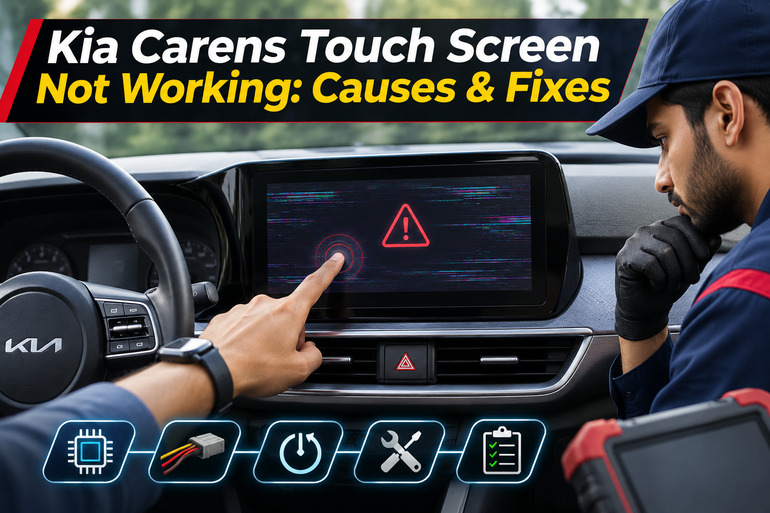
Understanding Kia Carens Touch Screen Problems
The Kia Carens uses an infotainment system that combines several entertainment and communication features in one display. Depending on the model and variant, the vehicle may have an 8-inch touch screen or a larger 10.25-inch navigation display. Although their features differ, both depend on electronic controls and software to operate correctly.
When everything works normally, the screen responds to your fingers, displays selected menus, and communicates with connected devices. However, problems can develop within the software, touch panel, display hardware, or electrical supply. Any of these faults may interrupt normal operation.
The symptoms also vary. Your screen might remain completely black even after starting the engine. Alternatively, it could display the Kia logo before freezing, respond slowly to commands, or stop recognizing touches in certain areas. Some owners may also experience ghost touches, where the system opens menus or selects options without anyone touching the display.
These differences matter because they provide clues about the underlying fault. For example, a screen that displays images but ignores touch commands may have a different problem from one that receives no power. If the problem persists, important features such as the rear camera display may become unavailable. Therefore, it’s worth investigating the fault before it becomes a recurring inconvenience.
Kia Carens Touch Screen Not Working: Common Causes
Several issues can prevent your Kia Carens touch screen from working properly, ranging from temporary software errors to damaged electrical components. The following five causes are worth considering, especially when the fault keeps returning.
1. Infotainment Software Glitches
Your Kia Carens infotainment system runs on software that controls the display, processes touch commands, and manages communication with connected devices. Sometimes, this software can experience an internal error that causes the screen to freeze or stop responding.
For instance, the system might get stuck while loading its main menu or switching between navigation and entertainment features. These problems can occur unexpectedly, although software compatibility issues or an interrupted update may also contribute.
A useful clue is how the screen behaves after restarting the vehicle. If it works normally again but occasionally freezes, a temporary software fault becomes a reasonable possibility. However, repeated freezing can also indicate a developing hardware problem, so a restart alone cannot confirm the cause.
2. Incorrect Display Settings
Sometimes, the infotainment system is operating normally even though the screen appears completely black. This can happen when the display has been switched off through its settings or the brightness is adjusted too low.
Certain Kia infotainment systems include a Display Off function and automatic brightness adjustments. Depending on the settings, the display may become difficult to see under particular lighting conditions.
If you can still hear music, use physical audio controls, or access other system functions, check whether the display has simply been turned off. A screen that responds after pressing the power button is less likely to have suffered a complete electrical failure.
3. Battery Problems or a Blown Fuse
Your Kia Carens infotainment system needs a stable electrical supply to operate. If the vehicle’s battery is weak or the power supply becomes interrupted, the screen may fail to start, restart unexpectedly, or shut down during operation.
A weak battery is especially worth considering if you’ve also noticed slow engine cranking, dim lights, or other electrical accessories behaving strangely. However, these symptoms don’t establish that the battery is responsible for the touch screen fault. Electrical testing is needed to confirm a charging or battery problem.
A blown fuse is another possibility. Fuses protect electrical circuits from excessive current, and a failed fuse can interrupt power to the infotainment unit. Kia’s Carens manual identifies a multimedia fuse among the circuits associated with the audio and navigation system. The applicable fuse arrangement depends on the vehicle’s specifications.
4. A Damaged or Unresponsive Touch Panel
The touch sensitive layer of your infotainment display detects where your fingers make contact. If this component becomes damaged, the screen may continue displaying pictures while failing to respond correctly.
Physical damage, moisture entering the assembly, or deterioration of the touch panel can interfere with normal operation. A poorly fitted screen protector or contamination on the surface may also affect how reliably some touches are detected.
One recognizable symptom is an area of the display that consistently fails to respond, even though other parts work. Random selections or repeated ghost touches can also suggest a touch sensing problem. If these symptoms remain after restarting the system and removing external interference, the touch panel may need professional examination.
5. Loose Connections or Internal Hardware Failure
The infotainment unit contains electronic components that process information and operate the screen. It also relies on electrical connections that carry power and communication signals.
If a connector becomes loose, an internal circuit develops a fault, or moisture damages the electronics, the system may behave unpredictably. You could experience a flickering display, repeated shutdowns, unusual lines across the screen, or a complete failure to turn on.
Problems that appear after dashboard repairs or worsen with vehicle vibration may raise suspicion about electrical connections. Still, these signs aren’t enough to identify a particular faulty wire. Internal circuit boards and connectors require proper diagnostic equipment, so dismantling the dashboard without the necessary experience isn’t recommended.
Kia Carens Touch Screen Not Working: How to Fix
The most effective approach is to begin with simple checks that don’t require removing components or changing important vehicle settings. If these methods don’t restore normal operation, the symptoms you’ve observed can help a technician identify the next step.
1. Check the Power and Display Settings
Start by making sure the infotainment system is actually switched on. Park your Kia Carens safely, apply the parking brake, and start the engine. Check whether the screen displays the Kia startup logo or any other information.
If it stays black, briefly press the infotainment power button. On compatible Kia systems, the screen can be switched off independently, and a brief press of the power button may restore the display. Avoid repeatedly holding the button because some versions use a long press to switch the screen off.
If the screen becomes visible, open Settings > Display, or the equivalent menu on your vehicle, and check the brightness controls. You can try increasing the brightness or restoring the default display settings where that option is available. If the screen remains completely dark despite the correct power settings, continue with the next method.
2. Restart the Infotainment System
Restarting the infotainment system is one of the simplest ways to address temporary freezing. It allows the system to reload its software and may restore normal operation if an internal process has stopped responding.
First, switch off the vehicle, allow its electrical systems to shut down, and then restart the engine. If the touch screen begins functioning again, test several menus to confirm that it responds normally. A successful restart is encouraging, but pay attention to whether the fault returns during later use.
Some Kia infotainment units also have a small physical System Reset button. Where fitted, Kia’s reset guidance describes using a paper clip or similar tool to gently hold the button for approximately 5 to 10 seconds until the system begins restarting. The reset button’s position varies by model and year, so identify it using your vehicle’s manual before proceeding.
Don’t insert objects into unidentified openings on the dashboard. The microphone opening and reset button can look similar. Also, a system restart differs from a factory reset, which may erase saved preferences and connection information.
3. Disconnect Your Phone and Clean the Screen
If your Kia Carens touch screen stops working mainly when Android Auto or Apple CarPlay is active, check the phone connection before assuming the display is defective.
Disconnect your phone and return to the Kia infotainment home screen. If the regular menus work properly, restart your phone and reconnect it. For a wired connection, check the cable for damage and try another compatible data cable. For wireless connections, remove the existing phone pairing and set it up again if the problem continues. Phone related faults can sometimes contribute to a black screen during phone projection.
Next, examine the display surface for dirt, moisture, or a screen protector that may be interfering with touch input. With the vehicle turned off, gently wipe the screen using a soft, dry cloth. Avoid harsh cleaning chemicals, rough materials, and excessive pressure because these can damage the display. If you’ve fitted an aftermarket protector, carefully remove it if necessary and test the screen again.
If the touch controls remain unresponsive even with the phone disconnected and the screen clean, the problem is probably unrelated to phone connectivity or surface contamination.
4. Check the Battery and Infotainment Fuse
When the screen stays completely black and the system produces no sound, it’s worth checking whether the infotainment unit is receiving power.
Start with the battery. Look for other symptoms, such as weak starting performance, flickering dashboard lights, or electrical accessories that unexpectedly reset. If you notice several of these problems, have the battery and charging system tested. A technician can determine whether low voltage is contributing to the infotainment fault.
You can also consult the fuse diagram in your Kia Carens owner’s manual. The Kia India manual lists a 20A MULTIMEDIA fuse in the driver’s side fuse panel for certain configurations. However, you should verify the exact fuse label and rating on your particular vehicle rather than assuming every Carens uses the same arrangement.
If you’re comfortable checking an accessible fuse, switch off the engine and all electrical accessories first. Follow the owner’s manual for removing and inspecting the specified fuse, and replace it only if it has blown, using another fuse of exactly the same rating.
Never install a higher rated fuse or bypass its protection. If the replacement blows again, stop replacing it and have the circuit professionally inspected. Repeated fuse failure suggests an electrical problem that needs diagnosis.
5. Update the Software or Restore System Settings
If the touch screen works intermittently but continues freezing, check whether the infotainment system has a compatible software update. Updates can address certain software faults, although they won’t repair a physically damaged touch panel or defective electronic component.
When the screen is responsive, open the system information or software version menu and note the installed version. Then consult the official Kia update website for your country or ask a Kia service center to confirm whether an update is available for your particular infotainment unit.
Kia provides an official Navigation Updater for supported Indian vehicles. Some Carens variants also support wireless software updates, but availability depends on the model and equipment. If your vehicle supports an update, follow Kia’s instructions carefully, maintain the required power supply, and never interrupt the installation.
If the software is already current and the screen works well enough to access its menus, restoring the infotainment settings to factory defaults may be another option. The location of this function varies by system.
Before restoring the settings, note your saved preferences and phone connections, as a reset may erase them. If the touch screen is completely unresponsive or the system has already failed during a software update, let a qualified technician handle the recovery instead of repeatedly attempting installation.
6. Contact a Qualified Kia Technician
If the screen continues malfunctioning after the basic checks, arrange an inspection at an authorized Kia service center or another qualified automotive electronics specialist.
Professional diagnosis is especially appropriate when the display has permanent dark areas, repeatedly registers ghost touches, fails to recognize input in specific sections, or continues shutting down despite a healthy electrical supply. A technician can check the head unit’s power supply, electrical connections, software condition, and touch panel operation.
It’s also worth seeking assistance promptly if the problem began after liquid entered the dashboard or if you notice unusual heat, smoke, or a burning smell. Stop using the affected system in those circumstances and have the vehicle inspected safely.
Before approving an expensive replacement, ask the technician to explain which component has failed and whether the touch panel, display assembly, or complete infotainment unit requires repair. Also, check your vehicle’s warranty coverage with Kia, since infotainment coverage can vary by market, purchase date, and warranty terms.
Wrap-Up
A Kia Carens touch screen problem can have several explanations, and the way the display behaves often provides the first useful clues. Recognizing whether you’re dealing with a frozen interface, an inactive display, or an electrical fault helps you avoid unnecessary repairs.
Begin with the simple checks, observe whether the problem disappears or returns, and avoid attempting repairs that require opening the infotainment unit. If the screen remains unreliable, having it properly diagnosed is the safest way to restore its functions and keep your vehicle’s electronic features working as intended.