
A Kia that refuses to turn on can leave you frustrated, especially when the dashboard stays dark, the engine makes a clicking sound, or the start button doesn’t respond. These symptoms can develop suddenly, even when the vehicle seemed to work perfectly during your previous drive.
Fortunately, some starting problems have straightforward explanations. A weak battery, an unrecognized key, or a faulty electrical connection could be responsible. Understanding the symptoms can help you identify the likely cause and choose the right solution.
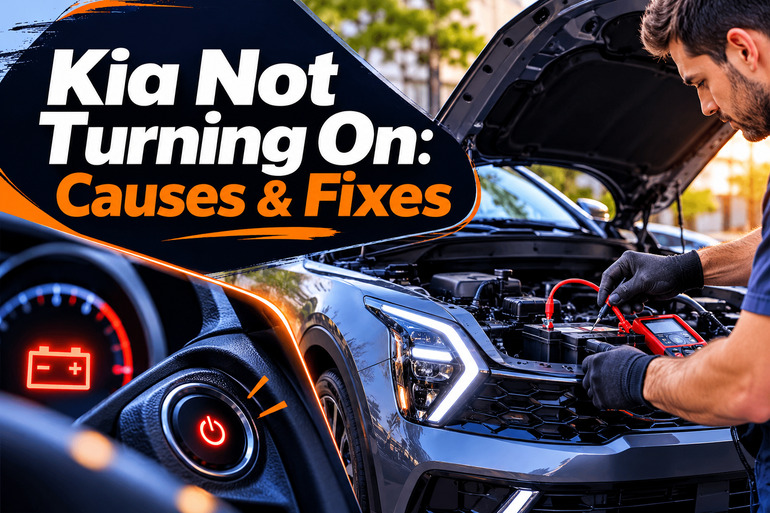
Why Your Kia Is Not Turning On
When your Kia won’t turn on, the problem usually involves the electrical system, starting system, or engine. These systems work together to start the vehicle. If one develops a fault, your car may fail to respond when you turn the ignition key or press the start button.
In gasoline powered Kia models, the 12V battery supplies power to the starter motor, which turns the engine until combustion begins. The alternator then supplies electrical power and recharges the battery while the engine runs. A problem with any part of this process can prevent the engine from starting.
However, the symptoms often provide useful clues. If your dashboard remains completely dark, a discharged battery or poor electrical connection may be responsible. Rapid clicking or slow engine cranking can also indicate insufficient battery power. Conversely, if the engine turns over at its normal speed without starting, the problem may involve fuel delivery, ignition, or engine controls.
The situation is slightly different with Kia hybrid and electric vehicles. These models can become ready to drive without the gasoline engine running, or without an engine at all. Their READY indicator is therefore more useful than engine noise when determining whether the vehicle has started. Because starting systems differ between Kia models, you should check your owner’s manual before attempting repairs.
Kia Not Turning On: Common Causes
Several faults can prevent your Kia from starting, and some produce similar symptoms. The following causes are worth considering before replacing parts or arranging extensive repairs.
1. Weak or Discharged 12V Battery
A weak or discharged 12V battery is one of the first things to suspect when your Kia doesn’t respond to the ignition. This battery supplies the electrical power needed to operate essential controls and, in conventional gasoline models, turn the starter motor. When its charge drops too low, the vehicle may struggle to start or fail completely.
Battery discharge can happen when headlights or interior lights remain on while the engine is off. Long periods without driving, battery aging, and electrical accessories that continue drawing power while the vehicle is parked can also contribute. Additionally, a faulty charging system can leave the battery undercharged even after you have driven the car.
You may hear rapid clicking when attempting to start the engine. Other clues include dim dashboard lights, weak headlights, and electrical accessories that stop working. If the interior light becomes noticeably dimmer when you attempt to start, Kia’s troubleshooting guidance identifies battery discharge as a possible cause.
2. Poor Battery Connections or Charging Problems
Even with a charged battery, your Kia may refuse to start if electricity cannot flow properly through the battery cables. Corrosion around the terminals, loose cable connections, and damaged grounding points can interrupt the supply of power. This can cause intermittent starting problems, flickering dashboard lights, or a complete loss of electrical power.
Another possibility is a charging system fault. In conventional gasoline models, the alternator maintains battery charge while the engine operates. If it begins failing, the battery may gradually lose power until the car won’t start. An illuminated battery warning light while driving, repeated starting difficulties, or a battery that becomes discharged shortly after being recharged can suggest a charging problem. However, the battery and charging system need testing to confirm which component has failed.
3. Key Fob or Starting Authorization Problems
Modern Kia vehicles with push button ignition systems rely on a smart key to authorize starting. If the vehicle cannot detect the key, it may refuse to activate the engine even when the battery and starter are functioning properly.
A depleted key fob battery is one possible explanation. The problem may also occur if the smart key is outside the vehicle, too far from the driver’s position, or malfunctioning. In some cases, a damaged key or a fault in the vehicle’s immobilizer system prevents successful key recognition. The dashboard may display messages such as “Key Not Detected” or “Key Is Not in Vehicle.”
Starting authorization also depends on certain operating conditions. Many Kia automatic models require the transmission to be in Park or Neutral, with the brake pedal pressed before starting. A faulty brake switch or transmission position sensor can interfere with this process. If the dashboard powers up but the engine won’t crank, these conditions deserve attention before assuming the starter has failed.
4. Faulty Starter Motor or Starting Circuit
The starter motor is responsible for turning the engine during the starting process in conventional gasoline vehicles. If it fails, the engine may remain completely still even though the dashboard, headlights, and other electrical accessories operate normally.
A faulty starter relay, damaged wiring, or another starting circuit problem can produce similar symptoms. You might hear a single click when attempting to start, or the vehicle may remain silent. Sometimes, the engine starts successfully on one attempt but refuses on the next. However, a weak battery or poor cable connection can also produce these symptoms, so the starter should be tested before replacement.
5. Fuel Delivery or Ignition System Failure
If your Kia’s engine turns over normally but refuses to run, the problem may involve fuel delivery or ignition. The engine needs the correct amount of fuel, air, and properly timed ignition to start. If fuel cannot reach the engine or the spark plugs fail to ignite the mixture, the starting process may be unsuccessful.
Possible causes include an empty fuel tank, a malfunctioning fuel pump, defective ignition coils, or a faulty engine sensor. Some faults may also trigger the check engine light or cause rough running before the vehicle eventually stops starting. If your engine cranks at its usual speed without starting, checking the fuel level is a sensible first step. However, identifying internal fuel or ignition faults usually requires diagnostic equipment.
Kia Not Turning On: DIY Fixes
The appropriate solution depends on what happens when you attempt to start your Kia. Begin with simple checks that don’t require dismantling components, then consider other methods based on the symptoms you observe.
1. Check the Starting Procedure and Dashboard Messages
Before investigating mechanical faults, make sure your Kia is in the correct starting position. A vehicle may appear to have an ignition problem when a starting condition hasn’t been satisfied.
For automatic Kia models, apply the parking brake, place the transmission in Park, and press the brake pedal firmly. Then turn the ignition key or press the engine start button while keeping your foot off the accelerator. If you have a manual transmission, follow the manufacturer’s instructions for clutch pedal operation.
Pay attention to any dashboard messages. A warning to press the brake pedal, shift into Park, or bring the smart key into the vehicle may identify the reason your Kia isn’t starting. Address the displayed condition and try again. If the same warning returns despite following the correct procedure, the related switch, sensor, or control system may need professional diagnosis.
2. Try the Backup Smart Key Starting Method
If your Kia has a push button ignition and displays a key detection warning, the smart key battery may be weak. Start by bringing the key close to the driver’s seat and moving other electronic devices away from it. If you have a spare smart key, try using that instead.
Many Kia models allow you to start the vehicle by pressing the start button directly with the smart key when its battery is weak. For example, some Kia owner’s manuals instruct drivers to hold the smart key against the button at a right angle while pressing it. Other models use a designated key recognition area inside the vehicle. Check your model’s manual for the correct location and procedure. If the backup method works, replace the key fob battery with the specified type. If neither key works, the problem may involve the vehicle’s key recognition system rather than the fob battery.
3. Inspect the 12V Battery and Its Connections
If the dashboard remains dark or the engine cranks slowly, inspect the battery before considering more expensive repairs. First, switch off the ignition and all electrical accessories. Locate the 12V battery or the accessible connection points identified in your owner’s manual.
On Kia models with a conventional, accessible 12V battery, visually examine the terminals. Look for white or greenish deposits, visibly loose connections, damaged cable insulation, or other signs of deterioration. If corrosion is present, avoid touching the deposits with bare hands. Don’t attempt to handle a battery that is leaking, swollen, unusually hot, or physically damaged.
You can also observe whether the interior lights dim sharply when attempting to start. This may indicate a weak battery or excessive voltage loss. A battery service provider can perform a battery load test and inspect the cable connections. If the battery repeatedly loses charge, request a charging system and electrical drain test before replacing it again.
4. Restore Battery Power Using the Approved Method
When battery discharge appears to be responsible, restoring the 12V power supply may get your Kia running again. However, the correct method depends on whether you drive a gasoline, hybrid, plug in hybrid, or electric model.
Some Kia hybrids have a 12V Battery Reset button that reconnects the low voltage battery after its protection system disconnects it. On supported models, Kia instructs drivers to press the reset button and start the vehicle within 15 seconds. Once the READY indicator illuminates, the vehicle should remain safely in READY mode outdoors or be driven for a total of 30 minutes to help restore the charge. Only use this procedure if your specific vehicle is equipped with the feature.
For models that require jump starting, use a suitable 12V booster and follow the exact connection points and sequence in your Kia owner’s manual. Some vehicles have dedicated terminals located away from the battery. Incorrect connections can damage electronics or cause injury, so request roadside assistance if you are unfamiliar with the procedure. Never jump start a damaged or frozen battery, and never touch high voltage components or orange electrical cables. If the vehicle starts successfully, arrange battery and charging system testing to establish why it lost power.
5. Check the Fuel Level and Respond to Engine Symptoms
If your Kia’s starter turns the engine at its normal speed but the engine doesn’t begin running, check the fuel gauge. A low fuel level is easy to overlook, particularly if the vehicle was recently parked on an incline or the gauge reading appears unreliable.
Add the correct fuel if the tank is empty, then attempt a normal start. Avoid repeatedly operating the starter for long periods, as this can drain the battery and overheat starting components. If the engine still refuses to run, stop trying rather than assuming that additional attempts will resolve the problem.
Also note any unusual symptoms before the failure. Difficulty accelerating, rough idling, engine hesitation, or sudden stalling may help a technician identify fuel delivery, ignition, or engine control faults. Do not open pressurized fuel lines or attempt electrical testing around the fuel system. If you notice a strong fuel smell, visible leakage, smoke, or signs of overheating, stop attempting to start the vehicle and arrange qualified assistance.
6. Contact a Qualified Automotive Technician
If your Kia still won’t turn on after the basic checks, professional diagnosis is the safest next step. A qualified automotive technician can test the battery, inspect starting circuit connections, evaluate the starter, and read fault codes from the vehicle’s electronic control systems.
Professional help is particularly necessary when the starter makes grinding noises, the vehicle repeatedly loses power, or the dashboard displays persistent electrical or powertrain warnings. Hybrid and electric Kia models also require technicians with suitable training for their high voltage systems.
Before authorizing repairs, explain exactly what happens when you attempt to start. Mention whether the dashboard lights illuminate, whether the engine cranks, and whether any warning messages appear. These details can help the technician narrow down the fault and avoid unnecessary replacement of working components.
You can also check your vehicle identification number through the NHTSA recall lookup to see whether any outstanding safety recalls apply to your specific Kia. An applicable recall may qualify for a repair at no charge.
Wrapping Up
A Kia that won’t turn on doesn’t always need an expensive repair. Sometimes, the solution involves restoring battery power, correcting a starting condition, or replacing a weak smart key battery. Other faults require proper electrical or mechanical testing to identify the actual cause.
The most useful approach is to pay attention to how your vehicle responds when you attempt to start it. Dashboard warnings, clicking sounds, and engine cranking behavior can provide valuable clues. Start with the safest checks, and seek professional assistance whenever the symptoms indicate a more serious problem.