
Plugging in your Kia EV5 and seeing no charging progress can be frustrating, especially when you need the battery ready for your next trip. Sometimes charging never begins. Other times, it starts normally but stops before reaching the selected level.
The cause may be as simple as a charging schedule or an improperly connected cable. However, faulty charging equipment and vehicle electrical problems can produce similar symptoms. Understanding what prevents your EV5 from charging helps you identify the cause and choose the right solution.
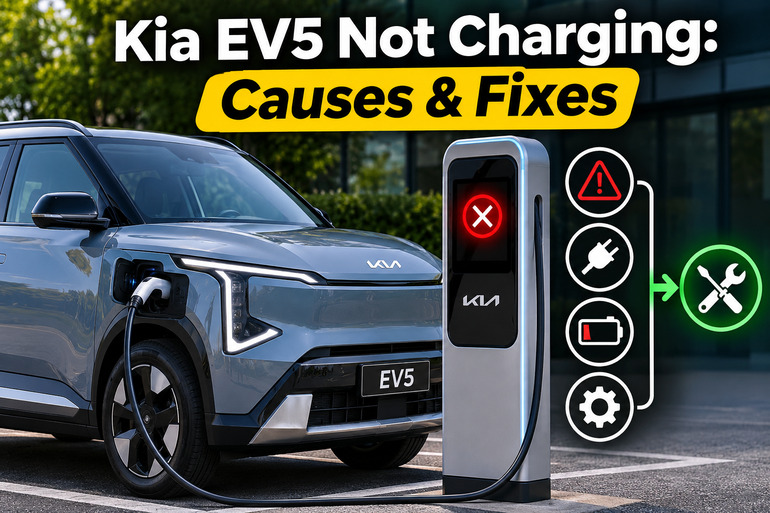
Understanding Kia EV5 Charging Problems
Your Kia EV5 uses a high voltage battery to power its electric motor and other major systems. You can recharge this battery using an AC charger, a compatible portable charger, or a DC fast charger. During AC charging, the vehicle’s onboard charger converts incoming electricity into the form the battery needs. DC fast charging supplies electricity through a different charging system, with the vehicle controlling the charging process.
When everything works correctly, the EV5 communicates with the charger, checks the connection, and begins accepting electricity. However, charging can fail if the connection is poor, the charger encounters an electrical problem, or the vehicle detects a condition that prevents safe charging.
One useful clue is the charging indicator inside the charging door. According to Kia’s EV5 owner’s manual, a green light appears when the connector is plugged in. Blinking green indicates active charging, while amber indicates scheduled charging. A red light signals a charging problem that needs attention.
You may also notice that the battery percentage remains unchanged, charging stops unexpectedly, or the instrument cluster displays a warning. Keep in mind that slow charging isn’t necessarily a malfunction. Battery temperature, charger capacity, and the selected charge limit can affect charging performance.
However, if you notice smoke, burning smells, damaged cables, or unusually hot charging equipment, stop charging immediately. Avoid further attempts until a qualified technician has inspected the affected equipment.
Kia EV5 Not Charging: Common Causes
Several conditions can prevent your Kia EV5 from charging properly. Some involve settings you can change yourself, while others require checking the charging equipment or having the vehicle inspected.
1. Incorrect Charging Schedule or Battery Charge Limit
Your Kia EV5 has scheduled charging features that allow you to choose when the vehicle should recharge. These settings are useful when electricity costs less during certain hours, but they can also make a working charger appear faulty.
For example, suppose your charging schedule starts at midnight, but you connect the vehicle at 7 p.m. The EV5 may recognize the charging cable without immediately drawing power. You could mistake this normal behavior for a charging failure, especially if you haven’t checked your charging settings recently.
Another possibility is that the battery has already reached its selected charging limit. The EV5 allows you to set different charge targets for AC and DC charging. If the battery is at 80% and the target is also 80%, charging won’t continue. Kia confirms that the vehicle won’t charge when the selected target is below the battery’s current charge level.
2. Loose or Damaged Charging Connector
A charging connector must fit securely into the EV5’s charging inlet before charging can begin. If the plug isn’t fully inserted, the vehicle and charger may fail to establish a reliable connection. Charging might never start, or it could stop shortly after beginning.
Dirt, moisture, physical damage, or a worn connector can contribute to the problem. Kia also identifies an improperly connected plug and operation of the connector release button as possible reasons for a cable connection warning. If the connector feels unusually loose, doesn’t seat properly, or repeatedly triggers the same warning, the charging cable or inlet may need professional inspection.
3. Faulty Charging Station or Unstable Electricity Supply
Sometimes your Kia EV5 is working correctly, but the charging equipment cannot deliver electricity. Public charging stations can experience communication failures, power interruptions, damaged connectors, and internal electrical faults.
A failed charging session may also involve station authorization. Certain public chargers require you to start a session using an app, payment card, or charging station controls before electricity flows. If authorization fails, the vehicle can remain connected without charging.
Home charging equipment can develop similar problems. A tripped circuit breaker, a malfunctioning wall charger, or an unsuitable electrical outlet may interrupt the electricity supply. Portable charging equipment may also stop when its safety system detects excessive temperature or an electrical fault. If the EV5 charges normally elsewhere, the original charging equipment becomes a stronger suspect.
4. Excessive Temperature or Charging Current Problems
Your EV5 monitors battery temperature to maintain safe charging conditions. When the high voltage battery becomes unusually hot or cold, charging performance can decrease. This is particularly noticeable during DC fast charging, where battery temperature has a substantial effect on charging speed.
Charging current can also contribute to interruptions during AC charging. For instance, a charger or electrical circuit may be unable to sustain the requested current under certain conditions. Kia’s EV5 manual specifically recommends trying another appropriate AC charging current if charging fails to start or stops unexpectedly. Portable charger temperature warnings can provide another clue that the problem involves the charging equipment rather than the battery itself.
5. Vehicle Electrical or Charging System Faults
If your EV5 refuses to charge using several working chargers, the problem may be inside the vehicle. Possible faults include a malfunctioning onboard AC charger, damaged charging inlet components, a connector locking mechanism fault, or a problem with the electronics that manage charging.
The vehicle’s 12 volt battery also supports its electrical controls. If this auxiliary battery becomes severely discharged or develops a fault, some vehicle functions may stop operating normally. A completely unresponsive dashboard, unusual electrical behavior, or problems waking the vehicle can point toward a low voltage electrical issue. However, those symptoms alone don’t prove that the battery is defective.
Charging problems can also occur when the battery management system detects an unsafe condition. In these situations, the EV5 may display warning messages or refuse to continue charging. Internal high voltage faults require professional diagnosis because several different components can produce similar symptoms.
Kia EV5 Not Charging: DIY Fixes
The best way to resolve a Kia EV5 charging problem is to begin with simple checks before considering component failures. The following methods can help you identify whether the problem involves your charging settings, external equipment, or the vehicle itself.
1. Check Your Charging Schedule and Battery Limit
Start by checking whether your EV5 is waiting for a scheduled charging session. Open the Electric Vehicle menu on the infotainment screen and look for the scheduled charging or reserved charging settings. If a schedule is active, temporarily disable it and try charging again.
You should also check the charging schedule in the Kia Connect app if your vehicle supports that feature. Kia confirms that scheduled charging applies to AC and compatible portable charging equipment. Turning off the schedule allows you to test whether the delayed charging setting is responsible for the problem.
Next, check your battery charge limit.
- Open the EV settings on your infotainment screen.
- Select the charging limit option.
- Check the current battery percentage against the selected target.
- Raise the target above the present battery level if you need more charge.
- Reconnect the charger if necessary and check whether charging begins.
For example, if your battery is at 75% and the charging target is 70%, increasing the target to 80% should allow charging to begin, provided no other problem exists. The exact menu wording can vary by model year, region, and software version.
2. Disconnect and Reconnect the Charging Cable
A loose charging connector is one of the simpler problems you can check without specialized tools. Before touching the cable, make sure charging has stopped and follow the charging station’s instructions for ending the session.
Then safely disconnect and inspect the charging equipment.
- Check the connector housing. Look for cracks, deformation, or other visible damage.
- Inspect the charging inlet. Look for obvious dirt, moisture, or foreign objects without touching the electrical contacts.
- Examine the cable. Check for damaged insulation, exposed wiring, or signs of overheating.
- Reconnect the plug. If everything is clean, dry, and undamaged, insert the connector fully using the handle.
Watch the charging indicator after reconnecting. A blinking green light should indicate that charging has started. You can also check the instrument cluster for charging power, an estimated completion time, or an increasing battery percentage.
If the connector won’t fit properly or repeatedly loses its connection, stop trying to force it. A damaged inlet or faulty connector locking mechanism may require repair. Never insert objects into the charging port or attempt to straighten damaged electrical contacts.
3. Check the Charging Station and Restart the Session
If the cable connection looks normal, examine the charging station itself. Look at its display or indicator lights for messages such as charging unavailable, connection failure, or session interrupted.
At a public charging station, confirm that you’ve completed any required authorization or payment steps. If the charger reports a temporary error, stop the session through the station controls or app, then follow its instructions to disconnect. Reconnect the cable and start a fresh session. Charging network operator Electrify America recommends this approach for certain temporary charging errors.
For home charging, check whether your wall charger has power and whether its status indicator shows a fault. If you use a portable charger, check the control box for warning lights. When a circuit breaker has tripped, a household outlet appears damaged, or the equipment repeatedly reports an electrical fault, have a qualified electrician inspect the supply.
Never bypass a charger’s protective system, use an extension cord to reach the vehicle, or repeatedly reset a tripping breaker. These actions can create electrical hazards. If the charging station continues reporting errors, contact its manufacturer or network operator.
4. Adjust the AC Charging Current and Account for Battery Temperature
If AC charging begins but repeatedly stops, your EV5’s charging current setting is worth checking. Open the Electric Vehicle settings and find the AC charging current option. On EV5 versions that provide percentage settings, you may see choices such as 100%, 80%, and 60%. Try a lower setting appropriate for your charging equipment, then begin another charging session. Kia recommends adjusting this setting when AC charging is interrupted, although reducing the current will increase charging time. If a circuit or charger shows signs of an electrical fault, have it inspected instead of continuing to test it.
If your concern involves unusually slow DC fast charging, consider the battery temperature. Cold or hot battery conditions can limit charging power even when the charger is operating correctly. Where equipped, the EV5’s battery conditioning feature can help prepare the battery for faster charging. Setting a compatible fast charging station as your destination in the vehicle’s navigation system may activate conditioning while driving. However, battery conditioning won’t repair a defective charger or resolve a serious charging system warning.
5. Try Another Compatible Charger and Check Warning Messages
Testing another properly functioning charger is one of the most useful ways to narrow down the problem. If your EV5 fails at one public charging station but charges successfully at another, the original station or its cable may be responsible. Similarly, if AC charging works but DC charging repeatedly fails, the results help a technician focus on the affected charging system. Always use equipment compatible with your vehicle’s charging inlet and regional specifications.
Pay attention to any messages on the instrument cluster. Warnings telling you to check the AC charger, DC charger, or cable connection can help identify where the problem occurred. Note the exact message, the battery percentage, and whether the session stopped immediately or after several minutes. These details will be useful if professional diagnosis becomes necessary. Avoid repeated charging attempts if a red error indicator, service warning, or serious electrical fault continues to appear.
6. Contact a Qualified Kia Technician
If your Kia EV5 still won’t charge after checking the settings, connection, and external charging equipment, arrange an inspection at an authorized Kia service center. This is particularly important when charging fails at multiple known working stations or the vehicle displays a persistent service warning.
A qualified technician can use appropriate diagnostic equipment to check charging system fault codes, onboard charger operation, charging communication, battery management controls, and related electrical components. They can also examine the 12 volt electrical system when the symptoms suggest an auxiliary power problem.
Kia recommends professional inspection when the vehicle fails to charge using another functioning charger. If the warning says “Stop safely and check power supply,” follow Kia’s guidance to stop safely and arrange appropriate recovery rather than continuing to drive.
Wrapping Up
A Kia EV5 that refuses to charge doesn’t automatically have a damaged battery or an expensive electrical fault. Charging schedules, battery limits, loose connectors, and malfunctioning charging stations can all interrupt the process. The key is to use the symptoms and charging indicators to narrow down the possibilities.
Start with the settings and other checks you can perform safely. If charging continues to fail, especially across different chargers, professional diagnosis is the sensible next step. Acting early can help you avoid repeated charging interruptions and keep your EV5 ready for everyday driving.