
Your Kia key fob should unlock your car with a simple button press. However, when you press the unlock button and nothing happens, getting into your vehicle becomes frustrating. Sometimes, the remote works only when you’re standing close to the car. Other times, it stops responding completely.
Fortunately, a Kia key fob that won’t unlock your car doesn’t always mean an expensive repair. Understanding what causes the problem can help you identify the fault and restore normal operation.
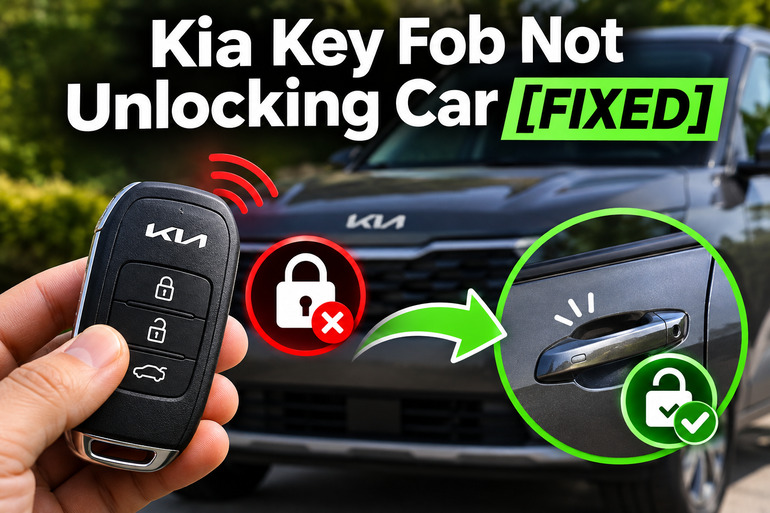
Why Your Kia Key Fob Is Not Unlocking Your Car
Your Kia key fob uses a wireless signal to communicate with your vehicle’s keyless entry system. When you press the unlock button, the remote sends a coded signal to a receiver inside the car. If the vehicle recognizes that signal, its electronic locking system releases the appropriate door locks. This allows you to enter without inserting a traditional key into the door.
If something interrupts that process, the doors may remain locked. For example, a weak key fob battery might prevent the remote from transmitting a strong enough signal. Likewise, a damaged unlock button could stop the command from being sent. In some cases, the key fob works correctly, but the vehicle cannot respond because of a problem with its electrical system or door locks.
The symptoms often provide clues about where the fault originates. You might notice that the key fob works intermittently, unlocks the car only at close range, or operates the trunk while the doors remain locked. Some Kia vehicles also display a low smart key battery warning on the instrument cluster. These symptoms can help distinguish a failing remote from a problem inside the vehicle.
It’s also worth understanding that certain Kia models have a two press unlock feature. With this setting enabled, pressing the unlock button once releases only the driver’s door, while a second press unlocks the remaining doors. Some models automatically lock the doors again if you don’t open one within approximately 30 seconds. Both behaviors can make a working key fob seem faulty if you’re unfamiliar with the settings.
Kia Key Fob Not Unlocking Car [FIXED]: Common Causes
Several problems can prevent your Kia key fob from unlocking the doors, and they don’t all originate inside the remote. The following five causes are worth considering before replacing the key fob or paying for repairs.
1. Weak or Dead Key Fob Battery
A weak battery is one of the first things to suspect when your Kia key fob stops unlocking the car. The small lithium battery inside the remote supplies the power needed to transmit signals. As its charge decreases, the remote may become less reliable until it eventually stops responding.
You might initially notice that your car unlocks only when you’re standing next to the driver’s door. Sometimes, you’ll need to press the button several times before anything happens. These symptoms are consistent with a weakening battery, although damaged buttons and signal interference can produce similar behavior.
Key fob batteries typically last several years, but their actual lifespan varies with usage and conditions. Kia recommends replacing the battery when the remote stops working properly. Some Kia models also display a warning when the smart key battery becomes weak, giving you an opportunity to replace it before the remote stops working.
2. Signal Interference or Operating Beyond the Remote’s Range
Your Kia key fob communicates through radio signals, which can sometimes encounter interference from nearby electronic equipment. When another signal interferes with communication between the remote and your vehicle, the unlock command may fail to reach the receiver.
Kia identifies several possible sources of interference, including mobile phones, two way radios, and powerful radio transmitters. Metal objects and other electronic devices near the key can also interfere with normal operation. Depending on the vehicle, the remote’s operating range may be around 30 feet, but obstacles and environmental conditions can reduce that distance.
A useful clue is that the problem occurs only in certain locations. For example, your remote might work normally at home but become unreliable in a particular parking area. If its performance changes after you separate it from your phone or move away from nearby electronic equipment, interference becomes a stronger possibility.
3. Damaged Key Fob or Worn Unlock Button
Your Kia key fob can develop physical or electronic faults even when its battery is healthy. Dropping the remote, exposing it to water, or leaving it in excessive heat may damage its internal components. Over time, repeated button presses can also cause the unlock button or its electrical contacts to wear.
One recognizable symptom is when the lock or trunk button works, but the unlock button doesn’t respond. You might also notice that the unlock button feels unusually soft, sticks when pressed, or requires much more pressure than the other buttons.
Moisture damage can be especially troublesome because corrosion may develop inside the remote and affect its electrical connections. A damaged circuit board or broken internal contact won’t necessarily recover after installing a fresh battery. In these situations, the key fob may need professional inspection or replacement.
4. Weak or Discharged Vehicle Battery
Although a dead key fob battery is a familiar problem, your Kia’s 12 volt battery can also be responsible for an unresponsive locking system.
The vehicle’s low voltage electrical system provides power for electronic controls and door locking components. If the 12 volt battery becomes deeply discharged, the car may lack enough electrical power to operate the locks, even when the key fob sends a valid signal.
You may suspect this problem if neither your main key fob nor the spare unlocks the car, particularly when the vehicle has been parked for an extended period.
After entering the vehicle with the mechanical key, look for other electrical symptoms. Dim interior lights, an unresponsive dashboard, or difficulty starting the vehicle may indicate a weak 12 volt battery. However, these clues don’t confirm the diagnosis, since electrical wiring faults and other vehicle problems can produce similar symptoms.
5. Faulty Door Lock Actuator or Keyless Entry System
Your Kia’s electronic locking system uses electrical controls and door lock actuators to lock and unlock the doors. An actuator is a small mechanism that moves the door lock when the appropriate electrical command is received.
If an actuator fails, the affected door may remain locked even though the vehicle receives the key fob’s signal. You might hear a faint clicking sound inside the door without seeing the lock move. In other cases, one door refuses to unlock while the remaining doors operate normally.
If every door stops responding, the problem may involve a fuse, wiring, receiver, or electronic control unit rather than an individual actuator. Kia has documented actuator faults on certain vehicles, including some Sedona models, but the exact failure and repair depend on the model and diagnosis.
A useful distinction is whether the interior central locking switch still operates the affected doors. If the same door refuses to unlock from both the key fob and the interior switch, a door lock or vehicle electrical problem becomes more likely.
Kia Key Fob Not Unlocking Car [FIXED]: DIY Fixes
Once you understand the possible causes, you can begin with simple checks that don’t require special tools. Work through the following methods in order, since several key fob problems can be resolved without opening the vehicle’s electrical components.
1. Check the Unlock Button and Vehicle Settings
Before replacing anything, make sure you’re using the correct button and that your vehicle isn’t operating according to its programmed unlock settings.
Stand close to your Kia and press the unlock button once. Watch for the hazard lights flashing or listen for the locks moving. If the driver’s door unlocks but the remaining doors stay locked, press the unlock button again within a few seconds.
Your Kia may have the two press unlock feature enabled. On models with compatible settings, you can check this through the instrument cluster or infotainment system.
To verify the setting:
- Enter your vehicle using the mechanical key if necessary.
- Turn on the vehicle’s accessory or ignition system as directed by its owner’s manual.
- Find the vehicle settings menu.
- Look for Door, Two Press Unlock, or 2 Press Unlock.
- Change the setting if you want all doors to unlock with one press.
The menu names vary between Kia models and model years. Also, if your doors unlock and then lock again shortly afterward, try opening a door immediately after pressing the button. Automatic relocking can be normal behavior.
2. Eliminate Possible Signal Interference
If your Kia key fob works only occasionally, interference is worth checking before assuming the remote has failed.
First, remove the key fob from your pocket or bag. Keep it separate from your smartphone, wireless charging devices, metal objects, and other electronic equipment. Stand near the driver’s door and press the unlock button again.
Next, try operating the remote from a different position around the vehicle. If it consistently works when separated from your other belongings, an interfering object or device may have contributed to the problem.
Pay attention to where the fault occurs. If the remote works normally in one location but repeatedly fails in another, nearby radio signals may be involved.
However, if the key fob doesn’t work anywhere, even at close range with other devices removed, you’ll need to investigate other causes.
3. Replace the Kia Key Fob Battery
If your remote has become unreliable or stopped unlocking the car completely, replacing its battery is a sensible next step.
Many Kia key fobs use a CR2032 3 volt lithium battery, but this isn’t universal. Some Kia smart keys use a CR2450 battery instead. Check the owner’s manual for your particular model and year, or verify the marking on the existing battery before purchasing a replacement.
For a Kia key fob with a user replaceable battery, the general procedure is:
- Locate the release button or latch on the remote.
- Remove the mechanical emergency key if your design includes one.
- Find the small opening or seam intended for removing the key fob cover.
- Use a suitable slim tool to gently separate the cover, following your owner’s manual.
- Note how the existing battery is positioned before removing it.
- Install a new battery of the correct type, making sure its positive and negative sides match the specified orientation.
- Reassemble the key fob, ensuring its cover closes securely.
- Stand near your Kia and test the lock and unlock buttons.
Avoid using excessive force when opening the casing. Certain Kia folding key designs also have a retaining screw that must be removed to access the battery.
Important: Lithium button batteries can cause severe internal injuries if swallowed. Keep both old and new batteries away from children, and seek immediate medical attention if swallowing is suspected. Dispose of used batteries safely.
After replacement, the remote should operate normally if the weak battery was the cause. If it still doesn’t respond, check that the battery is correctly installed and that the casing has been assembled properly.
4. Test Your Spare Key Fob and Inspect the Original
If replacing the battery doesn’t solve the problem, the next step is to determine whether the fault affects one remote or the vehicle itself.
Try unlocking your Kia with a spare key fob, if you have one. Use it from approximately the same distance and location as the original remote.
The results can help narrow down the fault.
- Spare key works normally: The original remote may have a damaged button, internal fault, or incorrect battery installation.
- Neither key works: The vehicle’s electrical system, keyless entry receiver, or local interference becomes more likely.
- Both keys work intermittently: Check for shared environmental conditions, interference, and vehicle electrical problems.
Next, inspect your original key fob for obvious damage. Look for cracks in the casing, buttons that stick, or signs of moisture around its seams.
If the casing is cracked or the unlock button is damaged, avoid forcing it. Also, don’t attempt to clean or repair a severely corroded electronic circuit board without appropriate expertise.
A key fob that has suffered significant water damage may require replacement. New electronic keys generally need to be registered to the vehicle using the correct equipment. Simply purchasing a similar looking remote doesn’t guarantee compatibility.
5. Use the Mechanical Key and Check the Vehicle Battery
If your Kia won’t unlock electronically, you can usually gain access using the mechanical key built into the remote.
This emergency key provides a way to unlock the driver’s door even when the remote battery is dead or the wireless system isn’t operating.
The general procedure is:
- Locate the mechanical key release on your key fob.
- Press the release and remove the metal key.
- Find the keyhole on the driver’s door. Depending on the model, it may be hidden beneath a small cover near the door handle.
- Remove the cover only as directed in your owner’s manual.
- Insert the mechanical key and turn it in the specified direction to unlock the door.
- Remove the key and carefully reinstall the cover.
Kia provides this emergency access method for vehicles with compatible smart key designs. On models with flush door handles, the access procedure may differ from conventional handles.
Once inside, check whether the interior lights, dashboard, and other low voltage electrical features respond normally.
If these systems are unresponsive, your vehicle may have a discharged 12 volt battery. However, a battery test is needed to confirm whether it is discharged, deteriorated, or affected by a charging system problem.
You can arrange for a qualified roadside assistance provider or technician to test the battery and restore power using the procedure approved for your Kia model.
Avoid attempting an unfamiliar jump starting procedure, particularly on hybrid or electric models. Their battery locations and electrical safety requirements may differ from conventional gasoline vehicles.
Also, on many Kia push button start models, a weak key fob battery doesn’t necessarily prevent starting. Kia provides a backup procedure that involves holding the smart key against the Engine Start/Stop button. Check the instructions for your particular vehicle before using this method.
6. Check the Interior Door Lock Switch and Related Components
If your key fob still won’t unlock the car after the earlier checks, determine whether the vehicle’s door locking mechanism responds independently of the remote.
With the vehicle safely parked, use the mechanical key to enter. Then locate the central door lock switch, usually on the driver’s door panel.
Press the unlock button and observe what happens to each door.
If all doors respond normally to the interior switch but neither key fob operates them, the problem may be associated with the keyless entry receiver, its wiring, or an electronic control issue.
However, if one particular door remains locked while the others work, the affected door’s actuator, wiring, or lock mechanism deserves closer inspection.
You can also listen for clicking or buzzing sounds from the affected door. These noises may indicate that an actuator is receiving a command but struggling to move the lock mechanism.
If none of the doors operates from the interior switch, check whether other electrical features are working. A technician may need to inspect the vehicle’s power supply, fuses, wiring, and door locking control module.
You can consult your owner’s manual to identify the relevant fuse panel and its labels. Nevertheless, don’t replace fuses with higher rated ones, bypass electrical protection, or dismantle door panels without the appropriate knowledge.
A fuse that blows repeatedly indicates an underlying electrical problem that needs professional diagnosis.
7. Contact a Qualified Kia Technician or Automotive Locksmith
If none of these methods restores your key fob’s operation, professional diagnosis is the next sensible step.
An authorized Kia dealer or qualified automotive locksmith can test whether the remote transmits the appropriate signal and determine whether the vehicle recognizes it. Depending on the fault, they may need to inspect the receiver, keyless entry control system, wiring, or door lock actuators.
If the key fob has failed internally, replacement may be necessary. A compatible replacement must be correctly registered to your specific vehicle. An automotive locksmith with suitable equipment may be able to handle this, although some models and security system faults require dealer assistance.
Be especially cautious if the locks behave unpredictably, a door cannot be securely latched, or occupants have difficulty opening a door from inside. Don’t drive a vehicle with a door that cannot latch securely. Arrange professional assistance before using it again.
When arranging repairs, explain whether the lock button works, whether the spare key responds, and whether the problem affects one door or every door. These details can help the technician identify the fault without replacing unnecessary components.
Wrapping Up
A Kia key fob that won’t unlock your car can have several causes, but the problem is often easier to identify when you pay attention to how the remote behaves. Changes in operating range, differences between individual buttons, and the response of the interior door locks can all provide useful clues.
Start with the simple checks, including the unlock settings, signal interference, and key fob battery. If the fault continues, investigate the vehicle’s electrical system with qualified assistance. Taking the right approach can save unnecessary expenses and help keep your Kia’s locking system reliable.