
When your Kia Sportage stops beeping as you back into a space, the first clue may be what still works. A clear camera picture with no warning tone points to a different set of checks than a dashboard message about a blocked sensor. Even a steady beep in an empty driveway can help narrow things down.
Before you buy a sensor, check the bumper, the parking settings, and what changed just before the problem started.
What Happens When Your Sportage Parking Sensors Stop Working
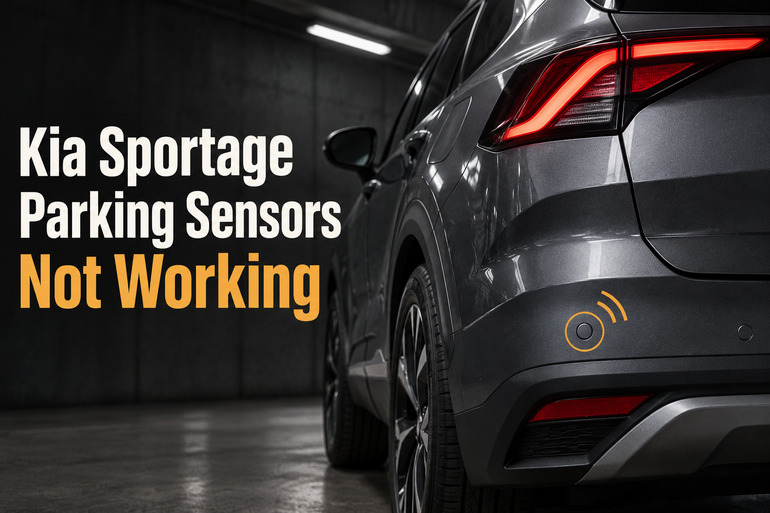
Kia calls the feature Parking Distance Warning. The small round sensors in the bumper send out sound waves and listen for echoes. When the system detects an object within range, it can show where the object is on the display and sound a warning. The beeps usually get closer together as the gap shrinks. The backup camera uses a separate camera, so a clear picture can appear even when the bumper sensors are having trouble.
Which warnings you should expect depends on your model year and trim. For example, Kia listed rear parking warnings across its 2025 U.S. gasoline Sportage lineup, while front warnings were standard on the SX Prestige and X-Pro Prestige. If the front has always been quiet, check the equipment list for your exact Sportage before treating it as a fault.
A missed warning near a thin pole or a low object can happen even with clean, working sensors. A better clue is a change you can repeat, such as a rear warning that used to sound at your usual parking spot and now stays quiet. Check your surroundings directly and use your mirrors every time you park, especially while the system is unreliable.
Kia Sportage Parking Sensors Not Working [FIXED]: Common Causes
The timing can tell you as much as the warning itself. A problem that shows up on icy mornings points to a different cause than one that began right after a bumper repair.
1. Dirt, Ice, or Water on the Sensors
Road grime can cover the small round sensor faces so evenly that they blend into the bumper. Wet snow and frozen slush can also collect around them, especially at the corners. When material covers the face, it can interfere with the sound waves the sensor sends and receives. Some Sportage models show a message about a blocked ultrasonic sensor when this happens.
Heavy rain and water running over the bumper can affect the warnings even when the sensors look clean. If the problem appears during a downpour or after driving through slush and clears once the bumper is clean and dry, the conditions may explain it.
Pay attention if the message keeps coming back in dry weather. On versions that show the affected direction, a warning that repeatedly points to the same corner gives you a specific area to inspect. The direction alone leaves several possibilities open, including a blockage, a damaged sensor, or a fault behind the bumper.
2. The Parking Warning Is Off or Too Quiet
If the rear sensors work but the front ones go quiet after a drive, check how your Sportage turns on its forward warnings. On equipped versions covered by Kia’s 2025 manual, the front warnings operate below 6 mph. With Parking Distance Warning Auto On disabled, the front function can switch off above 18 mph and stay off when you slow down again. That can make it seem inconsistent from one parking maneuver to the next.
A distance indicator that changes as you approach an object is a different clue. It tells you the system is detecting something in that area, so check the warning volume first. Where Kia provides that setting, it can stay at the last level you selected even after you restart the vehicle.
3. A Rack, Carrier, or Trailer Is Affecting the Rear Warning
A bike rack or cargo carrier can sit close enough to the bumper for the sensors to pick it up. If you get an immediate tone every time you select Reverse after fitting the accessory, look at where its bars or platform sit in relation to the round sensors. Even a piece that leaves the sensor face uncovered can stick out into its detection area.
A connected trailer can produce the opposite symptom. On Sportage versions with a compatible Kia trailer kit that detects the electrical connection, plugging in the trailer can automatically switch off Reverse Parking Distance Warning. If the rear warnings only disappear while the trailer is connected, check the towing instructions for your model.
4. A Sensor Is Damaged or Sitting at the Wrong Angle
A light scrape at a bumper corner can leave one sensor pushed inward or tilted. Compare its face with the matching sensor on the other side. A crack, a chipped face, or a gap that looks different from the opposite corner is worth noting, especially if the warnings changed right after the impact. Kia lists impact damage and changes to sensor installation among the conditions that can affect detection.
The angle matters because each sensor listens for echoes from the area it faces. If a mount shifts, the sensor can point away from the area you expect it to cover. A corner that gives false warnings or seems to miss objects after bumper work is a good reason to have the shop check how the sensor was fitted.
5. A Connector, Wire, or Control Circuit Has a Fault
Each sensor needs a connection to the rest of the parking system. A loose plug or damaged wire behind the bumper can interrupt that connection and produce symptoms much like a failed sensor. If the problem started after the bumper was removed or replaced, tell the shop when it began. That gives the technician a reason to check the connections and wiring in the area that was worked on.
On some Sportage systems, the sensors send their readings to a control unit that handles the warning. If a whole end of the vehicle goes quiet, the technician can check for a shared connection or control fault before replacing several sensors. Even a warning that points to one corner can require checking both the sensor and the circuit connected to it.
Kia Sportage Parking Sensors Not Working [FIXED]: DIY Fixes
Start with the checks you can make while the Sportage is parked. If one of them restores the warning, see whether it works again under the same conditions that first exposed the problem.
1. Clean and Dry the Sensor Faces
Park on level ground, set the parking brake, and switch the vehicle off. Use a soft, damp cloth to wipe each round sensor face and the area around it. Check the outer corners as well as the center of the bumper, since it’s easy to miss a sensor when you’re standing directly behind or in front of the vehicle.
If ice is stuck to a sensor, let it thaw before wiping the surface. Skip sharp tools and keep a pressure washer jet away from the sensors. Once the bumper is clean and dry, check whether the message clears during your next normal parking maneuver. If it returns on a clean bumper, make a note of the wording and any direction shown.
2. Check the Parking Safety Button and Auto On Setting
If your Sportage has front sensors and a Parking Safety button, find the button in your owner’s manual and check its indicator. On equipped versions covered by Kia’s 2025 manual, the button can switch the warning on for low speed driving, and selecting Reverse automatically activates the system under normal operating conditions.
If the front warnings work when you switch them on but go quiet again after driving, look for Parking Distance Warning Auto On under Driver Assistance, then Parking Safety. On models with this option, enabling it lets the forward warning come on during low speed driving when the operating conditions are met.
Check the result the next time you pull into a familiar space at parking speed. If the button lights up but the system repeatedly misses an object it used to detect, note whether the change affects the entire front bumper or mainly one corner.
3. Raise the Warning Volume
With the Sportage on and parked, look under Driver Assistance for Warning Methods, then Warning Volume. Depending on the version, the setting may be in the instrument cluster or on the center screen. Choose a louder level if one is available. Kia notes that this setting may also affect other driver assistance alerts.
Turn down the music and listen during a normal parking maneuver. If the distance indicator and tone now respond together, the warning level likely explains what you noticed. If the indicator responds but the tone is still missing where your manual says it should sound, report that detail to the shop. It helps narrow the problem to the audible warning.
4. Recheck With the Rear Accessory Removed
If the symptom started after you fitted a removable rack or carrier, take it off while the Sportage is parked, following the accessory maker’s instructions. Look for any remaining bracket or adapter that extends into the area directly in front of a sensor.
If a trailer is attached, compare the warnings after you’ve fully unhitched it and disconnected its electrical plug. Keep the trailer connected as intended while towing. Some Kia trailer kits deliberately disable the rear parking warnings when the trailer is plugged in.
If the warnings return with the accessory off, you’ve narrowed the problem to its position or the vehicle’s towing behavior. For a rack or carrier, check whether its manufacturer offers a mounting position that keeps it clear of the sensors.
5. Check for Visible Damage and Save the Warning Message
With the vehicle off, look across the bumper from the side so you can see how each sensor sits. Look for a face that’s tilted, cracked, or recessed compared with the matching sensor across the bumper. Leave a loose sensor in place for the shop to inspect. Pressing on the face can damage it, and the holder may need attention from behind the bumper.
Take a photo of any visible damage. If a message appears, photograph it while safely parked or write down its exact wording. Include whether you were in Drive or Reverse and whether the warning was silent, sounded with nothing nearby, or pointed to a particular corner. Those details are especially helpful if the fault comes and goes.
6. Contact a Kia Dealer or Qualified Technician
Book a diagnosis if the warning keeps returning with clean sensors, the system repeatedly misses objects it used to detect, or the problem began after a collision or bumper repair. If the parking warning is unreliable and you can’t see that your path is clear, stop the maneuver. If the bumper is loose after an impact, have the vehicle checked before driving again.
Ask the shop to check the parking system’s fault codes, sensor readings, mounts, and wiring as appropriate. A technician with a scan tool that can access Kia’s parking system can use those readings to narrow down the fault before ordering parts. Bring your photos and mention any recent bodywork, accessory changes, or weather conditions that make the problem easier to reproduce.
Wrapping Up
The most useful clue is often the last time the warnings worked as expected. If the sound returned after the bumper dried, you have a condition you can watch for the next time it rains. If the same corner keeps showing a fault on clear days, you have a specific symptom a technician can investigate.
Once the system is working again, pay attention during your next few routine parking maneuvers. That gives you a chance to spot an intermittent fault early and describe exactly when it returns if you need to book a repair.