
When your Hyundai Ioniq refuses to charge, the problem can come from something as simple as a charging schedule or an improperly connected cable. It can also indicate a fault in the charging equipment or the vehicle’s electrical system. Finding the actual cause helps you avoid replacing expensive components unnecessarily.
The right approach is to check the charging settings, power supply, and connector before considering a repair. The steps below explain how to identify the fault and determine when professional assistance is necessary.
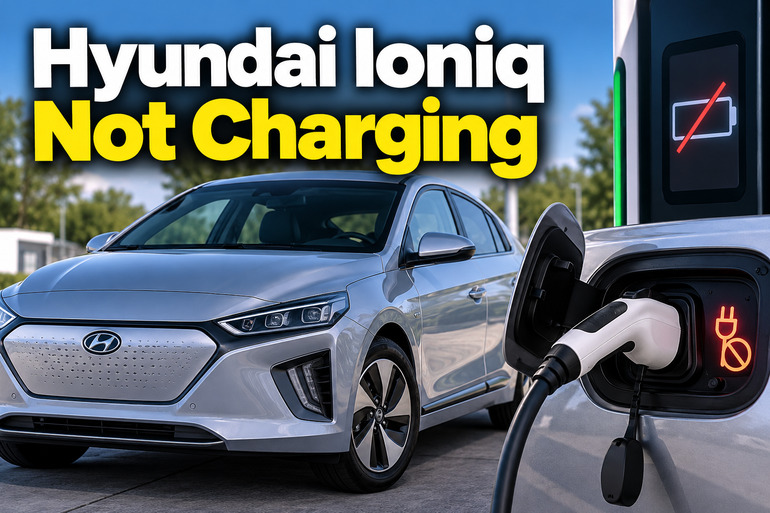
What It Means When a Hyundai Ioniq Won’t Charge
The Hyundai Ioniq is available in different powertrain versions, including the conventional hybrid, plug-in hybrid, and fully electric models. This distinction matters because the conventional hybrid does not connect to an external charging station. Its hybrid battery receives energy through regenerative braking and the vehicle’s engine.
The Ioniq Electric and Ioniq Plug-in Hybrid have charging ports that allow you to recharge their high-voltage batteries from an external power source. When either model fails to charge, the problem may involve the charging station, cable, inlet, vehicle settings, or internal charging equipment.
You might notice that the charging connector fits into the port but charging never begins. In other cases, the dashboard displays a warning, the charging station stops unexpectedly, or the battery percentage remains unchanged after the vehicle has been connected for some time.
A charging problem can also behave differently depending on the equipment involved. For example, your Ioniq might charge normally at a public station but fail when connected to a home charger. That difference is a valuable diagnostic clue because it helps determine whether the problem is associated with the vehicle or the external charging equipment.
Hyundai Ioniq Not Charging [FIXED]: Likely Causes
Several faults can prevent a Hyundai Ioniq from charging correctly. Start with the charging settings and external equipment because these checks are straightforward and do not require opening any electrical components.
1. Scheduled Charging or Incorrect Charging Settings
Your Ioniq may be working correctly even when the charging process doesn’t begin immediately. Certain models allow you to schedule charging for specific hours, such as overnight when electricity tariffs are lower.
When this feature is enabled, connecting the charging cable outside the selected time window may place the vehicle in standby mode. The dashboard or charging indicators may show that a charging session has been scheduled rather than started.
A similar problem occurs when the battery has already reached its configured charging limit. If your vehicle is set to stop charging at a particular battery percentage, it may stop at that target even though the battery has not reached its maximum capacity.
Check the charging schedule and battery limit through the infotainment system or the Bluelink app if your model supports these features. If charging begins after you deactivate the schedule or adjust the target, the vehicle may not need any physical repair.
2. Faulty Charging Station, Cable, or Power Supply
The external charging equipment is another common source of charging failures. A home charging unit may lose its power supply, a portable charger may detect an electrical fault, or a public charging station may terminate a session because of an internal error.
Your Ioniq may display a message such as “Charging Stopped. Check the AC (DC) charger” when the external equipment or charging cable causes the interruption. The precise wording depends on the model and software version.
A damaged cable can also prevent charging from starting. Crushed insulation, bent connector parts, exposed wiring, or a cable that has been repeatedly pulled rather than disconnected using its handle can affect safe operation.
If the vehicle charges successfully at another compatible station, the original charger or its power supply becomes a strong suspect. However, if several functioning chargers produce the same failure, the fault may lie within the vehicle.
3. Loose, Dirty, or Damaged Charging Connector
The charging connector must fit securely into the charging inlet before electricity can flow into the vehicle. The system checks the connection and communicates with the charging equipment before allowing the charging process to proceed.
If the connector is not fully inserted, the vehicle may refuse to charge or stop charging shortly after the session begins. A connector that appears to be attached can still have a poor connection if it has not seated correctly.
Debris, moisture, corrosion, or damage to the connector or inlet can also interfere with the charging connection. In some cases, the charging cable’s locking mechanism may fail to engage correctly.
Inspect the external surfaces of the connector and inlet with the charging session stopped and the connector disconnected. Look for visible damage, foreign material, or signs of overheating. Do not insert tools into the inlet or attempt to clean internal electrical contacts yourself.
4. Weak 12-Volt Auxiliary Battery or Electrical Control Fault
The high-voltage battery supplies the energy used to propel an electric Ioniq, but the vehicle also relies on a low-voltage electrical system to operate control units and other equipment. Depending on the model, this includes a conventional or integrated auxiliary battery system.
If the auxiliary battery becomes weak or the low-voltage supply develops a fault, some vehicle functions may stop operating normally. The car might display several warning messages, fail to respond properly when started, or have difficulty initiating a charging session.
These symptoms do not prove that the auxiliary battery is responsible. Similar warning patterns can result from wiring faults, communication problems, or failures in other control systems.
A technician can test the low-voltage supply and inspect relevant connections using the correct procedures for your Ioniq. Avoid disconnecting batteries or performing electrical resets without checking the instructions for your particular model.
5. Onboard Charger, High-Voltage Battery, or Battery Management Fault
If the external charger is working and the vehicle’s settings and connections appear correct, the problem may involve equipment inside the Ioniq.
The onboard charger converts incoming alternating current into the direct current required to charge the high-voltage battery. A fault in this component can prevent AC charging even when the charging station supplies power correctly.
A battery management system fault, charging-control problem, or failure involving the high-voltage battery can also prevent normal charging. Some faults may affect both AC and DC charging, while others may affect only one charging method.
These problems require proper diagnosis because similar symptoms can result from different components. Warning lights, stored diagnostic trouble codes, and comparisons between compatible AC and DC charging equipment can help a technician identify the failed part.
Hyundai Ioniq Not Charging [FIXED]: DIY Fixes
The safest way to approach a Hyundai Ioniq charging problem is to begin with settings and external equipment before considering a vehicle repair. Work through the following checks in order, stopping if you notice signs of electrical damage or a serious system fault.
1. Check the Vehicle Type and Charging Settings
First, establish whether your vehicle is a conventional hybrid, plug-in hybrid, or fully electric model. If you own the conventional Ioniq Hybrid, the absence of a charging port is normal, and you cannot recharge its hybrid battery by connecting a household charging cable.
For an Ioniq Electric or Plug-in Hybrid, switch the vehicle off and check the charging information displayed on the instrument cluster. Look for warning messages, the current battery percentage, and any indication that charging is scheduled or waiting to start.
Next, open the charging management settings. Depending on your model year and infotainment system, the controls may appear under a Plug-in Hybrid or Electric Vehicle menu. Check whether scheduled charging is enabled and review the selected charging target.
Deactivate the schedule temporarily if you want charging to begin immediately. If your vehicle has an adjustable charging limit, select an appropriate target that is above the current battery percentage.
Connect the charger again and observe the charging indicator. If charging starts, the issue was probably related to the settings rather than a defective component. Consult your owner’s manual for the exact menu names and indicator meanings because they vary between model years.
2. Reconnect the Charging Cable Correctly
A poorly seated connector can stop charging even when both the vehicle and charging station are functioning normally. Disconnecting and reconnecting the cable correctly is a useful next step.
Stop the charging session using the vehicle or charging station’s normal controls. Follow the manufacturer’s instructions to unlock and remove the connector, holding its handle rather than pulling the cable itself.
Examine the connector and the visible part of the charging inlet for obvious damage or contamination. If you notice melted plastic, exposed wiring, burn marks, or signs of overheating, do not attempt another charging session.
If the equipment appears undamaged, reconnect the cable firmly until it seats as intended. Avoid forcing it into the inlet. Make sure the charging station indicates that the connection has been accepted, then check the vehicle’s charging indicator and dashboard.
Some Ioniq models use different connector-locking modes, so a connector that remains locked does not necessarily indicate a fault. If it refuses to release, follow the model-specific emergency release procedure rather than pulling it forcefully.
3. Test a Different Compatible Charging Station
Testing another charging station is one of the most useful ways to narrow down the problem. It helps establish whether the fault is associated with the external equipment or the vehicle itself.
If you normally charge at home, try a known-functioning compatible public charger. If you usually charge at a public station, test another station that supports the appropriate charging connector and charging standard for your vehicle.
Pay attention to whether the charging session starts, whether the battery percentage increases, and whether the same warning appears. A single successful session on another charger strongly suggests that the original charging equipment deserves further attention, although it does not rule out an intermittent vehicle fault.
If the car charges correctly at the second location, contact the manufacturer or operator of the original charging equipment. For a home charging unit, a qualified electrician or charging equipment specialist can check its power supply and installation.
If the vehicle fails at several known-functioning chargers, arrange a vehicle inspection instead of repeatedly attempting to restart the session.
4. Check the Home Charger and Charging Cable
When charging fails only at home, investigate the external charging setup before assuming that the Ioniq has developed a major electrical fault.
If you use a portable charger, check its indicator lights against the instructions supplied with the unit. A fault indicator or a power light that does not illuminate may suggest a problem with the outlet, cable, control box, or power supply.
For a wall-mounted charger, check its status display or app for error messages. You can also confirm whether the charging unit has power and whether the household circuit has tripped, provided you can do so safely.
Do not open the charging unit, remove electrical covers, handle exposed wiring, or repeatedly reset a breaker that keeps tripping. Have a qualified electrician inspect the installation if the power supply is unstable or the circuit repeatedly shuts off.
Never use a damaged charging cable or bypass a charger safety feature to force the vehicle to charge. Replace faulty equipment with compatible, approved equipment that meets your vehicle’s requirements.
5. Review Charging Conditions and Equipment Messages
The battery’s temperature and charging equipment’s operating conditions can affect charging performance. Very low or high temperatures may slow charging or cause the vehicle’s charging system to limit or pause the process.
Check the message displayed on the instrument cluster and the status shown by the charging station. If a public DC fast charger stops unexpectedly, the station or a temporary power supply fluctuation may be responsible. Follow the station’s instructions and retry once if there are no signs of damage or overheating.
If the same error returns, move to another compatible charger rather than repeatedly restarting the session. If the battery is extremely hot, the vehicle displays a high-voltage system warning, or charging is accompanied by a burning smell, stop using the equipment and seek qualified assistance.
For a battery that is simply cold, allow the vehicle to reach suitable operating conditions and follow the manufacturer’s charging recommendations. Do not attempt to heat the battery or alter the vehicle’s electrical system manually.
6. Contact a Qualified Electric Vehicle Technician
If your Hyundai Ioniq still refuses to charge after the basic checks, professional diagnosis is the next step. This is especially important if charging fails at multiple stations, warning lights remain illuminated, or the vehicle displays a service message related to its high-voltage system.
A qualified technician can scan the vehicle’s control units for diagnostic trouble codes and investigate the charging inlet, connector-locking mechanism, low-voltage supply, onboard charger, and battery management system.
Further testing may be needed to determine whether AC charging, DC fast charging, or both are affected. That distinction can help narrow down which parts require attention and reduce the risk of replacing components unnecessarily.
Do not dismantle the charging inlet, disconnect orange high-voltage cables, or attempt to repair internal battery components. These systems can cause serious injury if handled incorrectly. If you notice smoke, sparking, or signs of a high-voltage electrical fault, keep away from the vehicle and contact appropriate emergency or qualified service personnel.
Wrap-Up
A Hyundai Ioniq that won’t charge may have a simple settings problem, a faulty charging station, a poorly connected cable, or a fault within the vehicle’s electrical system. Checking the charging schedule, connector, and external equipment first gives you a practical starting point without exposing you to unnecessary risk.
Pay attention to warning messages and compare the results from compatible charging stations. If the problem persists or the vehicle reports a high-voltage system fault, arrange a professional inspection before trying more repairs. An accurate diagnosis is the safest way to restore reliable charging and avoid unnecessary replacement costs.