
When a Hyundai Elantra key fob stops responding, you may be unable to unlock the doors remotely, open the trunk, or start the car with a push button. Sometimes, the remote works only at very close range, while in other cases, none of its buttons respond. These symptoms often point to a weak key fob battery, but signal interference, physical damage, or a fault in the vehicle’s electrical system can cause similar problems.
Start with the simple checks before paying for a replacement key or an electrical diagnosis. Several key fob problems can be resolved at home, provided you identify the cause and use the correct repair method.
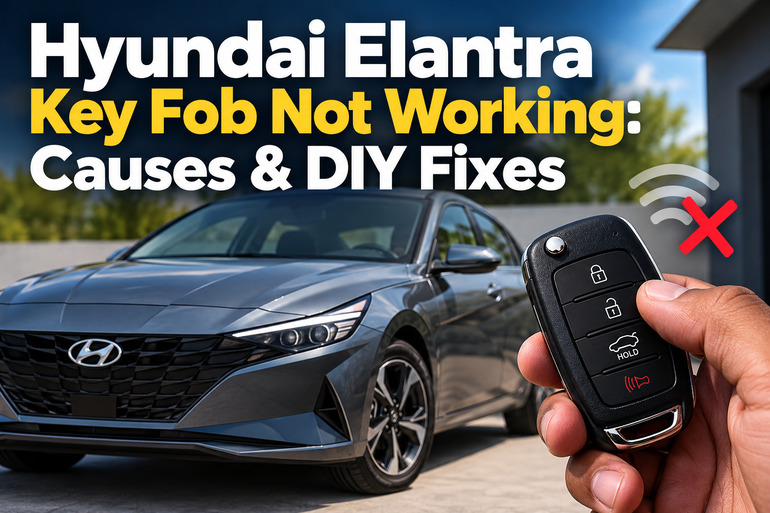
What Happens When Your Hyundai Elantra Key Fob Stops Working?
Your Hyundai Elantra key fob sends a wireless signal to a receiver in the vehicle. Depending on your model and trim, this signal may control the door locks, trunk release, panic alarm, remote start, or push button entry and ignition functions.
When the remote stops working, the symptoms can vary. The doors might refuse to unlock, the trunk button might do nothing, or the car might display a message indicating that the smart key isn’t detected. Some remotes work intermittently, particularly when you move farther away from the vehicle.
The pattern of failure provides useful diagnostic clues. A remote that works only when held close to the car may have a weak battery or a signal transmission problem. If one button fails while the others continue working, that button’s contact or internal switch may be damaged. When two registered keys both stop operating, the fault may be on the vehicle side rather than in the individual remotes.
Your Elantra may still be accessible even if the remote battery is completely depleted. Many models have a removable mechanical key for the driver’s door and an emergency starting procedure for push button ignition. The exact procedure depends on the model year and key design, so consult the owner’s manual for your vehicle.
Hyundai Elantra Key Fob Not Working: Likely Causes
A Hyundai Elantra key fob can stop working because of a depleted battery, incorrect battery installation, wireless interference, internal damage, or a fault in the vehicle’s keyless entry system. Identifying the symptoms first helps you avoid replacing parts that are still functioning correctly.
1. A Dead or Weak Key Fob Battery
A weak battery is one of the first things to suspect when your Hyundai Elantra key fob stops working. The battery supplies the electrical power needed to transmit signals to the car. As its charge decreases, the remote may lose operating range or respond inconsistently.
You might notice that the doors unlock when you stand beside the driver’s door but refuse to respond from across a parking lot. The remote may also work occasionally before becoming completely unresponsive. Some key fobs have an indicator light that can provide an additional clue, although not every design includes one.
Battery life depends on usage, battery quality, temperature, and the particular remote. A replacement battery may also be defective or have been stored for an extended period. Even when the key fob looks perfectly normal, insufficient battery power can prevent reliable communication with the car.
2. Incorrect Battery Installation or Poor Contact
Replacing the battery doesn’t always resolve a nonworking key fob. The replacement may have been installed with the positive and negative sides reversed, or the battery may not be seated properly against the internal contacts.
This can happen when the key fob is opened hastily or the old battery is removed with a tool that bends a contact. Dirt, corrosion, or physical damage around the battery holder can also interrupt the electrical connection.
If your Elantra remote stopped working immediately after a battery change, inspect the installation before buying another remote. Incorrect battery polarity can cause smart key failure or premature battery discharge.
3. Wireless Signal Interference
A key fob communicates with the vehicle using radio signals. Nearby transmitters, certain electronic devices, and other sources of interference can disrupt communication temporarily, even when the remote and its battery are in good condition.
The problem may occur in a particular parking garage, near a radio transmitter, or in a location with heavy electronic activity. Your smartphone can also interfere under some circumstances, particularly when it is operating close to the smart key.
Metallic window tint can also reduce the operating range of some smart key systems. If your remote works normally elsewhere but fails in one location, temporary interference is worth investigating before replacing anything.
4. Internal Damage to the Key Fob
A key fob contains a small circuit board, electrical contacts, buttons, and a radio transmitter. Dropping the remote on a hard floor, exposing it to water, or subjecting it to extreme heat can damage these components.
Water exposure may cause corrosion, while an impact can crack solder joints or damage the internal switch behind a button. The outer case may appear intact even when the electronics have failed.
A remote with this type of damage may stop working completely or develop an intermittent fault. If the unlock button has stopped responding but the lock button still works, a damaged button contact is a possibility. If every button fails after the key is dropped or soaked, internal circuit damage deserves closer attention. Keep smart keys dry and avoid exposing them to impacts or extreme temperatures.
5. A Vehicle Battery or Keyless Entry System Problem
Sometimes, the remote is functioning correctly, but the Elantra cannot receive or act on its signal. A discharged 12-volt vehicle battery can interfere with smart key operation and may also prevent the vehicle from starting. Other possible causes include a blown relevant fuse, a faulty receiver, damaged wiring, or a central locking fault.
The surrounding symptoms help distinguish a vehicle fault from a key fob fault. If the dashboard lights are dim, the interior lights are weak, or the engine struggles to crank, the vehicle battery deserves attention. If the dashboard operates normally but the doors ignore both registered remotes, the receiver or another part of the keyless entry system may need testing.
A fault affecting only one door can point to a local lock actuator or wiring problem rather than a failed remote. The exact cause must be confirmed through testing. Replacing the key fob without checking the vehicle may leave the original problem unresolved.
Hyundai Elantra Key Fob Not Working: How to Fix
The appropriate fix depends on whether the fault is inside the remote, caused by signal interference, or located in the vehicle. Work through the following checks in order, beginning with the easiest options.
1. Replace the Key Fob Battery
If the key fob has become less responsive or stopped working altogether, installing a fresh battery is a sensible first step.
Check your owner’s manual or the number printed on the old battery before buying a replacement. Many Hyundai Elantra remotes use a CR2032 coin battery, while some newer smart keys use different batteries, including the CR2450. The correct type depends on the exact remote, so don’t assume that every Elantra uses the same battery.
To replace the battery:
- Remove the mechanical key if your remote has one.
- Locate the small opening or designated slot in the key fob casing.
- Use a suitable plastic pry tool to open the cover gently.
- Remove the old battery without bending the metal contacts.
- Install the correct replacement with the polarity matching the markings inside the remote.
- Refit the cover securely and test the buttons near the vehicle.
Avoid forcing the casing open because the plastic tabs can break. Keep the small coin battery away from children, since swallowing one can cause life-threatening injuries. If the replacement battery doesn’t restore operation, proceed to the next checks rather than repeatedly buying new batteries.
2. Inspect the Battery Contacts and Refit the Battery
A new battery won’t help if it doesn’t make proper electrical contact. If your remote stopped working immediately after a battery replacement, reopen the casing and check that the battery is sitting flat in its holder.
Look for an incorrect orientation, a loose battery, visible dirt, or a metal contact that has been bent out of position. Compare the installation with the polarity symbols inside the casing. If you see corrosion or damaged contacts, avoid scraping aggressively or applying household cleaning products to the circuit board.
Refit the battery and close the casing before testing the lock and unlock buttons. If the remote starts working, the issue may have been the original installation. If the contacts are broken or badly corroded, a key specialist may need to repair the internal components or replace the remote.
3. Move Away from Possible Sources of Interference
If the remote works intermittently, try using it in a different location. Move away from large electronic installations, radio transmitters, and other suspected sources of interference.
Keep your smartphone away from the key fob while testing. If the remote is carried in the same pocket as an actively used phone, separate them and try again. Remove any nearby electronic accessory that could be affecting the signal.
Test the remote from several reasonable distances and compare the results. If it works normally after you move to a different location, a permanent replacement may be unnecessary. However, if the range remains poor in different places, a weak battery, damaged transmitter, or vehicle receiver fault is more likely.
4. Use the Mechanical Key and Emergency Starting Procedure
If the key fob won’t unlock your Elantra, use the mechanical key if your remote has a removable blade. Some models conceal the driver’s door key cylinder behind a cover on the handle. Consult your owner’s manual for the correct way to release the key and access the lock.
If your Elantra has push button ignition and doesn’t recognize the smart key, check the model specific emergency starting procedure. On applicable models, you may need to press the Start/Stop button directly with the smart key. This can allow the vehicle to recognize the key when normal smart key operation has failed.
Follow the manual for your exact year rather than assuming all Elantra models start the same way. If the vehicle still doesn’t recognize the key, don’t force any controls or attempt to bypass the immobilizer. Use roadside assistance or a qualified technician if you’re stranded.
5. Test the Spare Key and Check the Vehicle Battery
If you have a second registered key fob, test it using the same lock and unlock functions. This simple comparison can help narrow down the fault.
If the spare works normally, the original remote is the more likely source of the problem. Its battery, buttons, circuit board, or registration may require further attention. If neither remote works, examine the vehicle’s symptoms instead.
Check whether the dashboard lights illuminate normally and whether the interior lights and door locks operate. Dim lights, repeated clicking during an attempted start, or other electrical symptoms may indicate a weak vehicle battery. Don’t disconnect wiring or remove electrical components at random. A battery test and a check of the relevant fuses and keyless entry system can establish whether the fault is on the vehicle side.
6. Contact a Qualified Automotive Technician
Professional diagnosis is appropriate if your Elantra key fob still fails after the basic checks, the remote has water or impact damage, or both registered keys refuse to work. An automotive locksmith familiar with Hyundai keys or an authorized Hyundai service center can test the remote, check key registration, and investigate faults in the vehicle’s keyless entry system.
Depending on the findings, the repair may involve a damaged key fob, replacement of a faulty electrical component, battery service, or key programming. The technician should identify the failure before recommending a replacement, since a new remote alone won’t resolve a faulty receiver or vehicle electrical problem.
If the car is immobilized in an unsafe location, use roadside assistance rather than attempting electrical repairs beside traffic. Ask for the diagnosis and estimated repair cost before approving component replacement.
Wrap-Up
A Hyundai Elantra key fob that stops working often has a weak battery, incorrect battery installation, or a temporary signal problem. Checking these possibilities first can save you the expense of replacing a functioning remote or paying for an unnecessary repair. A damaged key fob or a fault in the vehicle’s electrical system may require professional testing.
Start with the battery, inspect the contacts, and test the remote in a different location. If a spare key also fails, pay attention to the vehicle’s electrical symptoms. Once the source of the fault is identified, you can choose the appropriate repair with greater confidence.