
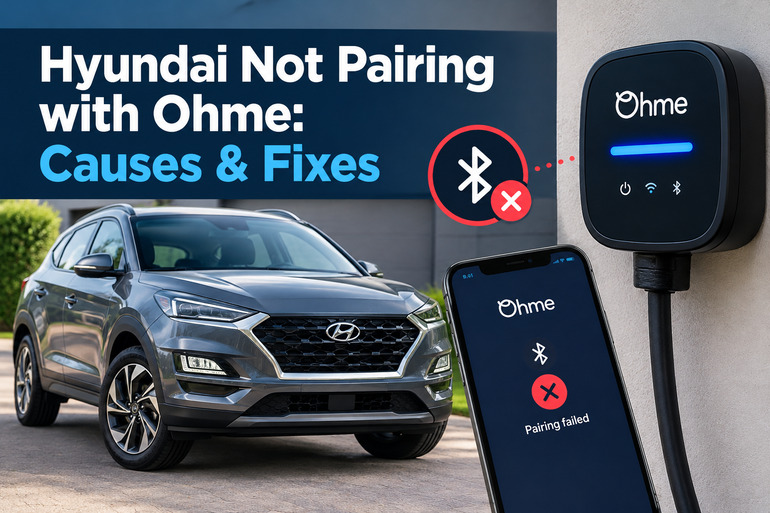
When your Hyundai electric vehicle refuses to pair with your Ohme charger account, setting up smart charging can become frustrating. The issue may appear as a failed login, a missing battery percentage in the Ohme app, or a vehicle connection that worked previously but has suddenly stopped updating. Fortunately, many pairing problems can be traced to account details, app settings, or temporary communication failures.
The right fix depends on whether Ohme cannot access your Hyundai account or the vehicle itself refuses to charge. Identifying that difference helps you avoid unnecessary resets and repairs.
What Does It Mean When a Hyundai Won’t Pair with Ohme?
Ohme is a smart home charging system that can use your vehicle’s battery information to help plan charging sessions. When you connect a supported Hyundai through the Ohme app, the system can retrieve information such as the battery’s state of charge. This helps Ohme estimate how much energy your car needs to reach your selected charging target.
The pairing process relies on communication between Ohme’s app, Hyundai’s connected vehicle services, and the associated online systems. It is separate from the physical connection between your car and the charging cable. Ohme supports Hyundai vehicle account integration, although availability and functionality can vary by model and market.
Several symptoms can indicate a pairing problem. You might receive an error when entering your Hyundai account details, find that the pairing process never completes, or notice that the battery percentage is missing from the Ohme app. An existing connection can also stop updating after a password change or a temporary service interruption.
However, a Hyundai that connects successfully but refuses to begin charging may have a different fault. The vehicle’s scheduled charging settings, battery charge limit, or Ohme’s charging schedule could be responsible. Separating account connection problems from actual charging problems is the best starting point for troubleshooting.
Hyundai Not Pairing with Ohme: Likely Causes
Several faults can prevent Ohme from connecting to your Hyundai account. The most useful clues are the error message displayed during pairing, whether the Hyundai app works independently, and whether the car’s battery information was previously visible in Ohme.
1. Incorrect Hyundai Account Credentials
The most straightforward explanation is that Ohme cannot authenticate your Hyundai account. This can happen when you enter the wrong email address or password, use an account associated with another vehicle, or attempt to connect using outdated login information.
Password changes are particularly easy to overlook. Your Hyundai app might work normally because your phone has saved the updated credentials, while Ohme still holds the previous password. The connection can then fail even though your vehicle and charging equipment are working correctly.
Biometric login can also make it harder to identify an account problem. If your Hyundai app opens using a fingerprint or facial recognition, you might not know whether the account’s underlying password is still valid. Testing the credentials manually is a useful first diagnostic step.
2. Hyundai Connected Services Are Unavailable or Unsupported
Ohme retrieves vehicle information through an online connection provided by the manufacturer. For Hyundai, the relevant connected vehicle service may be called Bluelink or use different branding depending on the market and vehicle generation.
If your vehicle’s connected services have not been activated, your account has a service restriction, or your particular vehicle configuration is unsupported, pairing may not work as expected. Availability can differ by model, country, and connected service features.
This cause is more likely if you cannot access vehicle status information through the Hyundai app itself. Check that the app displays your car correctly and can retrieve its current information before attempting to connect it to Ohme again.
An imported Hyundai may require particular attention because the vehicle’s original market and the account’s service region can affect connected features. Do not assume that every Hyundai EV supports precisely the same integration simply because it uses the same nameplate.
3. A Temporary Ohme or Hyundai Server Problem
Sometimes everything is configured correctly, but the pairing process still fails. The cause may be a temporary interruption in communication between Ohme and Hyundai’s online services.
This connection uses an application programming interface, commonly called an API, to exchange vehicle information. If one service is unavailable or temporarily unable to respond, Ohme may fail to retrieve your battery status even while the Hyundai app continues to work.
Vehicle account integration can also experience intermittent problems or limitations imposed by vehicle manufacturers. This means a failed pairing attempt does not automatically indicate a fault with your car.
A useful clue is whether the issue started suddenly after the integration had been working correctly. When your credentials remain valid and the Hyundai app operates normally, a temporary service interruption becomes a reasonable possibility.
4. An Outdated Ohme App or Incorrect Vehicle Profile
The Ohme app needs the correct vehicle profile to apply the appropriate charging information. If you accidentally selected a different Hyundai model, added a duplicate vehicle, or selected another EV from a multi-car account, the displayed battery information and charging calculations may be incorrect.
An outdated app can also cause difficulties when an integration changes or a bug affects the pairing process. Software updates may contain compatibility improvements and fixes, so an app that was working previously may need updating.
This is especially worth checking if the issue appeared after changing phones, reinstalling the app, adding a second vehicle, or updating your account details. The selected vehicle should match the Hyundai you intend to charge.
5. Hyundai Charging Restrictions Mistaken for a Pairing Failure
Sometimes the Hyundai and Ohme accounts are connected successfully, but charging does not begin. This can look like a pairing failure because the charging session never progresses as expected.
Hyundai vehicles can have scheduled charging options that delay the start of charging until a specified time. A maximum battery charge setting can also prevent further charging once the selected percentage has been reached.
Conflicting schedules can arise when both the vehicle and the Ohme app are configured to control charging times. The charger may be ready, but the vehicle may still be waiting for its own permitted charging window.
If Ohme already displays your Hyundai’s battery level and allows you to select charging targets, focus on the charging controls rather than repeatedly disconnecting and reconnecting the vehicle account.
Hyundai Not Pairing with Ohme: DIY Fixes
The safest approach is to verify your Hyundai account first, confirm the selected vehicle, and then reset the integration if necessary. These steps address common pairing faults without requiring you to open the charger, work on electrical components, or change the vehicle’s hardware.
1. Verify Your Hyundai Account Login
Start by confirming that your Hyundai connected vehicle account works independently of Ohme. This helps determine whether the problem originates with your manufacturer account or the integration between the two services.
Open the official Hyundai app used for your vehicle and check whether it displays the correct car and current vehicle information. If you have been relying on biometric login, sign out and enter your account email address and password manually.
If you cannot sign in, use Hyundai’s official account recovery process to restore access. Resolve any activation or account verification prompts before returning to Ohme.
Once the Hyundai app works normally, open Ohme and check your vehicle settings. Go to Settings > My EVs, select your Hyundai, and look for the option to pair your EV. The exact wording or menu arrangement may vary by app version.
Enter the correct Hyundai account credentials when prompted. If the pairing process completes successfully and your vehicle’s battery percentage appears, the connection has been restored.
2. Update the Ohme App and Check Your Vehicle Selection
An outdated app or incorrect vehicle selection can interfere with setup. Updating the software and confirming the vehicle profile are simple checks to perform before resetting the connection.
Open the Google Play Store on Android or the Apple App Store on iPhone. Search for Ohme and install an available update. Once the update finishes, reopen the app and sign in again if necessary.
Next, check your vehicle list. In the Ohme app, open Settings > My EVs and confirm that the selected vehicle matches your Hyundai’s actual model and version. If you have multiple electric vehicles, verify that you are working with the intended car.
Avoid deleting all your vehicle information simply because pairing has failed. Start with the existing profile and use the available pairing controls. If a duplicate or incorrect profile is present, follow the app’s vehicle management options to correct it.
Attempt pairing again after these checks. If the app still displays an error, record the exact wording because it may help identify whether the failure involves account authentication or the online integration.
3. Reset the Hyundai Account Connection in Ohme
If your Hyundai app works correctly but Ohme cannot retrieve vehicle information, resetting the account connection is one of the most useful troubleshooting methods. It clears the existing integration and allows you to establish a fresh connection.
Follow the reset procedure carefully to avoid leaving the account disconnected.
-
Unplug the charging cable from your Hyundai before changing the pairing settings.
-
Sign out of the Hyundai app and sign back in using your email address and password manually.
-
Open the Ohme app and go to the My EV or My EVs section.
-
Select Unpair my EV to disconnect the existing vehicle account.
-
Follow Ohme’s reset instructions, which may include connecting the charger to the vehicle for approximately 30 seconds to save the change.
-
Unplug the charger again, return to the vehicle settings in Ohme, and select Pair my EV.
-
Enter your Hyundai account credentials when prompted and allow the connection process to finish.
Once pairing succeeds, check whether the battery percentage appears underneath the vehicle name. If the figure is displayed, the integration is communicating with your vehicle again.
Do not repeat the reset continuously if the same error returns. A persistent failure after a correct reset can indicate a service-side problem rather than an issue you can resolve through further app changes.
4. Check Hyundai’s Connected Services and Charging Settings
If account pairing still fails, confirm that your Hyundai’s connected services are active and that the vehicle can communicate with the official Hyundai app. The precise service name and available options depend on your model and market.
Check whether the vehicle appears correctly in your Hyundai account and whether its status updates. If the app reports that the car is offline or cannot retrieve information, follow Hyundai’s guidance for restoring its connected services. Contact Hyundai support if account activation or vehicle registration is incomplete.
If Ohme pairing has succeeded but charging will not start, inspect the vehicle’s charging settings separately. On many compatible Hyundai EVs, these are available through the infotainment system under an Electric Vehicle or EV menu, followed by the AC charging settings.
Check whether scheduled charging is enabled. For a simple test, temporarily disable the vehicle’s charging schedule and allow Ohme to manage the charging session. You can restore your preferred vehicle settings after confirming the cause.
Also verify the AC charging limit. If the battery has already reached the selected limit, the car may correctly refuse additional charging even though the charger and app are functioning normally. Use the menu names and instructions provided in your specific Hyundai owner’s manual.
5. Check for a Temporary Service or Connectivity Problem
When your account credentials are correct, your Hyundai app works, and resetting the integration has failed, a temporary service interruption becomes a possibility. Repeating the same pairing process is unlikely to help if an online service cannot complete the request.
Check whether both apps have access to a working internet connection. You can also close and reopen Ohme, then attempt to access your vehicle information again. Updating the app, as described earlier, is worthwhile if you have not already done so.
A useful comparison is to check whether the Hyundai app displays a current battery status while Ohme does not. If Hyundai shows the correct information but Ohme remains unable to retrieve it, the integration between the services may be the issue.
Allow a reasonable interval before trying the pairing process again. Avoid deleting your Hyundai account or carrying out a factory reset of the vehicle’s infotainment system without guidance from the appropriate support team. Those actions are unlikely to be justified by an isolated Ohme pairing error.
6. Contact Ohme or Hyundai Support
Professional assistance is appropriate when the app repeatedly rejects valid credentials, the pairing process fails after a reset, or Hyundai’s connected services cannot retrieve vehicle information. Support can determine whether the error originates with the manufacturer account, the integration, or the charging equipment.
Contact Ohme first if the Hyundai app works correctly but the Ohme app cannot obtain the vehicle’s battery status. Explain which Hyundai model you own, the app versions in use, the exact error message, and the troubleshooting steps already completed.
Contact Hyundai if you cannot sign in to the manufacturer’s app, the vehicle is not registered correctly, or its connected services are unavailable. Hyundai can help establish whether the account and vehicle services are functioning properly.
If the account connection succeeds but the physical charger displays an error, follow Ohme’s charging equipment troubleshooting guidance. A qualified charging technician should inspect persistent hardware or electrical faults. Never open the charger enclosure or attempt repairs on exposed electrical components yourself.
Wrap-Up
A Hyundai that will not pair with Ohme usually requires a closer look at the account connection, vehicle profile, or communication between the two services. Start by confirming that your Hyundai app works, then update Ohme and verify that the correct vehicle is selected. Resetting the pairing can resolve problems caused by outdated credentials or a failed connection.
If the Hyundai account works but Ohme still cannot retrieve battery information, contact support rather than repeatedly resetting the app. When pairing works but charging does not start, check your Hyundai’s charging schedule and battery limit separately. These checks help you identify the actual fault and choose an appropriate solution without unnecessary repairs.