
A Hyundai clock that displays the wrong time, keeps resetting, or disappears from the dashboard can make everyday driving less convenient. The cause may be as simple as an incorrect time setting after a battery change, or it could involve a blown fuse, an infotainment software fault, or a failed display component.
The right repair depends on what your clock is doing and which Hyundai model you drive. A few basic checks can help you identify the likely cause before spending money on unnecessary repairs.
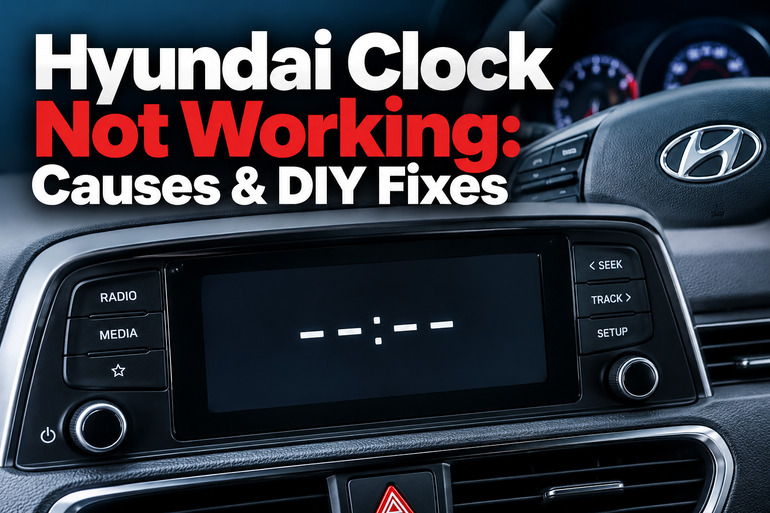
What Does It Mean When Your Hyundai Clock Stops Working?
Hyundai vehicles use different clock systems depending on the model, year, trim level, and factory audio equipment. Some older models have a clock built into the radio or a separate dashboard display, while newer vehicles commonly show the time on an infotainment touchscreen or instrument cluster.
When the clock stops working, the symptoms can provide useful clues. A clock that displays the wrong time but responds to adjustments may have an incorrect setting. One that repeatedly returns to an earlier time may be losing its stored settings. If the clock disappears completely while the radio or touchscreen continues working, the issue may involve the infotainment system itself.
The timing of the fault also matters. If the problem began immediately after a battery replacement, jump-start, or electrical repair, a loss of stored settings is a reasonable place to begin. Hyundai’s owner documentation confirms that the clock and infotainment system may need to be reset after the 12-volt battery has been discharged or disconnected.
A completely blank display deserves a different approach from a clock that simply runs several minutes fast. Power supply problems, software faults, and failed electronic components can produce similar symptoms, so avoid replacing parts until the fault has been narrowed down.
Hyundai Clock Not Working: Likely Causes
Several faults can prevent your Hyundai clock from displaying the correct time or functioning normally. The symptoms below will help you distinguish simple setting problems from electrical or electronic faults.
1. Incorrect Clock Settings
An incorrect time setting is one of the first things to check, especially if the clock still displays numbers and responds to the vehicle’s controls. Depending on the system, the time may be adjusted manually or synchronized automatically through GPS or another supported time source.
Automatic synchronization can become a concern if the system has the wrong time zone, an incorrect date, or an inaccurate GPS time reference. Daylight saving settings can also shift the displayed time by one hour on systems that support that feature.
Some Hyundai infotainment systems disable manual adjustment while automatic time setting is active. If the clock is running incorrectly and the adjustment controls appear unavailable, check whether automatic synchronization is enabled before assuming the unit has failed. The available options vary by model and software version.
2. A Disconnected or Weak 12-Volt Battery
Your Hyundai’s 12-volt battery supplies electrical power to various vehicle systems, including the radio, clock, and electronic control modules. When the battery is disconnected, discharged, or replaced, stored clock settings may be erased.
This commonly becomes noticeable after maintenance, a battery replacement, or a jump-start. The clock may return to a default time, display an incorrect date, or require manual adjustment before working normally again.
A weak battery can produce similar symptoms if voltage becomes unstable. You may also notice slow engine cranking, dim lights, or other electrical features behaving inconsistently. These additional signs make a battery or charging-system inspection more useful than repeatedly adjusting the clock.
If several electronic functions reset together, investigate the vehicle’s power supply before treating the clock as an isolated fault. A clock that continues losing its settings after a proper reset may indicate an electrical problem that requires further diagnosis.
3. A Blown Multimedia or Instrument Cluster Fuse
Your Hyundai has electrical fuses that protect individual circuits from excessive current. Depending on the vehicle’s design, the clock may receive power through a multimedia, radio, instrument cluster, or another associated circuit.
A blown fuse can interrupt power to the affected equipment. If the clock shares its power supply with the radio or infotainment display, you might notice that several functions stop working at the same time. A separate clock display may fail while unrelated dashboard functions continue operating normally.
Fuses can blow because of an electrical short, a faulty accessory, damaged wiring, or a problem inside the connected equipment. Replacing a fuse without understanding why it failed may provide only a temporary solution.
The correct fuse label and rating depend on your exact Hyundai model. A fuse marked for multimedia equipment in one vehicle may occupy a different position or serve a different circuit in another. This is why the owner’s manual and fuse-box diagram should guide any inspection.
4. An Infotainment Software or System Glitch
Hyundai infotainment systems contain software that controls the clock display, settings menus, radio functions, navigation features, and other connected equipment. A temporary software fault can leave the clock frozen, prevent the time settings from opening, or cause the display to disappear.
You may notice that the touchscreen remains illuminated while the time is missing from its usual position. In other cases, the clock settings may appear in the menu but remain grayed out, preventing you from selecting them.
Hyundai has issued technical service bulletins covering specific clock display problems on certain navigation and audio systems. One bulletin from October 2019 addressed a missing clock and unavailable date and time settings on particular AVN 4.0 navigation units. The documented procedure applied to specified models and symptoms, so it should not be treated as a universal reset method for every Hyundai.
A software issue becomes more likely when the clock fails alongside other infotainment functions. However, a blank display or an inaccessible settings menu can also indicate a hardware problem, so persistent symptoms may require a more detailed diagnosis.
5. A Failed Clock Display, Head Unit, or Dashboard Component
If the clock remains blank despite correct settings and normal operation of the relevant power supply, an internal component may have failed. The affected part could be the radio or infotainment head unit, a separate clock display, the instrument cluster, or associated wiring.
The symptoms depend on the component involved. A failed head unit may cause the clock and several audio functions to stop working, while a faulty display may leave the rest of the system operational. A damaged instrument cluster can produce additional warning or gauge problems.
Physical damage, moisture intrusion, electrical faults, and age-related component failure can contribute to these problems. Recent dashboard work or installation of an aftermarket radio may also be relevant, particularly if the clock stopped working immediately afterward.
Hardware failure should be considered after simpler causes have been checked. Replacing a head unit or instrument cluster without confirming the faulty component can be expensive, and some replacement units require configuration or other vehicle-specific procedures.
Hyundai Clock Not Working: How to Fix
Start with the simplest checks and work through the symptoms carefully. You may be able to restore the clock through its settings or a normal system restart, while electrical faults and persistent display problems may require professional diagnosis.
1. Check the Clock Settings and Adjust the Time
Begin by checking whether the clock is displaying an incorrect time, a frozen time, or no time at all. If the display is visible and the controls respond, an incorrect setting is a sensible first possibility to rule out.
Park your Hyundai safely and follow the instructions for your model. On many touchscreen systems, the general procedure is as follows.
- Turn on the vehicle and allow the infotainment screen to start.
- Open Setup or Settings.
- Select General, System, Date & Time, or Clock, depending on the available menu.
- Check the time, date, time zone, and automatic time setting options.
- If manual adjustment is supported, turn automatic time setting off and enter the correct time.
- Confirm the change and check whether it remains correct after restarting the vehicle.
Some older Hyundai radios use physical buttons, a tuning knob, or a dedicated clock button instead of a touchscreen. Follow the relevant owner’s manual rather than applying touchscreen instructions to a different system.
If the time corrects itself and remains accurate, no electrical repair may be necessary. If it changes back immediately or the settings remain inaccessible, continue with the next checks. Never adjust the clock while driving.
2. Restart the Infotainment System
A temporary electronic glitch may prevent your clock from updating correctly. A normal restart can sometimes restore its functions without requiring replacement parts.
First, park the vehicle, select Park where applicable, and switch off the ignition. Allow the infotainment system to shut down completely before restarting the vehicle. Some systems remain active briefly after the ignition is turned off, so give them time to power down.
If your Hyundai has a dedicated infotainment reset button, consult the owner’s manual to confirm its location and the correct procedure. Depending on the model, this may be a small recessed button near the screen or control panel. Use only the recommended method and avoid inserting tools into an unidentified opening.
Once the system restarts, check whether the clock is visible and whether its settings can be opened. If the clock returns, monitor it through another start cycle to see whether the correction lasts.
A normal restart is different from disconnecting the battery or removing a fuse. More disruptive procedures can reset other vehicle settings and should be attempted only when the manufacturer’s instructions support them.
3. Check for Battery-Related Problems
If the clock stopped working after a battery replacement, jump-start, or period of low battery charge, begin by checking whether other settings were lost at the same time.
Set the clock again using the correct procedure for your vehicle. Then check whether other affected features, such as stored radio preferences, also require resetting. If the clock works normally afterward, the original problem may have been a loss of stored settings rather than a defective component.
However, repeated resets suggest that the problem has not been resolved. Watch for slow starting, dim headlights, unusual electrical behavior, or other signs of low voltage. These symptoms can help a technician determine whether the battery or charging system needs testing.
Avoid disconnecting the battery simply to force a reset. Doing so can erase stored settings and may require additional initialization procedures. Hybrid and electric Hyundai models also contain high-voltage systems that must never be handled as part of an ordinary clock repair.
4. Inspect the Relevant Fuse
A fuse inspection may help when the clock is completely blank, particularly if the radio, infotainment system, or other related functions have also stopped working.
Before opening the fuse panel, switch off the vehicle and consult the owner’s manual for the correct fuse location. Look for the circuit identified as multimedia, audio, radio, clock, or instrument cluster, as applicable to your model. Do not assume that every Hyundai uses the same fuse arrangement.
If you can safely remove the correct fuse using the recommended procedure, examine it for a broken internal metal element. Replace a blown fuse only with one of the specified type and rating. Never install a higher-rated fuse to prevent it from blowing again.
If the replacement fuse blows, stop replacing it and have the electrical circuit tested. A recurring failure can indicate a short circuit or another problem that needs professional attention.
Some Hyundai service procedures also call for a specific multimedia fuse reset on particular systems. A 2019 service bulletin, for example, specifies removing the relevant fuse for three minutes for its documented symptoms and warns that fuse locations vary between vehicles. Follow such a procedure only when it applies to your exact model and equipment.
5. Check for Applicable Infotainment Software Updates
If your clock is part of the infotainment screen and the display or settings behave inconsistently, check whether Hyundai provides a software update for your exact vehicle and head unit.
Use Hyundai’s official software update service where supported, and confirm the vehicle model, year, navigation unit, and software version before proceeding. Not every radio has the same update options, and an update intended for a different system should never be installed.
Follow the manufacturer’s installation instructions carefully. Some updates require a particular storage device, a specific file package, or an uninterrupted power supply during installation. An interrupted update can cause further problems with the infotainment system.
A software update may help when an applicable software fault has been identified, but it cannot repair a blown fuse, damaged wiring, or a failed display component. If no suitable update is offered or the clock remains unavailable afterward, arrange a proper diagnostic check.
6. Contact a Qualified Automotive Technician
Professional diagnosis is appropriate when the clock remains blank, repeatedly loses its settings, or cannot be adjusted despite the basic checks. It is also necessary when the fuse keeps blowing, other dashboard electronics malfunction, or the problem began after wiring or audio equipment was installed.
A technician can test the relevant power and ground connections, check for stored diagnostic fault codes where applicable, and identify whether the problem lies in the head unit, instrument cluster, wiring, or another component. If your Hyundai matches a documented service bulletin, the technician can confirm whether the prescribed repair applies.
Take note of the symptoms and when they occur. Information such as whether the radio still works, whether the clock disappears after starting the engine, and whether the problem began after battery work can help narrow down the cause.
Avoid replacing the radio, instrument cluster, or other expensive components based solely on a blank clock display. An accurate diagnosis helps prevent unnecessary repairs and confirms that any replacement part is suitable for your vehicle.
Wrap-Up
A Hyundai clock that stops working may need a simple time adjustment, a system restart, or attention to a battery or fuse problem. The most useful clue is the specific symptom. A clock that resets after battery work needs a different approach from one that disappears while the infotainment screen remains active.
Start with the safe checks that match your vehicle, then investigate further if the fault persists. Your Hyundai’s model year and audio system determine which procedures apply. When basic troubleshooting fails, professional diagnosis can help identify the faulty component without unnecessary parts replacement.