
A Hyundai Kona key fob that stops working can leave you unable to unlock the doors, open the liftgate remotely, or start the vehicle. Sometimes, the problem is as simple as a weak battery. In other cases, signal interference, physical damage, or a fault in the vehicle’s electrical system may be responsible.
The right repair depends on the symptoms. By checking a few things in the correct order, you can identify common problems, try practical fixes, and determine when professional diagnosis is necessary.
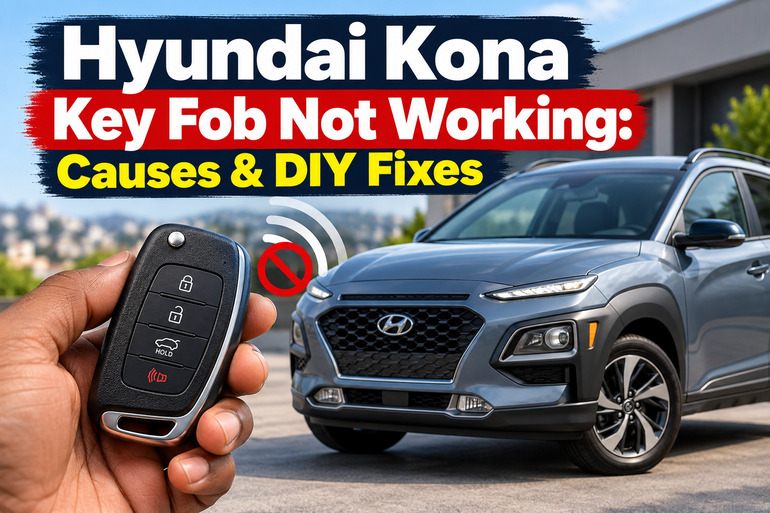
What Happens When Your Hyundai Kona Key Fob Stops Working?
Your Hyundai Kona key fob communicates wirelessly with the vehicle to control functions such as locking and unlocking the doors. Depending on the model and equipment, it may also support push button starting, remote starting, or liftgate operation. The system relies on a working fob, adequate battery power, and the vehicle’s ability to receive and recognize its signal. Hyundai’s Kona owner’s manual explains how the remote key and smart key functions operate. 【turn496562search43】
A malfunction can appear in several ways. The buttons may stop responding completely, the operating range may become unusually short, or the doors may respond while the engine refuses to start. You may also see a Key not detected message on the instrument cluster.
These symptoms provide useful clues. For example, a fob that works only when held close to the vehicle may have a weak battery or be experiencing interference. If both available keys stop working at the same time, a problem with the vehicle’s 12-volt battery or keyless entry system deserves attention.
Although some faults are easy to resolve at home, repeated attempts to start the vehicle won’t fix a damaged key or faulty receiver. Begin with the simpler checks before considering more involved repairs.
Hyundai Kona Key Fob Not Working: Likely Causes
Several faults can prevent your Hyundai Kona key fob from working properly. The following are five common possibilities, along with symptoms that can help you narrow down the cause.
1. A Weak or Dead Key Fob Battery
The small battery inside your key fob supplies the electrical power needed for its remote functions. As the battery loses power, the signal may become weaker, making the vehicle increasingly difficult to unlock or recognize.
You might notice that the buttons work intermittently, the operating range decreases, or the vehicle responds only when you stand close to it. On equipped models, a Low key battery warning may also appear on the dashboard. Hyundai recommends replacing the smart key battery when the system reports that it is low. 【turn733770search7】
Eventually, the battery may become too weak to operate the remote functions. The buttons can then appear completely dead, even though the vehicle itself is functioning correctly.
Battery type varies with the key design and model year. Some Kona remote keys use a CR2032 coin cell, while certain newer smart keys use a CR2450. Check the battery marking and the correct instructions for your particular vehicle before purchasing a replacement. 【turn726094view2】【turn726094view0】
2. Signal Interference or Operating Range Problems
Your Kona key fob uses a wireless signal, so nearby electronic equipment can sometimes interfere with communication between the key and vehicle. Hyundai specifically identifies nearby mobile phones, radio transmitters, and other electronic interference as possible reasons for smart key malfunction. Metallic window tint can also reduce the operating range. 【turn726094view0】
This type of fault may be intermittent. The remote might work in your driveway but fail in a crowded parking area or another location with different electronic equipment nearby.
Pay attention to whether the key works after you move away from your phone, other electronic devices, or the location where the problem first occurred. If moving to another spot restores normal operation, interference is a reasonable possibility.
A short operating range can also indicate a weak battery or a damaged fob. Therefore, interference should be considered alongside the other symptoms rather than treated as a confirmed diagnosis.
3. Physical Damage or Moisture Inside the Key Fob
A key fob can stop working after being dropped, crushed in a pocket, exposed to liquid, or subjected to extreme temperatures. Its outer casing may appear intact even when the internal circuit board or battery contacts have been damaged.
Moisture is particularly troublesome because it can cause corrosion or interfere with the electronic components. A fob that worked before being exposed to rain or liquid but stopped afterward may have an internal electrical fault.
Physical damage can also affect individual buttons. For example, the lock button may fail while the unlock button continues to work, suggesting a possible button or circuit problem rather than a completely depleted battery.
Hyundai advises protecting smart keys from moisture, high temperatures, and impacts. If the key has been wet or badly damaged, replacing its battery may not resolve the underlying issue. 【turn726094view0】
4. A Weak Vehicle Battery or Faulty Keyless Entry System
The key fob depends on the vehicle’s electrical and electronic systems to complete its functions. If the Kona’s 12-volt battery is discharged or its electrical connections are faulty, the doors, dashboard, and starting system may stop responding normally.
Look at the broader symptoms. Are the interior lights dim? Does the instrument cluster remain dark? Do the power locks and other electrical features behave unusually? These signs suggest that the issue may extend beyond the key fob.
If the vehicle’s electrical power appears normal but neither of your registered keys works, a fault in the keyless entry receiver, antenna, wiring, or related control module is another possibility. These components help the vehicle detect and authenticate the key.
The important distinction is that a single malfunctioning fob often points attention toward the key itself, while multiple keys failing together can indicate a vehicle-side problem. This is a diagnostic clue, not a guarantee.
5. An Unrecognized Key or Immobilizer Problem
Your Kona must recognize an authorized key before allowing the engine to start. If the vehicle cannot detect or authenticate the key, it may display a Key not detected warning or refuse to start.
This can occur when the smart key’s battery is weak, the key has been damaged, or a fault affects the vehicle’s key recognition system. A replacement key that has not been properly registered to the vehicle may also fail to start it.
Pay attention to whether the remote buttons work even when the engine refuses to start. If the doors lock and unlock normally but the vehicle does not recognize the key during starting, the problem may involve the starting or immobilizer system rather than the remote buttons alone.
Repeatedly pressing the start button is unlikely to solve a persistent recognition fault. Use the emergency starting procedure specified in your Kona’s owner’s manual before concluding that the key needs reprogramming.
Hyundai Kona Key Fob Not Working: DIY Fixes
Start with simple checks that do not require specialist equipment. The following methods can help resolve battery, interference, and basic access problems while helping you identify faults that need further diagnosis.
1. Replace the Key Fob Battery
A fresh battery is a sensible first step when the remote has a short operating range, responds inconsistently, or stops working altogether.
You will need the correct replacement battery and, depending on the fob design, a small flat tool or screwdriver. Check your owner’s manual for the opening procedure and battery specification. Do not assume every Hyundai Kona uses the same coin cell.
To replace the battery:
-
Remove the mechanical key if your fob contains one.
-
Locate the designated slot or notch on the casing.
-
Carefully open the cover using the recommended tool. Avoid forcing the casing apart.
-
Remove the old battery and check its printed type and orientation.
-
Install a new battery of the correct type, matching the positive and negative markings.
-
Refit the cover securely and test the lock and unlock buttons.
Hyundai’s remote key battery replacement instructions describe this general process for the applicable Kona key design. 【turn726094view2】
Keep the new coin cell away from children and dispose of the old one safely. Button batteries can cause severe internal injuries if swallowed, so seek immediate medical attention if ingestion is suspected. 【turn726094view3】
If the fob works normally after replacement, the old battery was likely responsible. If it remains unresponsive, continue with the other checks instead of repeatedly replacing batteries.
2. Move Away From Possible Sources of Interference
If your key fob works inconsistently or only at close range, test it in a different location before buying replacement parts.
First, move your phone away from the key fob. Avoid storing them together while testing, particularly if you are actively using the phone. Move away from nearby electronic equipment or radio transmitters where practical, then try the remote again.
Stand close to the driver’s door and press the unlock button once. If the doors respond, move a few steps away and test again. An improvement after changing your position may indicate interference or a range-related problem.
If the fob works reliably after moving away from the suspected source, there may be no need to replace it. However, if the operating range stays poor in different locations, the battery or internal electronics may still need attention.
3. Use the Mechanical Key to Unlock the Door
A dead key fob battery does not necessarily prevent you from accessing your Kona. Many Kona keys contain a mechanical key that can unlock the driver’s door when the remote fails.
Locate the key release on the fob and remove the mechanical key according to the owner’s manual. Some designs use a removable key, while others have a folding key. The procedure depends on the version you own.
Find the driver’s door key cylinder and use the mechanical key to unlock the vehicle. On some designs, the cylinder sits behind a cover on the door handle, which must be removed carefully using the specified release method. Avoid prying randomly at the handle because you could damage the trim or locking mechanism.
Once inside, you may need to use the key fob itself to start the vehicle if its battery is weak. Hyundai’s smart key guidance identifies the mechanical key as an emergency method for locking or unlocking the driver’s door. 【turn726094view0】
This method restores physical access when the key and door hardware are functioning. It does not repair a faulty remote or guarantee that the vehicle will start.
4. Try the Emergency Starting Procedure
If your Kona has push button starting and displays Key not detected, the vehicle may still recognize the smart key through its emergency procedure.
Begin by putting the transmission in Park and following the normal starting precautions in your owner’s manual. Keep the smart key with you and ensure the brake pedal is pressed as required.
For applicable smart key models, Hyundai instructs drivers to press the Start/Stop button with the key fob when the key is not being detected. Follow the exact positioning and procedure specified for your model year rather than assuming every Kona uses the same method. 【turn726094view0】
If the engine starts using this procedure but the remote buttons remain unresponsive, the fob battery or remote circuitry may need attention. Replace the battery if you have not already done so.
If the vehicle still refuses to start, note any dashboard warnings and observe whether the instrument cluster and interior lights work. Persistent key recognition warnings warrant further diagnosis, particularly when the fob has a new battery and the vehicle’s electrical power appears normal.
5. Check Whether the Problem Is With the Spare Key or Vehicle Battery
If you have a second registered key, test it. This is one of the most useful ways to distinguish a single fob fault from a possible vehicle-side problem.
Keep the two keys separate during testing and try the spare key close to the vehicle. If the spare works normally, the original fob may have a weak battery, damaged circuitry, or a problem with its registration.
If neither key works, observe the vehicle’s electrical behavior. Check whether the headlights, interior lights, dashboard, and power locks operate normally. A dark dashboard or several electrical functions failing together may point to the 12-volt battery or its connections.
Do not disconnect wiring, open electronic control modules, or attempt to repair the keyless entry receiver yourself. If the signs suggest a weak vehicle battery, have it tested with appropriate equipment. If the battery is healthy, a technician can investigate the receiver, antennas, wiring, and other parts of the access system.
6. Contact a Qualified Automotive Technician
Professional diagnosis is appropriate when replacing the fob battery and trying the emergency procedures do not restore operation. It is also necessary if the key has suffered significant water damage, the vehicle repeatedly reports that the key is not detected, or both registered keys fail without an obvious cause.
A technician can test the key, check the vehicle’s 12-volt electrical supply, scan for relevant fault codes, and inspect the keyless entry and immobilizer systems. If a replacement key is required, the technician or an authorized Hyundai dealer can confirm compatibility and arrange registration for the correct vehicle.
Bring any available spare keys and describe what happens when you press each button. Explain whether the fault began after a battery replacement, a fall, exposure to moisture, or work on the vehicle’s electrical system. This information can help narrow the diagnosis.
Avoid buying a generic replacement fob before confirming compatibility. A key that looks identical may use different electronics or require specific programming. Professional testing can help prevent unnecessary purchases and repeated attempts to repair the wrong component.
Wrap-Up
A Hyundai Kona key fob that stops working may have a weak battery, signal interference, physical damage, or a problem with the vehicle’s electrical or key recognition system. Begin by replacing the battery with the correct type, testing the key away from possible interference, and using the mechanical key or emergency starting procedure when necessary.
Pay attention to whether one key or both keys fail and whether the vehicle’s other electrical functions work normally. These clues help determine the next step. If the fault persists, professional diagnosis can identify the cause and help restore reliable access without unnecessary parts replacement.