
A Hyundai Exter that refuses to start can leave you stranded, especially when you need to get somewhere urgently. Sometimes the dashboard lights come on, but the starter only clicks. In other cases, the engine turns over repeatedly without firing, or the push start button displays a warning.
These symptoms point to different faults, so repeated starting attempts rarely help. A few safe checks can identify simple issues such as a weak battery, an incorrect starting procedure or a key recognition problem.
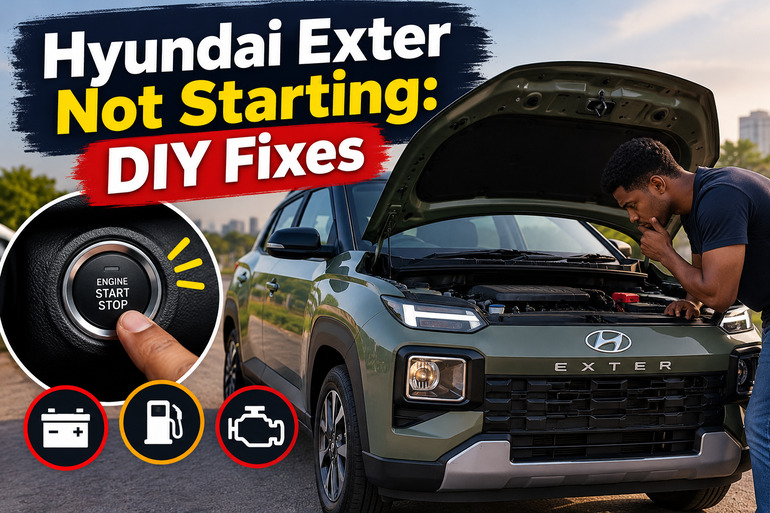
Why Your Hyundai Exter Won’t Start
When your Hyundai Exter fails to start, the first step is to identify what happens when you attempt to switch on the engine. This observation helps narrow down the possible causes and prevents you from replacing parts unnecessarily.
If the dashboard remains dark or the lights become noticeably dim when you try to start the vehicle, the 12 volt battery or its connections may be responsible. A clicking sound without the engine turning over can also point to insufficient battery power, a faulty starter or an electrical connection problem.
A different situation occurs when the engine turns over normally but refuses to run. This usually directs attention towards fuel delivery, ignition or engine management components. The battery may be supplying enough power to turn the engine even though another essential part of the starting process has failed.
Your Exter’s transmission and starting system also matter. Manual transmission versions require the correct clutch and gear position, while automated manual transmission (AMT) versions have their own starting requirements. Some trims use a conventional ignition key, while others feature a smart key and an Engine Start/Stop button. The correct troubleshooting procedure therefore depends on your exact version.
Hyundai Exter Not Starting: Likely Causes
Several faults can prevent your Exter from starting, and similar symptoms may arise from different components. Start with the following possibilities before deciding whether professional repairs are necessary.
1. A Weak or Discharged 12 Volt Battery
The 12 volt battery supplies the electrical power required to operate the starter motor and the vehicle’s electronic systems. If the battery is discharged or deteriorating, it may not provide enough current to turn the engine over.
Leaving the headlights on, using electrical accessories for extended periods while the engine is off, or allowing the vehicle to sit unused can contribute to battery discharge. An ageing battery may also lose its ability to hold sufficient charge.
Common clues include dim dashboard lights, rapid clicking when you attempt to start the engine, or electrical accessories that work inconsistently. The instrument cluster might light up normally before going dark when you press the start button because starting the engine requires considerably more electrical current than powering small accessories.
A discharged battery does not automatically mean the battery needs replacing. A faulty alternator, which recharges the battery while the engine runs, or an electrical drain while the vehicle is parked may have caused the discharge. A battery and charging system test can establish whether the battery itself has failed.
2. Incorrect Starting Procedure or a Brake Switch Fault
Your Hyundai Exter has safety interlocks that prevent the engine from starting under certain conditions. If the correct pedal is not depressed or the transmission is in the wrong position, the vehicle may enter its accessory or ignition mode without starting the engine.
For manual transmission versions, the parking brake should be engaged, the gear lever should be in Neutral, and the clutch and brake pedals should be depressed before starting. On AMT versions, the transmission should be in Neutral and the brake pedal must be depressed.
A fault involving the brake pedal switch or its fuse can produce a similar problem. On applicable push button versions, the vehicle may display a brake switch warning or refuse to recognize the required brake pedal input. If the brake lights also fail to illuminate when you press the pedal, the brake switch circuit warrants inspection.
A blown fuse, faulty switch or associated wiring problem requires the correct diagnosis. Repeatedly pressing the start button will not repair the underlying electrical fault.
3. Smart Key Battery or Immobilizer Problems
If your Exter uses a smart key, the vehicle must recognize the registered key before permitting the engine to start. A weak smart key battery, signal interference or a fault in the immobilizer system can prevent this recognition.
You might see a key warning on the instrument cluster, or the vehicle may refuse to respond even though the main battery appears to have sufficient power. Keeping the smart key close to a mobile phone, certain electronic devices or other potential sources of signal interference may also interfere with recognition.
A weak smart key battery does not necessarily mean the key itself has failed. Hyundai provides an emergency starting procedure for applicable Exter push button models, allowing the smart key to be held directly against the Engine Start/Stop button.
If the vehicle continues to display an immobilizer warning after the emergency procedure, the problem may involve the key, its registration or the vehicle’s electronic security system. These faults generally require specialist diagnosis.
4. Fuel Delivery or Ignition Problems
When the starter turns the engine normally but the engine refuses to run, insufficient fuel delivery or an ignition fault becomes a possibility.
Start with the fuel level. A nearly empty tank can leave you with insufficient fuel even if the gauge appears to show a small amount remaining. The gauge indicates an approximate fuel level, so it should not be treated as an exact measurement.
If the tank contains sufficient fuel, the fault may involve the fuel pump, a related fuse or relay, fuel injectors, ignition coils or spark plugs. The engine management system also depends on sensors that help determine when fuel should be delivered and when ignition should occur. A defective sensor can therefore prevent starting even when the battery and starter motor operate normally.
Pay attention to what happened before the fault developed. If the engine was running roughly, losing power or stalling before it refused to restart, a fuel or ignition problem deserves closer attention. A sudden failure accompanied by a warning light may also indicate an electronic fault that requires a diagnostic scan.
Fuel delivery, ignition and sensor problems are difficult to distinguish reliably through observation alone. Avoid opening fuel lines, testing exposed ignition components or repeatedly cranking the engine in an attempt to identify the fault.
5. A Faulty Starter Motor, Relay or Electrical Connection
The starter motor turns the engine during the starting process. If it fails, the engine may remain stationary even when the dashboard lights and other electrical accessories work.
A single loud click can indicate a starter solenoid or electrical supply problem, while repeated clicking often points to insufficient power. Grinding noises, intermittent starting or complete silence can also accompany starter circuit faults, although none of these symptoms confirms a particular failed component.
Loose or corroded battery connections can restrict the current reaching the starter. A defective starter relay, damaged wiring or a poor engine ground connection can cause similar symptoms. These faults become more likely when the battery tests satisfactorily but the engine still refuses to turn over.
If the vehicle fails to start even after a correctly performed jump start, a starter or wiring problem becomes more plausible. However, a severely damaged battery or another electrical fault can also prevent a successful jump start, so further testing may be necessary.
Hyundai Exter Not Starting: How to Fix
You can perform several basic checks before arranging a repair. Start with the safest and simplest methods, and stop when the symptoms suggest a fault that requires specialist equipment or electrical testing.
1. Identify the Starting Symptom and Inspect the Battery
Begin by switching off the headlights, air conditioning and other electrical accessories. Set the parking brake and place the transmission in the correct position. Observe the dashboard when you attempt to start the engine.
If the dashboard lights are very dim, disappear or flicker heavily, inspect the battery connections visually. With the engine switched off, look for obvious corrosion, loose connections or damage around the battery terminals. Do not touch exposed metal with tools or attempt to handle damaged battery connections.
A visibly damaged, leaking or swollen battery should not be jump started. Have it examined by a qualified technician. Battery acid and electrical faults can cause injury, and damaged batteries may present an explosion risk.
If the terminals appear intact but the vehicle still fails to start, have the battery tested with appropriate equipment. A battery that appears to have power when the vehicle is switched off may still be too weak to turn the engine over.
2. Correct the Gear Position and Starting Procedure
An incorrect starting procedure is a simple possibility to eliminate, especially when the dashboard illuminates normally.
For a manual transmission Exter, apply the parking brake, place the gear lever in Neutral, depress the clutch and brake pedals, and turn the ignition key or press the start button as appropriate for your model.
For an AMT version, apply the parking brake, select Neutral and depress the brake pedal before pressing the Engine Start/Stop button. Keep your foot on the brake until the engine starts. Do not press the accelerator while starting.
If the vehicle displays a message relating to the gear position, clutch or brake switch, follow the instructions in the owner’s manual for your specific model. A brake switch warning or brake lights that fail to illuminate should be investigated rather than bypassed. Do not bridge electrical connections or substitute a fuse with one of a different rating.
Allow the engine to complete a normal starting attempt before trying again. Hyundai advises against holding the ignition key in the START position for more than 10 seconds on the applicable keyed starting system, and recommends waiting before another attempt. Avoid prolonged or repeated cranking because it can overheat or damage the starter.
3. Jump Start the Exter if the Main Battery Is Discharged
If the battery appears weak and there is no visible damage, a jump start may restore enough power to start the engine. Hyundai specifies a 12 volt power supply for the Exter. Use the procedure in your vehicle’s owner’s manual, and do not attempt to push start or tow start the vehicle.
If you have suitable jumper cables and a compatible assistance vehicle, follow these precautions and steps.
-
Park both vehicles close enough for the cables to reach without allowing the vehicles to touch. Apply the parking brakes, place the transmissions in their appropriate positions and switch off electrical accessories.
-
Connect one red positive clamp to the positive terminal of the discharged Exter battery.
-
Connect the other red clamp to the positive terminal of the assisting vehicle’s battery.
-
Connect one black negative clamp to the assisting vehicle’s negative battery terminal.
-
Connect the remaining black clamp to the designated chassis ground on the Exter, following the location shown in its owner’s manual. Do not connect this final clamp directly to the negative terminal of the discharged battery.
-
Start the assisting vehicle and allow it to run at approximately 2,000 RPM for a few minutes, following the Hyundai procedure. Then attempt to start the Exter.
Keep the clamps apart, and ensure the cables cannot contact moving engine components. If the Exter starts, disconnect the cables in the reverse order specified in the manual. If it fails to start after a few attempts, stop and seek assistance.
A successful jump start does not prove that the battery is healthy. Have the battery tested and investigate the charging system if the problem returns, particularly if the battery repeatedly loses its charge.
4. Try the Emergency Smart Key Starting Procedure
If your Exter has a push button start system and the smart key warning appears, try the emergency starting procedure before arranging key replacement.
First, move the key away from your mobile phone and other electronic devices. Make sure the smart key is inside the vehicle and close to the driver’s position.
If the vehicle still fails to recognize the key, use the smart key to press the Engine Start/Stop button directly, following the illustration and instructions in the applicable Exter owner’s manual. On equipped models, this procedure can permit starting when the smart key battery is weak.
If this works, replace the smart key battery when necessary. The manual for the relevant Exter version specifies a CR2032 battery, but check your own manual and key design before purchasing a replacement. Install the new battery in the correct orientation and keep button batteries away from children.
If the vehicle still does not recognize the key, try a registered spare key if one is available. Persistent warnings may indicate a key registration, immobilizer or electronic fault that needs professional diagnosis.
5. Check the Fuel Level and Pay Attention to Warning Signs
If your Exter’s engine turns over normally but will not start, check that sufficient fuel is available. Do not rely entirely on the gauge if it is close to empty.
If you have recently refuelled and the problem began immediately afterward, tell the technician what fuel was added and whether the vehicle developed any other symptoms. This information can help narrow down the possible cause.
Pay attention to warning lights and messages on the instrument cluster. A persistent check engine light, a key recognition warning or an electrical system warning may provide useful clues. Record the exact message before switching the ignition off, if it is safe to do so.
Do not dismantle the fuel system, open fuel lines, spray starting fluid into the intake or attempt improvised tests involving spark plugs and ignition coils. These procedures can create fire, electrical or engine damage risks and are unnecessary for basic troubleshooting.
Final Solution: Contact a Qualified Hyundai Technician
If the checks above do not resolve the problem, arrange an inspection with an authorized Hyundai service centre or a qualified automotive technician familiar with the Exter. Professional testing is particularly important if the battery is healthy but the starter remains silent, the engine cranks without starting, or the immobilizer warning persists.
A technician can test the battery and charging system, inspect the starter circuit and relevant fuses, scan the vehicle’s electronic systems and investigate fuel or ignition faults. This process can prevent unnecessary replacement of serviceable components.
Stop attempting to start the vehicle if you notice smoke, a burning smell, leaking fuel, unusual grinding or visible battery damage. Seek qualified assistance rather than continuing to crank the engine.
Wrap-Up
A Hyundai Exter that will not start may have a discharged battery, an incorrect starting procedure, a smart key problem or a fault involving the starter, fuel supply or ignition system. Identifying whether the engine turns over is a useful first step because it helps separate electrical starting problems from faults that prevent combustion.
Start with the basic checks and follow the manufacturer’s instructions for your transmission and starting system. If the vehicle remains inoperative, professional testing can identify the cause and help you avoid unnecessary repairs.