
A Hyundai Tucson key fob that suddenly stops working can leave you unable to unlock your doors, access the tailgate, or start your vehicle. The fault may be as simple as a depleted battery, but electrical problems, signal interference, or damage to the key itself can produce similar symptoms.
Before paying for a replacement, check the signs carefully. A few straightforward tests can help you identify the likely cause, regain access to your Tucson, and determine whether you can resolve the problem at home.
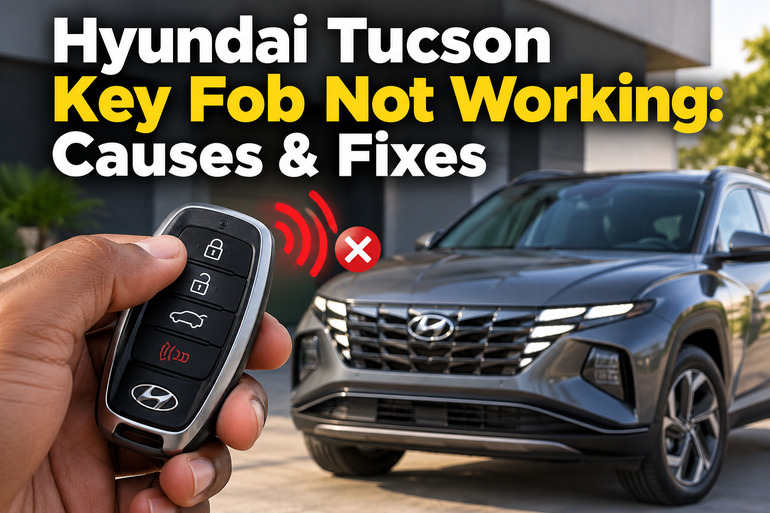
What It Means When Your Hyundai Tucson Key Fob Stops Working
Your Hyundai Tucson key fob communicates with the vehicle electronically. Depending on the model year and equipment, it may control the door locks, open the tailgate, activate remote start, and allow the engine to start without inserting a traditional key.
A conventional remote key and a smart key perform different functions. A conventional key fob operates the remote locks while its physical blade operates the door lock or ignition, where fitted. A smart key uses proximity detection to support keyless entry and push button starting. Knowing which system your Tucson has helps you identify the correct troubleshooting procedure.
The symptoms can also help narrow down the fault. If the remote only works when you stand very close to the vehicle, its battery may be weak or the signal may be obstructed. If the key fob works but the engine refuses to start, the problem could involve key detection, the vehicle battery, or another starting system fault.
Pay attention to whether the spare key works, whether the dashboard displays a key related warning, and whether the vehicle’s interior lights respond normally. These details can help distinguish a faulty key fob from a problem with the vehicle itself.
Hyundai Tucson Key Fob Not Working: Likely Causes
Several faults can prevent your Hyundai Tucson key fob from communicating properly with the vehicle. The following are the main possibilities to investigate before replacing the remote or requesting professional repairs.
1. A Dead or Weak Key Fob Battery
A depleted coin cell battery is one of the first things to suspect when a key fob stops responding. The battery supplies the power needed to transmit the signal that tells your Tucson to lock or unlock its doors.
As the battery weakens, the remote may work intermittently or require you to stand close to the vehicle. Eventually, the buttons may stop producing any response. A low key battery warning on equipped models provides another useful clue.
Battery replacement is relatively straightforward, but you must use the correct battery specification for your particular key. For example, Hyundai’s 2025 Tucson documentation lists a CR2450 battery for the illustrated smart key and a CR2032 for the illustrated conventional remote key. Specifications can vary by key type, model year, and market, so check your owner’s manual before purchasing a replacement.
2. Radio Signal Interference
Your Tucson key fob depends on radio communication to send commands to the vehicle. Nearby electronic devices, radio transmitters, and other sources of interference can disrupt that communication.
The problem may appear suddenly, even when the fob battery is relatively new. You might find that the remote works in one parking area but struggles near a building, transmitter, or other source of interference.
Mobile phones are also worth checking. Hyundai warns that a phone held close to the remote can interfere with its operation under certain conditions. Metalized window tint and objects that block radio signals may also reduce the operating range.
3. A Weak or Discharged Vehicle Battery
The battery inside your key fob and the 12 volt battery inside your Tucson serve different purposes. Replacing the fob battery won’t solve a problem caused by a discharged vehicle battery.
If the vehicle battery is weak, the electrical systems may not respond normally. You might notice dim dashboard lights, slow cranking, clicking sounds when attempting to start the engine, or other electrical features that fail to operate. The remote locking system may also behave abnormally.
This cause becomes more likely when the key fob fails alongside other electrical symptoms. If the remote stops working and the vehicle is completely unresponsive, investigate the vehicle’s electrical supply rather than assuming the fob itself is defective. Hyundai also lists a discharged vehicle battery among the conditions that can interfere with smart key operation.
4. Physical Damage or Moisture Inside the Key Fob
Repeated drops, crushed buttons, liquid spills, and exposure to extreme temperatures can damage the electronic components inside a key fob.
A remote that stopped working immediately after falling onto a hard surface may have a damaged circuit board or internal battery connection. Similarly, water that enters the casing can interfere with the circuit and cause unpredictable behavior.
The symptoms often depend on which component is damaged. For instance, the lock button might stop responding while the unlock button still works. A completely unresponsive fob may have suffered more extensive internal damage.
Even when the outer casing looks intact, internal damage is possible. Hyundai’s owner’s manual advises protecting remote keys from moisture, liquids, impacts, and extreme temperatures.
5. Key Programming or Vehicle Receiver Problems
Your Tucson must recognize the correct electronic key before certain functions can operate. If the key has been replaced, lost its registration, or been affected by an electronic fault, the vehicle may fail to recognize it.
A damaged receiver, antenna, door locking circuit, or related component can also prevent the vehicle from responding to a functioning remote. These faults are particularly worth investigating when a known working key also fails or when replacing the battery changes nothing.
The exact symptoms depend on the affected part. A fob may transmit successfully but fail to unlock the doors, or the doors may respond while the vehicle displays a key not detected warning during starting.
Programming and receiver faults generally require dedicated diagnostic equipment. A new remote may also need to be compatible with the exact Tucson model and correctly registered to the vehicle. Buying a replacement before identifying the fault can result in unnecessary expense.
Hyundai Tucson Key Fob Not Working: DIY Fixes
Start with the simplest checks before purchasing replacement parts. The following steps can help you identify a weak battery, rule out signal interference, and determine whether your Tucson needs professional attention.
1. Move Closer to the Vehicle and Remove Signal Interference
Stand near your Tucson and press the lock or unlock button once. Keep the fob away from your mobile phone, other electronic devices, and any signal blocking pouch while testing it.
If the remote begins working at close range, interference or a weak fob battery may be affecting its operating range. Move to a different nearby location and repeat the test. If the remote works normally there, the original location may have been interfering with the signal.
Also make sure that nothing is physically obstructing the vehicle’s door handles or remote operation. On a conventional remote key, verify that the key is not inserted in the ignition, as Hyundai identifies this as a condition that can prevent remote operation on applicable models.
2. Replace the Key Fob Battery
If the fob remains unresponsive, replacing its coin cell battery is a sensible next step. You will need the correct replacement battery and a slim tool suitable for opening the casing.
Follow these steps.
-
Check your Tucson owner’s manual to identify the correct battery type for your key.
-
Locate the small opening or slot used to release the rear cover.
-
Gently open the casing with a suitable tool, taking care not to crack the plastic or damage internal components.
-
Remove the old battery and install the replacement in the orientation specified by the manual.
-
Refit the cover securely and test the lock and unlock buttons near the vehicle.
The correct battery size and orientation matter. Do not assume that a battery used by another Hyundai model will fit your Tucson key. Hyundai’s 2025 documentation shows different battery types for the illustrated smart key and conventional remote.
Keep the small battery away from children because swallowing a button cell can cause severe internal injuries. If a new battery does not restore operation, avoid repeatedly opening the fob or bending its contacts. Investigate other causes instead.
3. Use the Mechanical Key and Emergency Starting Procedure
A nonworking remote does not necessarily mean you’re locked out of your Tucson. Many key designs include a hidden or folding mechanical key that can operate the driver’s door lock.
Check your key for a release button, then remove or unfold the mechanical blade according to the owner’s manual. Insert it into the designated door lock and turn it carefully. Some models conceal the lock cylinder beneath a cover on the exterior handle, so consult the vehicle instructions before attempting to remove any trim.
If your Tucson has push button starting and displays a key not detected warning, consult the emergency starting procedure for your exact model year. Depending on the design, the procedure may involve holding the smart key directly against the Engine Start/Stop button or placing it at a designated backup detection point. The location and method are not identical across every Tucson.
Follow the specified procedure with the vehicle in Park and your foot on the brake, as directed by the owner’s manual. If the engine starts using the backup method, the normal key detection process may be affected by a weak fob battery or signal interference. This result does not, by itself, prove that the battery is the only fault.
4. Test the Spare Key and Check the Vehicle Battery
A spare key provides a useful comparison. Test it near the same door, under the same conditions, after removing possible sources of interference.
If the spare works normally while the original does not, the original fob’s battery, buttons, internal circuit, or registration becomes a stronger suspect. Check the spare’s battery condition too, because a spare that has sat unused for a long time may also have a depleted battery.
If both keys fail, examine the vehicle’s electrical symptoms. Check whether the dashboard lights illuminate normally, whether the interior lights respond, and whether the engine cranks when you attempt to start it. These observations help distinguish a possible vehicle battery problem from an individual key fault, although they do not confirm a diagnosis.
If the battery appears discharged, arrange a proper battery test or roadside assistance. Follow the Tucson’s specific jump starting instructions if a jump start is required. Avoid connecting cables to uncertain terminals or attempting electrical repairs without the correct procedure.
5. Inspect the Key for Damage and Test Each Button
Examine the casing for cracks, signs of moisture, loose pieces, or buttons that have become stuck. Press each button individually and check whether the results differ. For example, a functioning unlock button with an unresponsive lock button may point to a problem with that button or its internal switch.
If the fob has been exposed to liquid, stop pressing the buttons repeatedly. Wipe the exterior dry and keep the remote away from heat. Do not attempt to dry it with a hair dryer, place it in an oven, or apply cleaning liquids inside the casing. These actions can cause further damage.
If the casing is damaged or the buttons remain unresponsive after fitting the correct battery, have the fob inspected. Internal circuit repair, replacement, and key registration should be handled by someone equipped to work on your particular key design.
6. Contact a Qualified Automotive Technician
Professional diagnosis is the right step if the basic checks fail, both keys stop working, or your Tucson continues to display a key detection warning after the battery has been replaced.
A Hyundai dealership or qualified automotive locksmith can check whether the remote is transmitting, verify key compatibility and registration, and investigate the vehicle’s receiver or antenna system. An automotive technician can also test the 12 volt battery and related electrical circuits where necessary.
Provide the technician with your Tucson’s model year, the type of key you use, and the symptoms you have observed. Explain whether the problem affects all buttons, whether a spare key works, and whether the vehicle starts using its emergency procedure. Those details can help narrow down the fault without replacing parts unnecessarily.
If the vehicle cannot be unlocked or started and you cannot safely follow the prescribed backup procedure, arrange roadside assistance instead of forcing the door, dismantling the dashboard, or attempting to bypass the immobilizer.
Wrap-Up
A Hyundai Tucson key fob that stops working may have a weak battery, signal interference, physical damage, or a problem with the vehicle’s electrical or key detection system. Identifying the symptoms before replacing parts can help you avoid spending money on a repair that doesn’t address the actual cause.
Start with the battery, test the remote away from electronic interference, and use the vehicle’s approved backup entry or starting procedure when necessary. If the fault persists, seek a proper diagnosis. A technician can identify whether the key itself or the vehicle’s receiving system needs attention.