
If your Hyundai Palisade key fob suddenly stops locking the doors, opening the liftgate, or starting the SUV, the cause may be as simple as a weak battery. A damaged remote, a discharged vehicle battery, or signal interference can produce similar symptoms, so replacing parts immediately may waste time and money.
Start with a few safe checks before assuming the smart key has failed. The right fix depends on whether the remote buttons, door handle sensors, and push button start respond to your key.
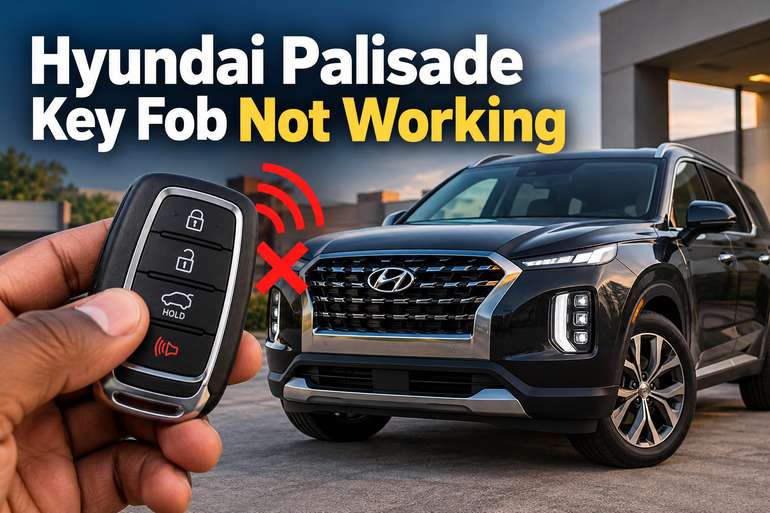
What Happens When Your Hyundai Palisade Key Fob Stops Working?
Your Hyundai Palisade smart key communicates wirelessly with the vehicle to operate functions such as door locking, unlocking, liftgate access, and remote starting, depending on the model and equipment. The vehicle also uses electronic security components to verify an authorized key before allowing the engine to start.
When the system stops responding, the symptoms can vary. You might press the unlock button several times without hearing the locks move, find that the doors respond only when you stand close to the SUV, or see a Key not detected message on the instrument panel.
The pattern of failure provides useful diagnostic information. If the buttons work intermittently or the operating range has gradually decreased, the fob battery is a sensible first suspect. If the dashboard lights and interior lamps also fail to illuminate normally, the vehicle’s 12 volt battery could be responsible.
A key fob that has been dropped, exposed to water, or damaged around its buttons requires a different approach. Similarly, if two registered keys stop working at the same time, the fault may lie with the vehicle rather than both remotes independently failing. Identifying these differences helps you choose an appropriate repair.
Hyundai Palisade Key Fob Not Working: Likely Causes
Several faults can prevent your Palisade from recognizing a smart key. Begin with the simple explanations, then consider the vehicle’s electrical and keyless entry systems if basic checks do not restore normal operation.
1. A Weak or Dead Key Fob Battery
The coin cell inside your smart key supplies power for its wireless transmitter and remote control buttons. As the battery loses its charge, the signal may become weaker, the operating range may decrease, and the buttons may stop working altogether.
You may notice that the remote works when held close to the driver’s door but fails from several parking spaces away. In some cases, the keyless entry functions become unreliable before they stop responding completely. A low key battery warning may also appear on the instrument panel, depending on your Palisade’s model year and equipment.
A newly purchased battery can also cause trouble if it is the wrong type, has been stored poorly, or has been inserted with the wrong polarity. The battery specification matters because coin cells that look similar may have different dimensions. Check the existing battery and your owner’s manual before buying a replacement.
2. Radio Signal Interference
Your smart key relies on radio communication, so nearby electronic equipment or other sources of interference can interrupt its operation. A mobile phone carried directly beside the fob may interfere with communication under certain conditions, particularly when the phone is actively transmitting.
The problem may appear only in certain locations. Your Palisade might respond normally at home but fail to recognize the key in a parking garage, beside particular electronic equipment, or near a strong radio transmitter.
Metallic window tint can also reduce the operating range of the smart key. If the remote works normally in some places but repeatedly fails in one location, interference is worth investigating before replacing the fob.
3. A Discharged or Weak Vehicle Battery
The Palisade’s 12 volt battery powers the vehicle’s electrical systems, including components involved in keyless entry. If that battery becomes discharged, the doors may fail to respond to the remote even when the key fob itself is functioning correctly.
Look for other signs of low vehicle battery voltage. The dashboard may remain dark, the interior lamps may be unusually dim, or you may hear rapid clicking when attempting to start the vehicle. A completely discharged battery can leave the vehicle unresponsive to either registered key.
A weak vehicle battery can also develop after the SUV has been parked for an extended period or after an electrical fault has drained the battery. If the key fob problem appears alongside these symptoms, investigate the vehicle’s electrical supply before purchasing another remote.
4. Physical Damage or Internal Key Fob Failure
A smart key contains electronic circuitry, switches, a battery holder, and components that transmit the required signal. A hard fall can damage a solder joint or internal connection, while moisture may corrode contacts and interfere with the circuitry.
The symptoms depend on the damage. A single button may stop working while the other buttons remain functional, or the entire remote may fail immediately after being dropped. A loose battery holder or damaged battery contact can also cause intermittent operation when the fob is moved.
If the remote was exposed to water, avoid repeatedly pressing its buttons or attempting to heat it with a hair dryer. Heat can damage the housing and electronics. Visible cracks, corrosion, loose internal parts, or persistent failure after fitting a suitable battery are reasons to seek professional testing.
5. A Fault in the Vehicle’s Keyless Entry System
The fault may also involve the vehicle’s antennas, receiver, wiring, fuses, or electronic control modules. These components allow the Palisade to detect the key and interpret its commands. A fault in the relevant circuitry can prevent the vehicle from recognizing a perfectly serviceable remote.
One useful clue is the behavior of the spare key. If both registered fobs fail in the same way, especially when the vehicle shows other electrical symptoms, a vehicle-side fault becomes more plausible. If one key works consistently and the other does not, the faulty key deserves closer attention.
A blown fuse or damaged antenna is difficult to identify from symptoms alone. Fuse locations vary by model year and configuration, and the same symptom can arise from several different electrical faults. A technician can test the key’s signal and examine the vehicle’s diagnostic information to isolate the cause.
Hyundai Palisade Key Fob Not Working: DIY Fixes
The following fixes progress from basic checks to more involved troubleshooting. Work through them in order, paying attention to what changes after each step. This helps you avoid replacing a working key or disturbing electrical components unnecessarily.
1. Move Away From Possible Signal Interference
Before opening the fob, test whether the environment is preventing it from communicating with your Palisade. Stand close to the vehicle and press the lock or unlock button once. Watch and listen for a response from the door locks.
If the fob is still unresponsive, move your phone away from it and remove the key from any metal-lined bag or wallet. Then try the remote again. If you are parked near electronic equipment or in a location where the problem occurs repeatedly, move the vehicle or test the key elsewhere when it is safe to do so.
A remote that works normally after you change locations probably does not need immediate repair. If it continues failing across different locations, investigate the battery and the fob itself.
2. Use the Mechanical Key and Emergency Starting Procedure
If the remote buttons stop working and you need to enter the SUV, look for the mechanical key concealed inside the smart key. On equipped Palisade models, you can release this key by pressing the release mechanism and pulling the key out of the fob.
The driver’s door key cylinder may be concealed behind a small cover on the exterior door handle. Consult your model year’s owner’s manual for the correct release procedure, then use the mechanical key to unlock the door. Avoid forcing the cover because its retaining tabs can break. The security alarm may sound on some vehicles after mechanical unlocking.
If the vehicle has push button start and the smart key battery is weak, Hyundai provides an emergency starting method. Make sure the transmission is in Park, apply the parking brake, and press the brake pedal. Then press the Engine Start/Stop button directly with the smart key, following the orientation illustrated in your owner’s manual.
This method allows the vehicle to recognize the key at close range even when its battery is weak or ordinary wireless communication is disrupted. It does not repair a dead vehicle battery or a damaged security system. If the engine still does not start, check for other warning signs rather than repeatedly attempting the same procedure.
3. Replace the Smart Key Battery
A fresh battery is one of the simplest fixes when your remote’s operating range has decreased or its buttons have become unreliable. For example, the 2025 Hyundai Palisade owner’s manual specifies a CR2032 coin cell. Confirm the correct specification for your particular model year and fob before purchasing one.
To replace the battery, follow these steps.
-
Remove the mechanical key if your fob has one.
-
Locate the opening slot and use a suitable slim tool to carefully separate the fob cover. A plastic opening tool is preferable because it reduces the risk of scratching or cracking the housing.
-
Remove the old coin cell, noting which side faces upward.
-
Insert the correct replacement battery with the polarity specified by the markings or owner’s manual. Make sure it sits properly in its holder.
-
Refit the cover securely without forcing the plastic clips.
Test the lock and unlock buttons after reassembly. Also check the liftgate button if your fob supports it.
Keep the old battery and new button cells away from children. Swallowing a lithium coin battery can cause life threatening internal injuries within a short period. Seek immediate medical attention if a battery may have been swallowed.
If a correctly installed new battery makes no difference, avoid repeatedly opening the casing or bending the battery contacts. Continue with the other diagnostic checks.
4. Check for Signs of a Weak Vehicle Battery
If neither the remote nor the vehicle’s normal electrical systems respond, inspect the symptoms of a discharged 12 volt battery before assuming the keyless entry system has failed.
Try the interior lamps and observe whether the instrument panel illuminates normally. If you see dim lighting, a dark dashboard, or repeated clicking during a starting attempt, the vehicle battery may be unable to supply sufficient power.
A simple visual inspection of the battery can sometimes reveal a loose connection or obvious corrosion, but do not touch damaged cables or attempt repairs if you are uncertain about the procedure. A battery that appears swollen, leaking, or damaged requires professional attention.
If the battery is discharged, have it tested and recharged or replaced as appropriate. Follow the Palisade owner’s manual for the approved jump starting procedure, or contact roadside assistance if you are unfamiliar with the process. Do not attempt to solve an apparent vehicle battery problem by purchasing another key fob.
Once the vehicle’s electrical supply is restored, test the remote again. If the doors still fail to respond, further diagnosis may be necessary.
5. Test the Spare Key and Inspect the Fob
A second registered smart key can help distinguish a defective remote from a vehicle-side problem. If you have a spare, test it near the Palisade under the same conditions.
If the spare works normally while the original remains unresponsive, the first fob may have a weak battery, damaged switches, internal corrosion, or another electronic fault. Try a correctly specified replacement battery in the original before arranging further repairs.
If both keys fail in the same way, pay closer attention to the vehicle battery, signal interference, and the keyless entry system. This comparison does not prove that the vehicle is faulty, but it provides a useful clue for diagnosis.
Inspect the original fob for a cracked case, damaged buttons, moisture exposure, or signs that the battery is not seated correctly. Do not dismantle the circuit board or attempt to solder components unless you have the appropriate skills and equipment. Modern smart keys contain security components that may require specialist testing or programming.
6. Contact a Qualified Automotive Technician
If the previous checks do not restore normal operation, arrange an inspection with a Hyundai dealer or a qualified automotive locksmith experienced with Hyundai smart keys. A technician can test the remote’s radio signal, examine its internal circuitry, check relevant vehicle electrical components, and determine whether the key needs repair, replacement, or programming.
Professional diagnosis is particularly useful when both registered keys fail, a new battery makes no difference, the vehicle displays a persistent key recognition warning, or the fob has sustained water damage. A technician can also establish whether a receiver, antenna, fuse, or control module is responsible.
Bring every available registered key to the appointment. This can help the technician compare their operation and determine whether the vehicle recognizes them correctly. If the SUV cannot be unlocked or started, roadside assistance or an appropriate recovery service may be needed.
Wrap-Up
A Hyundai Palisade key fob that stops working often has a relatively simple cause, such as a depleted coin cell or temporary signal interference. Checking the battery, trying the mechanical key, and testing a spare remote can help you identify the likely source without unnecessary expense.
Pay attention to symptoms that affect the entire vehicle, since a weak 12 volt battery or a fault in the keyless entry system may require professional attention. Replace the fob battery with the correct type and avoid forcing delicate components apart. If the basic checks fail, proper diagnosis is the safest route to restoring dependable access and starting operation.