
Seeing the “Key Not in Vehicle” warning on your Kia’s dashboard can be confusing, especially when the smart key is sitting right beside you. Sometimes the message is accurate because the key has been left outside. In other cases, the car simply cannot recognize its signal.
Although this warning often has a simple explanation, ignoring it can leave you unable to restart your vehicle. Understanding what triggers it helps you identify the problem and find a suitable solution.
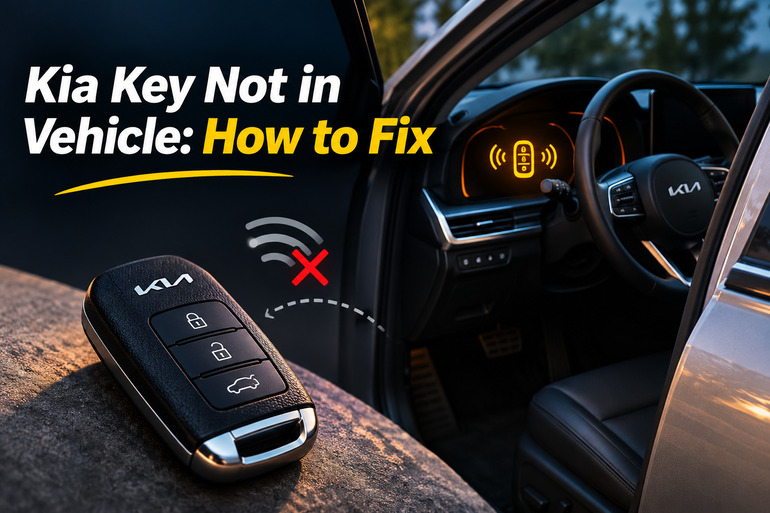
What Does Key Not in Vehicle Mean on a Kia?
The “Key Not in Vehicle” message means your Kia’s smart key system cannot confirm that an authorized key is inside the vehicle. This system allows you to unlock the doors and start the engine without inserting a traditional key into the ignition. Instead, the vehicle uses electronic communication to recognize the smart key.
When you press the Engine Start/Stop button, the car checks for a valid key. If it doesn’t detect one, the dashboard may display the warning. Depending on your Kia model, you might also hear a series of beeps or see a flashing key symbol. Some models perform another key check when a door opens while the ignition is in the ACC or ON position.
The message may appear on Kia Sportage, Sorento, Seltos, Telluride, Forte, K5, and other models equipped with smart key systems. However, the exact wording and behavior can differ. For example, some vehicles display “Key Not Detected” when you try to start the engine. Both warnings concern key recognition, but the circumstances that trigger them can vary.
If your engine is already running, losing contact with the smart key doesn’t necessarily stop it immediately. However, you may be unable to restart the vehicle after switching it off. That makes it important to locate the key and address the warning promptly, particularly before leaving your car somewhere unfamiliar.
Kia Key Not in Vehicle: Common Causes
Several things can prevent your Kia from recognizing its smart key, even when the key is nearby. The following are five possible causes, along with clues that can help you identify which one applies to your situation.
1. The Smart Key Is Outside the Vehicle
The most straightforward explanation is that your smart key isn’t actually inside the car. This can happen when you leave it on a nearby surface, hand it to someone, or step out of the vehicle while the engine is running. Kia’s smart key system checks whether the key is inside the cabin and displays a warning if it cannot confirm its presence.
Sometimes the key is extremely close to the vehicle but still outside the detection area. For example, leaving it on the roof or beside the driver’s window may trigger the warning. If the message appears immediately after someone leaves the car, check whether that person accidentally took the key.
2. Weak or Dead Smart Key Battery
A weak smart key battery is another common reason your Kia might struggle to recognize its key. The electronic key relies on a small battery to power its wireless functions. As the battery loses strength, communication between the key and vehicle may become unreliable.
You might first notice that the remote buttons work only when you’re close to the car. Later, the doors may become harder to unlock, or the vehicle may occasionally display a key detection warning. Some Kia models also show a separate “Low Key Battery” message when the battery needs attention.
However, a weak battery doesn’t always prevent the key from being recognized completely. Many Kia vehicles have a backup recognition method that can start the engine even when the remote battery is depleted. This distinction becomes useful when determining whether the battery or another component is responsible.
3. Signal Interference From Electronic Devices
Your Kia’s smart key communicates with the vehicle using radio signals. However, nearby electronic devices can sometimes interfere with that communication and make the car behave as though the key isn’t present.
For example, keeping your smart key directly beside a smartphone, portable charger, or another electronic device may affect detection. Kia also identifies radio transmitters and nearby vehicle keys as potential interference sources. If the warning appears only in particular locations or when the key is stored beside your phone, interference is worth investigating.
4. A Damaged or Malfunctioning Smart Key
Smart keys contain delicate electronic parts that can become damaged through impacts, moisture, or excessive heat. Dropping your key onto a hard surface might damage an internal connection, while liquid exposure can affect the circuitry responsible for communicating with the vehicle.
A damaged key may behave differently from one with a weak battery. For instance, replacing the battery might make no difference, or the remote could stop responding entirely after being dropped. In some cases, particular buttons may stop working while other functions remain available.
Previous battery replacement attempts can also introduce problems. A battery installed incorrectly, damaged contacts, or a cover that doesn’t close properly may affect the remote’s operation. If these symptoms began immediately after opening the key, the battery installation deserves another look.
5. Vehicle Key Detection or Electrical System Faults
Sometimes the smart key is working correctly, but the vehicle cannot detect it. Kia vehicles use electronic control systems and receiving components to recognize an authorized key. Problems with these components, their wiring, or the immobilizer system can interfere with normal detection.
A weak vehicle 12 volt battery or another electrical problem may also cause unusual behavior, although the key warning alone doesn’t establish a battery fault. If your dashboard lights flicker, several electronic features malfunction, or the vehicle struggles to power up, further electrical checks may be necessary.
One useful clue is whether the problem occurs with both registered smart keys. If neither key works despite having good batteries, the vehicle’s detection system becomes a stronger possibility. However, proper testing is needed before replacing any electronic components.
Kia Key Not in Vehicle: DIY Fixes
The best way to address this warning is to start with simple checks before considering repairs or replacement parts. The following methods can help restore smart key recognition or identify when your Kia needs professional attention.
1. Confirm the Smart Key Is Inside and Reposition It
Start by checking that your smart key is actually inside the vehicle. Look through your pockets, handbag, center console, and other places where you usually keep it. If another person recently exited the car, confirm that they haven’t taken the key.
Once you’ve located it, bring it into the front seating area and place it somewhere accessible, away from other objects. If your Kia is parked, keep the transmission in Park, close the doors, and try the normal starting procedure again. You should hold the brake pedal while pressing the Engine Start/Stop button. If the warning disappears and the vehicle starts normally, the problem may have been the key’s location.
2. Remove Possible Electronic Interference
If your Kia continues displaying the warning with the smart key inside, try separating it from nearby electronic devices. This is particularly useful when the problem happens intermittently or begins after you change where you normally carry your key.
Follow these checks while your vehicle is safely parked.
- Remove the smart key from any pocket or compartment containing a smartphone.
- Keep it away from portable chargers, electronic accessories, and other keys.
- Place the smart key by itself in the front cabin, away from the wireless charging pad.
- Close the doors and attempt a normal start with your foot on the brake pedal.
If the warning disappears, one of the nearby objects may have been affecting communication. You can test this by keeping the key separate during normal use rather than repeatedly recreating the interference.
However, if the warning occurs consistently at a particular parking location, nearby radio interference may also be involved. You can compare how the key performs elsewhere when the vehicle is operating normally. If the problem continues across different locations, investigate the key itself.
3. Replace the Smart Key Battery
If your remote has become less responsive or your dashboard occasionally shows a low key battery warning, replacing the battery is a sensible next step. It’s a relatively simple task on many Kia smart keys and doesn’t require specialized diagnostic equipment.
First, consult your owner’s manual to confirm the correct battery and opening procedure. Some Kia smart keys use a CR2032 battery, while others use a CR2450. These batteries are different sizes, so you shouldn’t assume that the same type fits every model.
For smart keys with a user replaceable battery, the general procedure is as follows.
- Remove the mechanical emergency key, if your remote has one.
- Locate the opening slot identified in your owner’s manual.
- Use the recommended small tool to carefully separate the key cover without forcing it.
- Remove the old battery and note how its positive and negative sides are positioned.
- Insert a new battery of the exact specified type, following the correct polarity.
- Reassemble the remote and make sure the cover closes securely.
Afterward, test the remote’s lock and unlock buttons. Then enter the vehicle and attempt a normal start. If the warning disappears, the weak battery was likely responsible.
Be careful not to bend the battery contacts or damage the internal circuit board. Also, keep new and used button batteries away from children because swallowing one can cause severe internal injuries. If the key cover is difficult to open or the battery isn’t intended for user replacement, seek help from a qualified technician.
4. Use the Backup Smart Key Starting Method
If your Kia won’t recognize the smart key during normal starting, you may still be able to start it using the manufacturer’s backup recognition method. This feature is particularly helpful when the smart key battery is weak or completely discharged.
On many Kia models with a push button ignition, you can use the following procedure.
- Sit in the driver’s seat with the smart key inside the vehicle.
- Make sure the transmission is in Park and apply the parking brake.
- Press and hold the brake pedal.
- Hold the smart key directly against the Engine Start/Stop button, with the key making contact at a right angle.
- Press the button using the smart key and check whether the engine starts.
Kia documents this backup method for several models, including certain Sportage, K5, and Sorento versions. It allows the vehicle to recognize the key at close range when normal wireless operation is unavailable.
However, some newer Kia vehicles use a separate key recognition area on the center console instead of requiring the key to touch the start button. If your owner’s manual specifies this arrangement, place the key on the designated area and follow its starting instructions.
If this method starts your car, it suggests that the key can still be recognized through the backup system. You should still investigate the underlying problem, especially if normal key detection remains unreliable. The backup starting procedure is a temporary alternative rather than a permanent repair.
5. Test the Spare Key and Check for Other Electrical Symptoms
If replacing the battery and removing interference haven’t helped, try your spare smart key, provided it has already been registered to your Kia. Leave the original key away from the vehicle during this test so you can determine which one the car recognizes.
If the spare works normally while the original doesn’t, the problem is more likely to involve the original key. However, if both fail, check for other signs of an electrical issue. These could include unusually dim dashboard lights, slow engine cranking, or multiple unrelated warning messages.
Avoid disconnecting the vehicle battery, replacing random fuses, or attempting to bypass the immobilizer. These actions can introduce additional problems without identifying the fault. If the spare key also fails or the vehicle shows broader electrical symptoms, professional diagnosis is the safer next step.
6. Contact a Qualified Kia Technician
If your Kia continues displaying “Key Not in Vehicle” after the basic checks, have it inspected by an authorized Kia dealer or qualified automotive technician. This is especially important if both smart keys fail, the warning appears repeatedly with the key inside the cabin, or the vehicle refuses to start.
A technician can test the vehicle’s 12 volt power supply, inspect relevant smart key components, and use appropriate diagnostic equipment to check for electronic faults. Depending on the findings, the repair might involve replacing a damaged remote, addressing a wiring problem, or repairing a faulty detection component.
If a replacement key is necessary, it must be compatible with your Kia and properly registered to the vehicle. Avoid buying an unverified replacement remote or assuming that any key with a similar appearance will work.
When arranging service, explain exactly when the warning occurs and which troubleshooting methods you’ve already tried. This information can help the technician narrow down the issue without unnecessary parts replacement.
Wrapping Up
The “Key Not in Vehicle” warning on your Kia deserves attention, particularly when it appears repeatedly despite the smart key being inside the cabin. Fortunately, many cases involve straightforward issues such as a misplaced key, a weak remote battery, or temporary signal interference.
Start with the simple checks and use your Kia’s approved backup starting method when necessary. If the warning continues or affects both registered keys, arrange a proper inspection. Addressing the issue early can help you avoid an inconvenient situation where your vehicle suddenly refuses to start.