
A Kia Niro key fob that suddenly stops working can leave you struggling to unlock your doors or start your vehicle. Sometimes, the buttons stop responding completely. Other times, the remote only works when you’re standing close to the car, or the dashboard displays a warning that the key cannot be detected.
Fortunately, many key fob problems have straightforward solutions. Understanding what causes these failures can help you identify the fault and restore normal operation without unnecessary repairs.
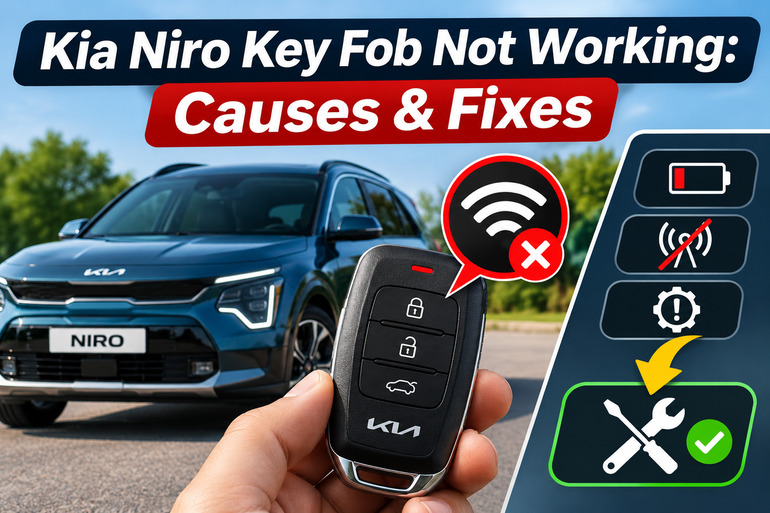
Understanding Kia Niro Key Fob Problems
Your Kia Niro key fob communicates with the vehicle through wireless signals. Depending on the model year and equipment, it allows you to lock and unlock the doors, release the liftgate, and start the vehicle without inserting a traditional key. Some models also support remote starting and other convenience features.
The key fob contains a small battery that powers its electronic transmitter. When you press a button, the transmitter sends a coded signal to the vehicle. The receiver checks the signal and performs the requested action. Models equipped with a smart key system can also detect an authorized key nearby or inside the cabin.
When something interrupts this communication, you might notice reduced operating range, unresponsive buttons, intermittent door locking, or a “Key Not Detected” warning. The vehicle might also refuse to start even though the key is inside. However, a starting problem doesn’t automatically mean the fob itself is defective.
The Kia Niro is available in hybrid, plug-in hybrid, and fully electric versions, with different key designs and electrical arrangements across model years. These differences matter during troubleshooting. For example, a dead key fob battery generally doesn’t prevent you from using the emergency starting procedure, but a discharged vehicle battery can prevent the electronic locking and starting systems from operating.
Kia Niro Key Fob Not Working: Common Causes
Several faults can prevent your Kia Niro from responding to its key fob. The most useful way to identify the cause is to consider when the problem started, which functions have stopped working, and whether another registered key produces the same symptoms.
1. Weak or Dead Key Fob Battery
A weak battery is one of the first things to suspect when your Kia Niro key fob stops responding. The battery supplies electricity to the transmitter, allowing it to send wireless commands to the vehicle. As the battery loses its charge, the transmitter may struggle to send a signal strong enough for reliable operation.
You might initially notice that the remote only works when you’re standing a few feet from the car. Sometimes, you need to press the lock or unlock button repeatedly before anything happens. Eventually, the buttons may stop working altogether. Some Niro models also display a low smart key battery warning.
Kia specifies a CR2032 3V lithium coin battery for many Niro key fobs, including the original generation and newer models. However, you should confirm the correct battery using your owner’s manual or the marking on the existing battery. A fresh battery of the correct type will often restore normal operation if low battery power is responsible.
2. Wireless Signal Interference
Your Kia Niro relies on radio communication to recognize commands from the key fob. Unfortunately, other electronic devices and nearby transmitters can occasionally disrupt that communication.
Smartphones, portable chargers, two-way radios, and nearby radio transmitters are possible sources of interference. Metal objects can also interfere with signal reception, particularly when the fob is buried inside a bag or stored alongside electronic devices.
The clearest clue is a key fob that works normally in one location but becomes unreliable somewhere else. For example, you may experience problems in a particular parking garage while the remote works perfectly at home. Kia also advises keeping smartphones and smart keys separate because phone activity can interfere with key recognition.
3. Physical Damage or Worn Internal Components
Key fobs withstand frequent handling, but their internal electronic components can deteriorate or become damaged over time. Accidental drops, moisture exposure, excessive heat, and repeated pressure on the buttons can all affect their operation.
The rubber buttons sit over small electronic switches inside the remote. As these parts wear, a button may become difficult to press or stop making reliable contact. You might find that the unlock button works while the lock button doesn’t, or that one button feels unusually soft or sticks after being pressed.
Moisture damage can cause less predictable symptoms. Water entering the housing may affect the circuit board or battery contacts, sometimes resulting in intermittent operation before the remote fails completely. A new battery won’t necessarily repair damage to these components, especially if corrosion or broken connections are present.
4. Weak or Discharged Vehicle Battery
The key fob may be working correctly while the vehicle itself lacks sufficient electrical power to respond. Your Kia Niro uses a low voltage electrical system to operate its door locks, electronic control modules, and other accessories.
If the vehicle’s 12 volt electrical supply becomes depleted, the central locking system may stop responding to remote commands. You might also notice that the interior lights are dim or completely off, the dashboard doesn’t illuminate, or the vehicle refuses to enter its normal starting or READY state.
This problem can resemble a failed remote because pressing the key fob buttons produces no visible reaction. However, if both registered fobs stop working simultaneously and the vehicle’s electrical accessories are also unresponsive, the vehicle’s power supply deserves attention. Battery arrangements and recovery procedures differ between Niro hybrid, plug-in hybrid, and electric models.
5. Smart Key Recognition or Vehicle Electronics Fault
Sometimes, the problem lies with the electronic equipment responsible for identifying the key rather than the key fob’s battery. Your Kia Niro uses a security system that checks whether an authorized key is present before permitting the vehicle to start.
A faulty receiver, wiring problem, damaged key electronics, or malfunctioning control module can interrupt this process. An unregistered replacement key may also fail because the vehicle doesn’t recognize its electronic identity.
These issues become more likely when a properly functioning spare key also fails, the dashboard repeatedly reports that no key is detected, or the problem continues after the battery has been replaced. In such cases, the vehicle may require electronic diagnosis rather than another key fob battery.
Kia Niro Key Fob Not Working: DIY Fixes
The best approach is to begin with simple checks that don’t require special equipment. Once you’ve identified which functions are affected, you can work through the following solutions without replacing parts unnecessarily.
1. Test the Key Fob and Check Its Operating Conditions
Before opening the remote, establish whether the fault affects every function or only a particular button. This helps distinguish a weak battery from a damaged switch or a problem involving the vehicle.
Start by standing near your Kia Niro in a safe location. Make sure the doors, hood, and liftgate are properly closed, then press the lock and unlock buttons separately. Pay attention to the door locks, hazard lights, and any audible confirmation.
Next, perform these checks.
- Move a short distance away and test the buttons again.
- Bring the remote close to the vehicle and compare its response.
- Try the other buttons, including the liftgate release if fitted.
- Test your spare registered key fob if one is available.
- Check whether the dashboard recognizes the key when you attempt to start the vehicle.
If the spare works normally while the original doesn’t, the problem likely involves the original fob. If both fail, investigate possible interference or vehicle electrical problems.
Also, account for normal operating rules. Some Niro models unlock the driver’s door on the first press and the remaining doors on the second. The liftgate button may require a longer press, while remote start has its own operating conditions. A feature behaving differently from what you expected doesn’t always indicate a fault.
2. Replace the Key Fob Battery
Replacing a weak battery is one of the simplest and most practical repairs you can attempt. For many Kia Niro key fobs, the replacement is a CR2032 3V lithium coin battery, although you should verify the specification for your particular remote.
You generally won’t need specialized equipment. A small plastic opening tool may help separate the housing without leaving marks or damaging its edges.
Follow these steps.
- Locate the mechanical key release on your fob. On models with a removable emergency key, press the release and pull out the metal key.
- Find the opening point or seam in the housing. Check your owner’s manual for the correct method of opening your particular design.
- Carefully separate the cover using a suitable plastic tool. Avoid forcing it or damaging the internal components.
- Remove the old battery and note which side faces upward.
- Insert the new battery in the same orientation, following the positive and negative markings.
- Refit the cover securely and return the mechanical key to its holder.
After reassembly, stand near the vehicle and test the lock and unlock buttons. A successful replacement should restore normal response if the battery was responsible. On a correctly registered Kia fob, an ordinary battery change shouldn’t require programming the key again.
Keep both old and new coin batteries away from children and pets. Swallowed lithium coin batteries can cause severe internal injuries and require immediate medical attention. Dispose of used batteries through an appropriate battery collection service.
If the remote still doesn’t work, reopen it only if necessary to verify that the battery is correctly positioned and the housing has closed properly. Avoid repeatedly bending the battery contacts or touching the circuit board.
3. Eliminate Signal Interference
If your key fob works intermittently, particularly in certain locations, try eliminating possible sources of interference before considering a replacement.
Remove the fob from your pocket or bag and hold it away from your smartphone, portable charger, or other electronic devices. Then stand close to the vehicle and press the unlock button again.
You can also try the following.
- Remove the remote from a metal container or a heavily packed bag.
- Separate multiple electronic keys on the same key ring while testing.
- Move away from nearby electronic equipment where practical.
- Test the remote in a different parking area.
If the remote begins working normally, signal interference may have caused the earlier failure.
However, don’t assume that every intermittent problem results from interference. A weak battery can produce similar symptoms. If the remote continues to work only at very short distances, replacing its battery remains a sensible next step.
4. Use the Mechanical Key and Emergency Starting Method
A failed key fob battery doesn’t necessarily mean you cannot enter or start your Kia Niro. Many models include a mechanical emergency key and a backup recognition method that works when ordinary wireless communication fails.
To unlock the door, locate the mechanical key inside your fob. Press the release mechanism and remove it. Depending on your Niro’s model year, the driver’s door lock cylinder may be visible or concealed behind a small cover near the door handle.
Carefully uncover the lock if necessary, insert the mechanical key, and turn it in the direction specified in your owner’s manual. This allows you to access the cabin without relying on the remote transmitter.
Once inside, you can attempt the emergency starting procedure on models equipped with a smart key and push button starting.
- Make sure the vehicle is stationary and the transmission is in Park.
- Keep your foot firmly on the brake pedal.
- Hold the smart key directly against the ENGINE START/STOP or POWER button.
- Position the side containing the lock button closest to the starting button, as specified in Kia’s guidance.
- Press the starting button with the fob while maintaining brake pressure.
Kia provides this procedure for Niro hybrid and electric models when the smart key battery is weak or the fob isn’t operating correctly.
If the vehicle starts successfully, the backup recognition system has accepted the key. You can then investigate the remote battery or its ordinary wireless operation.
However, this method won’t overcome a discharged vehicle electrical system or every immobilizer fault. If your Niro remains completely unresponsive, avoid repeated attempts and investigate the vehicle’s electrical condition.
5. Check the Vehicle’s 12 Volt Electrical Supply
When neither key fob operates and the vehicle shows other signs of electrical failure, checking the vehicle’s low voltage power supply is more useful than repeatedly pressing the remote buttons.
Look for obvious symptoms without disturbing any electrical components. For example, determine whether the cabin lights illuminate, the instrument panel powers up, or the central locking switch responds after you enter through the mechanical key.
Some Kia Niro Hybrid models have a 12V Battery Reset button on the driver’s side panel. Kia’s guidance for the 2026 Niro Hybrid explains that this button can temporarily restore power after certain battery discharge conditions.
If your Niro has this feature, follow the specific instructions in its owner’s manual. The usual procedure involves pressing the reset button and promptly attempting to start the hybrid system while pressing the brake pedal. Once the system reaches its normal operating state, Kia recommends allowing sufficient running or driving time to replenish the bat