
When your Hyundai Accent remote key stops locking or unlocking the doors, the inconvenience can range from a short delay to being unable to access the car normally. A weak coin cell is a common reason, but radio interference, a damaged fob, or a fault in the vehicle’s locking system can produce similar symptoms.
Start with simple checks before buying a replacement or paying for programming. The right fix depends on whether one key or every remote has stopped responding, and whether the car still starts.
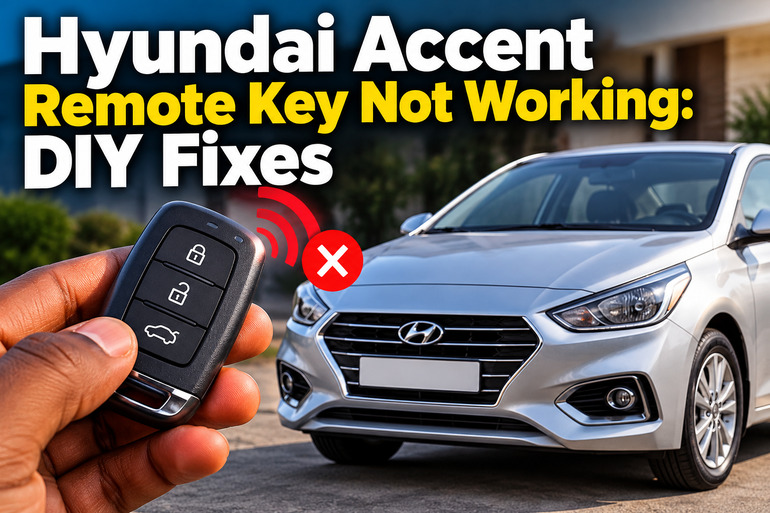
What It Means When Your Hyundai Accent Remote Key Stops Working
Your Hyundai Accent remote key sends a coded radio signal to the vehicle when you press a button. Depending on your model, the remote may control door locking, unlocking, the trunk release, and the panic alarm. The vehicle receives the signal through its remote entry system and activates the requested function.
When the remote stops working, the fault can originate in the key itself or in the car. A depleted battery may prevent the remote from transmitting a strong enough signal. Physical damage can affect its internal circuit board, while interference may prevent the vehicle from receiving its signal properly. Problems with the car battery, receiver, central locking system, or related electrical circuits can also cause similar symptoms.
Pay attention to what still works. If your Hyundai Accent starts normally with the key but its remote buttons no longer respond, the remote battery or radio communication system deserves attention first. If the remote unlocks the doors but the engine will not start, the issue may involve the immobilizer, the vehicle battery, or another starting system fault. These are separate functions, even when they use the same key.
The timing also provides useful clues. A remote that gradually loses range often has a weakening battery. One that stops working immediately after being dropped or exposed to water may have internal damage. If the remote works intermittently in certain locations, interference could be responsible. Identifying these patterns helps you choose the right repair instead of replacing parts unnecessarily.
Hyundai Accent Remote Key Not Working: Likely Causes
Several faults can prevent your Hyundai Accent remote key from responding. The following are common possibilities, although the exact cause depends on your vehicle’s model year and key design.
1. A Weak or Depleted Key Fob Battery
The small battery inside your key fob supplies the electrical power needed to transmit commands. As its charge declines, the signal may become weak or unreliable. You might need to stand close to the car before the doors respond, or you may notice that several button presses are required.
Eventually, the remote may stop working altogether. This does not necessarily mean the entire key is faulty. Replacing the battery with the correct type is often enough to restore normal operation.
Many Hyundai Accent remotes use a CR2032 coin cell, including those specified in several model year owner’s manuals. However, you should confirm the required battery type for your particular key before purchasing a replacement. Correct battery positioning is also essential because an incorrectly installed battery can prevent the remote from working.
2. Radio Signal Interference
Your remote communicates with the car wirelessly, so nearby electronic equipment and strong radio signals can sometimes interrupt normal operation. The vehicle may fail to receive the command even when the key battery is healthy.
Hyundai’s owner’s manuals identify radio transmitters, certain electronic devices, mobile phones, and other sources of interference as possible reasons for remote key problems. Physical objects between the key and vehicle may also reduce the effective operating range.
Interference becomes a stronger possibility when the remote works normally in another location but repeatedly fails in one particular area. If moving closer to the vehicle restores operation, the signal may be weak or obstructed. However, a weak battery can produce similar symptoms, so test the remote in a different location before deciding that interference is responsible.
3. Physical Damage or Moisture Inside the Remote
A key fob contains small electronic components that can be damaged by impact, moisture, heat, or incorrect handling. Dropping the remote onto a hard floor may damage its circuit board or loosen a component. Water entering the housing can cause corrosion or electrical short circuits.
The resulting symptoms vary. Every button may stop responding, one button may fail while the others work, or the remote may function intermittently.
Look for cracks in the casing, loose buttons, signs of moisture, or damage around the battery compartment. A recently dropped remote that stopped working immediately afterward deserves closer inspection. Repeatedly pressing its buttons or replacing the battery several times will not repair a damaged circuit board.
4. A Weak Car Battery or Central Locking Fault
The key fob is only one part of the remote locking system. Your Accent must also have sufficient electrical power and a functioning receiver and locking system to respond to commands.
A weak or discharged vehicle battery may cause several electrical features to behave abnormally. You might notice dim interior lights, dashboard flickering, slow door locks, or clicking when attempting to start the engine. These symptoms suggest that the vehicle’s electrical supply should be checked.
If your remote battery is new and neither the main remote nor the spare works, investigate the car rather than assuming both keys have failed. A blown fuse, faulty receiver, damaged wiring, door lock actuator fault, or central locking system problem may prevent normal operation. The precise components and fuse locations depend on the Accent model year and equipment.
5. A Lost Pairing or Internal Key Fault
Some remote keys may stop communicating properly because of an internal electronic fault or a problem with their programming. This is more likely to require professional attention if a correctly installed new battery and basic signal checks do not restore operation.
A key that was recently replaced, repaired, or exposed to significant physical damage may need further testing. However, reprogramming should not be the first step when a remote stops working. Many cases are explained by a depleted battery or temporary interference.
It is also necessary to distinguish remote locking from engine authorization. The immobilizer system checks whether the key is authorized to start the engine. Depending on the key design, the transponder used for this function may operate separately from the battery-powered remote buttons. Consequently, a failed remote does not automatically mean that the key must be reprogrammed before the car can start.
Hyundai Accent Remote Key Not Working: How to Fix
Begin with simple checks that can identify a weak battery or temporary signal problem. If these steps fail, the symptoms can help determine whether your Accent needs electrical diagnosis, key repair, or programming.
1. Test the Remote Close to the Vehicle
Start by checking whether the remote responds when you stand close to the driver’s door. Remove the key from a pocket or bag containing a mobile phone or other electronic devices, then try the lock and unlock buttons again.
If the remote starts working at close range, its battery may be weakening, or the original location may have been interfering with the signal. Move the vehicle to another suitable location and repeat the test when possible.
Pay attention to whether the hazard lights flash, the door locks move, or any other normal response occurs. If nothing happens, try the spare remote before proceeding. A working spare suggests that the original key needs attention, while two unresponsive remotes raise the possibility of a vehicle-side fault.
2. Replace the Key Fob Battery
Replacing the coin cell is a practical first repair when the remote works inconsistently or has stopped responding without any obvious physical damage.
Before opening the key, check your Hyundai Accent owner’s manual for the correct battery type and replacement instructions. You will generally need a suitable new coin cell and, depending on the housing, a small flat tool.
Follow this procedure if your remote uses a conventional replaceable battery and the manual permits owner replacement.
-
Examine the remote for a slot or seam intended for opening the cover.
-
Insert the appropriate slim tool into the designated opening and gently separate the housing. Avoid forcing the cover or inserting the tool deeply into the electronics.
-
Observe the battery’s orientation before removing it. Take care not to bend the metal contacts or damage the circuit board.
-
Install the correct replacement battery with its positive and negative sides positioned as indicated by the key’s markings or the owner’s manual.
-
Reassemble the housing securely and press the lock and unlock buttons while standing close to the car.
If the remote works again, the battery was likely responsible. If it remains unresponsive, confirm that the replacement is the correct type, that it is installed properly, and that its charge is adequate before investigating other causes.
Keep coin cell batteries away from children. Swallowing a button battery can cause severe internal injury, so suspected ingestion requires immediate medical attention.
3. Try the Spare Remote and Check the Vehicle Battery
Testing the spare key can help separate a key problem from a fault in the car. If the spare remote works normally, the original remote is the more likely source of the problem.
If both remotes fail, check whether other electrical functions are behaving normally. Turn on the interior lights and observe whether they appear unusually dim. Check whether the dashboard illuminates normally and whether the central locking system responds to its interior switch, if fitted.
If the vehicle shows several signs of low electrical power, arrange for the car battery to be tested. A multimeter can help a competent person assess its voltage, but a battery may still fail under load even when its resting voltage appears reasonable. A proper battery test is more useful than relying on one voltage reading.
Do not replace a central locking receiver or vehicle fuse merely because both remotes have failed. Establishing whether the vehicle has adequate power and whether its interior locking controls work provides better diagnostic evidence.
4. Use the Mechanical Key and Approved Emergency Starting Method
If your remote cannot unlock the vehicle, check whether your key contains a mechanical key blade. Many Hyundai Accent remote keys have one concealed inside the housing or attached to the remote.
Release the mechanical key according to the instructions for your model. Use it in the driver’s door lock to gain access if necessary. Depending on the vehicle, the mechanical lock may operate independently of the remote system.
If your Accent has a push-button starter and its smart key battery is depleted, consult the owner’s manual for the approved emergency starting procedure. The method varies by vehicle configuration, so do not assume that holding the fob against the start button or using a particular backup slot will work on every Accent.
These measures can help you access or start the vehicle while the remote problem is being resolved. They do not repair the failed remote itself. If you cannot unlock the car or start the engine using the approved procedure, contact roadside assistance or a qualified automotive technician.
5. Inspect the Key Housing and Check Model-Specific Instructions
Look over the remote for a cracked case, damaged buttons, a loose battery cover, or visible moisture. If you recently dropped the key or spilled liquid on it, mention this when seeking assistance because it may change the diagnostic approach.
Avoid dismantling the electronic circuit board or applying household cleaners and lubricants to its internal components. These measures can cause further damage. If the remote has become wet, stop pressing the buttons and seek advice about appropriate electronic repair rather than repeatedly testing it.
Check the owner’s manual for instructions specific to your vehicle’s remote key system. Some vehicles have particular procedures for replacing or registering keys, while others do not require reprogramming after a routine battery replacement. Do not follow an online reset sequence intended for a different Accent generation without confirming that it applies to your car.
If the key stopped working after a battery replacement, confirm the battery type, polarity, and contact position first. If these are correct and the remote remains unresponsive, have it tested before buying another key.
6. Contact a Qualified Automotive Professional
Professional diagnosis becomes appropriate when the remote still fails after the battery, signal, and spare-key checks. An automotive locksmith familiar with Hyundai keys or an authorized Hyundai service center can test the remote’s transmission, inspect the electronics, and determine whether programming is necessary.
If both remotes fail, the technician can also check the vehicle battery, relevant fuses, receiver, wiring, and central locking system. This avoids replacing expensive components without evidence that they are faulty.
Take every available key with you and explain what happened before the failure. Mention whether the remote stopped working suddenly, whether a battery was recently replaced, whether the key was dropped or exposed to water, and whether the car still starts. These details can help narrow down the cause.
If you suspect a vehicle electrical fault, recurring fuse failure, damaged wiring, or an immobilizer problem, avoid repeated attempts to bypass the system. Proper testing is safer and more reliable than trial and error.
Wrap-Up
A Hyundai Accent remote key that stops working usually calls for a few straightforward checks before expensive repairs are considered. Test it close to the car, rule out interference, confirm the correct battery, and try the spare key. These steps can help establish whether the fault lies in the remote or the vehicle itself.
If the problem persists, use your model-specific owner’s manual and arrange a proper diagnosis. Replacing parts without identifying the cause can waste money. A qualified automotive locksmith or Hyundai technician can determine whether the remote needs repair, replacement, or programming, or whether the vehicle’s locking system requires attention.