
Your Hyundai Venue’s reverse camera should display the area behind your vehicle when you shift into Reverse. When the screen stays black, displays a warning, flickers, or shows a distorted image, parking becomes more difficult and you may struggle to judge the distance between your vehicle and nearby objects.
The cause may be as simple as a dirty camera lens or an incorrect display setting. Electrical faults, damaged wiring, a failed camera, or an infotainment system problem can also prevent the camera from working. Understanding the symptoms helps you identify the next step.
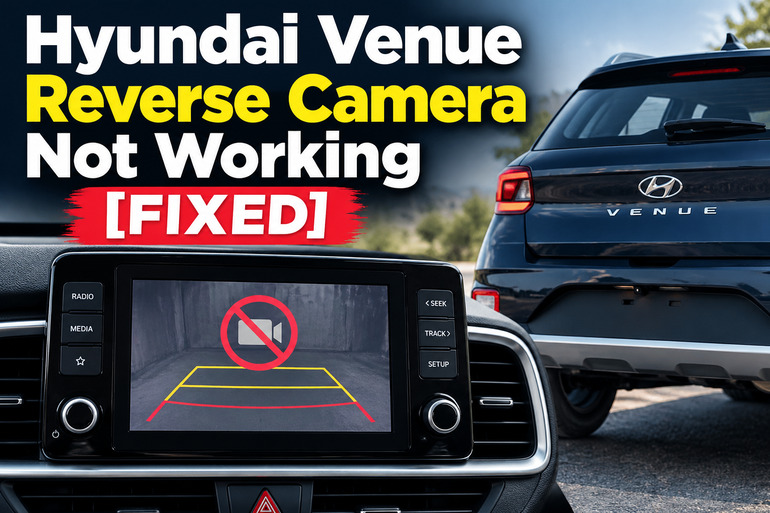
Hyundai Venue Reverse Camera Not Working [FIXED]: Common Causes
The Hyundai Venue’s rear view monitor uses a camera mounted at the rear of the vehicle to display the area behind you on the infotainment screen. On models equipped with this feature, selecting Reverse normally activates the camera display when the vehicle’s ignition or power system is in the required operating state. The exact operation varies by model year, trim, and market. Your Hyundai Venue owner’s manual provides model specific operating instructions.
When the camera stops working, pay attention to what appears on the screen. A completely black display, a message indicating that no signal is available, an intermittent picture, and a blurry image can point to different faults. The infotainment system itself may also be responsible if other functions are failing.
Some problems develop gradually because moisture, dirt, or corrosion affects a component. Others appear suddenly after a battery replacement, an impact to the rear of the vehicle, a repair, or an electrical fault.
Until the camera works properly, use your mirrors, check your surroundings directly, and reverse slowly. The camera provides assistance rather than a complete view of everything behind the vehicle. Never rely on its image alone when moving in reverse.
Hyundai Venue Reverse Camera Not Working: Common Causes
Several faults can produce similar symptoms, so a black screen does not automatically mean that the camera itself needs replacement. Start with the following likely causes and compare them with what your vehicle is doing.
1. A Dirty or Obstructed Camera Lens
Dirt, mud, water droplets, road grime, and condensation can cover the small camera lens at the rear of your Hyundai Venue. This problem is particularly noticeable after rain, driving on dusty roads, or washing the vehicle.
An obstructed lens usually produces a picture that is blurry, hazy, dark, or difficult to interpret rather than a completely blank screen. You may also notice water spots or streaks across the image. In some cases, a film of dirt can make nearby objects appear much farther away than they really are.
Cleaning the lens is a useful first step because it requires no electrical repairs. However, a clean lens will not solve a black screen caused by a failed camera, damaged wiring, or a display fault.
2. A Blown Fuse or an Electrical Supply Problem
Your Hyundai Venue has electrical circuits protected by fuses. A fuse opens the circuit when excessive current passes through it, helping protect the wiring and connected components from damage.
If a fuse associated with the camera, infotainment unit, or relevant vehicle electronics fails, the camera may stop displaying an image. The exact effect depends on how the electrical circuits are configured on your particular Venue.
Look for other symptoms that occur at the same time. For example, the infotainment display may be completely blank, certain buttons may stop responding, or other electrical accessories may fail. If the screen works normally but the camera does not, the problem could still be electrical, although a fuse is not automatically the most likely explanation.
The appropriate fuse location and rating depend on the vehicle’s model year and specification. Your Hyundai owner’s manual provides fuse inspection and replacement precautions. A fuse that blows again after replacement indicates an unresolved electrical problem that requires diagnosis.
3. Damaged Wiring or Loose Electrical Connections
The rear camera relies on electrical connections to receive power and transmit its image to the vehicle’s display. A damaged wire, loose connector, corroded terminal, or poor connection can interrupt that process.
This fault becomes more likely if the camera stopped working after a rear collision, tailgate repair, installation of an aftermarket accessory, or work on the vehicle’s electrical system. Water intrusion around a connector may also contribute to intermittent operation.
A camera that works occasionally and then cuts out may have a connection problem. The image might disappear after driving over rough roads or return temporarily before failing again. These symptoms are clues rather than proof, since an internal camera fault can also produce intermittent operation.
Inspecting the visible exterior area is reasonable, but accessing the camera wiring or removing interior panels may require trim tools and electrical testing equipment. Avoid pulling at cables or disconnecting connectors while the vehicle is powered. Damaged insulation and incorrect repairs can create additional faults.
4. A Failed Reverse Camera
The camera unit itself can fail because of internal electronic damage, moisture intrusion, physical impact, or deterioration of its components.
When this happens, the infotainment screen may remain functional while the camera display shows a black image, a distorted picture, or a no signal message. If the camera lens is clean and there is no obvious external obstruction, an internal fault becomes one possibility to investigate.
An abrupt failure after a rear impact may also indicate damage to the camera housing or its mounting. Water entering a damaged housing can affect the electronics, although the symptoms alone cannot confirm moisture damage.
Replacing the camera may resolve the problem if testing confirms that the unit has failed. However, replacing it before checking its power supply, wiring, and signal path can waste money because a defective connection may produce the same symptoms.
5. An Infotainment System or Reverse Signal Fault
The camera depends on the vehicle recognizing that Reverse has been selected and activating the appropriate display function. If the infotainment system freezes, malfunctions, or fails to receive the correct reverse signal, the image may not appear even when the camera is functional.
For example, the infotainment display may stay on the radio screen instead of switching to the rear view. Alternatively, the display could go black, restart, or become unresponsive when Reverse is selected.
A fault involving the transmission range sensor, reverse switch, associated wiring, or vehicle control electronics can also affect the signal that triggers the camera, depending on the model’s design. If the reverse lights also fail to illuminate, an issue with the reverse selection signal or its electrical circuit deserves attention.
However, working reverse lights do not guarantee that the camera trigger circuit is operating correctly. The infotainment unit, camera power supply, and video signal path may have separate faults.
Hyundai Venue Reverse Camera Not Working: DIY Fixes
The most effective repair depends on the symptom. Start with simple checks that do not require removing vehicle components, then move to electrical diagnosis if the camera remains unavailable.
1. Clean the Rear Camera Lens
Begin by locating the camera lens at the rear of your Venue, usually around the tailgate or rear number plate area, depending on the vehicle’s specification.
Use a soft, clean microfiber cloth to remove dust, mud, and water spots. If necessary, dampen the cloth with clean water and wipe the lens gently. Avoid abrasive materials, harsh chemicals, and excessive pressure that could damage the lens cover.
After cleaning, switch the vehicle on according to the owner’s manual, apply the parking brake, and have another person check whether the rear image appears when Reverse is selected. Keep your foot on the brake and ensure the area behind the vehicle is clear.
If the picture becomes clear, the problem was likely an obstruction. If the screen remains black, continue with the next checks rather than repeatedly cleaning the lens.
2. Check the Infotainment Display and Camera Settings
Before assuming that a component has failed, determine whether the infotainment system works normally. Check whether the radio, audio controls, menu buttons, and other display functions respond as expected.
If your Venue’s infotainment system includes camera settings, consult the owner’s manual for the available options. On some newer Venue versions, camera settings are accessible through a menu similar to Settings > Vehicle > Driver Assistance > Parking Safety > Camera Settings. The exact menu names and available features differ by model and equipment.
Check display brightness and contrast settings if the camera image appears unusually dark. Also distinguish between a missing camera image and missing parking guide lines. Guide lines may be controlled separately, so their disappearance alone does not necessarily mean that the camera has failed.
Use the infotainment system’s documented procedure to restart it if the display appears frozen. Do not use an unfamiliar button combination or disconnect the battery simply to force a restart.
If other infotainment functions are also malfunctioning, the display unit or its electrical supply deserves further investigation.
3. Inspect the Relevant Fuse
If basic checks do not restore the camera, inspect the owner’s manual for the fuse assignments applicable to your exact Venue model year and market. The vehicle may have separate fuse panels in the passenger compartment and engine compartment.
Before touching a fuse, switch the vehicle and relevant electrical accessories off. Follow the specific instructions in the owner’s manual. If the manual does not identify a fuse clearly associated with the affected system, ask a qualified technician to identify the correct circuit.
Only replace a confirmed blown fuse with another of the same specified rating. Never use a higher rated fuse, metal foil, or wire as a substitute. An incorrect replacement can overheat the wiring and create a fire risk.
After replacing the fuse, check whether the camera works. If the replacement fuse blows again, stop replacing it and arrange an electrical diagnosis. Repeated failure can indicate a short circuit or another fault that needs to be identified before the camera is used again.
4. Check the Reverse Lights and Visible Rear Components
With the vehicle stationary, check whether the reverse lights illuminate when Reverse is selected. Have another person observe the lights from a safe position while you keep control of the vehicle and apply the brake. Make sure the surrounding area is clear.
If the reverse lights do not work, the fault may involve the bulbs, fuse, wiring, reverse signal, or another part of the relevant circuit. The camera may have a separate cause, so this check provides a clue rather than a final diagnosis.
Next, visually inspect the camera housing and the surrounding rear panel for cracks, signs of impact, water intrusion, or loose external trim. Do not remove the camera or pull apart electrical connectors unless you have the appropriate repair information and skills.
A damaged housing, visible wiring damage, or symptoms that began immediately after a collision make professional inspection particularly worthwhile.
5. Check for Signs of an Intermittent Electrical Fault
If the camera works sometimes but fails at other times, note exactly when the problem occurs. Record whether the image disappears immediately after selecting Reverse, returns after restarting the vehicle, or changes after the tailgate has been opened and closed.
These details can help a technician distinguish between a camera problem, an unstable electrical connection, and an infotainment system fault. A fault that appears after heavy rain may also justify checking for water intrusion, although rain alone does not establish the cause.
Do not strike the camera, bend cables, or repeatedly move the tailgate in an attempt to force the image to return. Such actions can worsen an existing fault or damage a connector.
A pattern of intermittent failure is useful diagnostic evidence. Share it with the repair technician rather than immediately buying a replacement camera.
6. Contact a Qualified Automotive Technician
If the camera still does not work after the safe checks above, arrange an inspection at a Hyundai service center or a reputable automotive electrical workshop. Professional diagnosis is particularly important when the display reports a camera fault, the screen flickers, the image is distorted despite a clean lens, or a replacement fuse fails again.
A technician can check the camera’s power supply, ground connection, wiring continuity, reverse activation signal, video connection, and infotainment system. These tests help establish whether the failed component is the camera, a connector, the wiring, or another part of the system.
If replacement is necessary, confirm that the new camera is compatible with your Venue’s model year, trim, and market specification. Some vehicles may require additional configuration after component replacement.
Avoid continuing to use the vehicle’s camera as though it were operational when its image is unreliable. The vehicle may still be driveable, but you must compensate with careful observation and other safe reversing practices until the fault is corrected.
Wrap-Up
A Hyundai Venue reverse camera that stops working may have a simple lens obstruction or a fault involving the fuse, wiring, camera unit, or infotainment system. The symptom provides a useful starting point, but proper diagnosis is necessary before replacing expensive components.
Start by cleaning the lens, checking the display, and consulting the correct owner’s manual. If these steps do not restore the image, or an electrical fault is suspected, arrange a professional inspection. A working reverse camera improves visibility when parking, but careful observation remains essential whenever you move your vehicle in reverse.