
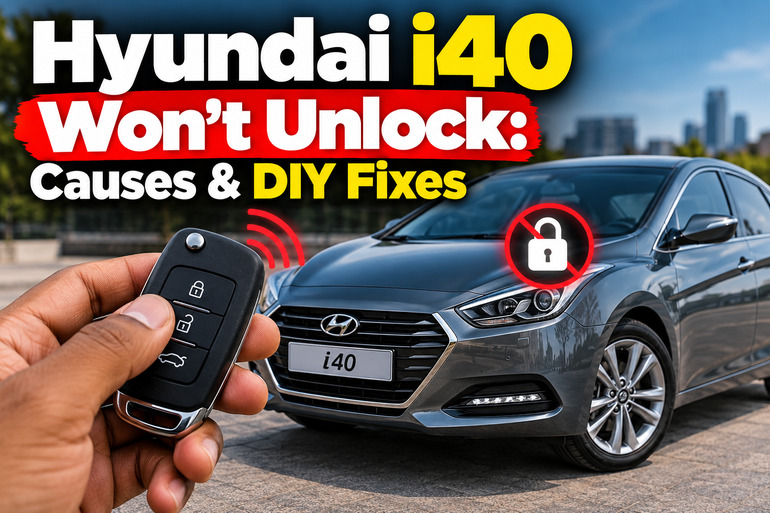
A Hyundai i40 that refuses to unlock can leave you stranded outside your car, even when the key appears to be working normally. Sometimes the cause is a weak key fob battery or a temporary signal problem. In other cases, a flat car battery, faulty door lock actuator, or damaged lock mechanism may be responsible. Identifying which part has failed helps you avoid unnecessary repairs and regain access safely.
What It Means When Your Hyundai i40 Won’t Unlock
The Hyundai i40 uses a central locking system that allows you to lock or unlock the doors with a remote transmitter, smart key, or mechanical key, depending on the vehicle’s specification. When you press the unlock button, the remote sends a signal to the vehicle’s receiver. The locking system then operates the appropriate door lock mechanisms.
When this process fails, the symptoms can help narrow down the cause. If none of the doors responds to the remote, the problem may involve the key fob, vehicle battery, signal reception, or central locking electronics. If the other doors unlock but the driver’s door remains locked, a fault with that particular door’s actuator or latch becomes more likely.
You may also notice that the hazard lights flash while the doors remain locked, or hear a faint clicking sound without the lock moving. These clues can point to a mechanical or electrical fault, although they don’t confirm the diagnosis on their own.
Before replacing any components, establish whether the mechanical key can open the driver’s door. This simple test separates a remote locking problem from a physical lock problem and helps determine the safest next step.
Hyundai i40 Won’t Unlock: Likely Causes
Several faults can prevent your Hyundai i40 from unlocking. The most useful starting point is to determine whether the issue affects the remote, the vehicle’s electrical system, or one particular door.
1. A Weak or Damaged Key Fob Battery
A weak battery is one of the first things to consider when the remote stops unlocking your Hyundai i40. The battery supplies the power needed for the transmitter to send a signal to the car. As the battery loses capacity, the remote may work intermittently or require you to stand closer to the vehicle.
You might notice that the lock button works occasionally, the operating distance becomes shorter, or the remote stops responding altogether. If you have a spare key that operates the locks normally, the original remote becomes a stronger suspect.
Physical damage can produce similar symptoms. Dropping the fob, exposing it to water, or damaging its internal contacts may interrupt its operation even when the battery is new. Replacing the battery is a sensible first step, but it won’t repair damaged electronic components.
2. Signal Interference or Poor Remote Reception
Your i40’s remote may be working correctly while something prevents its signal from reaching the vehicle. Nearby radio transmitters, certain electronic equipment, or interference from a mobile phone can disrupt keyless entry. The distance between the remote and vehicle can also affect operation.
This cause is more likely when the remote works in one location but fails in another, or when moving closer to the driver’s door makes a difference. Extreme cold can also affect remote operation, depending on the vehicle’s design and conditions.
If the car unlocks normally after you move away from the suspected source of interference, a component replacement may be unnecessary. Persistent failure in different locations, especially with two working keys showing the same symptoms, makes a vehicle-side fault more likely.
3. A Weak Car Battery or Central Locking Electrical Fault
The central locking system requires electrical power from the vehicle. If the 12-volt battery is discharged or its connections are poor, the system may not have sufficient power to operate the door locks.
Look for other electrical symptoms. The interior lights may be dim or completely off, the dashboard may fail to illuminate, and the vehicle may struggle to start. A completely flat battery can leave the remote unable to operate the central locking system, although the mechanical key may still provide access.
A blown fuse, damaged wiring, or a faulty central locking control unit can also interrupt power or communication. These faults may occur after electrical work, water intrusion, a short circuit, or deterioration of a connection.
The pattern matters. If all doors fail together and several electrical functions have stopped working, investigate the vehicle’s power supply before condemning individual door actuators.
4. A Faulty Door Lock Actuator or Damaged Latch
Each power operated door lock uses a mechanism that moves the lock between its locked and unlocked positions. Depending on the design, this mechanism includes an electric actuator and mechanical linkage connected to the latch.
An actuator may become worn, develop an electrical fault, or stop moving the lock fully. You might hear repeated clicking from one door, notice that its lock pin moves only partway, or find that three doors unlock while the fourth remains secured.
A damaged latch or disconnected linkage can produce similar trouble. The remote may send the correct command, but the door still won’t open because the mechanism cannot release the latch.
A fault affecting only one door makes a local actuator, latch, or wiring problem more likely than a weak remote battery. Confirming the exact component usually requires further inspection of the affected door.
5. A Frozen, Seized, or Damaged Mechanical Lock
The mechanical lock can develop problems independently of the remote locking system. Moisture, dirt, corrosion, or a lack of appropriate lubrication may make the lock cylinder difficult to turn, especially on a vehicle that rarely uses its physical key.
Cold weather can also freeze moisture inside the lock or around the door seal. In that situation, the key may enter the cylinder but refuse to turn, or the door may remain stuck even after the lock has moved.
A worn key or damaged lock cylinder can create similar trouble. If the key turns unusually freely, feels stuck, or requires excessive force, the internal mechanism may be damaged. Avoid forcing it, because a broken key inside the cylinder can make entry and repair much more difficult.
Hyundai i40 Won’t Unlock: How to Fix
The right solution depends on whether the fault lies with the key, vehicle power supply, or door mechanism. Begin with the simplest checks and use the physical key to regain access before attempting any electrical troubleshooting.
1. Use the Mechanical Key to Unlock the Driver’s Door
If the remote has stopped working, the mechanical key is usually the first way to regain access without damaging the vehicle. The method depends on whether your i40 has a folding key, a removable key blade, or a smart key.
On versions with a removable key blade, press the release button on the fob and remove the blade. On versions with a covered lock cylinder, pull the driver’s door handle and carefully release the cover according to the vehicle’s owner’s manual.
Insert the mechanical key into the exposed cylinder and turn it in the specified unlocking direction. On some i40 configurations, the key turns toward the rear of the vehicle to unlock and toward the front to lock. Confirm the directions for your model before applying force.
If the key turns but the door remains shut, gently check whether the handle operates normally. If the key won’t turn, stop rather than forcing it. The cylinder may be seized or damaged, requiring assistance from an automotive locksmith.
2. Replace the Key Fob Battery
If the mechanical key works but the remote does not, replacing the fob battery is a practical next step.
Some Hyundai i40 versions use a CR2032 coin cell. Confirm the battery type printed in your owner’s manual or on the existing battery before purchasing a replacement, since the correct specification depends on the particular remote.
To replace it safely, follow these steps.
-
Open the remote’s casing using the appropriate slot and a small, suitable tool.
-
Remove the old battery without damaging the contacts.
-
Fit the new battery in the orientation indicated inside the casing.
-
Refit the cover securely and test the lock and unlock buttons beside the vehicle.
A coin cell installed backward may prevent the remote from operating. Avoid touching or bending the contacts unnecessarily, and keep the small battery away from children because swallowing one can cause severe internal injury.
If the fob still fails with a fresh, correctly installed battery, the remote may have internal damage or another fault may be preventing it from communicating with the car.
3. Eliminate Signal Interference and Test the Spare Key
Before paying for a replacement remote, test the existing one in a different location. Move away from nearby electronic equipment and keep the key fob separate from your mobile phone.
Stand close to the driver’s door, press the unlock button once, and allow the system a moment to respond. Avoid pressing the buttons rapidly over and over, since repeated lock and unlock commands in quick succession can temporarily interrupt operation on some configurations.
If you have a spare key, test it as well. A spare that works normally points toward a fault with the original fob or its battery. If both remotes fail in the same way, the vehicle’s receiver, electrical supply, or central locking system deserves further investigation.
Keep in mind that a spare key is a diagnostic aid rather than proof of a particular fault. Two remotes may also have weak batteries, so consider their condition before drawing a conclusion.
4. Check the Vehicle Battery and Relevant Fuses
If the remote does not work and the car’s electrical systems appear weak, investigate the 12-volt battery first. Check whether the interior lights, dashboard, and other normal electrical functions operate as expected.
If the battery appears discharged, use the charging or jump-start procedure specified in your Hyundai owner’s manual, or arrange for roadside assistance. Follow the required connection points and safety precautions. Do not attempt a jump-start if the battery is cracked, leaking, swollen, or otherwise visibly damaged.
If the vehicle has normal electrical power but central locking remains inoperative, consult the fuse diagram for your particular i40. The fuse location and designation can differ by model year, engine, body style, and equipment.
Only inspect fuses that are relevant to the locking system. Switch off the vehicle before carrying out the checks required by the manual, and replace a blown fuse only with one of the specified ratings. Never install a higher-rated fuse or bridge the terminals.
If a replacement fuse blows again, stop testing and have the circuit inspected. A repeated failure indicates that an underlying electrical problem may still be present.
5. Carefully Address a Frozen or Stiff Door Lock
If the remote appears to work but the driver’s door remains physically stuck in cold weather, ice may be preventing the lock or door seal from moving freely.
Start by checking whether the door handle moves normally and whether another door can open. If the door seal appears frozen, use a suitable automotive de-icer or a gentle warming method recommended for the vehicle. Warm the area gradually and avoid pouring hot water over the lock or glass, since rapid temperature changes may cause damage and water can freeze again.
For a stiff mechanical cylinder, use a lubricant specifically approved for automotive lock cylinders. Apply it according to the product instructions, then insert the key gently and try turning it without excessive force.
Do not spray an arbitrary household lubricant into the lock or force a key that will not turn. If the cylinder remains seized or the door handle moves without releasing the latch, a locksmith or automotive technician should inspect the mechanism.
6. Diagnose a Door That Stays Locked While the Others Open
When the other doors unlock normally, the problem is more likely to involve the affected door than the main power supply or remote signal.
After gaining access through another door, use the interior lock and unlock switch if your vehicle’s configuration permits it. Observe whether the affected lock moves, makes a clicking noise, or remains completely still. Check whether the inside handle releases the door according to the normal operating procedure.
A lock that clicks without releasing may have a faulty actuator, a jammed latch, or damaged linkage. A silent lock may have an actuator, connector, wiring, or control problem. These observations help narrow down the diagnosis, but they don’t identify the failed component with certainty.
Avoid removing door trim while the door remains shut or dismantling the latch without the correct tools and repair information. Door mechanisms can contain tightly fitted clips, electrical wiring, and other parts that are easy to damage during an improvised repair.
7. Contact a Qualified Automotive Technician
Professional diagnosis is appropriate if none of the preceding checks restores access, if the mechanical key will not operate, or if the central locking system continues to fail with a working remote.
A technician can check the battery condition, inspect the relevant fuses and wiring, test remote signal reception, and use suitable diagnostic equipment to investigate the locking control system. If the fault is limited to one door, the actuator, latch, connector, and associated wiring can be examined directly.
You may need an automotive locksmith if the mechanical key is lost, broken, or unable to operate the cylinder. Persistent electrical faults are better handled by a technician familiar with Hyundai’s locking system.
Avoid forcing the door open, prying apart the window frame, or bypassing the locking electronics. These approaches can damage bodywork, glass, wiring, or the security system and may cost considerably more to repair than the original fault.
Wrap-Up
A Hyundai i40 that won’t unlock may have a simple key fob problem or a fault involving the vehicle’s battery, electrical system, or door lock mechanism. The most useful starting points are the mechanical key, a correctly specified remote battery, and a comparison between the original and spare key.
Pay attention to whether all doors fail or only one, and whether the car shows other electrical symptoms. Those details help narrow down the possible causes. When basic checks fail or the lock resists normal operation, arrange a proper diagnosis instead of forcing the door. A careful approach protects the vehicle and helps you avoid replacing parts unnecessarily.