
Hyundai Climate Start should let you cool or warm the cabin before you get inside. When the command fails, the cause may be a simple setting, a connection issue, a vehicle safety condition, or a fault in the climate control system itself. The key is to distinguish a failed remote start from a successful start that produces little or no heating or cooling.
Hyundai offers different remote climate features across its models and markets, so the exact controls and requirements depend on your vehicle. Start with the checks below, using your owner’s manual for model specific instructions.
What Does Hyundai Climate Start Not Working Mean?
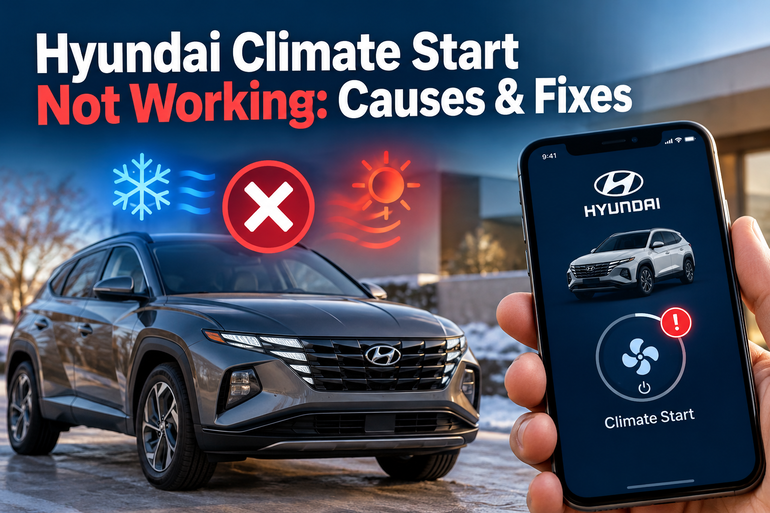
Hyundai Climate Start generally refers to a feature that lets you activate your vehicle’s engine and climate control remotely through a compatible connected services app or, on some models, a smart key. The cabin can begin cooling or heating while the vehicle remains parked. Depending on your model, the feature may be called Remote Start, Remote Engine and A/C Start, Remote Climate Control, or Scheduled Climate Control.
A failure can take several forms. You might press the start button in the app and receive an error message, see a command remain pending, or receive confirmation without the vehicle starting. In other cases, the engine starts successfully, but the cabin stays warm, the heater produces cold air, or the ventilation system fails to respond as expected.
These symptoms point to different problems. A rejected remote command usually requires checking feature eligibility, vehicle security conditions, the battery, or connectivity. If the engine starts but the cabin temperature does not change, investigate the climate settings and the heating or air conditioning system.
Electric vehicles require special consideration. Some Hyundai EVs use scheduled climate functions that operate under different conditions from an engine based remote start. For example, certain scheduled climate systems require the vehicle to be connected to a charger at the scheduled time. Follow the instructions for your specific model in the Hyundai owner’s manual.
Hyundai Climate Start Not Working: Likely Causes
Several conditions can prevent Climate Start from working. The symptoms and the stage at which the process fails can help you identify the most likely cause without replacing parts unnecessarily.
1. The Vehicle Does Not Support the Feature or the Service Is Inactive
Not every Hyundai has the same remote climate capabilities. Availability depends on the vehicle’s model year, equipment, market, and connected services system. Some vehicles support remote engine starting but have different climate control options, while others use a separate scheduled climate function.
On compatible vehicles, the relevant connected services account must also be properly enrolled, and any required subscription or service activation must be in place. If Climate Start worked previously but has stopped after an account change, subscription expiry, or vehicle transfer, verify the service status before suspecting a mechanical fault. Hyundai’s official Bluelink information describes the available remote engine and air conditioning functions and their requirements.
2. The Vehicle’s Safety Conditions Are Not Satisfied
Remote starting is subject to safety checks. On many compatible automatic transmission Hyundai models, the transmission must be in Park, the doors and trunk must be closed and locked, and the hood must be securely closed. The ignition must also be off, and the vehicle may need to be locked for a specified period before accepting a command.
An open hood, an unlocked door, or a vehicle that has not been placed in the correct state can prevent remote starting. Some systems also reject a command if the brake pedal is depressed or the security system has been triggered.
Check the dashboard or app for a warning that identifies the condition preventing startup. Requirements vary by model, so consult the relevant Hyundai owner’s manual rather than assuming every model follows identical rules.
3. Weak Cellular Reception or an App Communication Problem
Remote Climate Start through Bluelink or another supported Hyundai connected services app depends on communication between your phone, the service platform, and the vehicle. A poor mobile connection, a temporary service interruption, or weak cellular reception where the vehicle is parked can delay or prevent a command from reaching the car.
You might see a loading indicator, a pending command, or an error despite the vehicle appearing to be in good condition. Some vehicles also enter a low power or sleep state while parked to conserve battery energy. They may need additional time to wake up and acknowledge a command. Hyundai explains this possibility in its Bluelink service information.
The distinction matters because a communication delay does not automatically mean that the vehicle has a mechanical fault. Repeatedly submitting commands while the first one is still pending can also make it harder to determine whether the original request succeeded.
4. A Weak 12 Volt Battery or an Electrical Fault
A low 12 volt battery can prevent remote starting because the vehicle needs sufficient electrical power to operate its control modules and starting systems. Depending on the vehicle, a weak battery may also produce warning messages, intermittent electronic problems, or difficulty starting normally.
This is particularly worth considering if the car has been parked for several days, the engine cranks slowly, interior lights appear unusually weak, or other electrical features have stopped working. A low battery is one of the conditions identified in Hyundai’s Bluelink user manual as a possible reason remote start may fail.
A vehicle may still unlock or communicate with an app while lacking the power needed to complete a start sequence. Therefore, successful remote locking does not prove that the battery is healthy. A proper battery and charging system test is more useful than repeatedly trying the climate function.
5. Incorrect Climate Settings or a Fault in the HVAC System
Sometimes the remote start works, but the cabin remains uncomfortable. This can happen when the selected temperature, fan settings, air distribution, or defrost options do not match your expectations. Some models use the last climate settings, while others allow a temperature or climate preset to be selected in the app.
If the engine runs but the air remains warm when cooling is requested, the air conditioning system may have a separate problem. Possible causes include low refrigerant from a leak, a compressor fault, a malfunctioning cooling fan, or an electrical problem. A heater that fails to produce warm air can indicate a coolant circulation problem, a thermostat fault, or an issue with a temperature control component.
Climate settings should be checked first, but persistent heating or cooling problems deserve separate diagnosis. The remote start function and the HVAC system perform different jobs, even though they work together to condition the cabin.
Hyundai Climate Start Not Working: How to Fix
Start with the simplest checks before attempting repairs. The following steps address common causes of remote start failures while helping you distinguish an app problem from a fault that needs professional diagnosis.
1. Confirm Feature Compatibility and Service Activation
First, verify that your particular Hyundai supports the type of Climate Start you are trying to use. Check the owner’s manual for your exact model year and trim, or search the official Hyundai owner’s manual website using your vehicle’s details.
Next, open your connected services app and confirm that your vehicle is linked to the correct account. Check whether the relevant remote service is active and whether any required subscription has expired. If you recently purchased the vehicle used, confirm that its connected services enrollment has been completed correctly.
If the feature is unavailable for your model or market, changing climate settings or replacing the battery will not enable it. Establishing compatibility early can save time and prevent unnecessary repair costs.
2. Prepare the Vehicle for Remote Starting
Park the car in a permitted, safe location and put an automatic transmission in Park. Switch the ignition off, close the hood and trunk, close all doors, and lock the vehicle with the method specified in your owner’s manual. Make sure the brake pedal is not being pressed and that no security alarm is active.
Wait for the interval required by your model before issuing the command. Hyundai’s Philippines Bluelink guidance, for example, specifies waiting at least 30 seconds after locking for its covered remote engine start procedure. That interval should not be treated as a universal requirement for every Hyundai. You can review the applicable instructions on the official Hyundai Bluelink page.
Open the app and select the supported remote start or climate function. Enter your security PIN or complete any requested authentication, then select the temperature or climate preset where available. Check the command status before trying again.
Safety precaution: Never remote start a combustion engine inside a closed garage or another enclosed space because exhaust gases can accumulate and cause fatal carbon monoxide poisoning. Follow local rules on engine idling and remote starting.
3. Troubleshoot the App and Connection
If the vehicle meets the required conditions but the command still fails, check whether your phone has a working internet connection. Try switching between Wi-Fi and mobile data where appropriate, then close and reopen the app. Check for an available app update and sign back in if your account session has expired.
Allow sufficient time for a response before sending another command. The vehicle may be asleep, or the connected services platform may be experiencing a temporary interruption. If the app continues to report a connection problem, try again later and check Hyundai’s official service information or contact connected services support.
You can also check whether other supported remote functions respond. If remote locking, vehicle status, and Climate Start all fail, a shared communication or account issue becomes more plausible. If those functions work but Climate Start alone fails, investigate the feature’s specific requirements.
4. Check the Vehicle Battery and Warning Messages
If your Hyundai struggles to start normally or shows battery related warnings, arrange a battery test. A technician can measure its condition and check the charging system if needed. A battery test is especially useful when remote starting becomes unreliable after extended parking.
Do not replace the battery solely because Climate Start fails. A healthy battery can coexist with a software, communication, or safety interlock problem, and a weak battery may produce several different symptoms.
If the vehicle displays warning messages, record the exact wording before clearing anything. An engine management warning, a key detection error, or a battery warning may give a technician a more useful starting point than the remote start symptom alone.
5. Test the Climate System and Review Its Settings
If the engine starts but the cabin does not cool or heat properly, enter the vehicle with your key and test the climate system using its normal controls. Select a suitable temperature, set the fan to a reasonable speed, and check whether the air changes as expected.
For cooling, allow a short period for the system to respond, particularly in a cabin that has been sitting in direct sunlight. For heating, the time required may depend on the vehicle’s powertrain and current conditions. Hybrid and electric models can operate heating and cooling differently from conventional petrol vehicles.
If normal climate controls work but remote climate settings do not, review the app’s temperature selection and the vehicle’s remote start instructions. If both manual and remote controls produce poor heating or cooling, the HVAC system probably needs separate attention.
For an EV with scheduled climate control, check that the departure time, selected temperature, and other required conditions are configured correctly. Where the owner’s manual requires a charging connection, verify that the vehicle is plugged in at the specified time. The Hyundai EV owner’s manual provides an example of these model specific requirements.
Final Solution: Contact Hyundai or a Qualified Technician
Professional diagnosis is appropriate when the vehicle meets the remote start requirements but repeatedly rejects commands, displays persistent warnings, or fails to start normally. Contact Hyundai connected services support if the issue appears limited to account activation, app communication, or feature availability.
Visit a qualified automotive technician if battery tests, starting problems, electrical warnings, or HVAC symptoms suggest a vehicle fault. A technician can check stored diagnostic trouble codes, test the battery and charging system, inspect the relevant electrical circuits, and diagnose the air conditioning or heating components.
Stop repeated starting attempts and seek assistance promptly if you notice a burning smell, smoke, damaged wiring, or other signs of an electrical fault. These symptoms require attention beyond routine app troubleshooting.
Wrap-Up
Hyundai Climate Start problems can originate in the connected services app, the vehicle’s security conditions, its battery, or the climate control system. Identifying whether the remote command fails completely or the cabin simply fails to reach the selected temperature is the most useful first step.
Start by confirming compatibility, preparing the vehicle correctly, and checking the app connection. If the problem persists, use the warning messages and battery condition to guide the next diagnostic step. A targeted inspection can resolve the underlying fault without unnecessary part replacements, helping you restore dependable remote climate control.