
Your Hyundai’s Blind-Spot Collision Warning (BCW) system helps you notice vehicles approaching from areas your mirrors may not fully reveal. When the mirror warning lights stop working, alerts disappear, or a dashboard message says the system is disabled, changing lanes can become less predictable. The cause may be something as simple as a dirty rear bumper or an incorrect setting, although sensor damage and electrical faults can also be responsible.
Understanding what triggers these problems helps you identify safe checks to perform before arranging a professional inspection.
What Does It Mean When the Hyundai BCW System Stops Working?
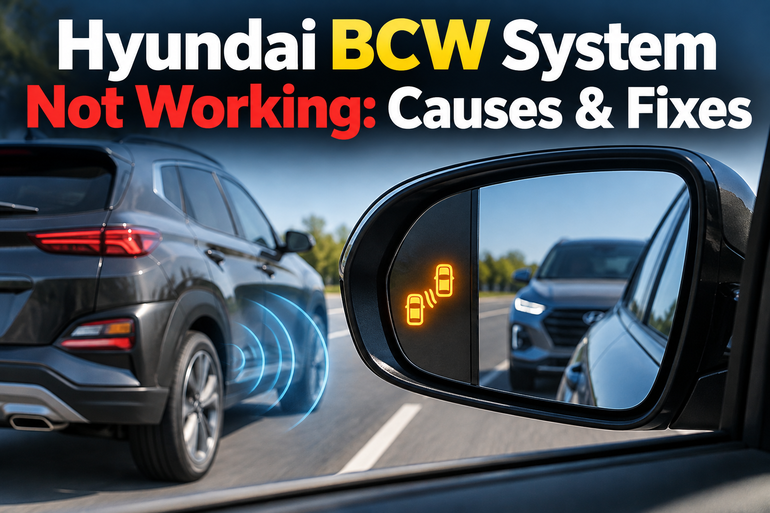
The Hyundai BCW system uses radar sensors, generally positioned behind the rear bumper near the vehicle’s corners, to detect vehicles approaching or traveling within adjacent blind spots. When the system detects a vehicle, a warning indicator in the corresponding outside mirror illuminates. Depending on the model and driving conditions, activating your turn signal while another vehicle is detected may trigger an additional warning sound.
When the system stops working, you might notice that the mirror indicators remain dark even when another vehicle is beside you. You may also see a message such as “Check Blind-Spot Safety System” or “Blind-Spot Safety System Disabled. Radar Blocked” on the instrument cluster. Some Hyundai models use slightly different wording.
These symptoms do not always indicate a failed radar sensor. The system may be switched off, temporarily affected by weather, or unable to detect surrounding traffic under certain conditions. A damaged bumper or faulty electronic component can also interfere with operation.
Because the BCW system is a driver assistance feature, you should continue checking your mirrors and blind spots manually while investigating the fault. The system does not detect every vehicle in every situation, even when it appears to be working normally. A warning message or unusual behavior deserves attention, particularly when the problem persists after basic checks.
Hyundai BCW System Not Working: Likely Causes
Several problems can prevent your Hyundai’s Blind-Spot Collision Warning system from operating correctly. The following causes are worth investigating, starting with the simplest explanations before considering a component failure.
1. Blind-Spot Collision Warning Is Switched Off
The BCW system may have been disabled through the vehicle’s driver assistance settings or a dedicated button, depending on your Hyundai’s model, year, and equipment. This can happen after someone changes the settings, adjusts vehicle preferences, or accidentally presses a control.
When the feature is switched off, the radar sensors might be physically intact, but the system will not provide its usual warnings. The exact behavior and dashboard indication depend on the vehicle. Some newer Hyundai models group blind-spot functions under a menu called “Blind-Spot Safety,” while older models may use a physical switch.
Check whether the feature is enabled before assuming a sensor or wiring problem. Also distinguish between the BCW warning function and other features, such as Blind-Spot View Monitor, which displays a camera image in the instrument cluster on equipped vehicles. These functions serve different purposes, so switching on one does not necessarily activate the other.
2. Dirt, Water, or Debris Is Blocking the Radar Sensors
The rear corner radar sensors need a suitable detection area to identify nearby vehicles. Mud, road grime, accumulated snow, ice, and other foreign material on the rear bumper can interfere with their operation.
Heavy rain and snow can also temporarily reduce detection performance. In some conditions, your Hyundai may display a warning indicating that the radar is blocked. The system may disable itself until the obstruction is removed.
This problem is particularly worth checking after driving on muddy roads, traveling through heavy rain, or leaving the vehicle parked in snowy conditions. A trailer, towbar-mounted carrier, or bike rack near the sensors can also interfere with detection, even when the bumper itself is clean.
If the system begins working again after the obstruction is removed and the vehicle is restarted, temporary blockage may have been responsible. However, a persistent warning after cleaning calls for further investigation.
3. Rear Bumper Damage or Incorrect Repairs
The location and condition of the rear bumper matter because the radar sensors must be correctly positioned and operate through an appropriate sensor area. A minor-looking impact can affect the mounting position or damage a sensor without leaving obvious external signs.
Problems can also develop after a collision repair, bumper replacement, or repainting. If the repair uses unsuitable parts or alters the area around the radar, the BCW system may detect vehicles incorrectly or stop functioning as expected.
Look for signs of recent damage, loose bumper sections, or repairs around the rear corners. These observations cannot confirm a sensor alignment problem, but they can help explain why the fault started at a particular time.
Avoid pressing on the radar area or attempting to reposition the sensors yourself. Hyundai cautions against disassembling or damaging the radar assembly, and affected vehicles may require inspection or calibration by a qualified technician.
4. Weather and Road Conditions Are Affecting Detection
Sometimes, the BCW system appears to have failed even though its components are functioning. This can happen because radar detection has limitations that depend on the surroundings and the movement of nearby vehicles.
Heavy rain, snow, extreme temperatures, wet road surfaces, and certain roadside structures can affect performance. Curved roads, merging lanes, slopes, and roads with different lane heights can also make nearby traffic more difficult for the system to interpret.
You may notice the warning light working in ordinary traffic but failing to illuminate consistently on a ramp or a sharp bend. A vehicle that passes very quickly, changes lanes rapidly, or travels in a position outside the detection area may also go unnoticed.
A fault that occurs only under particular conditions does not automatically mean the system needs replacement. However, repeated problems in normal driving conditions should be investigated, especially if the vehicle displays a warning or the behavior changes suddenly.
5. A Faulty Radar Sensor, Wiring Connection, or Mirror Warning Light
If the settings are correct and the bumper is clean, the fault may involve an electronic component. A damaged radar sensor, loose electrical connection, wiring fault, or failed mirror warning light can prevent the system from giving the expected alerts.
The symptoms can help narrow down the problem. For example, if the instrument cluster displays a BCW malfunction message, the vehicle may have detected a fault within the system. If the dashboard reports that the outside mirror warning light is faulty, the mirror indicator itself may need attention.
A failed mirror indicator does not necessarily mean the radar sensor has stopped detecting nearby vehicles. Likewise, a functioning mirror light does not prove that the complete BCW system is operating correctly.
Diagnosing these faults generally requires suitable diagnostic equipment and vehicle-specific information. Replacing the radar sensors or mirror assembly without testing can lead to unnecessary expenses, while a problem that requires sensor alignment may remain unresolved after installing a new component.
Hyundai BCW System Not Working: How to Fix
You can check several basic issues without dismantling the vehicle or working on its electrical systems. Start with the vehicle’s settings and the condition of the rear bumper, then consider the circumstances in which the fault occurs.
1. Confirm That the BCW System Is Enabled
First, park your Hyundai in a safe location. Keep the vehicle stationary while checking the driver assistance settings.
Depending on your model, you may find the relevant option under a menu such as Setup, Vehicle, Driver Assistance, and Blind-Spot Safety. Some vehicles use a dedicated button or a different menu arrangement, so consult your owner’s manual for the correct procedure.
Make sure the applicable blind-spot warning function is switched on. If the vehicle offers separate settings for warning assistance, warning sounds, or camera displays, check the relevant feature rather than assuming they all control the same function.
After enabling the system, restart the vehicle if necessary and observe the instrument cluster for warning messages. The return of normal system status is a useful sign, although you should not deliberately create a dangerous traffic situation to test it.
2. Clean the Rear Bumper Around the Radar Sensors
A blocked sensor area is one of the simplest problems to address. Park the vehicle safely and identify the rear bumper areas where the radar sensors are located. Your owner’s manual should provide the relevant positions for your model.
Remove loose dirt and road grime using water and a soft cloth. Avoid abrasive pads, aggressive chemicals, forceful pressure, or tools that could damage the bumper or sensor area. Do not attempt to remove the sensor assembly or push against the bumper to reach the radar.
If snow, ice, or other debris is present, allow it to clear without damaging the surrounding surface. Also check whether a bike rack, carrier, towbar attachment, or other accessory is obstructing the detection area.
Once the area is clean and any interfering attachment has been removed, restart the vehicle as directed by the owner’s manual. If the warning returns immediately or remains displayed, arrange a professional inspection rather than repeatedly restarting the vehicle in the hope that the fault disappears.
3. Check the System After Weather Conditions Improve
If your BCW warning appeared during heavy rain, snowfall, or extremely hot or cold conditions, the system may be experiencing a temporary detection limitation.
Once it is safe to do so, inspect the rear bumper for visible contamination and allow the weather conditions to improve. If the sensor area is clean, avoid concluding that the radar has failed solely because an alert was missed during poor weather.
You can observe the system during ordinary driving when conditions are suitable, but do not deliberately approach another vehicle, make sudden lane changes, or depend on the BCW system to confirm that a maneuver is safe.
If normal operation returns under suitable conditions and no warning message remains, a temporary limitation may have contributed to the problem. If the same fault continues during clear weather and ordinary driving, a technician should investigate further.
4. Remove Interfering Accessories and Check for Bumper Damage
Think about whether the problem started after installing a trailer, bike rack, carrier, bumper guard, or another accessory. These items can interfere with rear radar detection, depending on their position and the vehicle’s design.
If an accessory is obstructing the radar area, remove it when safe and follow your owner’s manual for restoring the BCW system. Hyundai advises switching off the relevant blind-spot function when installing or removing certain attachments and turning it back on afterward.
Inspect the rear bumper for cracks, dents, loose sections, or signs of recent repairs. Also consider whether the fault began after a minor collision or a visit to a body shop.
Do not attempt to straighten the bumper, reposition the radar, or apply paint and protective films near the sensor area. If damage or an unsuitable repair is suspected, have a qualified technician inspect the installation and determine whether sensor adjustment or calibration is required.
5. Review the Warning Message and When the Fault Occurs
Your Hyundai’s dashboard message can provide an important clue about the type of fault. For example, a message reporting a blocked radar points toward an obstruction or detection limitation, while a message instructing you to check the blind-spot system may indicate a malfunction that requires diagnosis.
Pay attention to whether the problem occurs immediately after starting the vehicle, only during particular weather conditions, or following a collision or repair. Note whether both mirror indicators are affected or only one, and whether the dashboard shows a separate warning for a mirror light.
This information can help distinguish a setting problem from a sensor or electrical fault. Check your owner’s manual for the precise meaning of any displayed message, because its wording can vary between Hyundai models and model years.
Avoid disconnecting the battery, removing fuses at random, or clearing diagnostic trouble codes simply to make a warning disappear. Those actions may complicate the diagnosis without correcting the underlying fault. If basic checks do not restore normal operation, professional testing is the appropriate next step.
6. Contact a Qualified Hyundai Technician
Arrange a professional inspection if the BCW system remains disabled after cleaning the rear bumper, removing obstructions, checking the settings, and restarting the vehicle as specified in the manual.
A technician can scan the vehicle for diagnostic trouble codes, inspect the radar sensors and wiring, check the mirror warning indicators, and determine whether the system requires repair or calibration. If the bumper has been replaced, repainted, or damaged, the inspection should include the sensor mounting and surrounding components.
Choose an authorized Hyundai dealer or a repair shop experienced with Hyundai driver assistance systems. Proper diagnosis is particularly important after collision repairs because the system may not work correctly even when the dashboard does not display a warning.
Until the fault is resolved, use your mirrors, check over your shoulder, and judge surrounding traffic directly before changing lanes. Treat the BCW feature as unavailable rather than relying on it to identify vehicles in your blind spots.
Wrap-Up
A Hyundai BCW system that stops working may have a disabled setting, a blocked radar area, interference from an accessory, or a fault involving the sensor or its electrical connections. Weather and road conditions can also limit detection temporarily. Start with the safe checks you can perform yourself, paying close attention to the dashboard message and the condition of the rear bumper.
If the warning persists or normal operation does not return, arrange a proper diagnosis instead of replacing components without confirmation. Until repairs are complete, rely on direct observation and manual blind-spot checks to make safe driving decisions.