
A Hyundai Accent radio that suddenly stops working can make your daily drive frustrating, especially when the display goes black, the speakers fall silent, or your favorite stations disappear. The fault could come from something simple, such as a blown fuse or an accidental mute setting, but electrical problems and a failing radio unit can produce similar symptoms.
Before spending money on a replacement, identify exactly what has stopped working. A few practical checks can help you narrow down the cause and determine the right repair.
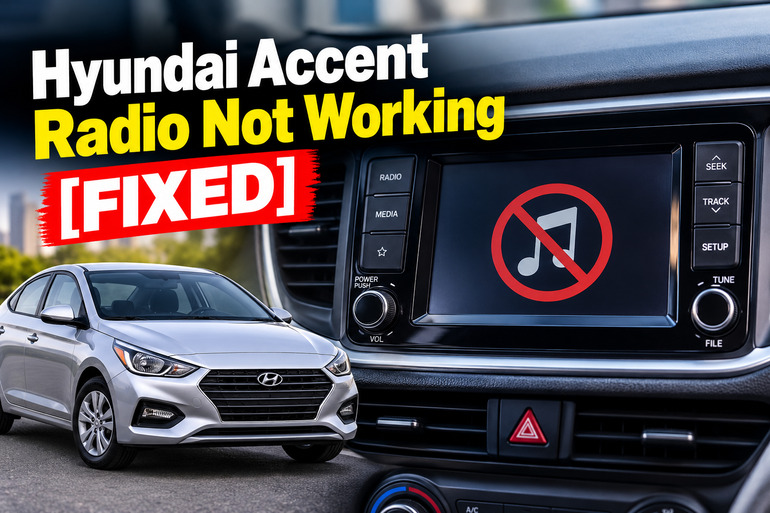
What It Means When Your Hyundai Accent Radio Stops Working
The radio system in your Hyundai Accent depends on electrical power, control buttons, wiring, and audio components working together. Depending on the model year and equipment, the system may include a basic radio, a touchscreen infotainment unit, Bluetooth, USB audio, or smartphone projection.
When the radio stops working, the symptoms can reveal where the fault lies. A completely blank display may indicate a power supply problem, a blown fuse, or an internal failure. If the screen lights up but no sound comes from the speakers, the problem may involve the mute setting, audio configuration, wiring, or amplifier, if fitted.
You may also notice that the radio switches off intermittently, restarts by itself, loses its settings, or struggles to pick up stations. These symptoms don’t necessarily point to the same fault. For example, poor reception with otherwise normal audio operation can indicate an antenna problem rather than a defective radio.
Addressing the issue promptly can prevent unnecessary replacement costs and help identify developing electrical problems. If you notice a burning smell, smoke, melted wiring, or repeated fuse failures, switch the system off and arrange a professional inspection rather than continuing to test it.
Hyundai Accent Radio Not Working [FIXED]: Likely Causes
Several faults can stop your Hyundai Accent radio from working correctly. The most useful starting point is to match the symptoms to the likely cause before removing panels or purchasing parts.
1. A Blown Radio Fuse
A blown fuse is a common reason for a completely dead radio. The fuse protects the electrical circuit by interrupting the flow of current when the circuit draws excessive current or develops a fault.
Depending on your Accent’s model year and equipment, the radio may use a fuse labeled AUDIO, MULTIMEDIA, or something similar. Some systems also depend on an accessory power circuit. The correct labels and fuse ratings vary, so use the diagram on your vehicle’s fuse panel cover and the appropriate owner’s manual rather than relying on a generic online diagram. Hyundai’s Accent fuse documentation also warns that fuse-panel descriptions may vary by vehicle, making the label on the actual vehicle particularly important.【turn609223search3】
A blown fuse may leave the screen completely dark, prevent the unit from starting, or disable related features. However, a fuse that appears intact doesn’t automatically rule out an electrical fault. A wiring short or another defective component can cause a replacement fuse to blow again.
2. A Weak Battery or Interrupted Power Supply
Your radio needs a stable electrical supply to operate. If the battery is weak, its connections are poor, or the vehicle has an alternator or charging-system problem, the radio may behave erratically or switch off when the electrical load changes.
This cause becomes more likely if you also notice slow engine cranking, dim headlights, dashboard warning lights, or other electrical accessories malfunctioning. A radio that stopped working after the vehicle battery was replaced, disconnected, or discharged may have lost power or require its settings to be restored.
The fuse panel may also contain a memory fuse or fuse switch, depending on the version of your Accent. Hyundai’s owner’s-manual guidance explains that removing the memory fuse can disable the audio system and other features.【turn609223search1】 The exact arrangement depends on the vehicle, so verify the correct configuration before making changes.
3. Frozen Radio Software or a Temporary System Error
Modern infotainment systems contain electronic controls that can occasionally freeze or stop responding. Your radio might remain on the startup screen, display an unchanging image, ignore button presses, or restart repeatedly.
A software problem may develop after a system glitch, an interrupted startup, or a connection problem with a connected device. If the display remains illuminated but the controls don’t respond, a temporary system error is worth investigating before replacing any hardware.
Hyundai’s infotainment troubleshooting guidance recommends restarting an unresponsive system using its reset button where equipped. It also advises contacting an authorized dealer when the problem persists.【turn609223search5】 The reset procedure varies by radio type, so don’t assume every Accent has the same button or reset sequence.
4. Loose Wiring, Poor Grounding, or Incorrect Installation
The radio must receive the correct power supply and have reliable electrical connections. If a connector becomes loose, a ground connection deteriorates, or wiring becomes damaged, the radio may lose power intermittently or stop producing sound.
This is especially relevant if the problem began after installing an aftermarket radio, fitting accessories, replacing the battery, or carrying out dashboard repairs. An incorrectly connected wire can interrupt power, interfere with the ignition-controlled supply, or prevent the sound system from operating correctly.
Intermittent behavior can provide a clue. For example, the radio may work briefly, shut off when driving over bumps, or restart unexpectedly. These symptoms suggest that an electrical connection or component may be unstable, although they don’t identify the exact fault. Dashboard wiring should be inspected by someone familiar with automotive electrical systems because incorrect probing or connections can damage other components.
5. A Faulty Head Unit, Antenna, or Speaker Circuit
If the power supply and basic settings are correct, a failure within the radio itself becomes another possibility. Internal electronic components can deteriorate, displays can fail, and circuit boards can develop faults. In such cases, the unit may remain completely dead, fail to boot, or operate inconsistently despite receiving proper power.
The symptoms also help distinguish a radio fault from an antenna or speaker problem. If the radio plays music from a USB device or Bluetooth connection but cannot receive FM stations, investigate the antenna and radio reception circuit. If the display and station information work but there is no sound from any source, the fault may involve audio settings, the output circuit, an external amplifier if equipped, or the speaker wiring.
A single silent speaker points more strongly toward an individual speaker or its wiring than toward a total radio failure. Replacing the entire radio without checking these differences can lead to unnecessary expense.
Hyundai Accent Radio Not Working [FIXED]: DIY Fixes
The right repair depends on whether your radio has lost power, stopped responding, or simply stopped producing sound. Start with the easiest checks, then move to fuse inspection and other electrical checks only when necessary.
1. Check the Radio’s Power and Volume Settings
Start by confirming that the radio is actually switched on. Put the ignition in the ACC or ON position, or use the vehicle’s normal accessory mode where available. Press the radio’s power button and check whether the display illuminates.
If the screen remains black, note whether other accessories work normally. If the display comes on, turn up the volume and check the mute setting. Some Hyundai infotainment systems can also be muted through steering-wheel controls, depending on the equipment fitted.
When the radio is on but silent, select another audio source, such as FM radio or Bluetooth, if available. If one source works while another doesn’t, the problem may be with the connected device or source settings rather than the entire unit. Avoid dismantling the dashboard before completing these basic checks.
2. Restart the Radio or Infotainment System
A temporary software error can sometimes be cleared by restarting the radio. This is particularly worth trying when the screen is frozen, the controls are unresponsive, or the system remains stuck during startup.
First, switch the radio off and turn the vehicle off safely. Restart the vehicle and test the system again. If the radio remains unresponsive, check your specific owner’s manual for a system restart or reset procedure.
Some Hyundai infotainment units have a small reset pinhole that can be pressed with a suitable pointed object. Use this method only if your particular unit has the reset feature and the manual identifies it as the correct procedure. Hyundai’s published troubleshooting guidance recommends this reset method for supported systems that freeze or stop operating.【turn609223search6】
After restarting, allow the unit time to boot before pressing several buttons at once. If the screen remains frozen or the radio repeatedly restarts, it may have a software or hardware fault that requires further diagnosis.
3. Inspect and Replace the Radio Fuse if Necessary
If your Hyundai Accent radio is completely dead, inspecting the appropriate fuse is a practical next step. You’ll need your owner’s manual, the fuse-panel diagram, and the correct fuse-removal tool.
Follow these steps.
-
Park the vehicle safely, switch off the ignition, and turn off the radio and other electrical accessories.
-
Locate the relevant fuse panel using your owner’s manual.
-
Read the diagram on the fuse-panel cover to identify the fuse serving the radio or audio system.
-
Remove the suspected fuse with the appropriate puller and inspect its internal metal link. A broken link generally indicates that the fuse has blown.
-
Replace a blown fuse only with a new fuse of the same type and current rating specified for that circuit.
Hyundai’s fuse-replacement instructions emphasize switching off the electrical equipment, checking the suspect fuse, and fitting a replacement of the same rating.【turn609223search1】
Never install a fuse with a higher rating to prevent it from blowing again. If the replacement fuse blows immediately or fails soon afterward, stop replacing it and have the circuit inspected. A continuing fault may indicate a short circuit or a defective component.
4. Check the Battery and Electrical Connections
If your radio stopped working after a flat battery, jump-start, or battery replacement, check whether the vehicle has other electrical symptoms. Slow cranking, dim lights, and repeated accessory failures can indicate a battery or charging-system problem.
Look at the battery terminals for obvious looseness or corrosion, but don’t touch damaged wiring or attempt electrical repairs while the vehicle is running. If you are unsure how to inspect the terminals safely, ask a qualified technician to do so.
A battery test can establish whether the battery is healthy, while a charging-system test can help determine whether the alternator is supplying the correct charge. Depending on the fault, an automotive electrician may also need to test the radio’s power supply, ground connection, and ignition-controlled feed.
If the vehicle’s battery was recently disconnected, check the manual for any required audio-system settings or reset procedures. Avoid disconnecting the battery repeatedly in an attempt to revive the radio because doing so may reset other vehicle functions or introduce additional problems.
5. Test the Audio Source, Antenna, and Speakers
When the screen works but the audio doesn’t, test different sources before concluding that the radio needs replacement.
Select an FM station, then try a connected phone or USB device if your Accent supports those features. Turn the volume up and inspect the balance and fade settings, which control how sound is distributed between the left, right, front, and rear speakers.
If Bluetooth audio works but radio reception is poor, inspect the visible external antenna for obvious damage or looseness. The exact antenna arrangement varies by model year. An antenna fault is more likely when stations produce static or disappear during driving while other audio sources work normally.
If only one speaker is silent, test the other speakers at a moderate volume. A single silent speaker can indicate a speaker, connector, or wiring problem. If all sources remain silent, further testing of the audio output circuit or amplifier, where fitted, may be necessary.
Don’t remove dashboard trim or probe electrical connectors unless you have the appropriate skills and tools. Aftermarket stereo installations can involve vehicle-specific wiring and adapters, so incorrect connections can introduce additional electrical problems.
6. Contact a Qualified Automotive Technician
Professional diagnosis is appropriate if the radio remains dead after the basic checks, the fuse keeps blowing, or the system has persistent startup and audio problems.
A qualified automotive electrician can test the radio’s power supply and ground, examine damaged wiring, identify relevant circuit faults, and establish whether the head unit itself has failed. If the radio is an original touchscreen unit, an authorized Hyundai service center may also be able to check for applicable software updates or model-specific service information.
Ask for the fault to be diagnosed before agreeing to a replacement unit. Depending on the results, the repair may involve a fuse, wiring connection, antenna, speaker, software issue, or the radio itself.
If you notice smoke, a burning smell, melted insulation, or repeated fuse failures, stop using the affected system and seek professional assistance promptly.
Wrap-Up
A Hyundai Accent radio that stops working doesn’t automatically need to be replaced. A dead display, silent speakers, poor reception, and an unresponsive touchscreen each point toward different possible faults. Checking the power settings, restarting the unit where supported, and inspecting the correct fuse can help resolve some problems without an expensive repair.
If these checks don’t restore normal operation, professional electrical diagnosis can help identify the defective component before you spend money on replacement parts. The best approach is to start with the visible symptoms, follow the procedures specified for your model year, and avoid electrical repairs that could damage other vehicle systems.