
Your Kia EV6 refusing to start can be frustrating, especially when the dashboard lights up but the vehicle won’t move. Sometimes, the display stays completely dark. Other times, you might see a warning message or hear a clicking sound when you press the start button.
Fortunately, some starting problems have straightforward solutions. Understanding what prevents your EV6 from starting can help you identify the fault, perform a few safe checks, and recognize when professional repairs are necessary.
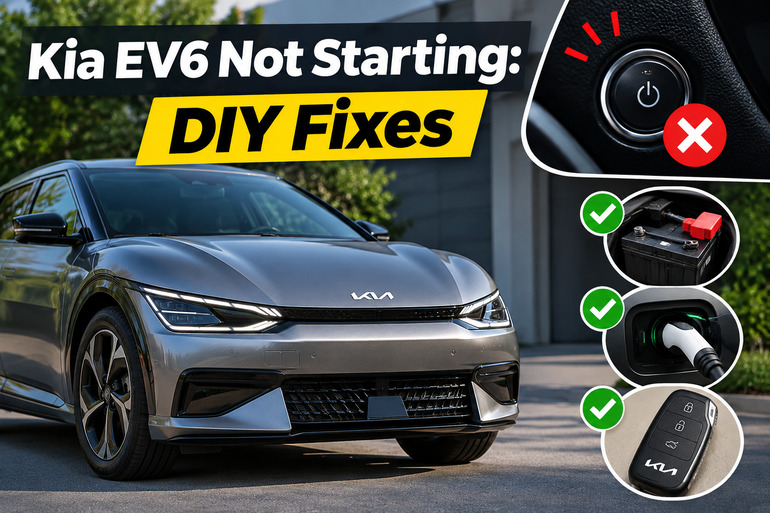
Understanding Why Your Kia EV6 Won’t Start
Unlike a gasoline vehicle, the Kia EV6 uses an electric motor instead of an engine. Consequently, you won’t hear the familiar cranking sound when starting it. Instead, the vehicle activates its electrical systems and displays a READY indicator on the instrument cluster when it’s prepared to drive. The absence of this indicator is one of the clearest signs that the starting process hasn’t completed successfully.
The EV6 also uses two different battery systems. Its large, high voltage battery supplies energy for driving, while a smaller 12V battery powers essential electronics, including the control systems needed to activate the vehicle. This distinction matters because your EV6 can have plenty of driving range remaining and still refuse to start if its 12V battery is discharged.
Starting problems can appear in several ways. You might notice that the doors won’t unlock electronically, the instrument cluster flickers, or the start button responds without activating READY mode. In other cases, the dashboard works normally but displays messages such as “Key not detected,” “Press brake pedal to start vehicle,” or “Check electric vehicle system.”
These symptoms don’t necessarily indicate the same fault. A completely unresponsive vehicle often points toward a 12V power problem, while a working dashboard accompanied by a specific warning can help narrow the possibilities. However, warnings involving the vehicle’s electrical power supply deserve particular attention because some faults can affect driving safety.
Kia EV6 Not Starting: Common Causes
Several electrical and operating conditions can prevent your Kia EV6 from starting. The following five causes are worth investigating because they explain many of the symptoms drivers experience.
1. Weak or Discharged 12V Battery
A weak 12V battery is one possible explanation for an EV6 that suddenly becomes unresponsive. Although the vehicle uses a large battery for propulsion, its smaller battery must provide sufficient electrical power for essential control systems to operate.
When the 12V battery becomes discharged, you might find that the instrument cluster won’t illuminate, the electronic door locks respond slowly, or several warning messages appear together. Sometimes, the dashboard briefly lights up before going dark again.
The battery can lose charge through normal deterioration, extended accessory use, or an electrical device that continues drawing power while the vehicle is parked. Certain aftermarket accessories, including dashboard cameras with parking surveillance features, may increase this electrical demand.
However, a discharged battery doesn’t automatically mean the battery itself is defective. If the EV6 repeatedly loses 12V power even after receiving assistance, the charging system or an underlying electrical fault may be responsible. This distinction is particularly important because replacing a healthy battery won’t correct a charging system failure.
2. Smart Key Battery or Detection Problems
Your EV6 must recognize an authorized smart key before it can complete the normal starting process. If the key’s internal battery is weak, its signal may become unreliable, preventing the vehicle from recognizing it.
You might see a “Key not detected” or “Key not in vehicle” warning when pressing the EV button. The remote locking buttons may also stop responding consistently. However, a key can sometimes operate the door locks while still experiencing communication problems during starting.
Another possibility is interference from nearby electronic devices or physical damage to the key itself. If you have a second programmed smart key, trying it can help distinguish a problem with the original key from a fault involving the vehicle’s detection system.
3. Brake Pedal or Gear Selection Problems
The Kia EV6 uses safety checks to prevent unintended movement during starting. Under normal conditions, the vehicle must be in Park, and the driver must press the brake pedal while operating the EV button.
If you press the button without depressing the brake, the vehicle may enter an accessory or power mode without becoming ready to drive. You may then see a “Press brake pedal to start vehicle” warning. Likewise, selecting an incorrect gear position can trigger a message asking you to shift into Park.
However, the problem can also involve a faulty brake pedal switch or its electrical circuit. This switch helps the vehicle recognize brake pedal operation. If the required signal isn’t received, the starting process may fail even though you’re pressing the pedal correctly. Faulty brake lights or a brake switch warning can provide additional clues.
4. Connected Charging Cable or Depleted Main Battery
Your EV6 has a safety feature that prevents it from being driven while a charging cable remains connected. Therefore, the vehicle might power on normally but refuse to shift out of Park until the connector is removed.
In this situation, the dashboard may display “Unplug vehicle to start.” The problem is usually resolved by disconnecting the charging equipment properly. However, a connector that remains mechanically locked or damaged shouldn’t be forced out of the charging port.
A severely depleted high voltage battery can also prevent normal driving or significantly restrict available power. The vehicle may display “Low EV battery” or “Charge immediately. Power limited.” Exact warning thresholds vary by model year and battery configuration, so the displayed message is more useful than assuming one battery percentage applies to every EV6.
5. Integrated Charging Control Unit Failure
The Integrated Charging Control Unit, commonly called the ICCU, is an important part of the EV6 electrical system. Among its functions, it helps manage charging and supplies power needed to maintain the 12V battery.
If the ICCU develops a fault, the 12V battery may stop receiving adequate charging power. Over time, this can cause low battery voltage, starting difficulties, or other electrical problems.
Some affected vehicles may also display “Check electric vehicle system,” experience AC charging problems, or lose certain electrical functions. However, these symptoms have several possible causes, so an ICCU failure requires proper diagnosis.
This issue is particularly relevant to certain 2022 through 2024 Kia EV6 vehicles. Kia issued safety recall SC327 because a damaged ICCU could stop charging the 12V battery and eventually cause a loss of driving power. The recall includes dealer inspection, necessary component replacement, and a software update.
Important: If your EV6 displays “Stop vehicle and check power supply,” stop somewhere safe and arrange professional assistance. Kia advises having the vehicle towed for inspection when this warning appears. Continuing to drive with a suspected power supply failure can be dangerous.
Kia EV6 Not Starting: DIY Fixes
The appropriate solution depends on whether your EV6 has lost electrical power, cannot recognize its key, or refuses to enter READY mode. Start with the simplest checks and avoid attempting electrical repairs beyond your experience.
1. Follow the Correct Starting Procedure
First, make sure you’re using the correct starting sequence. Pressing the EV button without meeting the required conditions can make the vehicle appear faulty even when its electrical systems are functioning normally.
Try the following procedure.
- Sit in the driver’s seat with your smart key inside the vehicle.
- Make sure the charging cable is disconnected.
- Apply the parking brake and confirm that the gear selector is in P (Park).
- Press and hold the brake pedal firmly.
- Press the EV button once while keeping your foot on the brake.
- Check the instrument cluster for the READY indicator.
If READY appears and there are no serious warnings, the starting process has completed. You can then follow the normal procedure for selecting a driving gear.
If the vehicle only enters accessory mode, switch it off and repeat the procedure carefully. Also, pay attention to any displayed instruction rather than repeatedly pressing the button.
For example, “Shift to P to start vehicle” indicates a gear selection problem. However, if the same warning remains after you confirm the correct position, the gear selection system may need professional inspection.
2. Disconnect the Charger and Check the Main Battery
If your EV6 was recently charging, check whether its charging connector is still attached. Even after charging finishes, the vehicle won’t allow normal driving with the connector connected.
End the charging session according to the charger’s instructions, unlock the connector using the approved procedure, and remove it by holding the handle. Close the charging door afterward.
If the connector refuses to release, don’t pull it forcefully. Some EV6 versions have an emergency release procedure described in their owner’s manual. Follow only the instructions for your exact model, and seek assistance if the connector or charging equipment appears damaged.
Next, check the main battery’s displayed charge level. If it is critically low, connect the vehicle to suitable charging equipment and confirm that charging begins. Once enough charge is available, try starting the vehicle again.
However, if the car refuses to charge using equipment known to be working properly, professional diagnosis may be needed. Repeated charging failures can indicate a problem beyond an empty battery.
3. Start the EV6 With the Smart Key and Replace Its Battery
If your dashboard displays “Key not detected,” start by moving the smart key closer to the EV button. Remove it from any bag or container that could interfere with communication.
Kia provides a backup starting method for situations where the smart key battery is weak or the key isn’t working correctly.
With the vehicle in Park and your foot firmly on the brake, use the smart key itself to press the EV button. For the EV6 models covered by Kia’s instructions, the side containing the lock button should contact the EV button at a right angle.
This method may allow the vehicle to recognize the key without relying on its normal wireless signal. If the EV6 starts successfully, replacing the key battery is a sensible next step.
To replace the battery, remove the mechanical key, carefully open the smart key cover, and install a new battery of the specified type. The 2026 U.S. EV6 manual specifies a CR2450 3V lithium battery, but you should confirm the correct specification for your particular key and model year.
Pay attention to the battery’s positive and negative orientation before closing the cover. Keep the old and new button batteries away from children because swallowing one can cause severe internal injuries.
After replacement, test the remote locking functions and attempt a normal start. If neither the original nor a spare programmed key works, the vehicle’s key detection system may need inspection.
4. Turn Off Unnecessary Electrical Accessories
When your EV6 shows signs of weak 12V power, unnecessary electrical accessories are worth checking. Some accessories continue consuming electricity even when the vehicle isn’t being driven.
Start by switching off the climate controls, audio system, interior lighting, and other equipment that doesn’t need to operate.
Also, check whether you’ve installed devices such as a dashboard camera, an aftermarket security system, or equipment connected to an accessory power outlet.
If an accessory can be disconnected safely using its normal plug, disconnect it and observe whether the electrical problem returns after the 12V battery has been properly tested and restored.
However, turning accessories off won’t immediately recharge an already discharged battery. It can reduce unnecessary demand, but the battery may still require assistance before the vehicle starts.
Avoid disconnecting installed wiring, removing electrical panels, or modifying aftermarket equipment yourself. If an accessory is suspected of causing repeated discharge, an automotive electrician can measure its electrical draw and identify the problem.
5. Restore Power to a Discharged 12V Battery
If your Kia EV6 is completely unresponsive, its 12V battery may need external assistance. A compatible 12V jump starter can sometimes restore enough electrical power for the vehicle’s control systems to activate.
However, jump starting an EV6 requires following Kia’s model specific instructions carefully. Incorrect connections can damage vehicle electronics or cause personal injury.
Before attempting anything, check whether the battery appears physically damaged. Don’t attempt to jump start a battery that is swollen, leaking, frozen, excessively hot, or producing an unusual smell.
If the battery appears undamaged and you’re familiar with the correct procedure, follow these precautions.
- Use only a compatible 12V jump starting power source.
- Switch off the vehicle and unnecessary electrical accessories.
- Follow the connection points and sequence shown in your EV6 owner’s manual.
- Use the designated chassis ground connection rather than attaching the booster negative cable directly to the discharged battery’s negative terminal.
- Keep all equipment away from orange high voltage cables and other protected electrical components.
Once the power source is connected according to Kia’s instructions, attempt the normal starting procedure and check whether READY appears.
Afterward, disconnect the equipment in the sequence specified in the manual. If you’re uncertain about any connection, have a qualified roadside technician perform the procedure.
A successful jump start confirms that restoring electrical power helped the vehicle start. However, it doesn’t establish why the battery became discharged.
If the EV6 repeatedly needs assistance, have its 12V battery tested for condition and charge retention. The technician should also check whether the battery is receiving adequate charging power.
Repeated discharge accompanied by electrical system warnings deserves immediate attention. In that situation, don’t assume that another jump start makes the vehicle safe to drive.
6. Check for Brake Pedal Recognition Problems
If your EV6 powers on normally but refuses to enter READY mode, confirm that the brake pedal is being recognized.
Start by pressing the brake pedal firmly while attempting the normal starting procedure. Make sure nothing on the floor, including a loose floor mat, is preventing the pedal from moving correctly.
Next, check whether the brake lights illuminate when you press the pedal. You can ask someone to observe the lights from behind the parked vehicle.
If the brake lights don’t illuminate, a problem with the brake switch, its fuse, or the associated electrical circuit becomes a possibility. However, brake light operation alone doesn’t establish whether the entire starting circuit is working correctly.
Kia’s documentation identifies a brake switch fuse fault as one condition that can prevent normal starting. Some versions provide an emergency starting procedure for this situation, but it doesn’t repair the underlying fault.
Because the braking system is essential for safe driving, leave brake switch repairs and electrical circuit testing to a qualified technician.
If your brake lights aren’t working, don’t drive the vehicle even if you manage to get READY mode to activate. Other drivers may be unable to recognize when you’re slowing down.
7. Contact a Qualified Kia Technician
If the checks above don’t resolve the issue, arrange an inspection at an authorized Kia dealership or qualified electric vehicle repair facility.
Professional diagnosis becomes particularly important when the vehicle repeatedly loses 12V power, refuses to recognize properly functioning keys, or displays persistent electrical system warnings.
A technician can assess the 12V battery, measure charging system performance, examine relevant fuses and control circuits, and retrieve stored diagnostic trouble codes. These checks help distinguish a faulty component from a temporary electrical condition.
If your EV6 is a 2022, 2023, or 2024 model, check whether recall SC327 or any later applicable repair campaign remains outstanding. You can enter your vehicle identification number on the NHTSA recall lookup website or contact Kia directly.
Kia has also published a 2026 warranty extension program covering certain ICCU related repairs on eligible 2022 through 2024 EV6 vehicles, with coverage extending to 15 years or 180,000 miles under the program’s terms. Your dealership can confirm whether your vehicle qualifies.
If your EV6 loses power while driving, produces smoke or a burning smell, or displays a warning instructing you to stop, prioritize safety. Park somewhere safe, switch the vehicle off, and request assistance rather than continuing to troubleshoot.
Wrap-Up
A Kia EV6 that won’t start doesn’t automatically have a serious motor or high voltage battery problem. Sometimes, the cause is a discharged 12V battery, an unrecognized smart key, or a starting condition that hasn’t been met. Understanding the difference between these issues can help you avoid unnecessary repairs.
Start with safe checks, pay attention to dashboard warnings, and avoid repeatedly operating a vehicle with unresolved electrical faults. If the problem persists or suggests a power supply failure, professional diagnosis is the safest way to restore reliable operation.