
Connecting your Kia EV6 to a charger should be straightforward, so it’s frustrating when the charging lights stay off, the session ends unexpectedly, or the battery percentage refuses to increase. Sometimes, the explanation is a simple setting. Other times, the charger or the vehicle has detected an electrical problem.
Fortunately, many charging problems can be identified through a few basic checks. Understanding the symptoms, possible causes, and appropriate solutions can help you restore normal charging without risking further damage.
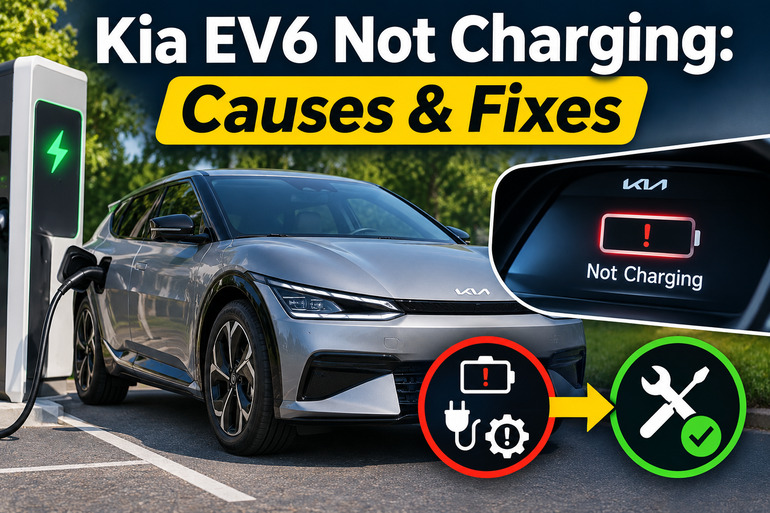
Why Your Kia EV6 Is Not Charging
The Kia EV6 uses a high voltage battery to power its electric motor. When you connect the vehicle to a compatible charger, its charging system communicates with the equipment, checks the electrical connection, and controls how electricity enters the battery.
The EV6 supports both alternating current (AC) charging and direct current (DC) fast charging. AC charging uses equipment such as a household portable charger or a Level 2 home charging station. DC fast charging delivers electricity directly to the high voltage battery through a separate charging process. Consequently, a fault affecting one charging method might leave the other working normally.
Charging problems can appear in several ways. Your EV6 might refuse to start charging, repeatedly disconnect, charge much more slowly than expected, or display a message such as “Charging Stopped. Check the AC charger.” These symptoms provide useful clues, although they don’t identify the exact cause on their own.
It’s also worth distinguishing a genuine charging failure from normal charging behavior. For example, scheduled charging can delay a session, while battery temperature and charging limits can affect how much electricity the vehicle accepts. However, repeated charging interruptions, burning smells, damaged connectors, or electrical system warnings deserve immediate attention.
Kia EV6 Not Charging: Common Causes
Several electrical, mechanical, and software related issues can prevent your Kia EV6 from charging properly. The following five causes are particularly relevant when identifying where the problem originates.
1. Incorrect Charging Settings
Your Kia EV6 has built-in settings that control when charging begins and when it stops. If these settings aren’t configured correctly, the vehicle may appear to have a charging problem even though its electrical components are functioning normally.
One common example is scheduled charging, which allows your EV6 to charge during selected hours. If you’ve programmed charging for overnight electricity rates, plugging the vehicle in during the afternoon may leave it waiting until the scheduled time. Similarly, setting an 80% charging limit means the vehicle won’t continue charging once the battery reaches that level.
Your EV6 also provides separate charging limits for AC and DC charging. If the selected limit is already equal to or below the current battery percentage, charging won’t begin.
2. Faulty Charging Equipment or Electrical Supply
Sometimes, the issue originates outside your vehicle. A malfunctioning charging station, damaged cable, interrupted power supply, or defective charging controller can prevent electricity from reaching your EV6.
For example, a home Level 2 charger may stop working because its circuit breaker has tripped or its internal protection system has detected a fault. Similarly, a portable charger might refuse to operate when connected to an unsuitable electrical outlet.
Public charging stations can also experience communication errors, payment authorization problems, and temporary equipment failures. In these situations, your EV6 might recognize the connector without successfully starting a charging session.
Pay attention to the charger’s indicator lights and any displayed error messages. If charging works normally at another station, the original charging equipment becomes the more likely source of the problem. However, a problem that follows your vehicle across several working chargers requires closer investigation.
3. Loose or Damaged Charging Connector
Your EV6 relies on a secure connection between the charging plug and the vehicle’s charging inlet. If the connector isn’t fully inserted, the charging system may fail its initial safety checks or interrupt the session.
This can happen when dirt, debris, damaged contacts, or mechanical wear interfere with the connection. A heavy charging cable that pulls downward on the connector can also make proper seating difficult, particularly when the cable is under tension.
Typical clues include a connector that doesn’t seat securely, repeated connection warnings, or charging that stops immediately after starting. An incorrectly connected plug or accidental activation of the connector release button can also interrupt charging.
4. Charging Port Overheating or Software Problems
The EV6 monitors charging conditions to help protect its electrical components. If the charging inlet becomes excessively hot, the vehicle may reduce charging power or interrupt the session.
Heat can develop when an electrical connection has excessive resistance, sometimes because of wear, contamination, or a damaged charging connector. Higher charging currents can make an existing connection problem more noticeable. You might find that charging begins normally but stops after the connector has been carrying power for some time.
Kia has documented this concern in its technical service information. Its SC311 service campaign addresses interrupted or slower Level 2 charging on certain 2022 through 2024 EV6 vehicles through updated Vehicle Charging Management System software. Earlier bulletin ELE283 also addressed charging interruptions associated with excessive charging inlet temperatures on certain 2022 and 2023 models.
5. Integrated Charging Control Unit or 12-Volt Battery Problems
The Integrated Charging Control Unit, commonly called the ICCU, performs important electrical functions in the EV6. These include managing aspects of AC charging and helping supply power to the vehicle’s 12-volt electrical system.
If the ICCU develops an internal fault, your EV6 may lose the ability to charge using Level 1 or Level 2 equipment. Some failures can also interfere with the 12-volt battery’s charging supply. This may eventually produce electrical warnings, difficulty starting the vehicle, or reduced driving power.
Kia issued safety recall SC327, NHTSA 24V-867, involving ICCU damage in certain 2022 through 2024 EV6 vehicles. The defect can prevent the 12-volt battery from charging and, in serious cases, cause a loss of driving power.
A weak 12-volt battery can also interfere with the electronic systems needed to begin charging. However, the battery itself shouldn’t automatically be blamed. If it repeatedly loses power, the underlying charging system needs to be checked.
Kia EV6 Not Charging: DIY Fixes
The appropriate solution depends on whether the problem comes from your EV6 settings, external charging equipment, or the vehicle’s electrical system. Start with the following safe checks before considering component repairs.
1. Check Your Charging Schedule and Battery Limits
Start by opening your EV6’s infotainment system and selecting the EV charging settings. Depending on the model year and software version, the menu may appear under EV, Charging and Climate, or EV Settings.
Check the following settings.
- Scheduled charging: Turn off the charging schedule temporarily to allow immediate charging.
- AC charging limit: Make sure the selected target percentage is higher than the current battery level.
- DC charging limit: Check this separately if the problem occurs at a fast charging station.
- Charging current: Review the selected AC charging current setting.
If scheduled charging is enabled, some EV6 versions allow you to override the schedule by pressing and holding the charging button near the charging inlet for approximately two seconds. The exact controls can differ between model years.
After adjusting the settings, reconnect the charger and check the instrument cluster. The vehicle should indicate that charging has started and show the estimated remaining time. If charging still refuses to begin, move to the connector and power supply checks.
2. Disconnect and Reconnect the Charging Cable
An improperly seated connector is one of the simplest problems to check. First, stop the charging session using the charger controls or vehicle interface, then unlock the connector as directed in your owner’s manual. Remove it carefully without pulling or twisting the cable.
Inspect the accessible connector and charging inlet visually for dirt, foreign objects, moisture, cracks, discoloration, or signs of burning. Don’t insert tools into the charging contacts or attempt to clean internal electrical terminals. If everything looks normal and dry, reconnect the plug firmly until it seats properly, then check whether charging starts.
Stop immediately if you notice melted plastic, exposed wiring, smoke, unusual heat, or a burning smell. These symptoms can indicate electrical damage requiring professional attention.
3. Check the Charging Station and Power Supply
If your EV6 still won’t charge, examine the external charging equipment. With a home charger, look at its status display or indicator lights for a fault notification.
If the charger has no power, check whether other equipment on the same electrical supply is functioning. You can also inspect the electrical panel for a clearly tripped breaker without opening covers or touching wiring. A breaker that trips again should be investigated by a qualified electrician rather than repeatedly reset.
For a portable charger, confirm that you’re using a properly installed, grounded outlet approved for the charger’s electrical requirements. Avoid extension cords, damaged sockets, and improvised adapters. Overheated outlets, worn electrical connections, and burning odors are reasons to stop using portable charging equipment.
At a public charging station, read the display for fault notifications and confirm that the session has been properly authorized. Some stations require activation through an app, payment card, or terminal before supplying power. If the station reports an internal fault, contact its operator or use another charger.
4. Try Another Compatible Charging Station
Testing with a different charger can help determine whether the problem is coming from your EV6 or the equipment supplying electricity.
If your vehicle fails to charge at home but charges normally using another working Level 2 station, your home charger, cable, or electrical supply may be responsible. If several properly functioning AC chargers fail, the vehicle’s charging system becomes a stronger suspect.
You can also compare AC charging with DC fast charging, provided you can safely reach a suitable station. For example, an EV6 that accepts DC charging but consistently rejects AC charging may have an issue involving its onboard AC charging system.
However, successful DC charging doesn’t prove that every vehicle component is healthy. The two methods use different charging processes, and some faults affect only one of them.
Before connecting, make sure the station and connector are compatible with your EV6. Older North American EV6 models generally use CCS1 for DC charging, while newer versions may have a NACS port. An approved adapter may be required depending on the vehicle and station.
5. Reduce the AC Charging Current When Appropriate
If Level 2 charging starts normally but stops after operating for a while, reducing the requested charging current may help determine whether the interruption is related to charging load.
On EV6 models with adjustable AC charging current, open the EV settings and select a lower setting, such as Reduced instead of Maximum. This adjustment is an option when AC charging fails to start or stops unexpectedly.
Try another charging session only if the connector and equipment appear undamaged and there are no heat warnings or other safety concerns. A lower current may allow charging to continue, although it increases charging time. If reducing the current prevents interruptions, arrange an inspection rather than treating the setting as a permanent repair. An overheating connection can remain unsafe even when charging at reduced power.
6. Check for Kia Charging System Updates and Recalls
If basic troubleshooting hasn’t resolved the issue, check whether your EV6 has an outstanding manufacturer recall, software update, or service campaign.
For vehicles registered in the United States, enter your 17-character Vehicle Identification Number (VIN) into the official NHTSA recall lookup website. You can usually find the VIN at the lower driver’s side of the windshield or on your vehicle documents. Also ask your Kia dealership to check service campaigns, since these may not appear in the public recall search.
Several programs are particularly relevant.
- SC311: A Vehicle Charging Management System software improvement for certain 2022 through 2024 EV6 models experiencing interrupted or reduced Level 2 charging.
- SC327: An ICCU safety recall covering certain 2022 through 2024 EV6 vehicles. The remedy includes software updates and inspection or replacement of affected components.
- SA639: A service action addressing an ICCU fault that can prevent Level 1 or Level 2 charging in certain 2025 EV6 vehicles.
Kia has also introduced warranty extension WTY044 for eligible 2022 through 2024 EV6 vehicles. Announced in April 2026, it extends coverage for certain ICCU failures to 15 years or 180,000 miles, whichever comes first, from the vehicle’s original in-service date. Qualifying symptoms include AC charging failure and certain electrical system warnings.
These programs apply only to eligible vehicles and specific conditions. A Kia dealership can verify the applicable repairs using your VIN and service records. Software updates and ICCU repairs require professional diagnostic equipment and shouldn’t be attempted as ordinary DIY work.
7. Contact a Qualified Kia Technician
If your EV6 repeatedly fails to charge using known working equipment, professional diagnosis is the next appropriate step. An EV qualified Kia technician can read charging system fault codes, check the onboard charging components, evaluate the 12-volt battery, and inspect the charging inlet for electrical or mechanical faults.
Before visiting the dealership, note the charging method, battery percentage, displayed warning messages, and how long the session lasts before failing. Pictures of error messages can also help the technician identify an intermittent problem.
If you see “Check electric vehicle system,” “Stop vehicle and check power supply,” or experience reduced driving power, stop driving as soon as it’s safe and arrange appropriate assistance. These symptoms can be associated with serious ICCU faults, and continuing to drive may lead to a loss of propulsion. Don’t attempt to open the high voltage battery, charging controller, or orange electrical cables.
Wrap-Up
A Kia EV6 that refuses to charge doesn’t necessarily have a serious electrical fault. Charging schedules, battery limits, faulty stations, and loose connectors can all interrupt an otherwise normal charging session. However, repeated failures may indicate a problem with the vehicle’s charging hardware or control software.
Start with safe checks and pay attention to any warning messages or unusual behavior. If the problem persists, having an authorized Kia technician inspect your EV6 can help identify the underlying fault and prevent unnecessary repairs or further electrical damage.