
Parking sensors on a Hyundai Tucson help you judge the distance between your vehicle and nearby obstacles when parking. When they stop beeping, produce constant warnings, or display an error message, reversing into a tight space can become more difficult. The cause may be something as simple as dirt covering a sensor or a setting that needs adjusting. In other cases, a damaged sensor or electrical fault requires professional attention.
What It Means When Your Hyundai Tucson Parking Sensors Stop Working
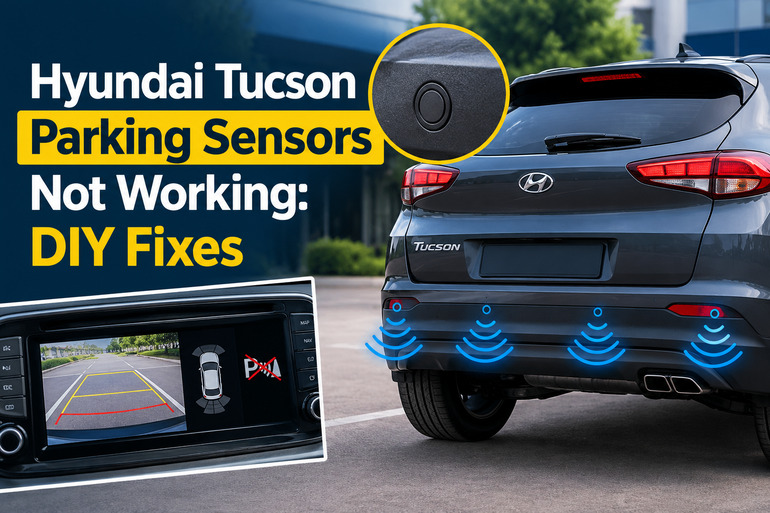
The Hyundai Tucson uses ultrasonic sensors to detect nearby obstacles and alert you with audible warnings. Depending on the model year and equipment level, sensors may be fitted to the front, rear, and sides of the vehicle. The system generally operates at low speeds and helps you judge the distance between your Tucson and objects around it. Hyundai’s owner’s manual explains how the Parking Distance Warning system operates and what to check when a malfunction occurs.
When the system develops a fault, you may notice that the parking warning disappears completely, the buzzer sounds intermittently, or a message such as “Driver Assistance system limited. Ultrasonic sensor blocked” appears on the instrument cluster. Some faults affect only the front or rear sensors, while others disable the parking assistance system more broadly.
The pattern of symptoms can help you narrow down the cause. If the sensors stop working after rain or a car wash, moisture or surface contamination may be responsible. If the problem begins after a minor collision, bumper repair, or accessory installation, physical damage or a change in sensor positioning deserves attention. An electrical fault can also prevent the system from operating.
Until the problem is resolved, use your mirrors, look around the vehicle, and park slowly. The sensors are an aid rather than a replacement for checking your surroundings, and the system may fail to detect certain objects even when it appears to be working normally.
Hyundai Tucson Parking Sensors Not Working: Common Causes
Several faults can cause the Tucson’s parking assistance system to stop working correctly. The symptoms, the circumstances in which the problem started, and any dashboard warning can help you identify the most likely explanation.
1. Dirt, Water, or Ice Covering the Sensors
Dirt, mud, road grime, and other material can accumulate on the small sensor discs fitted to the bumper. Water droplets, frost, and snow can also interfere with the ultrasonic signals used to detect nearby objects.
This is one of the first things to consider when the system stops working after bad weather or a vehicle wash. Hyundai specifically identifies snow, rainwater, and other foreign material as possible causes of restricted Parking Distance Warning operation. Normal operation may return when the obstruction is removed. Hyundai’s parking sensor guidance describes these limitations.
A blocked sensor may produce an error message, trigger an incorrect warning, or prevent the system from detecting an obstacle properly. If the symptoms disappear after the bumper sensors have been cleaned and dried, surface contamination was a likely contributor.
2. A Damaged or Misaligned Parking Sensor
Each sensor needs an unobstructed view of the area around the vehicle. A minor bumper impact, careless handling during bodywork, or damage from a sharp object can affect its surface or positioning.
Look for visible cracks, deep scratches, dents, or a sensor that appears recessed, loose, or uneven with the surrounding bumper. A sensor that has been pushed out of position may detect obstacles incorrectly even if its outer surface looks intact.
Hyundai also warns that impact, scratches, and forceful pressure on the sensor surface can interfere with operation. Directing a high-pressure washer at the sensors can cause problems as well. If the fault appeared following an accident or bumper repair, a visual inspection alone may not reveal the full extent of the damage.
3. Accessories or Bumper Changes Interfering With Detection
A tow hitch, rear-mounted carrier, incorrectly positioned license plate, or accessory installed close to a sensor can interfere with parking assistance. Some accessories may sit within the sensor’s detection area, causing false warnings or blocking the system from detecting obstacles correctly.
Bumper replacement and repair can also change the sensor’s position or angle. The system may consequently behave differently even when the sensors themselves are undamaged.
This cause deserves particular attention if the problem began immediately after the vehicle received bodywork or an accessory installation. Hyundai lists nonstandard license plate positioning, bumper height changes, and nearby accessories among the conditions that can affect Parking Distance Warning. The exact effect depends on the vehicle configuration and the location of the obstruction.
4. A Faulty Sensor, Wiring Connection, or Fuse
Parking sensors rely on electrical power, wiring connections, and control electronics to process detection signals and activate warnings. A damaged wire, loose connector, corroded connection, or failed sensor can interrupt this process.
Moisture entering a damaged connector or a wiring harness disturbed during bumper work may also cause intermittent operation. In some systems, one defective sensor can affect other sensors that share an electrical supply or signal circuit.
A blown fuse is another possible explanation, particularly if the parking warning system and other equipment on the same circuit have stopped working. However, the relevant fuse and electrical arrangement vary by Tucson model year and specification. HELLA’s technical explanation of ultrasonic parking aids identifies supply faults, sensor damage, wiring issues, and defective control units as possible causes of parking assistance failures.
These faults usually need more than surface cleaning. A technician may need to inspect the wiring, test the electrical supply, and read diagnostic trouble codes to identify the failing component.
5. Incorrect Settings or Temporary Operating Limitations
Sometimes the parking system is switched off, the warning volume is too low, or the driver expects the sensors to work under conditions in which they are not active. The available controls and operating logic vary across Tucson generations and trim levels.
For example, certain newer Tucsons provide a Parking Safety button, a Parking Distance Warning Auto On setting, and adjustable warning volume. The front parking warning may also operate only within a specified low-speed range. These settings can make the system seem inactive when it is operating according to its programmed conditions.
Extreme temperatures, heavy rain, water running across the sensor surface, and interference from another vehicle’s ultrasonic system can also affect detection. These conditions do not necessarily mean a component has failed.
If the symptoms occur only in particular weather or driving conditions, a temporary limitation is possible. A persistent warning or failure after conditions improve deserves further investigation.
Hyundai Tucson Parking Sensors Not Working: DIY Fixes
Start with checks that do not require removing bumper parts or disturbing electrical connections. Cleaning the sensors, reviewing the available settings, and checking for obstructions may resolve the problem. If the system continues to malfunction, further electrical diagnosis may be necessary.
1. Clean and Dry the Parking Sensors
Begin with the simplest check, particularly if the problem appeared after rain, driving on muddy roads, or washing your vehicle.
Park your Tucson on level ground, select Park, apply the parking brake, and switch off the engine. Locate the small, round sensor discs on the front or rear bumper, depending on which part of the system is affected.
Use a soft microfiber cloth and clean water with a small amount of mild automotive soap to remove dirt and road grime. Wipe gently around each sensor and remove any material covering its surface. Avoid abrasive sponges, sharp tools, aggressive solvents, and excessive pressure that could scratch or damage the sensors.
Dry the surfaces with a clean, soft cloth. Do not direct a high-pressure washer at the sensor discs or their surrounding areas, since Hyundai warns that this can affect sensor operation.
Once the vehicle is clean and dry, test the system in a safe, open location. If the warning returns to normal, contamination was probably responsible. A warning that remains after cleaning suggests another cause may be involved.
2. Check the Parking Safety Settings and Warning Volume
A disabled function or a warning volume that is difficult to hear can make the system appear faulty. The available controls depend on your Tucson’s model year and equipment.
With the vehicle safely parked, switch on the vehicle as directed by the owner’s manual. Check whether the Parking Safety button is switched on, if your model has one. Some versions also offer a Parking Distance Warning Auto On setting in the instrument cluster or infotainment system.
On models equipped with an adjustable warning volume, open the relevant Driver Assistance settings and select a suitable volume. The exact menu names and available choices vary, so follow the instructions for your particular vehicle rather than assuming every Tucson uses the same layout.
Move the gear selector to Reverse only when the vehicle is stationary and the surrounding area is clear. On applicable models, Hyundai describes a confirmation beep when Reverse is selected after startup. The absence of that sound can indicate that the system needs checking, although the expected behavior depends on the vehicle’s configuration.
Do not assume the sensors are working simply because a setting appears enabled. Confirm their operation in a safe area before relying on the parking assistance system again.
3. Remove Obstructions and Retest After Bad Weather
If the warning appeared during heavy rain, immediately after washing the car, or in freezing conditions, allow water and ice to clear before treating the problem as a component failure.
Examine the area surrounding each affected sensor. Remove loose mud, snow, leaves, or other material that can be safely cleared without tools. If ice is present, allow it to thaw naturally. Do not scrape the sensor with a metal object or use excessive heat to speed up the process.
Also inspect the area for anything that may interfere with detection, including a rear-mounted carrier or an accessory positioned close to the bumper sensors. Remove an obstruction only if doing so is safe and straightforward. If a fixed accessory or aftermarket installation appears to interfere with the sensors, have its compatibility checked.
After the surfaces are clear and dry, test the system again. If normal operation returns, a temporary obstruction or environmental condition was likely involved. If the same warning continues to appear in clear, dry conditions, do not keep treating the problem as a weather issue.
4. Inspect the Sensor Faces, Bumper, and License Plate Area
A visual inspection can help you identify damage that occurred after a parking impact, repair, or accessory installation.
With the vehicle switched off, examine each sensor for cracks, deep scratches, unusual gaps, or visible signs that it has moved out of position. Compare the affected area with the surrounding bumper. A sensor that sits noticeably crooked or recessed may need to be refitted or replaced.
Check whether a license plate bracket, trim piece, tow hitch, or other accessory sits directly in front of a sensor. Also consider whether the bumper has recently been repainted, replaced, or repaired. Changes to sensor positioning can affect how accurately the system detects obstacles.
Do not pry sensors out of the bumper, remove the bumper cover, or attempt to reposition a sensor by force. The mounting hardware and installation procedure vary by model, and improper handling can damage the sensor or wiring. If you find physical damage or suspect incorrect installation, arrange an inspection by a qualified technician.
5. Check the Relevant Fuse if Your Manual Identifies One
A fuse inspection may help if the parking sensors and other equipment connected to the same circuit have stopped working. This check is appropriate only when you can identify the correct fuse using the owner’s manual for your specific Tucson.
Park safely, switch off the ignition, and consult the fuse information in the manual or on the fuse-box cover. Check the listed circuit rather than choosing a fuse based on a generic online diagram. The fuse designation and rating can differ between model years and equipment levels.
If the manual identifies a relevant fuse and it is visibly blown, replace it only with a fuse of the same specified rating and type. Never fit a higher-rated fuse to prevent it from blowing again. If the replacement fuse blows, stop replacing fuses and have the electrical circuit examined.
A fuse that appears intact does not rule out a wiring fault, defective sensor, or control module problem. Do not probe live connectors or disconnect bumper wiring as part of a basic DIY check. Those tasks require the appropriate wiring information and test equipment.
6. Contact a Qualified Technician for Persistent Faults
Professional diagnosis is the next step if cleaning, settings checks, and basic visual inspections do not restore normal operation. It is also the right choice when the dashboard displays a persistent driver assistance warning, several sensors stop working together, or the fault began after a collision or bumper repair.
A technician can scan the vehicle for diagnostic trouble codes, inspect the sensor connections, test the electrical supply, and identify whether the problem involves a sensor, wiring harness, warning buzzer, or control module. Where necessary, the repair may involve replacing a defective sensor or correcting its mounting position.
Avoid replacing every parking sensor based on guesswork. A single faulty component, damaged connector, or supply problem can produce similar symptoms, and replacing parts without testing may increase the repair cost without solving the fault.
Until the system is repaired and tested, continue parking with extra care. Rely on direct observation and your mirrors, and ask for help when visibility around the vehicle is limited. Parking sensors should not be treated as the sole means of avoiding an obstacle.
Wrap-Up
When your Hyundai Tucson parking sensors stop working, begin by checking for dirt, moisture, physical obstructions, and incorrect settings. These checks are straightforward and may resolve problems caused by temporary conditions. Damage to a sensor, interference from an accessory, or an electrical fault requires a closer examination.
Pay attention to dashboard warnings and changes in the way the system behaves. If the fault persists after basic checks, professional diagnosis can identify the underlying problem without unnecessary parts replacement. Until normal operation has been confirmed, park slowly and check your surroundings directly rather than relying on the sensor warnings alone.