
When your Hyundai i40 displays a “Key Not Detected” warning, you may find yourself unable to start the engine even with the smart key inside the car. The problem can come from a weak key fob battery, radio interference, a damaged key, or a fault in the vehicle’s keyless entry system.
Fortunately, several simple checks can help you identify the likely cause. You can also use the i40’s emergency starting method to get moving when the smart key battery is weak.
What Does Key Not Detected Mean on a Hyundai i40?
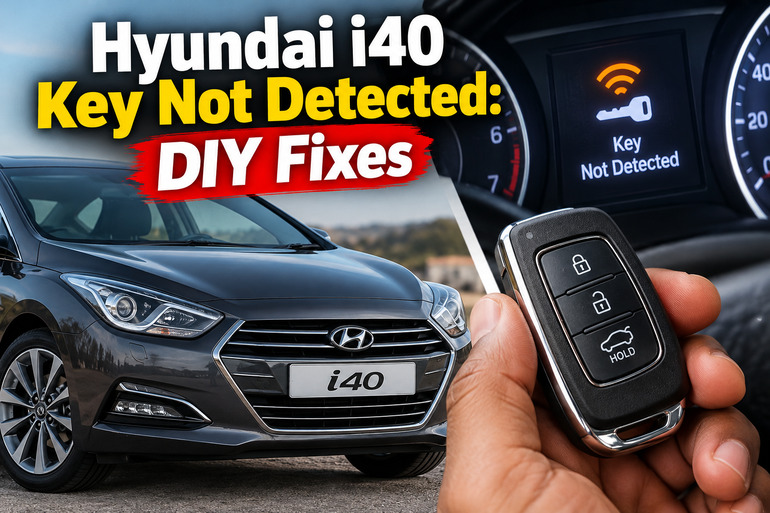
The “Key Not Detected” warning means your Hyundai i40’s smart key system cannot recognize an authorized key when you press the engine start/stop button. The system checks for the correct electronic key before allowing the engine to start. If it cannot verify the key, the immobilizer prevents normal engine starting as a security measure.
The warning can appear even when your key is physically inside the vehicle. For example, the key battery might be weak, the signal could be disrupted by a nearby electronic device, or the vehicle’s receiver may have developed a fault. Each possibility requires a different solution, so replacing the key battery immediately is not always necessary.
You might also see a “Press Start Button with Smart Key” message. This is particularly useful because it indicates that the vehicle has failed to recognize the key through its usual detection process and is prompting you to use the emergency starting method.
Pay attention to the other symptoms as well. If the dashboard lights come on normally but the engine refuses to start, the key recognition system deserves attention. If the dashboard flickers, the electrical systems behave erratically, or you hear repeated clicking, the vehicle’s 12-volt battery could also be involved.
These checks apply primarily to Hyundai i40 models equipped with the smart key and push-button ignition. Models with a conventional ignition key may require different troubleshooting procedures.
Hyundai i40 Key Not Detected: Likely Causes
Several faults can prevent your Hyundai i40 from recognizing its smart key. Start with the simplest explanations before assuming that the vehicle’s electronic security system has failed.
1. A Weak or Dead Smart Key Battery
The smart key contains a small battery that powers its remote functions and electronic communication. On the Hyundai i40, the battery specified in the owner’s manual covered here is a CR2032 coin cell. A different key design or vehicle version should be checked against its own manual before a replacement is purchased.
As the battery weakens, the key may have difficulty communicating with the car. You might notice that the remote locking buttons work inconsistently, the doors respond only when you stand close to the vehicle, or the dashboard displays a low key battery warning.
Eventually, the smart key may stop working through its normal detection method. The vehicle can then display “Key Not Detected” even when you are sitting in the driver’s seat with the key in your pocket.
The important distinction is that a weak key battery doesn’t automatically mean the key itself is damaged. If the vehicle recognizes the key when you press the start/stop button directly with it, a weak battery becomes a stronger possibility.
2. Radio Signal Interference
Your Hyundai i40 needs to receive the smart key’s signal correctly before authorizing the engine to start. Certain electronic devices or nearby radio transmitters can interfere with this communication.
A mobile phone placed directly beside the smart key, a two-way radio, or another vehicle’s smart key operating nearby may contribute to recognition problems. These situations can produce intermittent faults that disappear after you move the key away from the source of interference.
For example, you might experience the warning when the key is in a pocket containing your phone but find that the car recognizes it when you hold it separately. This pattern suggests a possible signal interference issue rather than an internal mechanical fault.
Interference is particularly worth investigating if the problem occurs occasionally and disappears after you change the key’s position. However, a warning that continues in different locations with both available keys is more suggestive of a vehicle-side fault.
3. A Damaged Smart Key or Incorrect Key
A smart key can become unreliable after being dropped, exposed to water, or damaged internally. The outer casing might appear intact even when the electronic circuit or battery contacts have been affected.
Moisture can cause corrosion or short circuits, while a damaged battery contact can interrupt power to the key’s electronics. In these circumstances, replacing the coin cell might not restore normal operation.
You may notice that the key’s buttons no longer respond, the remote functions work intermittently, or the warning continues even after a fresh battery has been fitted correctly.
Another possibility is that you are using a replacement key that has not been properly registered to the vehicle. The immobilizer system must recognize an authorized key. A physically compatible key that has not been correctly programmed will not necessarily start your i40.
Testing your spare key is an effective way to distinguish between a problem affecting one key and a fault involving the vehicle’s receiving system.
4. A Weak Vehicle 12-Volt Battery
Your Hyundai i40 also relies on its main 12-volt battery to power the electronic systems involved in starting the engine. If this battery becomes discharged or deteriorates, several electrical components can behave abnormally.
A weak vehicle battery may cause dim dashboard lights, flickering displays, repeated clicking when you attempt to start the engine, or unusual electrical warnings. Depending on the severity of the voltage problem, the keyless entry and starting systems may also be affected.
This fault can be confusing because the key fob itself may be perfectly functional. Replacing its coin cell will not correct a discharged vehicle battery.
If the car’s lights are unusually dim or several electrical systems have stopped working correctly, check the condition of the 12-volt battery before concentrating entirely on the smart key.
A properly charged battery should still be tested if the symptoms persist. A battery that appears to hold a charge can deteriorate under the load required to start the vehicle.
5. A Faulty Smart Key Receiver or Immobilizer System
If the smart key battery is new, your spare key produces the same warning, and the vehicle’s 12-volt battery is healthy, a fault in the vehicle’s smart key system becomes more likely.
The system includes electronic components responsible for receiving the key’s signal and verifying its authorization. Depending on the precise fault, the problem may involve an antenna, receiver, wiring connection, control unit, immobilizer communication, or the engine start/stop button system.
A faulty component may cause persistent recognition problems even when both keys are known to be working. You might also see repeated immobilizer warning lights or a message directing you to have the smart key system inspected.
These faults usually require diagnostic equipment capable of reading the relevant vehicle control modules. Replacing electronic components without testing them first can waste money because several different failures can produce similar symptoms.
Hyundai i40 Key Not Detected: DIY Fixes
The most effective approach is to eliminate simple key-related problems before investigating the vehicle’s electronics. Work through the following steps in order, stopping when the problem is resolved.
1. Use the Emergency Starting Method
If your Hyundai i40 displays “Key Not Detected” or “Press Start Button with Smart Key,” try the emergency starting procedure described in the owner’s manual.
This method is particularly useful when the smart key battery is weak or the key is not communicating through its normal detection method.
First, place the automatic transmission in Park and apply the parking brake. For a manual transmission, select Neutral and fully depress the clutch pedal. Keep your foot on the brake pedal for an automatic vehicle, or follow the starting procedure specified for your manual transmission model.
Hold the smart key directly against the engine start/stop button and press the button with the key. The exact button and key positioning may vary with the vehicle’s version, so consult the owner’s manual if the procedure does not work.
If the engine starts, the key’s normal radio communication may be unreliable, making a weak key battery or damaged fob a reasonable next suspect. Replace the battery if necessary and test the key again.
If the engine still refuses to start, don’t repeatedly force the ignition system. Proceed with the other checks to determine whether the issue comes from the key, the vehicle battery, or the electronic security system.
2. Replace the Smart Key Battery
A fresh coin cell is one of the simplest repairs when the key’s battery is weak.
For the i40 smart key described in the relevant owner’s manual, the specified battery is a CR2032. Confirm the required type for your particular model and key before buying one.
To replace it, locate the slot in the smart key casing and use a suitable slim tool to open the cover gently. Avoid excessive force because the plastic casing and internal components can break.
Remove the old battery and insert the replacement with the positive (+) side facing up, as specified in the manual. Refit the rear cover securely, making sure the casing closes properly.
Test the lock and unlock buttons, then attempt to start the engine normally. If the warning disappears and the vehicle starts, the old battery was probably responsible.
If the problem remains, confirm that the new battery is the correct type and is seated properly. A new coin cell can also be defective, so trying a reliable replacement may be worthwhile before paying for further diagnosis.
Keep coin batteries away from children. If one is swallowed, seek immediate medical attention because button batteries can cause severe internal injuries.
3. Move the Key Away From Electronic Devices
If the problem occurs intermittently, remove potential sources of interference before replacing additional parts.
Take the smart key away from your mobile phone, two-way radio, and other electronic devices. Remove it from a bag or pocket containing several electronic items and hold it by itself near the driver’s seat.
Next, try starting the engine again using the normal procedure. Keep the key inside the vehicle, close enough to the driver and starting area for the system to detect it.
If the car recognizes the key after you move these devices away, interference may have been responsible. Repeat the test under the same conditions to see whether the problem returns.
You can also try starting the vehicle in another location if the problem appears restricted to a particular parking area. Nearby radio sources can affect smart key operation, although a location-related change alone does not establish a definite diagnosis.
If the warning persists even when the key is isolated from other devices, continue to the spare key test.
4. Test the Spare Key and Check the Vehicle Battery
A spare smart key can help you establish whether the fault is associated with your main key or the car itself.
Move the spare key into the vehicle and attempt to start the engine normally. If the spare works consistently while the main key does not, the original key may have a weak battery, damaged circuit, or other internal fault.
If neither key is recognized, investigate the vehicle’s 12-volt battery and smart key system. Look for dim dashboard lighting, flickering displays, clicking sounds, or other signs of low electrical power.
If you have access to a suitable battery tester or multimeter and know how to use it safely, check the vehicle battery according to the manufacturer’s instructions. A proper load or conductance test can help identify a deteriorated battery that a simple voltage reading might miss.
Do not disconnect battery terminals or probe exposed wiring as an improvised reset. Such actions can introduce additional faults and may affect vehicle settings. Have the battery tested professionally if you are uncertain about its condition.
If the battery is discharged, use an approved charging or jump-starting procedure appropriate for your i40’s engine and electrical system. Once the battery condition has been corrected, check whether the key warning disappears.
5. Inspect the Smart Key for Damage
If only one key continues to produce the warning after battery replacement, examine its external condition.
Look for a cracked casing, a loose battery cover, signs of moisture, or damage around the buttons. If the key has recently been dropped or exposed to liquid, an internal fault is possible even when the exterior looks normal.
You can gently check whether the battery sits securely in its holder, but avoid bending the contacts or touching delicate circuit components unnecessarily. Do not heat the key or attempt to dry its electronics with a hair dryer.
If the smart key has been wet, behaves erratically, or no longer operates any of its normal functions, have it inspected by an automotive key specialist or an authorized Hyundai repairer.
A replacement smart key may need to be programmed to the vehicle. Battery replacement and key registration are separate tasks, so fitting a new battery will not resolve a key that has lost authorization or suffered internal electronic damage.
6. Have the Smart Key System Diagnosed Professionally
If none of the previous methods works, the next step is a proper electronic diagnosis.
A qualified automotive technician can scan the relevant control modules, inspect available fault codes, test the smart key detection components, and check the immobilizer’s communication with the engine management system.
Explain whether the warning occurs with one key or both, whether the emergency starting method works, and whether the vehicle’s electrical systems show signs of a weak battery. These details help narrow down the fault before any components are replaced.
A technician may need to investigate the receiving antenna, wiring, control unit, immobilizer authorization, or start/stop button system. The appropriate repair depends on the diagnostic results.
Contact a qualified technician promptly if the dashboard displays a persistent smart key system fault, the immobilizer warning continues to blink, or the car fails to start despite using the emergency method. Professional diagnosis is also necessary when both keys fail or when a damaged key needs replacement and programming.
Wrap-Up
A Hyundai i40 displaying “Key Not Detected” may have a weak smart key battery, signal interference, a damaged key, a low vehicle battery, or a fault within the keyless entry system. Start with the emergency starting method, then check the key battery and test the spare key before considering more involved repairs.
Pay attention to whether the fault affects one key or both, as this distinction can save considerable diagnostic time. If the warning persists after the basic checks, arrange a proper inspection rather than replacing electronic components without evidence.