
The light beside your Kia EV6’s 120V outlet can tell you a lot when a charger or lamp won’t turn on. Blue means the outlet is waiting, red means it isn’t supplying power, and green means power is available. If the outlet worked for a while and then stopped, check the message on the dash before unplugging anything.
These clues can help you tell whether the car shut off power on purpose, the device is causing the problem, or the outlet needs service.
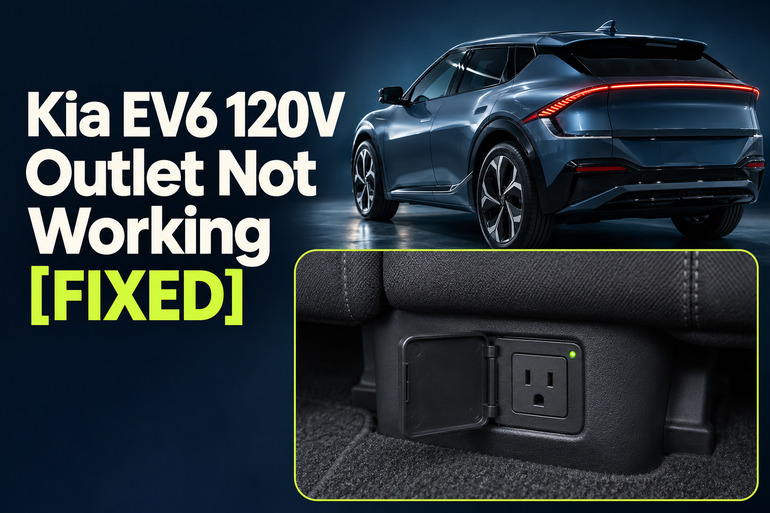
How the Kia EV6’s 120V Outlet Works
On EV6 models equipped with an interior outlet, you’ll find it at the base of the rear seat. Kia calls the feature Vehicle to Load, or V2L. It takes energy from the large battery that powers the car and converts it to alternating current, the same type of power a wall outlet supplies. The exterior V2L connection uses a compatible adapter at the charge port. If you’re looking for the interior socket and can’t find it, check the equipment list for your year and trim.
Check the outlet light before and after plugging in a device. Blue with nothing connected is normal standby. Green means the outlet is supplying power, so a device that stays dark could have a problem of its own. Red with a device plugged in means the outlet isn’t delivering power. If the light stays dark, check the car’s power mode and battery reserve before drawing any conclusions about the outlet itself.
The timing also helps. An outlet that cuts out as an appliance starts points to a different cause than one that runs until the battery reaches a certain percentage. Check the instrument cluster for a message about excessive power use or the battery limit. If the outlet is wet, loose, or scorched, or you smell burning plastic, stop using it and arrange an inspection before testing it again.
Kia EV6 120V Outlet Not Working [FIXED]: Common Causes
The outlet can lose power because of a vehicle setting, a device you’ve plugged in, or a condition that makes the car stop supplying electricity. Start with what happened just before it quit and what the car displayed at the time.
1. The EV6 Is in the Wrong Power Mode
The infotainment screen can be on while the car is in accessory mode. That can make the EV6 seem fully powered up even though the rear outlet needs the vehicle’s EV power switched on. If you pressed the EV button without holding the brake, check the instrument cluster to see which power mode you selected. The button sequence varies by model year.
The car can also turn itself off after you’ve already started using the outlet. For example, the U.S. manual for one 2026 EV6 version says the car can shut down after 15 minutes in POWER ON without a switch to Utility Mode. If the outlet and the screens go dark together at about the same time, the vehicle’s power mode is a good place to start.
2. The Battery Has Reached the V2L Reserve
The V2L discharge limit is the battery percentage you want to keep for driving. If you set it to 40% and the vehicle has 43% left, V2L can use only the energy between those two levels. At 40%, the car cuts power to the outlet. If the battery is already at or below the limit, V2L won’t start.
The battery can have plenty of charge left for driving when this happens. Check the current battery percentage against the V2L setting. If the dash says the battery reached the set value, you have a direct explanation for the shutdown. An outlet that repeatedly stops at the same percentage gives you another clue, even if you missed the message.
3. The Appliance Draws Too Much Power
Kia lists a V2L maximum of 1,900 watts in its U.S. feature guides for the 2024 and 2025 EV6. Check the limit in the guide for your car. If the combined demand goes over that limit, the system can shut off and display an excessive power use message. When you’re using both outlets, the equipment outside counts toward the total as well.
Some devices briefly draw much more power when they start than they do once they’re running. That’s why an appliance can look suitable based on its usual power draw and still cause a shutdown the moment it switches on. If a small lamp works and the outlet cuts out whenever another appliance starts, check that appliance’s power requirements before trying it again.
4. The Plug or Device Is the Problem
A green light with a device that won’t turn on is a reason to look at the device, its plug, and anything connected between it and the outlet. A cord can keep a plug from sitting securely if it’s pulled tight around the seat base. A worn plug can also cause trouble, while a damaged cord calls for taking the device out of use.
If the device works at home, compatibility is still a possibility. Kia notes that some electronics are sensitive to the way the vehicle produces AC power, even when they draw less than the stated maximum. Testing a second, simpler device gives you a clearer answer than trying the same charger or power strip repeatedly.
5. The Charge Door, Climate Schedule, or Heat Interrupted Power
Kia’s U.S. manual for the 2026 EV6 lists opening the exterior charge door while using the rear outlet as one reason V2L can stop. If your lamp went out as someone opened that door, the timing matters. The same manual says scheduled air conditioning can interfere with V2L when the climate schedule kicks in. That’s worth checking if the interruption occurs around a programmed departure time.
If you’re using an exterior V2L adapter, an overheated adapter can also interrupt power. Kia lists overheating and switching off the adapter as reasons for the V2L conditions warning. The wording alone can’t tell you which one happened. Consider whether the rear outlet was running on its own or the outside adapter was also in use when the warning appeared.
Kia EV6 120V Outlet Not Working [FIXED]: DIY Fixes
Test the rear outlet with one small device so you can see what changes when you adjust a setting or remove a load. If the dash already identifies a battery limit or overload, start with the fix for that message.
1. Power Up the Car and Check the Outlet Light
Park the EV6, apply the parking brake, and close the exterior charge door. For a brief test, hold the brake and press the EV button as you normally would to start the car. Confirm that the cluster shows READY and keep the vehicle in Park. On versions with a locking outlet cover, use the mechanical key from the key fob to open it.
Plug a known working, low power device with a compatible plug directly into the outlet. A small lamp is convenient because you can see at once whether it has power. Watch for the outlet light to turn green and the lamp to come on. If the lamp stays off, note the light color and any message that appears on the dash.
For longer use while parked, follow the Utility Mode instructions in your owner’s manual. On the 2024 EV6, you start in READY with Park and the parking brake engaged, then activate Utility Mode through EV Settings. On some newer versions, the menu is under Setup, then Electric Vehicle. Check that the cluster confirms the mode before relying on the outlet for a longer session.
2. Compare the V2L Limit With the Battery Percentage
Open the EV screen and look for Vehicle to Load, EV Charge Transfer Settings, or Electricity Use Settings. The wording varies by version. Find the minimum battery percentage and compare it with the charge shown on the dash. If the battery is at 45% and the limit is at 50%, the outlet will stay off under that setting.
Charge the car above the limit if you need to keep that driving reserve. If you have enough range for your next trip, you can choose a lower limit within the settings your car allows. Then try the lamp again. If it comes on after that change, you’ve found what was blocking power. Expect another shutoff when the battery reaches the new limit.
3. Remove Extra Loads and Check the Appliance Rating
Switch off and unplug the devices you were using, including anything on the exterior V2L adapter. Test the inside outlet again with the lamp alone. If it works, check the original device’s label or manual for its AC input rating and any listed startup demand before reconnecting it. Kia warns against using appliances such as irons, coffee pots, and toasters on V2L.
Try a compatible device by itself before adding anything else. If you get the excessive power use warning again as that device starts, use a lower demand device that meets Kia’s requirements. For a device whose startup demand is unknown, check with its manufacturer before trying it again. Repeatedly restarting V2L with the same load leaves the reason for the shutdown in place.
4. Reseat the Plug and Test the Device Separately
If the light is green but the device is off, Kia recommends unplugging and reconnecting it. With dry hands, look at the plug and cord before reconnecting. If they’re dry and intact, push the plug in straight until it sits securely. Try the device directly in the socket so you can rule out a power strip or extension cord. If the socket itself feels loose or the plug won’t sit securely, stop the test.
Try the original device at a working household outlet if the device and cord are undamaged. A device that also fails there needs attention of its own. If it works at home and a second device works in the EV6, you’ve narrowed the issue to the original device or how it was connected in the car. Check its manual for any limits on using inverter power.
5. Restore the Conditions for V2L
If power dropped when the charge door opened, close it and retry the rear outlet on its own. If you need both outlets and your Kia manual gives a connection order, follow it. The U.S. manual for one 2026 version says to connect the inside device first, then connect the exterior V2L adapter. If the interruption lined up with scheduled climate control, pause the schedule and retest.
If the exterior adapter overheated, switch it off and let it cool. Check the outside of the adapter and plug for visible damage before considering another test. Leave damaged, corroded, or wet equipment disconnected. If overheating returns with a compatible, low power device, stop using the adapter and have Kia inspect it.
6. Contact a Kia Service Center
Book an inspection if the outlet still shows red or stays dark with the car powered correctly, the battery above its V2L reserve, and a known working device plugged in. Also call if several compatible devices fail despite a green light, or if power keeps cutting out under a light load. Tell the technician the outlet color, the battery percentage, the exact dash message, and whether the exterior adapter was connected. Those details can help them reproduce the fault.
Leave a damaged outlet alone and have it inspected before using it again. If the dash displays a broader vehicle warning such as Check electric vehicle system or Stop vehicle and check power supply, follow the manual’s instructions to stop safely and arrange a tow.
Wrapping Up
If you get the outlet working again, give it a short test with the device you actually plan to use. Stay nearby long enough to see what happens when it starts or changes settings. A lamp can confirm that the socket supplies power, while this second check tells you whether your equipment will run on it.
If the power drops again, take a photo of the dash message and note which device was running. You’ll have a record of the failure even if the warning clears before your service appointment.