
A charging cable can look properly connected to your Kia XCeed while the battery hardly gains any charge. Sometimes the car is waiting for a cheaper electricity rate. Other times, the wall charger has stopped supplying power, or the plug hasn’t seated fully.
Start by checking what the car and charger show at the moment you plug in. Those details can help you get charging again or pinpoint which equipment needs a closer look.
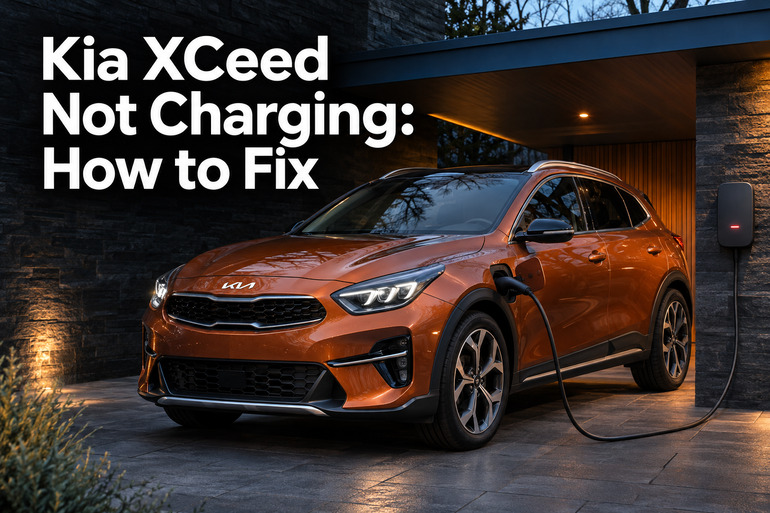
What a Charging Problem Looks Like on the Kia XCeed
On the XCeed plug-in hybrid, also called the PHEV, the large battery supplies power to the electric motor. A home wall charger or public AC charging point supplies electricity to the car. A charger built into the XCeed then converts that electricity into the form the battery can store. A session can fail anywhere along that path, from the power supply to the charging electronics inside the car.
Start with the battery percentage and the charging status, especially if your only clue is a shorter estimated electric range. That range is a prediction, so a fully charged battery can show fewer miles than it did on a previous trip. The lights can also go dark after charging finishes. If you plug in and find the battery already full, there’s no charging failure to trace.
The smaller 12 volt battery powers equipment such as the locks and dashboard. If the doors barely respond and the dash is dark, tell roadside assistance about those symptoms. They point toward a low voltage problem and call for a different check. On an XCeed with a conventional engine, a battery warning light that stays on while the engine runs can indicate an alternator or electrical charging fault. Pull over safely, switch off the engine, and call for assistance.
Stop using the charging equipment if you notice a burning smell or signs of melting around the plug or socket. Keep clear of equipment that’s smoking or sparking and call emergency services if there’s a fire. If the dashboard tells you to stop safely because of a hybrid system fault, pull over when safe and arrange roadside assistance.
Kia XCeed Not Charging: Common Causes
Whether charging fails straight away or stops after it starts can help you narrow down the cause. It also matters whether the problem follows the car or happens at one charging point.
1. The Car or Wall Charger Is Waiting for a Schedule
A car that plugs in without an error but sits there waiting may be following a timer. Kia’s scheduled charging feature can use a departure time and an off-peak window. A setting that restricts charging to cheaper hours can leave the car waiting until that window opens, even if you’ve plugged in hours earlier.
Some wall chargers have their own timer. If the car is ready to accept power at 10 p.m. but the wall charger waits until midnight, the session can only start once both allow it. If the two windows never overlap, the battery can still be low the next morning.
A recent change in your electricity plan or departure time makes the schedules worth checking. On XCeeds with Kia’s three charging indicator lamps, a blinking middle lamp can indicate scheduled charging or a temporary interruption. Check the schedule and the charger’s status before drawing a conclusion from the lamp alone.
2. The Plug Isn’t Fully Seated
The connector has to sit squarely in the charging port so the car and charging point can communicate. A cable hanging under tension can pull the connector sideways before it seats. At a public point that uses your own cable, the plug at the station end also has to sit firmly.
Kia may show “Charging stopped. Check the cable connection” when the connector hasn’t made a proper connection. If the plug still won’t sit flush after you take the weight off the cable, look for damage or something blocking the opening. A connector that needs to be held at an angle to work should come out of service until the cable or inlet can be checked.
3. The Charging Point Isn’t Supplying Power
A wall charger can have power to its display while the charging session itself is paused or blocked. At home, check whether the charger’s app shows a pause, a fault, or a loss of power. At a public station, a session can stall if the operator hasn’t authorized it or if you’ve selected a different outlet in the app.
Kia uses “Charging stopped. Check the AC charger” for an error reported on the external charger side. Compare the dashboard message with the wall unit’s screen or the station’s app. If your XCeed charges normally at another compatible point, that gives you a reason to focus on the original station and any cable used there.
4. The Portable Charger or Socket Is Faulty
A portable charger has a control box on the cord. Depending on the model, its lights can show whether it’s receiving power, charging, or reporting a fault. A box with no power indication could be connected to a dead outlet, or the unit itself could be faulty. Check the light guide for your particular unit, since the patterns can vary.
A charge that starts normally and then stops can also point to a heat problem. For example, a worn outlet can make poor contact with the plug, allowing heat to build up during charging. Some portable chargers have a temperature warning for this reason.
Take an overheating warning seriously even if the charger starts again after cooling. Discoloration around a socket, a burnt smell, or a loose fit are reasons to stop using it for charging and have an electrician check it.
5. The Car Has a Charging System Fault
If the XCeed refuses to charge on separate, working AC points with different cables, the chances of a fault on the car side go up. The charge port or its locking mechanism can fail, and the charger inside the vehicle or the electronics that manage the battery can also stop a session.
The details can help a technician decide where to look. A plug that locks and starts charging before the session cuts out gives the technician a different starting point from a plug the car never detects. With either symptom, the car needs to be tested before anyone can say which part has failed.
Kia XCeed Not Charging: DIY Fixes
Use the battery percentage and the charger’s status to check the result of each step. Change one thing at a time so you can tell what allowed the session to start or what made it stop.
1. Try Charging Right Away
Open the PHEV charging settings on the center screen and turn off scheduled charging for one test. On compatible versions, look under PHEV and Charge Management. If your home unit has a separate schedule or pause setting, use its app or controls to allow an immediate session. Keep the XCeed in Park with the parking brake on and the vehicle switched off while you charge.
Some XCeeds have a scheduled charging release button that lets you start a session without changing your saved timetable. Use your owner’s manual to confirm how and when to press it. If the car starts and the battery percentage rises, you can restore the schedules and adjust their times so the car and charger are available together.
2. Disconnect and Refit the Cable
If a session is active, end it using the charger’s controls or app. Unlock the car’s doors, then remove the connector by its handle once it releases. If it stays locked, follow the release instructions in your XCeed manual. Pulling harder can damage the charging port.
With the connector removed, look at the plug and the port opening in good light. Keep your fingers and tools away from the contacts. Wait until the connector and inlet are clean and dry before reconnecting. If you see a bent contact, a crack, or debris lodged inside, get the affected part checked.
Take up any tension in the cable, then guide the plug straight into the port by its handle until it seats fully. If the charging point has a socket and you’re using your own cable, confirm that end is fully inserted too. Start the session as directed and look for an active charging status. If the same connection warning returns, try a different compatible cable or a point with its own cable.
3. Read the Charger’s Status Before Restarting
For a public station, match the outlet number on the unit to the one selected in the app or on the screen. Follow the station’s instructions for activating the outlet. Take note of any payment, authorization, or equipment error. Once the session shows as active, check for power delivery on the charger’s screen or in the app if it provides that information.
At home, read the wall charger’s status light or app message and check what it means in the charger’s manual. If the unit is offline or has a fault that persists, contact its installer or support provider. If the circuit breaker repeatedly trips during charging, stop using that setup and call an electrician. Leave the charger housing and electrical panel closed.
4. Test at a Separate Type 2 AC Point
Choose a working Type 2 AC point with its own cable, or use another compatible cable in good condition. This changes both the power source and the cable if you normally charge with a portable unit or your own lead. A station with several outlets gives you another option if the first outlet reports an error before the test starts.
The XCeed PHEV can accept up to 3.3 kW on AC. A 7 kW or higher Type 2 AC point can still work, with the car limiting how much power it draws. Choose the outlet marked Type 2 AC at stations that also offer DC rapid charging.
Write down the battery percentage when you connect and give the session enough time for the display to register a change. If the car charges steadily there, use what you learned to narrow down the original setup. For example, if your home wall unit has a detachable cable, a successful charge with a different compatible cable at home points back to the original cable.
5. Check Whether the Portable Charger Has Power
If you use a Kia approved portable charger, check its power light before connecting it to the car. Use a suitable grounded outlet that’s in good condition, following the charger’s instructions. Plug it directly into the outlet. An extension cord or adapter adds connections that can overheat.
If the power light stays off, or if a fault or temperature warning appears, stop using that setup. Note which light was on or flashing so an electrician or the charger supplier can identify what the unit reported. If the plug or outlet looks scorched, leave it alone and call an electrician.
If the home outlet and portable unit are both in question, use a working Type 2 AC point for your next charge. A successful session there helps narrow the issue to the portable setup. Have the outlet checked if it’s loose or shows signs of heat. If the outlet checks out and the portable unit still reports a fault, ask its supplier about inspection or replacement.
6. Contact a Kia Technician for a Repeat Fault
Book an inspection with a Kia dealer or a technician qualified to work on plug-in hybrids if the car still won’t charge at working AC points with different cables. If the dashboard warns you to stop or tells you there’s a hybrid system fault, follow the warning and arrange assistance before doing any more charging tests.
Bring a photo of the dashboard message and note the starting battery percentage, the equipment you tried, and how long charging lasted before it stopped. Those details help a technician reproduce an intermittent fault and decide whether to test the inlet lock, read stored fault codes, or check the charger inside the car. Leave any work on the high voltage system to the technician.
Wrapping Up
A single missed charge can be hard to explain after the fact, especially if the lights have gone out by morning. The next time you plug in, take a moment to confirm the session is active and note the battery percentage. If it stops again, the message on the car or charger can give you a better lead than the estimated range.
Once you’ve found a setup that charges reliably, you can use it while arranging a check of the equipment that failed. If the same fault follows the car, share your observations when you book the inspection.