
A silent radio in your Kia Venga can take several forms. The display might stay dark, the controls might work without any sound, or FM stations might break up while music from your phone plays clearly. Each symptom gives you a different place to start.
You can narrow down most radio problems while the car is parked. A few simple checks can tell you whether to look at the power supply, the antenna, or the stereo itself.
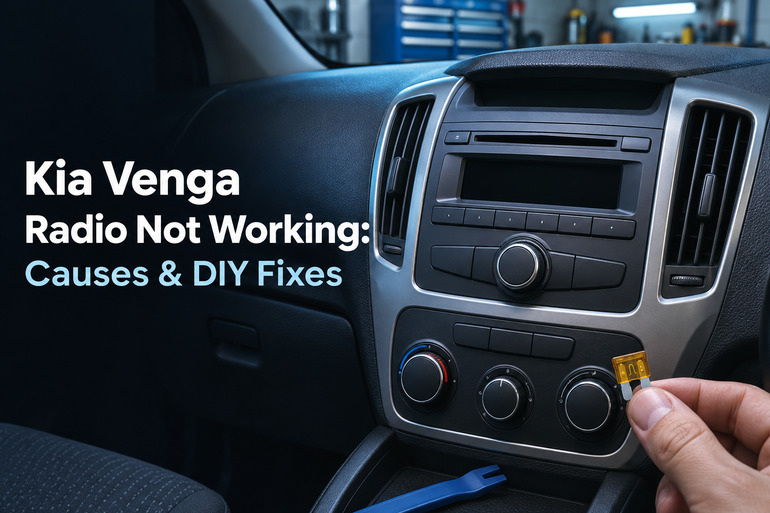
What the Radio Is Telling You
The stereo, sometimes called the head unit, is the part in the dashboard that selects what you hear. For FM radio, a tuner inside the stereo uses the signal picked up by the antenna. For a CD, USB drive, or Bluetooth stream on a Venga equipped with those features, the sound comes from a different source but plays through the same speakers.
Start with what you can see and hear. A dark screen and buttons that do nothing point toward a power supply problem or a stereo that can’t start. A working display with silence on every source puts the sound settings and speaker circuits higher on the list. If you can hear a station through some speakers, the stereo is receiving a signal and producing sound.
Timing helps too. A code prompt after a battery replacement has a different explanation from a screen that goes dark over bumps. FM that fades in one stretch of road may be normal. Reception that suddenly gets worse on several familiar stations, even where you normally get a strong signal, deserves a closer look.
If you smell burning plastic from the dash or see smoke, pull over safely if you’re driving, switch off the ignition, and get out of the car. Keep clear and call emergency services if there’s smoke or fire. Have the car checked before turning the stereo back on.
Kia Venga Radio Not Working: Common Causes
The same complaint can come from a setting, a loss of power, or a fault in the equipment. The quickest clue is how much of the system still works.
1. A Blown Fuse or Interrupted Power Supply
A fuse protects the wiring by breaking the circuit when too much current flows. If the fuse supplying your stereo opens, the radio can go completely dead. On some Vengas, the fuse chart lists more than one circuit associated with the audio system, so the label for your own car matters.
A good fuse still leaves other possibilities. The stereo needs power and a ground connection, which completes the electrical circuit. A poor connection in either path can make it cut out, restart, or stay dark. A fault that first appeared after a stereo installation or dash repair makes the wiring behind the unit worth checking professionally.
If the clock and radio presets keep resetting together, or other accessories have started misbehaving, write down which ones and when. A weak battery or an interrupted electrical feed can affect several items at once. If the engine has also become slow to crank, get the battery and charging system checked before buying a stereo.
2. A Radio Code Prompt After Battery Work
Some factory Venga stereos have an optional security code. When that feature is active and the stereo loses power, the display can ask for a code before it allows normal use. This can happen after the battery has been disconnected or replaced.
The wording depends on the stereo, so note exactly what appears on the screen. A prompt for a code or a message that says LOCKED shows the unit has enough power to display that message. Some units limit the number of attempts and make you wait before trying again, so a guess can delay an otherwise simple fix.
3. A Sound Setting or Playback Problem
A phone can show that it’s connected while music is paused, routed to another device, or playing with the media volume turned down. Also, some stereos support both calls and music through Bluetooth, and the Venga audio manual describes selecting a separate Bluetooth audio source on compatible units. A successful call doesn’t tell you whether that source is selected.
The stereo’s own settings can make the problem seem wider. Mute or low volume can silence playback, while balance and fader settings send sound to particular speakers. If passengers in the back can hear music but the front sounds quiet, check the fader before assuming a speaker has failed.
4. A Loose or Damaged Antenna
If you get hiss, crackling, or very few stations on FM while another source plays clearly, the antenna is worth a look. Several Venga models use a removable roof mast. The mast can be left off after a car wash or put back loosely, and roof cargo close to it can interfere with reception.
The mast is only the visible part. Its base and the cable running to the stereo also carry the radio signal. Damage at the base or a loose cable connection can weaken reception even when the mast looks fine. If the change followed roof work or a stereo replacement, tell the shop what was disturbed.
Pay attention to where it happens. Buildings and hills can briefly weaken or distort FM reception, and a distant station may fade as you drive away from its transmitter. The antenna becomes a stronger suspect when multiple local stations sound poor in places where you used to receive them clearly.
5. A Speaker, Wiring, or Stereo Fault
A single speaker that stays quiet, buzzes, or distorts at moderate volume on both radio and another source could have a damaged speaker or a problem in its wiring. If the same door speaker cuts in and out when that door moves, mention it to the technician. That detail can help direct attention to the wiring where it flexes between the door and the body.
When every speaker goes quiet across several sources, the fault may be in the stereo’s sound output or a shared part of the audio circuit. A unit that repeatedly freezes or reboots could also have an internal fault. Since unstable power can produce similar behavior, checking the electrical supply comes before condemning the stereo.
Kia Venga Radio Not Working: DIY Fixes
Pick the checks that match what your stereo is doing. You can try the controls and compare sources from the driver’s seat, and a visual check of the roof mast can help with poor reception.
1. Check the Power Button, Volume, and Speaker Settings
With the car parked, set the ignition to accessory mode or the position specified in your owner’s manual. Use the power button on the stereo itself, then try its volume control. Clear mute if it’s active. If the stereo responds at the dashboard but ignores a steering wheel button, mention that difference if the controls need further diagnosis.
If the display works but the sound is faint or uneven, find balance and fader in the sound menu, if fitted, and set both to the center. Play a familiar station at a moderate volume. Briefly move the settings toward each corner to hear which speakers respond, then return them to the center. A speaker that stays silent on several sources is worth noting.
2. Compare FM With Another Audio Source
Select FM and tune manually to a strong local station you know. Next, play a familiar CD, USB track, or phone recording using a source your stereo supports. Keep the volume moderate as you switch. Clear sound from another source gives you a useful check on the speakers and shifts your attention toward FM reception.
If only Bluetooth is silent, make sure the phone is connected for media playback where that option is available. Select Bluetooth audio on the stereo, start a track on the phone, and bring up the phone’s media volume gradually. If the connection still fails, remove the pairing from the phone and the car, then pair them again using the instructions for your stereo.
For an AUX input, make sure the plug is fully seated at both ends and try a cable you know works. For USB, try a drive or cable that meets your stereo’s requirements. A phone can charge through a USB port without the stereo being able to play music from it.
3. Check the Roof Antenna and Retest Reception
If FM is the only problem and your Venga has a threaded roof mast, check from a safe standing position that it’s present, straight, and seated against its base. If it’s loose and the threads look sound, tighten it by hand. If the mast is missing, use a replacement that fits the base specified for your car.
Move any roof cargo away from the mast and test a few local stations outdoors. If you can, compare reception with another car tuned to the same frequencies in the same spot. Clear reception in the other car gives you a reason to have the Venga’s antenna base, cable, or tuner checked, especially if reception stays poor with the mast seated firmly.
4. Use the Correct Code if the Display Asks for One
Check the paperwork that came with the car for a radio code card or a record from the stereo installer. If you can’t find the code, a Kia dealer can explain what it needs to identify a factory unit. Have your vehicle identification number and proof of ownership handy. If the stereo was replaced, contact the maker or installer of the unit that’s in the dashboard now.
Follow the entry instructions for that specific stereo. If the screen already says LOCKED, check its manual for the required waiting procedure before entering the verified code.
Once the stereo accepts it, try FM and another available source to confirm that normal playback has returned.
5. Check the Audio Fuse if the Stereo Is Dead
Use the fuse chart and panel cover label for your Venga to find the circuit that protects the stereo. Start with the interior fuse panel, which Kia identifies on the driver’s side in the 2015 manual. Some charts show a 20 amp AUDIO fuse, but use the rating on your own car’s label and manual. The layout can vary by equipment.
Turn off the ignition and all switches. Follow your manual’s battery instructions before you handle the fuse. The 2015 Kia manual calls for disconnecting the negative battery cable before replacing a blown fuse. If you’re unsure how to do that safely, or you need to confirm the radio code before power is disconnected, sort that out before removing the fuse.
Use a plastic fuse puller to lift the identified blade fuse straight out. A visible break in the metal strip inside it means the fuse has blown. Fit a replacement of the same type and amperage, and make sure it seats firmly. Reassemble everything according to the manual before testing. If the new fuse blows, leave the stereo off and have the circuit checked. A higher rated fuse can let the wiring overheat.
6. Contact a Kia Dealer or Auto Electrician
Book a diagnosis if the correct fuse is good but the stereo stays dead, if the new fuse blows, or if sound keeps dropping out. For a problem that comes and goes, tell the shop whether the display goes dark or stays lit when the sound stops. Mention recent battery, dash, or roof work and whether the fault affects one speaker, one source, or everything.
A Kia dealer or auto electrician can test the power and ground at the stereo and check the antenna and speaker circuits as needed. If the fault started right after a replacement stereo was fitted, the installer can review the wiring and adapters used for your car.
Wrapping Up
A short record of what the radio does can save you time, especially when the fault disappears before you reach the shop. Note where you were, which source was playing, and whether the display or clock changed. If you can reproduce the problem while parked, it’s easier to check whether a simple adjustment made a lasting difference.
Once playback returns, try the stereo again on your next trip under the same conditions. If the fault comes back, take those details to the shop so the technician can begin with the circuit or component that best fits the symptoms.