
A Hyundai i10 radio that suddenly stops working can make even a short drive less enjoyable. Sometimes the display goes completely blank, while in other cases the radio powers on but produces no sound, refuses to find stations, or keeps restarting. These symptoms can point to different faults, so replacing the radio immediately may waste money. A few simple checks can help you identify the likely cause, restore normal operation, and determine when professional electrical diagnosis is necessary.
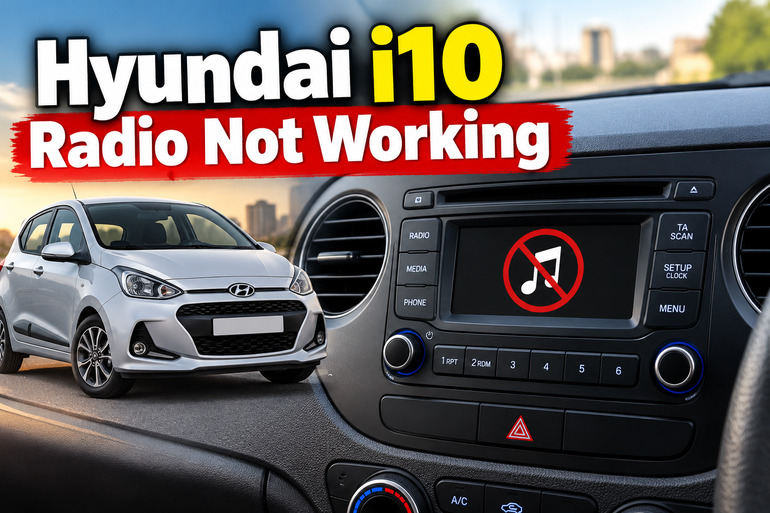
Understanding the Hyundai i10 Radio Problem
The radio in your Hyundai i10 receives electrical power through the vehicle’s wiring and fuse system. Depending on the model year and equipment fitted, it may be a conventional radio or part of a larger infotainment unit with Bluetooth, USB playback, touchscreen controls, and steering wheel audio buttons.
When the system stops working, the first clue is the type of failure. A completely blank display suggests a possible power supply, fuse, wiring, or internal unit problem. If the display lights up but there’s no sound, the fault may involve the volume settings, audio output, speaker wiring, amplifier, or head unit itself.
Another important distinction is whether the radio fails in every mode. For example, if FM stations play normally but your phone won’t connect through Bluetooth, the problem is more likely related to the phone connection or infotainment software than the radio’s main power supply.
You should also consider when the fault started. A radio that stopped working after a battery replacement, jump start, aftermarket stereo installation, or electrical repair may have a different underlying cause from one that gradually developed problems over several weeks. Identifying this history helps narrow down the appropriate checks.
Hyundai i10 Radio Not Working: Likely Causes
Several electrical and operating faults can prevent your Hyundai i10 radio from working correctly. The following are the main causes to investigate before deciding that the radio unit itself needs replacement.
1. A Blown Radio Fuse
A blown fuse is one of the first possibilities to investigate when the radio has no display and won’t respond to its controls. The fuse protects the electrical circuit by interrupting the current when an excessive electrical load or short circuit occurs.
Depending on the i10’s model year and equipment, the radio may be protected by a fuse labelled AUDIO, AUDIO B+, or another designation on the fuse panel diagram. Some vehicles also use separate power supplies for the radio’s operating functions and saved settings. The exact arrangement varies, so the fuse label in your vehicle’s manual or fuse box should guide your inspection.
A blown fuse can result from an electrical short, damaged wiring, an incorrectly installed aftermarket accessory, or a faulty component. If the replacement fuse blows again shortly after installation, the underlying electrical fault needs diagnosis rather than another replacement.
2. Weak Battery or Interrupted Power Supply
The radio needs a stable electrical supply to operate properly. A weak battery, loose battery terminal, poor ground connection, or interrupted power supply can prevent it from switching on or cause it to restart unexpectedly.
This possibility deserves particular attention if your Hyundai i10 has also been slow to start, has dim interior lights, or has experienced other electrical problems. If the radio stopped working immediately after the battery was disconnected, a reset or loss of saved settings may also be involved.
A radio that loses its presets or clock settings repeatedly may be experiencing an interruption in its constant power supply. However, these symptoms don’t automatically prove that the battery is faulty. The wiring, terminals, fuse connections, and radio unit itself may also require inspection.
3. Incorrect Audio Settings or a Source Selection Problem
Sometimes the radio is operational, but its settings make it appear faulty. The volume may be turned down, the system may be muted, or the selected source may be an unavailable USB device or disconnected phone.
This situation is particularly common when the display remains illuminated and the controls respond normally. On i10 versions equipped with steering wheel audio controls, an accidental button press may also change the volume or audio source.
If the FM radio works but Bluetooth audio doesn’t, there’s little reason to suspect a blown main radio fuse. The issue may instead involve a failed pairing, an incorrect media source, a phone setting, or a software problem. Distinguishing these symptoms prevents unnecessary electrical repairs.
4. Damaged Wiring or a Poor Electrical Connection
The radio depends on connections for power, ground, and audio signals. A loose connector or damaged wire can interrupt one or more of these functions, leaving the unit completely dead or causing intermittent problems.
Wiring issues may develop after a previous radio installation, dashboard repair, accessory installation, or work on nearby electrical components. An aftermarket stereo that was installed with an unsuitable wiring harness may also have unreliable connections.
The symptoms can be inconsistent. Your radio might work over bumps, cut out while driving, or restart unexpectedly. If the unit was recently removed or replaced, an improperly seated connector is worth investigating. Accessing the wiring behind the dashboard, however, can require trim removal and careful electrical checks.
5. An Internal Radio or Infotainment Unit Failure
If the fuse, power supply, settings, and accessible connections appear normal, the head unit itself may have developed a fault. Its internal electronic components, control buttons, display, or audio output circuitry can fail over time.
A faulty display may leave the radio producing sound despite appearing switched off. Conversely, a working display with no audio across FM, USB, and other available sources may indicate an audio output problem.
Software problems can also cause some infotainment systems to freeze, restart, or stop responding. However, the exact reset procedure and available software updates depend on the fitted unit. A complete head unit replacement should follow proper testing, since a power supply fault can produce similar symptoms.
Hyundai i10 Radio Not Working: DIY Fixes
You can resolve some radio problems without removing the dashboard or purchasing replacement parts. Start with the simplest checks, then move to the fuse and electrical supply if the initial steps don’t restore operation.
1. Check the Radio Controls and Audio Source
Begin by confirming that the radio is actually switched on and that the vehicle is in the appropriate ignition mode. Some systems operate with the ignition in ACC or ON, while others have different power management settings.
Turn up the volume using the radio’s physical control and check whether the mute function is enabled. If your Hyundai i10 has steering wheel audio buttons, try the volume control on the radio itself to determine whether the problem is limited to the remote controls.
Next, select FM or AM radio, depending on what your model supports. If you’ve been using Bluetooth or USB, switch to the radio source instead.
If broadcast radio works, the main unit is receiving power and producing sound. Concentrate on the affected connection or media source instead of replacing the entire unit. If the display remains blank or the controls don’t respond, continue with the next checks.
2. Inspect the Relevant Fuse
A fuse inspection is a practical next step when the radio has no power. The Hyundai i10’s fuse panels are generally located in the passenger compartment and engine compartment, but the precise locations and circuit assignments depend on the model year.
Before inspecting a fuse, switch off the ignition and electrical accessories. Consult the owner’s manual or the diagram on the fuse box cover to identify the correct audio fuse. Don’t rely on a fuse number or amperage specification from another i10 because the arrangement can differ between generations and equipment levels.
Pull out the suspected fuse using the designated fuse puller, following the manual’s instructions. A broken or melted metal element indicates that the fuse has blown. If it’s damaged, replace it with a fuse of exactly the same rating.
Never install a higher rated fuse, bridge the fuse with wire, or use aluminum foil as a substitute. These shortcuts can damage wiring and create a fire hazard.
Once the replacement is installed, switch the system on and check its operation. If the fuse blows again, stop replacing it and arrange an electrical inspection to find the cause of the excessive current.
3. Check the Battery and Look for Other Electrical Symptoms
If the radio and other accessories are behaving unpredictably, inspect the vehicle’s general electrical condition. Check whether the engine starts normally and whether the dashboard lights and interior lighting appear unusually dim.
With the engine off, you can visually inspect the battery terminals for obvious looseness or corrosion. Avoid touching exposed electrical connections with metal tools, and don’t attempt to disconnect the battery while the vehicle is running.
A weak battery or poor connection may explain several electrical symptoms at once. If you have a suitable multimeter and know how to use it safely, a battery voltage test can provide additional information. A workshop can also perform a battery and charging system test if the readings are inconclusive.
If the battery was recently replaced or disconnected, check whether the radio requires a reset or security code. Follow the instructions for your specific unit rather than entering random codes. Some systems may lock temporarily after repeated incorrect attempts.
4. Restart the Radio or Reset the Infotainment System
An infotainment unit that freezes, displays an error, or stops responding may recover after a restart. The appropriate procedure depends on the system installed in your Hyundai i10.
Start with a normal power cycle. Switch the radio off, turn off the ignition, and allow the vehicle’s electrical system to shut down as described in the owner’s manual. Restart the vehicle and try the radio again.
If your unit has a clearly identified reset button, consult the applicable audio manual for its use. Some infotainment systems have a small reset button, while other radio models use different procedures. Do not push unidentified holes or insert objects into controls without confirming their purpose.
A factory reset, where supported, may erase saved stations, paired phones, and other settings. Use it only when appropriate for the fitted system, and check whether a security code is required before proceeding.
If the unit repeatedly freezes or restarts after a reset, it may have a software or hardware problem that needs further diagnosis.
5. Check Bluetooth, USB, and Antenna Connections
If the radio powers on but a particular function doesn’t work, isolate the affected feature. For Bluetooth, switch Bluetooth off and on on your phone, confirm that the correct device is selected, and try pairing again using the vehicle’s instructions. Removing an old pairing and establishing a fresh connection may resolve connection errors.
For USB playback, try a compatible cable and another supported device or media file. If the radio works with FM but not USB, the cable, port, phone, or file format may be responsible. A faulty USB connection doesn’t necessarily mean the entire head unit has failed.
When FM reception is poor but the display and audio system otherwise work, inspect the external antenna for obvious physical damage or looseness. Weak reception can also result from poor signal coverage or interference. Test the radio in an area with better reception before assuming the antenna is defective.
Avoid removing dashboard panels or probing antenna wiring unless you have the correct tools and experience. If the connection is damaged or inaccessible, a technician can inspect it without risking other components.
6. Contact a Qualified Automotive Technician
If these checks don’t restore operation, professional diagnosis is the next sensible step. This is especially true if the radio repeatedly blows its fuse, has an intermittent power supply, or remains dead despite a confirmed good fuse.
A technician can test the radio’s power and ground connections, check for voltage at the relevant circuits, inspect the wiring harness, and determine whether the fault lies in the vehicle or the head unit. Depending on your model, additional electronic diagnostics may also be necessary.
Professional attention is also appropriate if the fault began after wiring modifications, water intrusion, or an electrical repair. Stop using the affected circuit if you notice a burning smell, smoke, melted plastic, or unusually hot wiring, and seek qualified assistance.
Before authorizing a replacement, ask for the original unit to be tested where practical. If replacement is necessary, confirm that the new unit is compatible with your i10’s wiring, steering wheel controls, security requirements, and other fitted features.
Wrap-Up
A Hyundai i10 radio that stops working may have a simple settings problem, a blown fuse, an interrupted power supply, damaged wiring, or an internal fault. The symptoms help narrow down the possibilities, so start by checking the controls and audio source before inspecting the relevant fuse or investigating the electrical supply.
Avoid replacing parts without evidence that they’re defective. A methodical approach can prevent unnecessary expense and help you identify when professional diagnosis is needed. If the fault persists, a qualified automotive technician can test the circuit and determine whether the radio itself needs repair or replacement.