
You’re standing in a parking lot, arms full of groceries, and you press the button on your Nissan Altima’s key fob. Nothing happens. You press it again. Still nothing. Now you’re juggling bags while fumbling for the actual key to unlock your door the old-fashioned way.
This happens to more Altima owners than you’d think, and it’s incredibly frustrating. The good part is that most key fob problems have simple solutions you can handle yourself without spending money at the dealership. Let me walk you through everything you need to know about fixing your unresponsive key fob.
Why Your Key Fob Stops Responding
Your key fob is basically a tiny radio transmitter that sends coded signals to your car. When you press a button, it broadcasts a message that tells your Altima to lock, unlock, or pop the trunk. The car’s receiver picks up this signal, verifies the code, and responds accordingly.
Several things can interrupt this communication. Sometimes the problem lives inside the key fob itself, like a dead battery or damaged circuit board. Other times, the issue sits on the car’s side, where the receiver might be malfunctioning or the car’s computer needs a reset.
Physical damage plays a role too. Drop your key fob enough times and internal components can shift or crack. Water damage from rain, spilled drinks, or even high humidity can corrode the delicate electronics inside. These little devices take a beating in pockets, purses, and cup holders every single day.
If your key fob stops working completely, your car won’t strand you. Every Nissan Altima has a backup system. You can still unlock the door with the physical key hidden inside the fob and start the engine by holding the fob near the start button, even with a dead battery. Still, driving without a functioning key fob means giving up the convenience you paid for.
Nissan Altima Key Fob Not Working: Common Causes
Most key fob failures trace back to a handful of usual suspects. Understanding what typically goes wrong helps you troubleshoot faster and avoid unnecessary trips to the dealership.
1. Dead or Weak Battery
The battery inside your key fob doesn’t last forever. Most coin cell batteries give you about two to three years of regular use before they start losing power. You might notice the range decreasing first, where you need to stand closer to your car for the fob to work.
A dying battery creates inconsistent performance. The fob might work perfectly one day and fail the next. Cold weather makes weak batteries even worse because low temperatures reduce their output. If you’ve had the same fob for a few years without changing the battery, this is probably your problem.
2. Unpaired or Desynchronized Fob
Your key fob and car communicate using rolling codes for security. Sometimes these codes fall out of sync, especially if you press the buttons too many times while away from your vehicle. This happens more often than you’d expect when people accidentally sit on their keys or when kids play with the buttons.
A new fob that was never properly programmed won’t work either. If you recently bought a replacement fob online or from a locksmith, it needs to be paired with your specific Altima. The car won’t recognize it until you complete the programming sequence.
3. Physical Damage to Internal Components
Key fobs take serious abuse. They fall on concrete, get sat on, tossed around, and sometimes even go through the wash. The circuit board inside is surprisingly fragile, and a hard drop can crack solder joints or knock components loose.
Water damage shows up gradually. Maybe you dropped the fob in a puddle or left it in a humid environment. Moisture seeps inside and corrodes the metal contacts. You might see green or white residue on the battery or circuit board. This corrosion blocks electrical connections and stops the fob from sending signals.
Worn-out buttons are another physical issue. Press those buttons thousands of times and the rubber membrane underneath eventually wears thin or tears. When this happens, pressing the button doesn’t make proper contact with the circuit board anymore.
4. Faulty Car Receiver
Sometimes the problem isn’t your key fob at all. Your Altima has a receiver module that picks up the fob’s signals, and this component can fail. Electronic parts don’t last forever, and the receiver might develop issues after years of use.
Interference can also block the signal. Certain electronic devices, radio towers, or even other cars transmitting on similar frequencies can create noise that drowns out your fob’s signal. This type of interference usually happens in specific locations like parking garages or near airports.
5. Blown Fuse or Electrical Issues
Your car’s keyless entry system runs on electrical power, and like any electrical component, it’s protected by fuses. If the fuse for the keyless entry module blows, the whole system shuts down. This can happen after a power surge or if there’s a short circuit somewhere in the system.
Loose or corroded wiring connections cause problems too. The wires connecting the receiver module to the car’s computer can work loose over time, especially on older Altimas. Corrosion on these connections creates resistance that interferes with signal transmission.
Nissan Altima Key Fob Not Working: How to Fix
Getting your key fob working again usually doesn’t require special tools or technical skills. Start with the simplest solutions first and work your way through these fixes until your fob responds again.
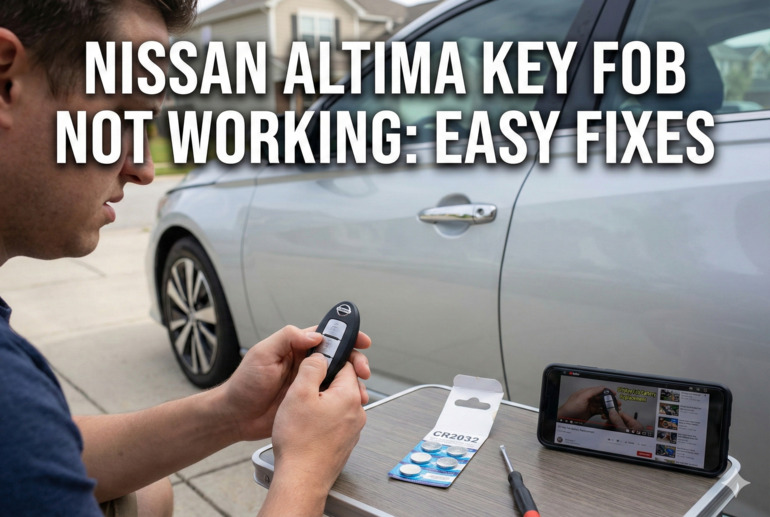
1. Replace the Key Fob Battery
Pop open your key fob and swap the battery. Most Nissan Altima key fobs use a CR2032 coin cell battery that costs less than five dollars at any drugstore or supermarket. Look for a small slot on the side of the fob where you can insert a flathead screwdriver or coin to pry it open.
Take note of which way the battery sits before removing it. The positive side (marked with a plus sign) usually faces up, but check to be sure. Clean any corrosion from the battery contacts using a pencil eraser or a cotton swab dipped in rubbing alcohol. Let everything dry completely before installing the new battery.
Press the buttons a few times after replacing the battery to make sure everything works. If the fob still doesn’t respond, move on to the next fix. Sometimes a new battery alone won’t solve the problem if other issues exist.
2. Reprogram the Key Fob
Reprogramming reestablishes the connection between your fob and car. Get inside your Altima with all doors closed and the key fob in hand. Insert the key into the ignition and remove it six times within ten seconds. Watch for the hazard lights to flash twice, which means the car entered programming mode.
Press any button on your key fob within twenty seconds of the lights flashing. The hazard lights should flash once more to confirm successful programming. If you have multiple fobs, program them all at the same time by pressing a button on each one before exiting programming mode.
Turn the ignition to the ON position and back to LOCK to exit programming mode. Test all the buttons on your fob to verify they’re working properly. This process might feel weird the first time, but it’s straightforward once you get the rhythm down.
3. Check for Physical Damage and Clean the Fob
Open up the key fob and inspect everything inside. Look at the circuit board for cracks, loose components, or signs of water damage. Check the rubber button pad for tears or excessive wear. Even small cracks in the casing can let moisture inside.
Clean the circuit board gently with isopropyl alcohol (90% or higher) using a soft brush or cotton swab. Pay special attention to the battery contacts and the areas around the buttons. Let everything air dry for at least fifteen minutes before reassembling. If you see damaged components that you can’t fix, you might need a replacement fob.
4. Reset Your Car’s Computer System
Sometimes the car’s computer just needs a fresh start. Disconnect the negative terminal on your car battery and wait about fifteen minutes. This drains residual power from the car’s electrical system and resets the computer modules.
Reconnect the battery terminal and make sure it’s tight. Try your key fob again. This simple reset fixes a surprising number of electronic gremlins in modern cars. Keep in mind that this will also reset your radio presets and clock, so you’ll need to reprogram those afterward.
5. Test with the Spare Key Fob
If you have a spare key fob, try it. This tells you immediately whether the problem is with one specific fob or with your car’s receiver system. If the spare works fine, your original fob needs repair or replacement. If neither fob works, the problem sits somewhere in the car.
Knowing which component is faulty saves you time and money. You won’t waste effort fixing a fob when the real issue is a bad receiver module. Plus, if both fobs fail at the same time, that’s a strong clue pointing to the car rather than the fobs.
6. Check Fuses and Wiring
Locate your car’s fuse box, usually under the dashboard on the driver’s side or under the hood. Consult your owner’s manual to find the specific fuse for the keyless entry system. Pull it out and check if the thin metal strip inside is broken. A blown fuse looks burned or melted.
Replace any blown fuses with one of the exact same amperage. Never use a higher-rated fuse as this can damage electrical components or cause fires. If the new fuse blows immediately, you have a short circuit that needs professional diagnosis.
Inspect visible wiring near the receiver module if you can access it. Look for frayed wires, loose connectors, or signs of rodent damage. Sometimes mice or rats chew through wiring harnesses in parked cars. Secure any loose connections and wrap damaged wires with electrical tape as a temporary fix.
7. Contact a Professional Locksmith or Nissan Dealer
If none of these solutions work, the problem might be beyond simple DIY fixes. A professional automotive locksmith has specialized equipment to diagnose key fob and receiver issues. They can also program new fobs if yours is damaged beyond repair.
Your Nissan dealership offers the same services, though usually at higher prices. They have access to factory parts and official diagnostic tools. For complex electrical problems or receiver module replacements, the dealership might be your best option. Get quotes from both locksmiths and dealers before deciding where to go.
Wrapping Up
A non-working key fob doesn’t have to ruin your day or drain your wallet. Most issues come down to simple problems like dead batteries or lost programming that you can fix in your driveway. Even if your fob needs replacement, knowing what went wrong helps you make smarter decisions about repairs.
Keep a spare battery in your glove box and test your backup key fob occasionally to make sure it still works. These small steps prevent frustrating situations where you’re locked out or unable to start your car. Taking care of your key fob means it’ll take care of you for years to come.