
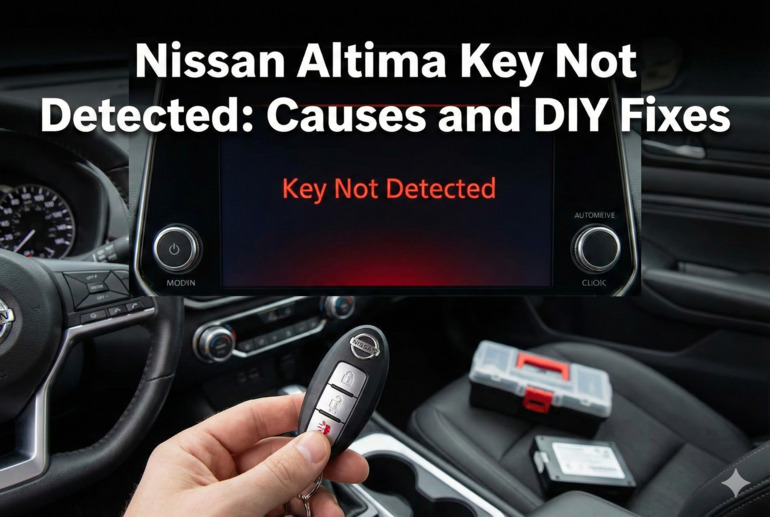
You’re running late for work, coffee in hand, ready to start your Altima. But instead of that familiar welcome, you get a warning message: “Key Not Detected.” Your smart key is right there in your pocket or purse, yet your car acts like it’s invisible.
This frustrating situation happens to Nissan Altima owners more often than you’d think. The good news is that most causes are simple to fix, and you won’t need a mechanic for many of them.
In this article, you’ll learn exactly why your Altima can’t detect your key, what’s causing the problem, and how to fix it yourself without spending hundreds at the dealership.
What’s Really Happening When Your Key Isn’t Detected
Your Nissan Altima uses something called an Intelligent Key system. Think of it as a tiny radio transmitter inside your key fob that constantly talks to your car. When everything works properly, your car recognizes this signal the moment you get close, unlocking the doors and letting you start the engine with the push of a button.
But when that conversation breaks down, your car can’t verify that the authorized key is nearby. The vehicle’s computer gets confused and refuses to start as a security measure. It’s like trying to use your phone when the battery is dead. The phone is there, but it can’t function.
This problem can happen suddenly or develop gradually. Maybe your car works fine in the morning but fails to detect the key by evening. Sometimes it works if you hold the key right next to the start button, other times nothing helps. These patterns actually give us clues about what’s wrong.
The issue isn’t just annoying. If you can’t start your car, you’re stuck wherever you are until you solve it. Plus, repeatedly trying to start the vehicle when it can’t detect the key can drain your car’s battery over time, creating a second problem on top of the first.
Nissan Altima Key Not Detected: Common Causes
Several things can interfere with the communication between your key and your Altima. Let me walk you through the most frequent culprits so you can pinpoint what’s happening with your vehicle.
1. Dead or Weak Key Fob Battery
This is hands down the most common reason your Altima stops detecting your key. That little battery inside your key fob typically lasts two to three years, but it can die sooner depending on how often you use the key.
When the battery gets weak, the signal becomes too faint for your car to pick up reliably. You might notice the detection works sometimes but not others. That’s because the dying battery still has enough juice to send a signal occasionally, just not consistently.
Your key might still unlock the doors even with a weak battery because that function requires less power than what’s needed for the push-button start system. Don’t let working door locks fool you into thinking the battery is fine.
2. Faulty Key Fob
Physical damage or internal component failure can knock your key fob out of commission. Maybe you dropped it in water, sat on it, or it just wore out after years of being tossed around in your bag or pocket.
The circuit board inside is delicate. Even a small crack or moisture getting inside can stop the whole thing from working. Sometimes the problem isn’t visible from the outside at all.
3. Dead Car Battery
Your car battery powers the system that receives and processes the signal from your key fob. When your car battery is dead or very low, it can’t run this system properly, even if your key fob battery is brand new.
This one catches people off guard because they assume the key is the problem. Your car needs sufficient voltage to operate all its electronic systems, including the Intelligent Key receiver.
4. Radio Frequency Interference
Modern life is full of radio signals. Your phone, laptop, other key fobs, even certain buildings emit radio frequencies. Sometimes these signals clash with the frequency your Altima uses to communicate with your key, blocking or scrambling the message.
Electronic devices in your pocket or bag can be particularly problematic. I’ve seen cases where someone’s work badge or a second key fob for a different vehicle caused interference. The signals compete with each other, and your car can’t make sense of what it’s receiving.
Certain locations seem to make this problem worse. Parking garages with lots of electronic security equipment, areas near radio towers, or spots with heavy Wi-Fi traffic can all create interference. You might find your key works perfectly at home but fails at your office parking lot.
5. Steering Lock Malfunction
Your Altima has an electronic steering lock that engages when you turn off the car. This lock needs to disengage before the car will start, and it’s part of the same system that detects your key.
If the steering lock mechanism gets stuck or the sensor fails, your car might refuse to recognize your key even though the key itself is working perfectly. The system sees an error in one component and shuts down the whole starting process as a safety feature.
Nissan Altima Key Not Detected: DIY Fixes
Now that you know what might be causing your problem, let’s fix it. These solutions are listed from simplest to more involved, so start at the top and work your way down.
1. Replace the Key Fob Battery
Pop open your key fob and swap in a fresh battery. Most Nissan Altima key fobs use a CR2032 battery, which you can grab at any grocery store, pharmacy, or gas station for just a few dollars.
Look for a small slot on the side of your key fob. Slide a coin or flathead screwdriver into it and twist gently to separate the two halves. You’ll see the battery right there on the circuit board. Note which side faces up before you remove it, then put the new one in the same way.
Snap the key fob back together and test it. If the battery was your problem, you’ll notice immediate improvement. Your car should detect the key as soon as you get close, and the push-button start will work normally. This fix solves the issue about 60% of the time, making it always worth trying first.
2. Use the Backup Start Method
Every Nissan Altima has a backup way to start the car when the key isn’t detected. This mechanical override lets you start your vehicle even with a completely dead key fob battery or detection system failure.
Here’s what to do:
- Remove the mechanical key hidden inside your key fob by pressing the small release button
- Use this key to unlock your driver’s door manually
- Get in the car and hold your key fob directly against the push-button start (there’s a specific spot, usually marked)
- While holding the fob there, step on the brake and push the start button
This method bypasses the wireless detection system entirely. If your car starts this way but won’t start normally, you’ve confirmed the problem is with the wireless communication, not with the key itself or the car’s immobilizer system.
3. Check and Clean the Key Fob
Sometimes crud builds up inside your key fob or on the battery contacts, blocking the electrical connection. Take the key fob apart the same way you would to replace the battery.
Look closely at the battery contacts and the circuit board. See any dirt, corrosion, or that white crusty stuff? Clean it off gently with a cotton swab dipped in rubbing alcohol. Let everything dry completely before reassembling.
While you’re in there, check for any visible damage to the circuit board. Cracks, burn marks, or components that look loose are signs you might need a new key fob. But if everything looks good and you’ve cleaned the contacts, put it back together and test it.
4. Jump Start or Charge Your Car Battery
If your car’s battery is dead or weak, you’ll need to boost its power. Connect jumper cables to another vehicle or use a portable jump starter if you have one.
Once the car is running, let it idle for at least 20 minutes to charge the battery. If the battery was causing your key detection problem, the issue should resolve once the car has enough power.
Pay attention to whether this problem keeps coming back. If you need to jump your car repeatedly, your battery might be failing and need replacement. A healthy car battery should hold its charge for weeks even when the vehicle isn’t driven.
5. Eliminate Interference
Move away from any potential sources of radio interference. If you’re in a parking garage or near a building, try moving your car to an open area.
Remove any electronics from your pockets or the immediate area around you. Put your phone, tablet, and other key fobs at least several feet away from both you and your car. Then try starting your vehicle again.
If this works, you’ve found your culprit. You’ll need to be more mindful about what you keep near your key fob going forward. Some people find that keeping their Altima key separate from their other keys and electronics prevents this issue entirely.
6. Reset the Key Fob
Sometimes your key fob and car just need to reconnect. You can reset the system by disconnecting your car battery for about 10 minutes, which clears the car’s computer memory.
Use a wrench to loosen the negative battery cable (the black one) first, then the positive cable (red). Wait 10 to 15 minutes, then reconnect them in reverse order: positive first, then negative. This forces all the car’s electronic systems to restart fresh.
After reconnecting the battery, you might need to reprogram your key fob. The process varies slightly by model year, but generally involves sitting in the car with all doors closed, inserting and removing the mechanical key from the ignition several times in a specific pattern. Check your owner’s manual for the exact steps for your year.
7. Contact a Nissan Technician
If none of these fixes work, you’re dealing with something more serious. The problem could be a faulty antenna in the car that receives the key signal, a bad steering lock actuator, or an issue with the car’s computer system.
A Nissan dealership or qualified automotive locksmith has the diagnostic tools to pinpoint exactly what’s wrong. They can check error codes, test the key fob signal strength, and verify that all the system components are working properly. While this costs more than a DIY fix, it’s sometimes necessary to get your car running again.
Wrapping Up
Getting that “Key Not Detected” message doesn’t mean you’re facing a massive repair bill. Most of the time, you’re looking at a simple battery swap or a quick reset that you can handle in your driveway.
Start with the easiest solutions first. Replace the key fob battery, try the backup start method, and check for interference. These three steps fix the majority of key detection problems without costing you much time or money. If your Altima still won’t recognize your key after trying everything here, that’s when professional help makes sense. But chances are, you’ll be back on the road long before that’s necessary.