
You’re running late for work, coffee in hand, ready to jump into your Nissan Rogue. But then you see it: that dreaded “Key Not Detected” warning on your dashboard. Your key fob is right there in your pocket or purse, yet your car acts like it’s invisible.
This frustrating issue affects countless Rogue owners, and it always seems to happen at the worst possible time. The good part is that most cases have simple explanations and even simpler fixes you can handle yourself.
By the time you finish reading this, you’ll know exactly why your Nissan Rogue can’t detect its key and how to get back on the road quickly. We’ll walk through the most common culprits behind this problem and share practical solutions that actually work.
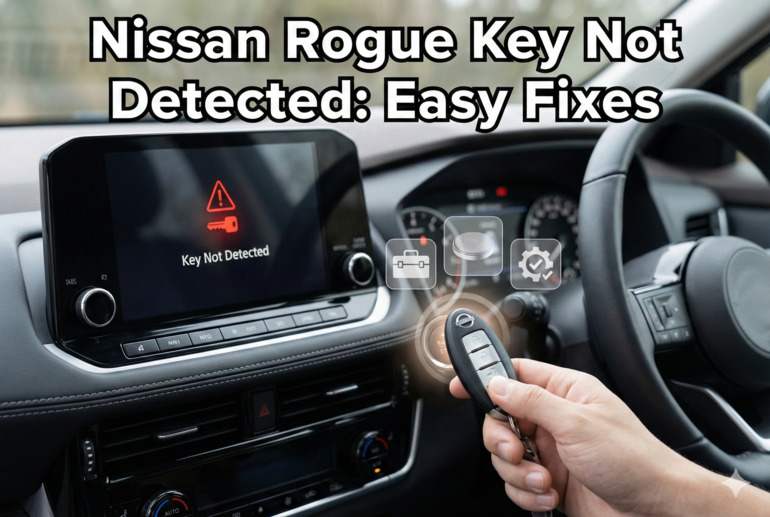
What’s Really Happening When Your Key Goes Invisible
Your Nissan Rogue uses something called an Intelligent Key system. This isn’t just a regular key fob. It’s a small computer that constantly talks to your car through radio signals. When everything works properly, your car recognizes the key within a certain range, usually about three feet. You can unlock doors, start the engine, and drive away without ever taking the key out of your pocket.
The system relies on a tiny battery inside your key fob to power this communication. Your car has special sensors, typically near the door handles and inside the cabin, that listen for your key’s signal. When these sensors pick up your key’s unique code, they tell your car’s computer to allow access and starting.
But this communication can break down for several reasons. Sometimes the problem lives in the key fob itself. Other times, your car’s sensors or computer might be having issues. Environmental factors can interfere too. A dead or dying battery in your key fob is the most common reason, but it’s far from the only one.
Understanding how this system works helps you troubleshoot smarter. You’re basically dealing with two-way communication between your key and your car. If either side can’t send or receive signals properly, you’ll see that error message pop up on your dash.
Nissan Rogue Key Not Detected: Likely Causes
Your Nissan Rogue isn’t being picky for no reason. Several specific issues can trigger that key detection error, and knowing what they are helps you fix things faster.
1. Dead or Weak Key Fob Battery
This is hands down the biggest reason your Rogue loses track of its key. The battery inside your key fob typically lasts two to three years, but that varies based on how often you use it. Every time you press a button or your car checks for the key, it drains a tiny bit of power.
You might notice other signs before the key stops working completely. Maybe your doors don’t unlock from as far away as they used to. Perhaps you need to press the unlock button twice when once always worked before. These are your early warnings that the battery is getting tired.
The batteries are cheap, usually just a couple of dollars. Most Rogues use a CR2032 battery, that flat, coin-shaped type you can find at any drugstore or gas station. Replacing it takes maybe two minutes once you know how.
2. Physical Damage to the Key Fob
Your key fob takes a beating. It gets dropped on pavement, sat on, knocked off counters, and stuffed into bags with sharp objects. All that abuse can crack the casing, damage the circuit board inside, or knock internal components loose.
Water damage is particularly sneaky. Maybe your key went through the washing machine, or you dropped it in a puddle. Even if it seems fine afterward, moisture can corrode the electronics over time. You might not see any outside damage, but the internals are slowly deteriorating.
3. Interference From Other Electronics
Your key fob operates on a specific radio frequency, and other devices can jam that signal. Smartphones are common culprits, especially if your key and phone are in the same pocket. Laptops, tablets, and even some metal objects can block or interfere with the signal too.
Sometimes the interference comes from outside your control. If you park near power lines, radio towers, or certain buildings with strong electronic systems, these can create enough noise to drown out your key’s signal. Shopping mall parking lots and airports are notorious for this.
4. Issues With the Car’s Receiver System
Your Rogue has multiple antennas and sensors designed to pick up your key’s signal. These can fail or malfunction. A faulty antenna near the door handle, a damaged wire, or a glitchy control module can all prevent your car from detecting a perfectly good key.
Electrical problems in your car can affect the receiver system. A weak car battery, for instance, might not provide enough power for the sensors to work properly. Corroded connections or damaged wiring can interrupt the communication pathway between the sensors and your car’s computer.
This is less common than key fob issues, but it happens. You might notice the problem is consistent regardless of which key fob you try. If you have a spare key and it doesn’t work either, the problem is likely in your car rather than the key.
5. Software Glitches in the Vehicle System
Modern cars are computers on wheels, and like any computer, they can have software hiccups. Your Rogue’s body control module manages the Intelligent Key system, and sometimes it just gets confused. Maybe it had a temporary memory error or lost the key’s programming.
Electrical surges from jump-starting, charging system problems, or even extreme temperature changes can sometimes scramble the software. These glitches might clear themselves, or they might persist until you reset the system. This explains why sometimes the error appears randomly and then disappears just as mysteriously.
Nissan Rogue Key Not Detected: DIY Fixes
Fixing this issue yourself is usually straightforward. Most solutions take just minutes and require no special tools or mechanical knowledge.
1. Replace the Key Fob Battery
Start here because it’s the easiest and most likely fix. Pop open your key fob by finding the small slot or notch, usually on the side. You might need to use the mechanical key hidden inside the fob to pry it open, or sometimes a small flathead screwdriver works. Be gentle so you don’t crack the plastic.
Once it’s open, you’ll see the battery sitting in a small holder. Note which side faces up (usually the side with writing). Remove the old battery and pop in a new CR2032, making sure it sits flat and faces the right direction.
Snap the fob back together and test it. Your car should detect it immediately. If you still see the error, move on to the next fix.
2. Check for Physical Damage and Clean the Contacts
Open your key fob again and look closely at everything inside. Check the circuit board for any visible cracks, corrosion, or loose components. The battery contacts (those little metal tabs that touch the battery) should be shiny and clean, not corroded or bent.
If you see any corrosion, you can gently clean it with a cotton swab dipped in rubbing alcohol. Let everything dry completely before reassembling. Make sure all the buttons move freely and the casing isn’t cracked. Even a hairline crack can let moisture in and cause problems.
3. Move Away From Interference Sources
Take your key and step away from your car by about ten feet. Remove it from any bags, wallets, or cases. Take your phone out of the same pocket as your key. Now try approaching your car again.
If this works, you’ve found your problem. Keep your key separate from other electronics. Some people find that certain phone cases or wallet materials block the signal. Metal credit card holders are particularly bad for this.
Try testing in different locations too. If your key works fine everywhere except your driveway, you might have interference from something in or near your home.
4. Reset the Car’s System
Sometimes your car just needs to reboot. Get inside using the mechanical key hidden in your fob (there’s usually a small release button or switch). Start the car by holding the key fob against the start button and pressing it. This backup method bypasses the wireless detection.
Let the car run for a few minutes, then turn it off completely. Wait about 30 seconds, then try the normal keyless start again. This simple reset clears temporary glitches in the system. Many Rogue owners report this fixes random detection errors.
5. Reprogram the Key Fob
Your key might have lost its programming link to your car. You can sometimes fix this yourself. Sit in the driver’s seat with all doors closed. Insert and remove the mechanical key from the ignition six times within ten seconds. Your hazard lights should flash if you’ve entered programming mode.
Press any button on your key fob while still in this mode. The hazard lights should flash again, confirming the programming. Exit the car and test whether it detects your key now.
Not all Rogue model years use the same programming procedure, so check your owner’s manual for the exact steps. Some newer models require dealer equipment to reprogram keys.
6. Contact a Professional
If you’ve tried everything and your car still won’t detect your key, it’s time to call in professional help. A Nissan dealer or qualified automotive locksmith can diagnose sensor failures, antenna problems, or issues with the body control module that you can’t fix at home. They have specialized diagnostic equipment that pinpoints exactly where the communication breakdown is occurring.
Wrapping Up
That “Key Not Detected” message doesn’t have to ruin your day. Most of the time, you’re looking at a simple battery swap or a quick reset. Even the trickier problems usually have straightforward solutions you can handle in your driveway.
Keep a spare key fob battery in your glove box so you’re never caught off guard. Pay attention to early warning signs like reduced range or intermittent detection. A little preventive maintenance keeps you rolling without interruption.