
You’re sitting at a red light, your foot pressing firmly on the brake pedal. Traffic’s heavy, and you’d love to just relax your leg for a moment. That’s exactly what auto hold is supposed to do for you, but instead, your Nissan Qashqai seems to have forgotten this helpful feature exists.
This can feel frustrating, especially during those long commutes through stop-and-go traffic. Your leg starts cramping, and you begin wondering if something’s actually broken or if you’re just missing a simple step.
Throughout this article, you’ll discover why your auto hold might be acting up and what you can do to bring it back to life. We’ll walk through the common culprits behind this issue and give you practical fixes you can try right in your driveway.
What’s Really Happening With Your Auto Hold
Auto hold is one of those features that you don’t appreciate until it stops working. This system keeps your Qashqai stationary after you’ve come to a complete stop, even after you lift your foot off the brake. It’s particularly handy on hills or in heavy traffic where constantly holding the brake becomes tiring.
The system works through your vehicle’s electronic stability control and brake system. When you press the brake pedal and come to a full stop, sensors detect this and automatically maintain brake pressure. Once you press the accelerator, the system releases and you move forward smoothly.
Your Qashqai won’t activate auto hold unless certain conditions are met. The driver’s door must be closed, your seatbelt needs to be fastened, and the engine has to be running. The system also requires that you’ve brought the vehicle to a complete stop with adequate brake pressure.
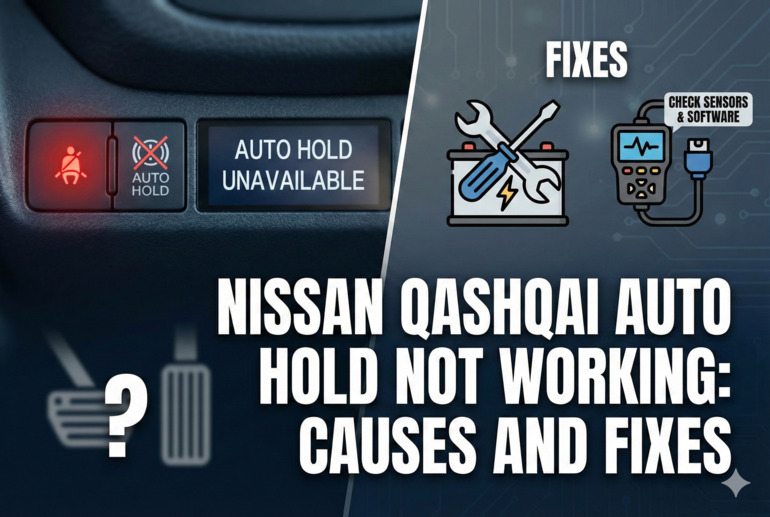
If auto hold isn’t engaging, your dashboard might show a warning light or message. Sometimes the button itself won’t illuminate when pressed, signaling that something’s preventing the system from activating. Other times, the feature might engage but release unexpectedly, which can be equally annoying and potentially unsafe on inclines.
Nissan Qashqai Auto Hold Not Working: Common Causes
Several factors can prevent your auto hold from functioning properly. Understanding these causes helps you pinpoint what’s actually going wrong with your system.
1. Faulty Brake Light Switch
Your brake light switch does more than just turn on those red lights at the back of your car. This small component tells various systems throughout your Qashqai that you’re pressing the brake pedal. Auto hold relies heavily on this signal to know when to engage.
When this switch starts failing, it sends inconsistent messages to your vehicle’s computer. You might notice your brake lights staying on even when your foot’s off the pedal, or they might not illuminate at all when you brake. These are clear signs something’s wrong.
The auto hold system interprets these mixed signals as unreliable brake input. Rather than risk engaging when it shouldn’t or failing to release when needed, the system simply refuses to activate. This is actually a safety feature protecting you from unexpected behavior.
2. Low Brake Fluid Level
Brake fluid is the lifeblood of your entire braking system, including auto hold. This hydraulic fluid transfers the pressure from your brake pedal to the actual brake components at each wheel. When levels drop too low, your auto hold system shuts down as a precaution.
Your Qashqai monitors brake fluid levels constantly. If the reservoir dips below the minimum line, sensors trigger a warning and disable features that depend on adequate hydraulic pressure. Auto hold is one of the first features to go because it requires precise pressure control.
3. Dirty or Malfunctioning Wheel Speed Sensors
Each wheel on your Qashqai has a sensor that monitors how fast it’s spinning. Auto hold uses this information to determine whether you’ve actually come to a complete stop. If even one sensor is covered in brake dust, road grime, or mud, it can send faulty readings.
These sensors are positioned close to your brake rotors and wheels, right where all the dirt accumulates. Over time, the buildup interferes with their ability to accurately detect wheel rotation. Your auto hold system needs precise data from all four sensors to function correctly.
When readings don’t match up or seem unrealistic, the system assumes something’s wrong and disables itself. This prevents the feature from engaging at inappropriate times, like when you’re still rolling slowly.
4. Electronic Stability Control Issues
Auto hold doesn’t work independently. It’s integrated with your electronic stability control system, which manages traction and stability across all driving conditions. Any problems with ESC will automatically affect auto hold functionality.
Your ESC system uses multiple sensors and components to do its job. If there’s a fault anywhere in this network, whether it’s a sensor, module, or wiring issue, you’ll likely see a warning light on your dashboard. Auto hold gets disabled as part of the vehicle’s fail-safe protocols.
5. Software Glitches or Outdated Programming
Modern vehicles run on complex software that controls everything from entertainment to safety systems. Your Qashqai is essentially a computer on wheels, and like any computer, it can experience bugs or benefit from updates.
Sometimes the auto hold system gets confused by conflicting data from various sensors. The programming might misinterpret normal conditions as fault conditions, shutting down the feature unnecessarily. Other times, known bugs in older software versions can prevent proper operation.
Nissan occasionally releases software updates that fix these types of issues. Your vehicle might be running outdated code that has known problems, which a simple update at the dealership could resolve. This is especially common in earlier model years where initial programming had minor flaws that were later corrected.
Nissan Qashqai Auto Hold Not Working: How to Fix
Getting your auto hold working again often involves checking a few key areas and making some simple adjustments. These fixes range from basic checks you can do yourself to more involved repairs.
1. Check and Refill Brake Fluid
Start by popping your hood and locating the brake fluid reservoir. It’s usually a translucent container near the back of the engine bay on the driver’s side. You’ll see minimum and maximum level markings on the side.
If the fluid sits below the minimum line, you’ll need to top it up. Use only the brake fluid type specified in your owner’s manual. DOT 4 is common for Qashqais, but always verify before adding anything. Remove the cap carefully and pour slowly until the level reaches the maximum mark.
Clean up any spills immediately, as brake fluid can damage paint. After refilling, take your car for a short drive and test the auto hold function. If low fluid was your only issue, the system should work properly now. Keep in mind that brake fluid shouldn’t drop significantly under normal conditions, so if you’re constantly topping it off, you likely have a leak that needs professional attention.
2. Inspect the Brake Light Switch
You can test your brake light switch with a simple observation. Have someone stand behind your vehicle while you press the brake pedal, or back up to a wall or garage door at night. Your brake lights should illuminate brightly and consistently every time you press the pedal.
If the lights flicker, stay on constantly, or don’t come on at all, the switch needs replacement. This component is located near the top of the brake pedal assembly under your dashboard. While replacement isn’t terribly difficult, it does require working in a tight space.
You’ll need to remove a panel under the steering column to access it. The switch typically connects with a twist-and-pull motion or a couple of bolts. Make sure to disconnect your battery before working on any electrical components. After installing the new switch, reconnect everything and test both your brake lights and auto hold function.
3. Clean Your Wheel Speed Sensors
Each wheel speed sensor sits near the brake rotor, usually attached to the steering knuckle or suspension component. You’ll need to remove your wheels to access them properly. Jack up your Qashqai safely using proper jack stands and remove one wheel at a time.
Look for a small sensor with a wire leading to it, positioned close to a toothed ring on the hub or axle. Clean around the sensor carefully using brake cleaner and a soft brush. Avoid touching the sensor tip directly, as it’s delicate. Also clean the toothed reluctor ring that the sensor reads.
- Check the wiring for any damage or corrosion
- Ensure the sensor sits at the correct distance from the reluctor ring
- Look for any cracks or physical damage to the sensor body
- Reconnect everything securely and repeat for all four wheels
After cleaning all sensors, take your vehicle for a test drive. The auto hold should function properly if dirt was blocking accurate readings.
4. Reset the System
Sometimes your Qashqai just needs a fresh start to clear temporary glitches. Turn off your engine completely and remove the key from the ignition. Open the driver’s door and wait about two minutes before doing anything else.
This allows various control modules to fully power down and reset. Close the door, start your engine, and make sure all the conditions for auto hold are met. Your seatbelt should be fastened, the door closed, and you should bring the vehicle to a complete stop with firm brake pressure.
Press the auto hold button and see if it engages. You might need to drive around the block and try activating it a few times. Electronic systems sometimes need a few cycles to recalibrate after experiencing issues.
5. Check for Fault Codes
Your Qashqai stores diagnostic trouble codes whenever it detects a problem with any system. These codes can tell you exactly what’s preventing auto hold from working. You’ll need an OBD-II scanner to read these codes.
Plug the scanner into the diagnostic port under your dashboard, usually located near the steering column. Turn on your ignition without starting the engine, then use the scanner to read stored codes. Write down any codes related to the brake system, ABS, or electronic stability control.
Look up these codes online or in a repair manual to understand what they mean. Some codes point to specific sensors or components that need attention. After addressing the underlying issue, use the scanner to clear the codes and see if auto hold starts working again.
6. Update Vehicle Software
Dealerships can update your Qashqai’s software to fix known bugs and improve system performance. Call your local Nissan dealer and ask if there are any technical service bulletins or software updates for your model year related to auto hold.
Many dealers perform these updates free of charge, especially if they’re addressing a known issue. They connect specialized diagnostic equipment to your vehicle and flash new programming to the relevant control modules. This process usually takes less than an hour.
7. Contact a Qualified Mechanic
If you’ve tried everything else without success, it’s time to get professional help. A qualified mechanic has access to advanced diagnostic tools and technical information that can pinpoint complex issues. They can perform electrical tests, check communication between modules, and access manufacturer-specific diagnostic procedures.
Some problems, like faulty control modules or internal brake system issues, require specialized knowledge and equipment to repair safely. Your mechanic can determine whether you need component replacement or if there’s a deeper electrical problem affecting multiple systems. Don’t hesitate to seek professional assistance when dealing with brake-related issues, as your safety depends on these systems working correctly.
Wrapping Up
Your Qashqai’s auto hold feature makes driving more comfortable, but like any electronic system, it can stop working for various reasons. Most causes are straightforward and fixable with basic tools and a bit of patience.
Start with the simple checks like brake fluid level and brake light operation before moving to more involved diagnostics. Regular maintenance and keeping your vehicle’s software current can prevent many of these issues from occurring in the first place. When you’re back to enjoying hands-free stops at traffic lights, you’ll appreciate the convenience even more than before.