
You press the button on your Nissan key fob, expecting your doors to unlock with that familiar beep. Instead, nothing happens. You press again, harder this time, as if that’ll somehow help. Still nothing.
Before you panic about expensive dealership visits or completely replacing your key fob, there’s something you should know. Most of the time, this frustrating situation has a simple fix that you can handle yourself in your driveway.
This guide walks you through everything you need to understand about why your Nissan key fob stopped responding and exactly what you can do to get it working again. You’ll learn the most common reasons behind this problem and practical solutions that actually work.
What’s Really Happening With Your Key Fob
Your Nissan key fob is basically a small radio transmitter powered by a coin-sized battery. When you press a button, it sends a coded signal to your car’s receiver. That signal tells your car to lock, unlock, or pop the trunk. Simple enough, right?
The battery inside that fob isn’t meant to last forever. Depending on how often you use your remote, most key fob batteries give you about three to four years of reliable service. Some last longer, others drain faster.
Here’s what makes this tricky. The battery doesn’t usually die suddenly like a light switch flipping off. Instead, it weakens gradually. You might notice your key fob working fine when you’re standing right next to your car but failing from just a few feet away. That’s your first clue that the battery is running low.
If you ignore a dying battery completely, you’ll eventually find yourself locked out of your car or unable to start it remotely. Even worse, you might think your entire key fob is broken and needs replacing when all it really needs is a fresh battery that costs a couple of dollars.
Nissan Key Fob Battery Not Working: Likely Causes
Several issues can make your Nissan key fob stop responding, and not all of them are immediately obvious. Understanding what’s causing the problem helps you fix it faster and avoid unnecessary expenses.
1. Dead or Weak Battery
This is far and away the most common culprit behind key fob failures. Your battery has been steadily losing power since the day you got it, and eventually it just can’t push out enough juice to send that signal to your car.
Most Nissan key fobs use a CR2032 battery, though some older or different models might use a CR2025. These little coin batteries are workhorses, but they’re not immortal. Temperature extremes, humidity, and plain old time all take their toll.
You might notice the problem starting small. Maybe the fob works inconsistently, or you need to be closer to your car than usual. That’s the battery telling you it’s on its last legs before it gives up completely.
2. Corroded Battery Contacts
Open up a key fob that’s been sitting unused for months, and you might find something gross inside. The metal contacts that connect the battery to the circuit board can develop corrosion, especially if any moisture got inside the fob.
Corrosion looks like a white, green, or crusty buildup on the metal parts. It acts like an insulator, blocking the electrical connection between your battery and the electronics that need power. Even a brand new battery won’t help if corrosion is preventing proper contact.
3. Physical Damage to Internal Components
Drop your key fob on concrete enough times, and something inside might shake loose or crack. The circuit board is surprisingly delicate, and the solder joints connecting various components can break from repeated impacts.
Water damage is another silent killer. Maybe you went through the car wash with your fob in your pocket, or it took a swim in a puddle. Even if it dried out and seemed fine at first, moisture can cause issues that show up later. Buttons can stick, circuits can short, and connections can fail.
Sometimes the damage isn’t even that dramatic. The rubber buttons themselves can wear out after years of pressing, losing their ability to make proper contact with the circuit board underneath.
4. Key Fob Needs Reprogramming
Less common but still possible, your Nissan might have forgotten that your key fob exists. This can happen after a battery replacement in either the fob or the car itself. Some electrical work or a disconnected car battery can reset certain systems.
When the car and fob lose their connection, the fob still has power and seems to work, but your car just ignores it. The two aren’t speaking the same language anymore.
5. Interference From Other Electronics
Modern life is full of radio signals bouncing around everywhere. Sometimes, other electronic devices can interfere with your key fob’s signal, though this is pretty rare.
Certain buildings with heavy security systems, parking garages with electronic gates, or areas with lots of radio frequency noise can temporarily block your fob from communicating with your car. If your fob works everywhere except one specific location, interference might be the issue. This typically resolves itself once you move to a different spot.
Nissan Key Fob Battery Not Working: How to Fix
Getting your Nissan key fob working again usually doesn’t require any special skills or expensive tools. These fixes range from super simple to slightly more involved, but all of them are things you can handle on your own.
1. Replace the Battery
Start with the obvious fix because it works about 90% of the time. Pop open your key fob, swap in a fresh battery, and you’re done.
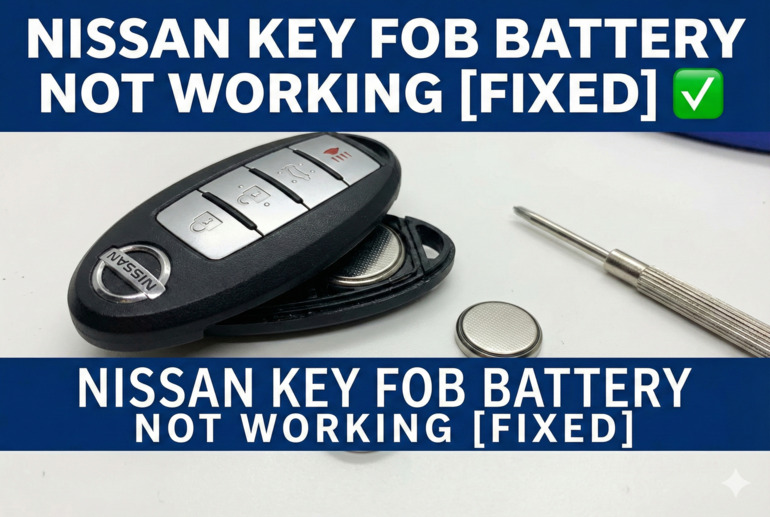
Most Nissan key fobs have a small release button or slot where you can insert a flathead screwdriver or coin to pry the case open. Be gentle here. You’re not trying to break it open, just separate the two halves. Once open, you’ll see the battery sitting in a small compartment.
Note which side of the battery faces up before you remove it. The positive side usually has writing on it and faces toward you. Pop out the old battery with your fingernail or a small tool, drop in the new one, and snap the case back together. Test it immediately to make sure everything works.
Fresh batteries cost anywhere from one to three dollars at most stores. Buy a couple extras while you’re at it so you have spares when this happens again in a few years.
2. Clean the Battery Contacts
If a new battery didn’t solve the problem, corrosion on the contacts might be blocking the connection. You’ll need to clean those metal pieces inside the fob.
Grab a cotton swab and some rubbing alcohol or white vinegar. Gently scrub the metal contacts where the battery sits and any other visible connection points. You’re trying to remove that crusty buildup without damaging anything. Let everything dry completely before putting the battery back in.
For stubborn corrosion, a pencil eraser can work wonders. Rub it gently on the corroded spots, then wipe away the residue. The mild abrasiveness removes the buildup without scratching the metal underneath. Just make sure you blow out or wipe away all the eraser bits before reassembling.
3. Check for Physical Damage and Water
Inspect your key fob carefully for cracks, broken pieces, or signs of water intrusion. Hold it up to a light and look for any gaps in the seams where water might have entered.
If you see moisture inside, leave the fob open in a warm, dry place for 24 hours. Some people put it in a bowl of uncooked rice to absorb moisture, though simply letting it air dry works just as well. Make sure every component is bone dry before putting the battery back in.
Check that all the buttons press properly and spring back up. Sometimes a stuck button can drain the battery or prevent the fob from working correctly. If a button stays depressed, try working it back and forth gently to see if it loosens up.
4. Use the Mechanical Key as a Backup
Every Nissan key fob has a physical key hidden inside it. There’s usually a small release button or switch that lets you slide out this backup key. Use it to manually unlock your door and get into your car.
Once inside, you can still start your car even with a dead fob battery. Hold the key fob directly against the push-button start for a few seconds, then press the brake and push the start button. The car’s internal reader can detect the fob’s chip at close range, even without battery power.
This isn’t a permanent solution, but it gets you mobile while you sort out the battery situation. You won’t have remote functions, but at least you’re not stranded.
5. Reprogram the Key Fob
If you’ve replaced the battery and cleaned everything but the fob still won’t communicate with your car, reprogramming might be necessary. The exact steps vary by Nissan model and year, but most follow a similar pattern.
Get in your car and close all the doors. Insert and remove the key from the ignition about six times within ten seconds. Your hazard lights should flash to indicate you’ve entered programming mode. Now press any button on your key fob. The hazard lights should flash again, confirming the fob has been programmed.
Different Nissan models have different procedures. Some require you to cycle the ignition from off to on repeatedly. Others need you to lock and unlock the doors using the manual key while holding a fob button. Check your owner’s manual for the specific steps for your model, or search online for your exact year and model’s programming sequence.
6. Test the Fob’s Signal Strength
Wondering if your fob is actually sending a signal? Here’s a neat trick. Point your key fob at your smartphone camera and press a button while watching the screen. If the fob is working, you’ll see a small flash of light from the infrared transmitter. Your naked eye can’t see this infrared light, but your phone camera can.
This test tells you whether the fob is at least trying to send a signal. If you see the flash, the problem might be with your car’s receiver rather than the fob itself. If there’s no flash even with a fresh battery, something more serious is wrong with the fob’s electronics.
7. Contact a Professional Locksmith or Dealership
Sometimes the problem goes beyond a simple DIY fix. If you’ve tried everything above and your key fob still won’t work, it’s time to call in a professional. Your fob might have internal circuit damage that requires replacement, or your car’s receiver might need servicing.
A professional automotive locksmith can often handle key fob issues for less than a dealership charges. They have the programming equipment and replacement parts needed for more serious problems. Dealerships can definitely help too, though expect to pay a premium for their services.
Wrapping Up
That unresponsive Nissan key fob sitting in your pocket doesn’t have to ruin your day or empty your wallet. Most of the time, you’re dealing with a simple battery issue that takes five minutes and a few dollars to fix.
Even when the problem goes a bit deeper, you’ve got plenty of options you can try yourself before calling in professional help. Keep this guide handy, and you’ll be back to the convenience of remote entry before you know it.