
Seeing U0123 on your Kia’s scan report can be confusing, especially when several warning lights appear together. The code points to a communication problem, but it doesn’t automatically identify a failed wheel speed sensor.
The right fix starts with checking which control module stored the code and what Kia’s description says for your vehicle. From there, you can separate a power problem, damaged wiring, missing wheel speed information, or a faulty controller without replacing parts unnecessarily.
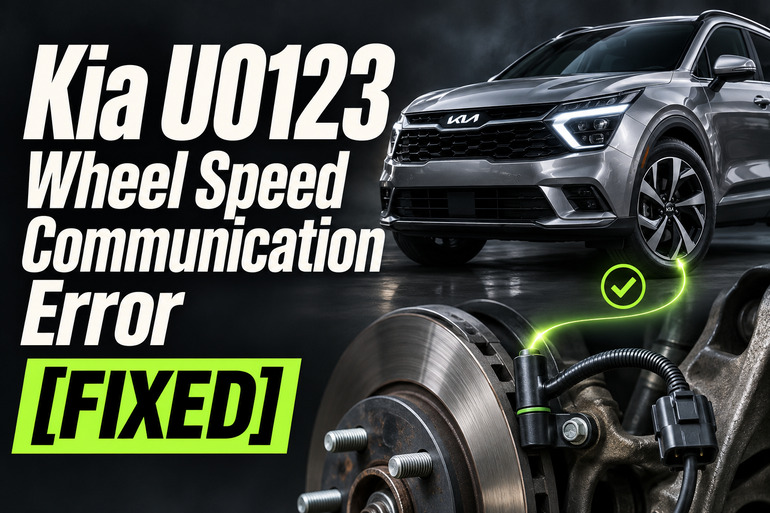
What the Kia U0123 Communication Error Means
U0123 needs careful interpretation because its description varies between Kia applications. The 2021 Seltos service information lists “Wheel Speed Error In Communication” under the 4WD control system. Some Sportage applications use “WHL_SPD_11 Error In Communication.” However, other Kia applications identify U0123 as lost communication with the yaw rate sensor module. Your model, year, and reporting module determine which explanation applies.
For the wheel speed version, the problem concerns information shared between vehicle controllers. Wheel sensors measure how fast the wheels rotate, and the ABS controller supplies wheel speed information to other systems. On applicable Kia AWD systems, the 4WD controller uses information received through the vehicle’s communication network to help control power delivery to the rear wheels.
This distinction matters because a missing message and an incorrect sensor reading require different checks. A controller may lose access to information even when the wheel sensors themselves work. Likewise, a sensor problem may affect several connected systems. Stability control also uses steering angle and vehicle rotation information, so similar warning lights can accompany different underlying faults.
Let the warning lights and actual vehicle behavior guide your immediate response. Kia explains that an ABS fault can leave normal braking available without ABS assistance. However, an ABS light together with the brake warning light requires greater caution. If the brake warning remains on with the parking brake released, braking feels abnormal, or fluid is leaking, stop safely and arrange assistance.
Kia U0123 Wheel Speed Communication Error [FIXED]: Common Causes
Several faults can interrupt the information your Kia’s controllers need. These possibilities should guide diagnosis, rather than serve as a shopping list for replacement parts.
1. Low Voltage or a Missing Power Supply
A communication problem can begin with an electrical supply problem. If a controller loses the power it needs to operate, other controllers may stop receiving its messages even though the communication wiring remains intact.
A recent dead battery or jump start makes the power supply worth checking early. Kia notes that low battery voltage after a jump start can illuminate the ABS warning light without proving that the ABS system itself has failed. That warning alone doesn’t confirm the cause of U0123, but it provides useful context.
Power problems can also affect an individual controller. For example, the Sportage 4WD wiring information identifies separate battery power, ignition power, and ground connections. A fault in one of those circuits needs to be ruled out before condemning the controller. A working engine doesn’t establish that every module has a healthy supply.
2. Damaged Wiring or Poor Connections
A broken wire or poor connection can interrupt information traveling between controllers. Kia’s wheel speed communication diagnostic information includes checks of terminals, connectors, and CAN wiring. CAN is the network that allows vehicle computers to exchange messages.
At the wheels, wiring must also withstand movement and exposure to moisture. Chafed cables, fractured wires, and corroded connectors can disrupt sensor signals. If the warnings started after nearby repair work, that history helps identify where inspection should begin. However, the timing alone doesn’t prove that the repair caused the fault.
3. A Separate Wheel Speed Sensor or Encoder Fault
When U0123 appears alongside a code naming a particular wheel, the wheel speed input deserves attention. A failed sensor, damaged cable, or damaged encoder ring can prevent the ABS controller from receiving a usable reading. The encoder ring is the rotating part the sensor reads to determine wheel speed.
The sensor isn’t the only possible problem at that location. HELLA identifies wiring breaks, contamination, excessive wheel bearing clearance, and encoder damage as possible causes of wheel speed sensor faults. Replacing the sensor without checking its surroundings can leave the original problem unresolved.
Still, a wheel speed input fault shouldn’t automatically be treated as the explanation for a missing network message. For example, Kia lists separate codes for individual wheel sensor circuits and invalid signals. A technician should use those companion codes and the applicable U0123 procedure to establish whether the faults are related.
4. A Faulty Control Module
An internal controller fault is another possibility, but it requires supporting evidence. A module that stops communicating can resemble one that has lost power or has a damaged network connection. The code alone can’t distinguish between those conditions.
Kia’s ABS troubleshooting procedures check communication wiring, power, and ground before directing module replacement in the relevant diagnostic path. That order helps prevent an expensive mistake. The same principle applies when assessing U0123, although the exact tests must match your Kia’s system.
Kia U0123 Wheel Speed Communication Error [FIXED]: DIY Fixes
Start by preserving the fault information and checking what you can safely observe. Repairs to brake electronics, sensor circuits, and communication wiring should follow professional diagnosis.
1. Confirm the Full Code Description
Use a scan tool that supports your Kia’s ABS, stability control, and AWD modules where fitted. A basic engine code reader may provide incomplete access to these systems. Select the correct vehicle details, then save the complete report before clearing anything.
Your report should capture the following details.
- The complete U0123 description and any suffix.
- The module that stored it.
- Whether the fault is current or historical.
- Other stored codes, especially power supply, ABS, and communication faults.
Compare that description with service information for your exact model. If it refers to the yaw rate sensor, the wheel speed diagnostic path may not apply. Avoid buying either type of sensor based solely on an online definition of U0123. A useful next step is a written diagnosis that identifies which information is missing and which controller should supply it.
2. Address a Recent Battery Problem
If the warnings followed a dead battery, slow starting, or a jump start, arrange a battery and charging system test before replacing brake system parts. Tell the technician when the battery discharged and whether the warning lights appeared before or afterward. Kia specifically advises recharging a drained battery before driving following the low voltage ABS warning condition described in its manual.
For an owner check, keep the vehicle switched off and limit inspection to visible damage or corrosion around the accessible battery area. Leave damaged cables, loose connections, and battery servicing to someone qualified. Once the supply problem is corrected, the vehicle needs another scan. Replacing a battery is justified by its condition and test results, rather than by U0123 alone.
3. Check the Relevant Fuse Information
Find the fuse diagram in your Kia’s owner’s manual and compare it with the actual panel label. Identify the circuits associated with the affected system. Fuse names, locations, and ratings vary, so instructions for another Kia may send you to the wrong circuit.
If you find a suspected blown fuse, follow your manual’s procedure or have a technician confirm it. Any replacement must have the specified rating. Never fit a larger fuse or bridge the terminals with wire. Kia advises professional attention for bolted fuse assemblies and for a replacement fuse that blows again. A recurring failure needs diagnosis before the system is used further.
4. Look for Visible Damage and Record Recent Work
With the vehicle parked securely and switched off, use a flashlight to look at wiring that is already visible without removing parts. Useful observations include a hanging cable near a wheel, damaged outer covering, or a connector that appears displaced. Take clear photos for the repair shop.
Also record recent work involving brakes, wheel bearings, suspension, the battery, or electrical accessories. Give the shop a simple timeline, including whether the warnings began immediately after the work or appeared later. This information helps focus inspection without assuming that a nearby part must be faulty.
Keep this check visual. Don’t unplug brake controllers, pierce wire insulation, or apply power to sensor terminals. Sensor testing methods depend on the fitted design. Pico Technology warns that resistance testing can damage active wheel speed sensors, so a general multimeter test found online may be unsuitable for your Kia.
5. Verify the Result After the Confirmed Repair
A successful repair needs evidence beyond a warning light that disappears at startup. After the confirmed fault is corrected, the technician should clear the relevant codes and check that the affected systems communicate normally. Where a wheel signal was involved, the readings should also be checked under suitable operating conditions.
HELLA recommends checking wheel speed information during a diagnostic test drive and scanning the connected controllers afterward. Leave that drive to the technician when braking or handling is in doubt. The driver should never watch a scan tool while operating the vehicle.
Ask for the final scan report and an explanation of what was repaired. Avoid disconnecting the battery simply to extinguish the warning lights. Clearing the display doesn’t establish that the cause has been removed. If U0123 returns, preserve the new report and record the conditions instead of repeatedly clearing it.
6. Contact a Qualified Kia Technician
Arrange professional diagnosis if U0123 remains current, returns after a repair, or appears with several communication faults. A Kia dealer or an independent shop experienced with Kia electronics should have the appropriate scan access and service information. Seek assistance immediately if the vehicle develops abnormal braking, unintended brake intervention, unstable handling, or a persistent brake warning.
Give the shop your saved report and observations. Ask whether the fault lies in the wheel speed input, the shared message, the controller’s power supply, or the receiving module. Those are different diagnostic paths. A recommendation to replace a controller should come with test results showing why its external circuits have been ruled out.
Replacement can also require setup beyond installing the part. For example, the Sportage 4WD ECU procedure includes transferring clutch learning information using Kia’s diagnostic equipment. Requirements depend on the component and model, so programming or calibration should be included only when the applicable repair procedure calls for it.
Wrapping Up
Kia U0123 can lead to the right repair only when its description is matched to your vehicle and the module reporting it. Treat the code as a starting point for diagnosis. The warning lights, companion codes, electrical supply, and communication checks provide the evidence needed to identify the actual fault.
Your most useful next step is to save the scan report and arrange testing that follows those clues. If braking or handling changes, stop using the vehicle and seek assistance. Otherwise, complete the basic observations and let a qualified technician confirm the repair.