
A Hyundai Genesis that refuses to start can leave you stranded, especially when the dashboard lights come on but the engine remains silent. You might hear rapid clicking, notice the engine cranking without firing, or get no response when you press the start button. Each symptom provides a clue about the underlying fault.
The good news is that several starting problems can be traced to components you can check without specialized equipment. Identifying whether your Genesis has a battery, starter, fuel delivery, or electronic key problem helps you choose the right next step.
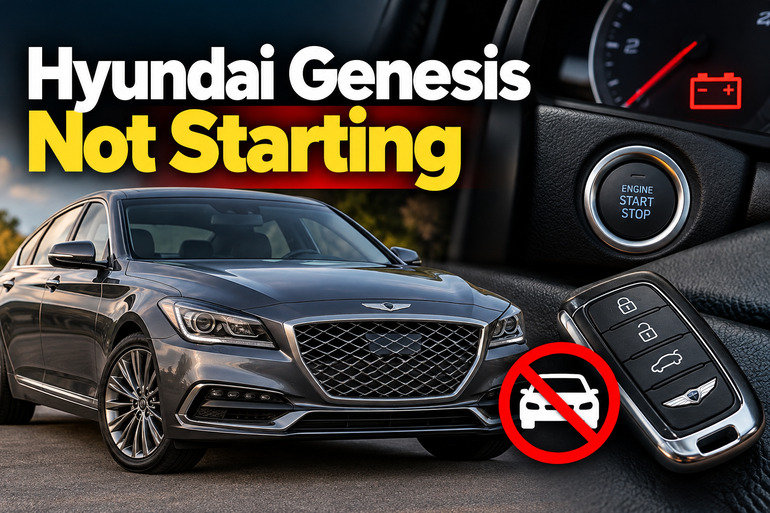
Understanding Why Your Hyundai Genesis Won’t Start
The first step is to identify exactly what happens when you attempt to start the engine. Your observation can help separate an electrical starting problem from a fault that prevents the engine from running.
If the dashboard lights are dim and you hear rapid clicking, the battery or its connections may be unable to supply enough current to the starter. A single click with otherwise normal dashboard lighting can point to the starter circuit, a weak battery, or a poor electrical connection.
When the engine turns over normally but never starts running, the starter is doing its job. The problem may involve fuel delivery, ignition, or engine management. A failed crankshaft position sensor, for example, can prevent the engine control module from receiving the information it needs to manage ignition and fuel injection.
Your Genesis model and year also matter. Earlier Hyundai Genesis sedans and Genesis Coupes have different equipment from later vehicles sold under the Genesis brand. Some use a conventional ignition key, while others have a push button and smart key. The exact starting procedure, fuse locations, and battery connections therefore depend on your vehicle.
Hyundai Genesis Not Starting: Likely Causes
Several faults can produce similar symptoms, so avoid replacing parts based on guesswork. Start by matching the behavior of your engine to the most likely causes below.
1. A Weak or Dead Battery
A discharged battery is one of the first things to investigate when your Hyundai Genesis won’t start. The battery supplies the electrical energy needed to operate the starter motor and power the vehicle’s electrical systems.
Leaving the headlights on, using electrical accessories while the engine is off, or having a charging system problem can leave the battery without enough power to start the engine. An aging battery can also lose its ability to deliver the heavy current required by the starter, even when some dashboard lights still work.
Pay attention to what happens when you turn the key or press the start button. Rapid clicking, unusually dim headlights, a dashboard that resets, or a slow, struggling crank can indicate insufficient battery power. However, similar symptoms can occur with loose connections or a faulty starter, so a battery test is more reliable than appearance alone.
2. Loose or Corroded Battery Connections
A healthy battery cannot start your Genesis if electricity cannot flow properly through the battery cables and ground connections. Corrosion, loose terminals, damaged cables, or a poor engine ground can interrupt the high current needed by the starter.
Battery corrosion often appears as a white, blue, or greenish deposit around the terminals. Sometimes, the outside of a connection looks acceptable even though corrosion has developed between the terminal and cable clamp.
A poor connection may produce symptoms similar to a failing battery, including clicking, intermittent starting, or complete silence. If your Genesis starts after several attempts or behaves differently when the vehicle has been sitting, the electrical connections deserve attention. However, repeated attempts should not replace proper testing of the battery and starting circuit.
3. A Faulty Starter Motor or Starter Circuit
The starter motor uses electrical power to turn the engine until combustion begins. When the starter motor, solenoid, relay, fuse, or associated wiring fails, your Genesis may not crank even when the battery has sufficient power.
A single click when you attempt to start the vehicle can suggest a starter solenoid or circuit problem. Complete silence may indicate an interruption in the starter control circuit, although a discharged battery or a transmission safety switch can produce similar behavior.
An intermittent starter fault may allow the car to start one morning and refuse to start later. Heat can also affect a failing component, so a vehicle that struggles to restart after driving may need closer inspection. The correct diagnosis requires checking battery condition, electrical connections, control signals, and starter operation before replacing the motor.
4. Fuel Delivery or Ignition System Problems
When your Genesis cranks at a normal speed but fails to start, investigate whether the engine is receiving fuel and producing the spark needed for combustion.
A failed fuel pump, faulty fuel pump control module, blown fuse, or damaged wiring can prevent fuel from reaching the engine at the required pressure. A clogged fuel filter may also restrict delivery on designs where the filter is separately serviceable. If the engine ran normally before suddenly refusing to start, a fuel delivery fault is one possibility, but the symptoms alone cannot confirm it.
Ignition problems can produce similar results. Worn spark plugs, failed ignition coils, damaged wiring, or a malfunctioning crankshaft position sensor may prevent the engine from firing correctly. A technician can scan for diagnostic trouble codes and test fuel pressure, ignition operation, and sensor signals to identify the actual fault.
5. Smart Key, Immobilizer, or Gear Selector Problems
Some Hyundai Genesis models use an immobilizer that prevents the engine from starting when the vehicle does not recognize the correct key. A weak smart key battery, electronic interference, a damaged key, or an immobilizer fault may prevent the starting system from recognizing your key.
Watch the instrument cluster for messages such as “Key not detected” or an immobilizer warning light that behaves abnormally. Nearby metal objects or other smart keys can sometimes interfere with key recognition.
The transmission position can also affect starting. Automatic Genesis models generally require the selector to be in Park or Neutral. If the vehicle does not recognize the selected position, it may prevent the starter from operating even when the battery and starter motor are functional. A faulty transmission range switch or brake switch may also require professional diagnosis, depending on the model.
Hyundai Genesis Not Starting: How to Fix
The right fix depends on whether your Genesis fails to crank or cranks without starting. Begin with simple checks, then move to electrical or engine diagnostics only when the symptoms justify them.
1. Check the Gear Selector and Smart Key
Start with the easiest checks before purchasing replacement parts. If your Genesis has an automatic transmission, place the selector firmly in Park and apply the parking brake. Keep your foot on the brake pedal and attempt to start the engine.
If nothing happens, move the selector to Neutral while keeping the brake pedal depressed, then try once more. This can help identify a problem with the transmission range switch, although a successful start in Neutral does not prove that the switch itself is defective.
For a push button model, keep the smart key inside the vehicle and remove other electronic keys or metal objects from its immediate surroundings. If the dashboard displays “Key not detected,” consult your owner’s manual for the model specific emergency starting procedure. Some vehicles allow you to start the engine by holding the smart key against a designated area of the start button.
If the engine still will not start, or the immobilizer warning persists, have the key recognition system checked rather than attempting to bypass the immobilizer.
2. Inspect the Battery and Try a Safe Jump Start
Check whether the headlights, interior lights, and instrument cluster appear unusually dim. You can also switch on the interior light and observe it while attempting to start the engine. If it dims sharply or goes out, the battery may be discharged.
If the battery case is cracked, swollen, leaking, or frozen, do not attempt a jump start. Arrange for professional assistance instead.
When the battery appears intact, a jump start may help establish whether low battery power is preventing the engine from starting. Use a suitable 12 volt booster or another vehicle and follow the exact instructions in your Genesis owner’s manual. Battery access and designated jump starting terminals can vary by model.
Before connecting anything, switch off electrical accessories, apply the parking brake, and keep the vehicles from touching if you are using another vehicle. Identify every positive and negative terminal correctly and follow the prescribed connection and disconnection sequence.
If the Genesis starts after a successful jump, do not immediately assume that the battery needs replacing. Have the battery and charging system tested, because a weak battery, alternator fault, or electrical drain could have caused the problem. Never attempt to jump start a damaged battery or improvise connections.
3. Check the Battery Terminals and Visible Wiring
With the engine switched off and the key removed or the ignition switched off, visually examine the accessible battery terminals and cables. Look for loose clamps, corrosion, visibly damaged insulation, or a cable that appears disconnected.
Do not allow a metal tool to bridge the positive terminal and the vehicle body. That can cause a short circuit, burns, or battery damage. If the battery has a monitoring sensor or your model has an unusual battery arrangement, consult its service instructions before disturbing any connection.
Heavy corrosion, loose terminal clamps, damaged cables, and poor ground connections should be corrected before replacing the starter motor. If cleaning or tightening is necessary, use appropriate protective equipment and model specific procedures. A repair shop can safely clean the connections and perform voltage drop testing to find excessive resistance in the starting circuit.
After the connections have been repaired, attempt to start the vehicle again. If the original symptoms continue, test the battery and starter circuit rather than assuming that the visible connection was the only problem.
4. Check the Fuel Level and Observe How the Engine Cranks
A low fuel level can be easier to overlook than a mechanical fault, particularly if your fuel gauge is inaccurate. Confirm that there is sufficient fuel in the tank before investigating more complicated causes.
Next, listen to the engine when you attempt to start it. A normal, steady cranking sound with no ignition suggests a different problem from slow cranking or complete silence. If the engine cranks normally, repeated attempts are unlikely to resolve a failed fuel pump, missing ignition signal, or other engine management fault.
You may hear a brief humming sound from the fuel system when the ignition is switched on, depending on the model and operating conditions. However, the absence or presence of that sound does not prove that the fuel pump is working correctly. Modern Genesis models can use different fuel pump control arrangements, and some faults require a diagnostic scan or pressure test.
Avoid opening fuel lines, probing fuel pump wiring, or testing ignition coils while the engine is being cranked. Fuel systems can retain pressure, and ignition components can produce dangerous high voltage. Leave those tests to a qualified technician.
5. Read Diagnostic Trouble Codes When Available
If the engine cranks but will not start, or a warning light appeared before the fault, an OBD II scan may provide valuable information. A compatible scanner connects to the vehicle’s diagnostic port and reads stored trouble codes from supported control modules.
A code related to the crankshaft position sensor, fuel pump control, or ignition system can help narrow the investigation. However, a code identifies a detected condition, not necessarily the component that must be replaced. Wiring damage, poor electrical connections, and other faults can cause similar codes.
If you already have a suitable scanner, record the codes before clearing them. Avoid disconnecting the battery or clearing codes merely to see whether the problem disappears, because doing so can erase useful diagnostic information.
Basic scan tools may not access every module in a Genesis, especially on models with advanced smart key, body control, or fuel pump systems. If the scanner provides no useful information or the same fault returns, further testing is necessary.
6. Contact a Qualified Automotive Technician
If the previous checks do not resolve the starting problem, arrange a professional diagnosis. The technician can test the battery under load, examine the starter circuit, check the transmission range input, and investigate the fuel and ignition systems.
A vehicle that cranks normally but does not start may need fuel pressure testing, spark testing, sensor signal analysis, or manufacturer level diagnostic equipment. A smart key problem may require checking the immobilizer system and key programming. These procedures are more reliable than replacing components based on symptoms alone.
Stop trying to start the vehicle if you smell raw fuel, see smoke, notice overheated wiring, or hear severe mechanical noises. Arrange appropriate roadside assistance or towing if necessary. Do not push or pull the vehicle to start it, because this can damage the emissions system.
When contacting a mechanic, describe whether the engine cranks, whether the dashboard lights dim, any warning messages, and whether the fault began after the vehicle had been parked or driven. These observations can make diagnosis more efficient and help prevent unnecessary parts replacement.
Wrap-Up
A Hyundai Genesis that won’t start usually needs a diagnosis based on its symptoms. Clicking or dimming lights can point to insufficient battery power, while complete silence may indicate a starting circuit or gear selector problem. Normal cranking without ignition shifts attention to fuel delivery, the ignition system, and engine management.
Begin with the simple checks that match your symptoms, and use the correct starting and jump starting instructions for your model. If the problem persists, professional testing can identify the faulty component and help you avoid replacing parts unnecessarily.