
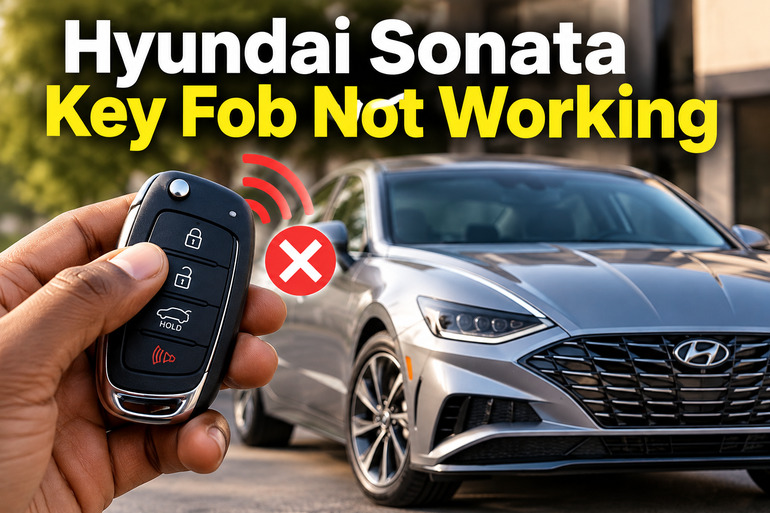
A Hyundai Sonata key fob that suddenly stops working can leave you unable to unlock your doors, open the trunk, or start the engine. The cause may be as simple as a weak battery inside the remote, but electrical interference, a discharged car battery, or a damaged key fob can produce similar symptoms. Identifying the difference helps you avoid unnecessary repairs and replacement costs. Several practical checks can help you restore normal operation before you arrange professional assistance.
What Happens When Your Hyundai Sonata Key Fob Stops Working?
Your Hyundai Sonata key fob sends a wireless signal to the vehicle’s keyless entry system. When you press the lock, unlock, or trunk button, the car receives that signal and performs the requested action. Models equipped with a push button start system also use the smart key to verify that an authorized key is present before allowing the engine to start.
When the key fob stops communicating properly with your Sonata, you may notice several symptoms. The doors might remain locked when you press the unlock button, the hazard lights may not flash in response to your commands, or the trunk release button may stop working. In some cases, the remote works intermittently, requiring several button presses before the vehicle responds.
A different symptom occurs when the doors unlock normally but the engine refuses to start. This can indicate a problem with the vehicle’s ability to recognize the smart key, a weak vehicle battery, or another starting system fault. It doesn’t automatically mean the key fob needs replacement.
The distinction matters because each symptom points towards a different set of possible causes. A remote that fails to lock or unlock the doors may have a depleted coin cell battery, while a car that has dim dashboard lights and refuses to crank may have a discharged 12-volt battery. Testing these possibilities before purchasing parts can save you time and money.
Hyundai Sonata Key Fob Not Working [FIXED]: Likely Causes
Several faults can prevent your Sonata key fob from working correctly. Start with the simplest possibilities, then consider electrical or electronic faults if basic troubleshooting doesn’t restore its operation.
1. A Dead or Weak Key Fob Battery
A weak battery is one of the first things to investigate when your Hyundai Sonata key fob stops responding. The coin cell inside the remote supplies the electrical power needed to transmit the signal. As the battery loses its charge, the signal may become weaker or the remote may stop responding altogether.
You might notice that the key fob works when you stand close to the car but fails from a greater distance. Another common clue is intermittent operation, where the remote works one moment and becomes unresponsive shortly afterward. However, a reduced operating range can also result from interference, so distance alone does not confirm a failing battery.
The correct replacement battery depends on the particular key fob. Many Sonata smart keys use a CR2032 coin cell, including the smart key described in the 2021 Sonata owner’s manual. Other key designs may use a different battery. Check your owner’s manual or the marking on the existing battery before purchasing a replacement.
2. A Discharged or Weak Vehicle Battery
Your Sonata’s 12-volt battery supplies power to important electrical systems, including the vehicle’s body control and keyless entry systems. If its voltage drops too low, the car may fail to respond to the smart key even when the fob itself is working properly.
This problem becomes more likely when several electrical symptoms appear together. Your dashboard lights might be dim, the door locks may operate slowly, interior lights may flicker, or the engine may fail to crank when you press the start button.
A discharged vehicle battery can also make a smart key appear faulty because the car needs electrical power to receive and process the remote’s signal. Replacing the key fob battery won’t correct an underlying vehicle battery problem.
If you notice these symptoms, have the car battery tested before purchasing a replacement remote. A battery can lose its charge because of age, a charging system problem, or electrical accessories that remain switched on while the vehicle is parked.
3. Wireless Signal Interference
Your key fob communicates with the car wirelessly, and its signal can sometimes be disrupted by nearby electronic equipment or radio transmitters. Hyundai’s smart key guidance identifies radio transmitters, mobile phones, nearby electronic devices, and other potential sources of interference as factors that can affect operation.
Interference may explain why the remote works at home but fails in a particular car park or building. If the key fob begins working again after you move to another location, the surrounding environment may be affecting communication between the key and the vehicle.
Keep the smart key away from your mobile phone and other electronic devices when troubleshooting. Try operating it from a different position and move closer to the vehicle. If it consistently works in one location but not another, interference becomes a stronger possibility.
Metallic window tint can also reduce smart key operating range on some vehicles. If the problem began after window tinting or the installation of an electronic accessory, the new equipment deserves attention during diagnosis.
4. A Damaged Key Fob or Worn Buttons
A key fob can stop working after being dropped, crushed in a pocket, exposed to moisture, or handled roughly. Impact can damage internal electronic components, while moisture may cause corrosion or electrical shorts inside the remote.
Physical damage isn’t always obvious from the outside. The remote might look normal while one button stops responding, or the entire unit may become unreliable after exposure to water. A button that feels stuck, loose, or unusually soft can also indicate mechanical wear.
The symptoms may help you narrow down the problem. If the lock button works but the unlock button doesn’t, a damaged button contact or circuit becomes a possibility. If every button fails after the remote gets wet or falls onto a hard surface, broader internal damage may be responsible.
Opening a damaged remote for further repair can make the situation worse if the circuit board or battery contacts are fragile. Start with a battery replacement if appropriate, but consider professional inspection when the fob has suffered liquid damage or physical impact.
5. A Key Recognition, Receiver, or Electronic System Fault
Sometimes, the key fob battery is healthy and the remote has no visible damage, yet your Sonata still fails to recognize the key. The problem may involve the key’s electronic identification, the vehicle’s smart key receiver, related wiring, or another part of the keyless entry system.
A key that has lost its programming or a newly purchased replacement that hasn’t been correctly registered may fail to authorize the vehicle. In other cases, a vehicle-side electrical fault can prevent a functioning key from communicating properly with the car.
These problems are more likely when a fresh battery doesn’t help, the remote remains unresponsive, or the vehicle displays a message such as “Key not detected.” However, that message alone doesn’t confirm a programming fault because low battery voltage and signal interference can produce similar symptoms.
Accurate diagnosis may require an automotive scan tool capable of communicating with the relevant vehicle systems. Replacing the remote without checking the vehicle may add expense without resolving the underlying problem.
Hyundai Sonata Key Fob Not Working [FIXED]: DIY Fixes
You can resolve several key fob problems with simple checks and routine battery replacement. Work through the following methods in order, paying attention to whether the remote, the vehicle, or both appear to be affected.
1. Replace the Key Fob Battery
Replacing a weak coin cell is a practical first step when your remote has reduced range, works intermittently, or fails to respond altogether.
Before opening the fob, confirm the correct battery type for your specific Sonata key. Many 2021 Sonata smart keys use a CR2032 battery, but your model year and key design may differ. A battery with the wrong dimensions or specifications may not fit or function correctly.
To replace the battery, follow these steps.
-
Remove the mechanical key from the smart key if your fob has one.
-
Locate the designated opening or slot in the key fob housing.
-
Use the appropriate slim tool to open the rear cover gently, following the procedure in your owner’s manual.
-
Remove the old coin cell and note its orientation.
-
Install a new battery of the correct type, ensuring the positive and negative sides are positioned as specified.
-
Refit the cover and make sure the housing closes securely.
After replacing the battery, stand near your Sonata and test the lock and unlock buttons. If the remote responds normally, the old battery was probably the cause. If it remains unresponsive, continue with the other checks rather than assuming the new battery is defective.
Safety precaution: Coin cell batteries can cause severe or fatal injuries if swallowed, particularly by children. Keep both new and used batteries out of reach, and dispose of the old battery properly.
2. Move Away From Possible Sources of Interference
If your remote works inconsistently, try operating it in a different location before buying replacement parts. This simple test can help identify whether something nearby is interfering with its signal.
Move your Sonata key away from your phone, wireless accessories, and other electronic equipment. If you’ve been keeping the key and phone together in the same pocket or bag, separate them while testing. Stand close to the driver’s door and press the unlock button once.
If the remote still fails, move the vehicle to a different location when it is safe and practical to do so. Test the key again. A remote that works normally in the new location may have been affected by local interference rather than a defective battery.
For vehicles with recently installed metallic window tint or aftermarket electronic equipment, mention the change if the problem persists. You should avoid removing wiring or electrical accessories yourself simply to test this possibility.
3. Use the Mechanical Key to Unlock the Door
A nonworking remote does not always mean you are locked out of your Sonata. Many Hyundai smart keys contain a mechanical key that lets you unlock the driver’s door when the electronic remote function fails.
Look for the release button or mechanism on the fob and remove the mechanical key according to your owner’s manual. Depending on the Sonata’s model year and handle design, the driver’s door key cylinder may be visible or concealed beneath a removable cover.
If the cylinder is concealed, follow the manual’s instructions for removing its cover. Insert the mechanical key and turn it carefully to unlock the door. Avoid forcing the key or prying aggressively at the handle because this can damage the housing or paintwork.
Be prepared for the vehicle’s security alarm to activate on some models when the door is opened using the mechanical key. The method for disarming the alarm depends on the vehicle’s configuration and the presence of a recognized smart key.
This method provides access to the vehicle, but it doesn’t repair the electronic remote. Once inside, you can continue troubleshooting or seek assistance if the engine won’t start.
4. Try the Emergency Smart Key Starting Method
If your Sonata has push button start and the vehicle reports that it cannot detect the key, an emergency starting procedure may allow you to start the engine even when the fob battery is weak.
On many Hyundai smart key systems, the procedure involves pressing the Engine Start/Stop button directly with the smart key. This allows the vehicle to detect the key through its emergency recognition method, even when normal remote communication is impaired.
Use the exact procedure described in your Sonata owner’s manual. The position of the key, the starting conditions, and the instructions for different model years can vary. Do not assume that holding the key against an arbitrary dashboard location will work on every Sonata.
If the engine starts using this method, it suggests that the vehicle may still recognize the key despite difficulty with normal remote operation. Replacing the coin cell is a sensible next step, particularly if the remote’s lock and unlock functions are also unreliable.
If the engine still refuses to start, pay attention to other symptoms. A completely dark dashboard, repeated clicking, or a failure to crank may point towards the vehicle battery or starter system. A persistent key recognition warning may require further diagnosis.
5. Test Your Spare Key and Check the Vehicle Battery
A spare smart key provides a useful comparison. If you have one, test it near the driver’s door and try the normal starting procedure.
If the spare works correctly but your main remote doesn’t, the original fob is the more likely source of the fault. Its battery, buttons, internal circuitry, or electronic identification may be defective. Replacing the battery in the original fob is worth trying before arranging more expensive repairs.
If both keys behave identically, investigate the vehicle rather than assuming that both remotes have failed at the same time. A discharged 12-volt battery, interference, or a fault in the keyless entry system could affect both.
Pay attention to the dashboard and interior lights. If they appear unusually dim or the car fails to crank, have the vehicle battery tested. A workshop or roadside assistance service can test the battery and charging system to determine whether the battery needs charging, replacement, or further investigation.
Avoid replacing the vehicle battery solely because the remote is not working. The test results and accompanying symptoms should guide that decision.
6. Contact a Qualified Automotive Technician
If the preceding checks fail, a professional diagnosis is the most sensible next step. Persistent faults may require testing the key fob’s signal, checking for stored diagnostic codes, inspecting relevant fuses and wiring, or verifying that the vehicle recognizes the key correctly.
A qualified technician can determine whether the remote needs replacement, whether a new key requires programming, or whether the fault lies within the vehicle’s electronic system. This distinction is particularly important when the car fails to start despite having a working spare key.
If the vehicle has electrical problems beyond the remote, such as repeated battery discharge or multiple warning lights, request a broader electrical system inspection. Don’t replace control modules or attempt to bypass the immobilizer without a proper diagnosis.
If both keys fail and the vehicle cannot be started, contact a qualified automotive technician or authorized Hyundai dealer. Depending on the fault, the vehicle may need to be transported to a workshop. Bring every available key because some key registration procedures require all keys to be present.
Wrap-Up
A Hyundai Sonata key fob that stops working may need a fresh battery, a different operating location, or further electronic diagnosis. Start with the simplest checks, verify the correct coin cell for your key, and use the mechanical key or the model-specific emergency starting method when necessary.
Pay attention to whether the fault affects one remote or both, and whether the vehicle has other electrical symptoms. These clues help distinguish a key fob problem from a vehicle-side fault. When basic troubleshooting fails, professional testing can identify the actual cause and help you avoid unnecessary replacement costs.