
You walk up to your Nissan Sentra, press the unlock button on your key fob, and nothing happens. You press it again. Still nothing. Now you’re standing there like someone who forgot their own name, wondering what just went wrong.
This happens to more Sentra owners than you’d think. Your key fob stops responding, and suddenly your car feels about as accessible as Fort Knox. Before you panic or rush to the dealership, there are several things you can check and fix yourself that’ll have you back in business without spending a dime.
Here’s what you’ll learn: why your key fob stopped working, what causes these failures, and most importantly, how to get it working again using simple fixes you can do at home.
What’s Actually Happening With Your Key Fob
Your Nissan Sentra’s key fob is basically a tiny radio transmitter that talks to your car. When you press a button, it sends a coded signal that your car recognizes and responds to. Simple enough, right?
But here’s the thing. This communication system depends on several components working together perfectly. The battery needs enough juice, the internal circuit board has to be intact, and the signal needs to reach your car without interference. When any part of this chain breaks down, your fob goes silent.
Most owners notice the problem suddenly. You used your fob yesterday without issues, and today it’s completely dead. Sometimes the problem shows up gradually. Maybe the unlock button works only when you’re standing right next to the car, or you have to press it multiple times before anything happens.
If left unaddressed, a non-functioning key fob becomes more than just annoying. You’ll need to manually unlock your door with the physical key every single time, and you won’t be able to use the remote start feature if your Sentra has one. Plus, there’s the security concern since you can’t quickly lock your car from a distance.
Nissan Sentra Key Fob Not Working: Common Causes
Several factors can knock your key fob offline. Understanding what went wrong helps you fix it faster and prevents the same issue from happening again.
1. Dead or Weak Battery
This is hands down the most common culprit. Your key fob runs on a small coin battery that typically lasts two to three years. Every time you press a button, that battery drains just a little bit more.
You might notice warning signs before total failure. The range starts shrinking, so you need to be closer to your car for the fob to work. Buttons might respond inconsistently, working fine one moment and failing the next.
2. Damaged Internal Components
Key fobs take a beating. You drop them on pavement, they get wet from rain, or they spend time bouncing around in your pocket with coins and keys. All that abuse can damage the delicate circuit board inside.
Water damage is particularly sneaky. Maybe you got caught in a downpour with your fob in your pocket, or it took a brief swim in a puddle. Even if it dried out and seemed fine, moisture can corrode the internal connections over time.
The buttons themselves can wear out too. If you’ve had your Sentra for several years and use the fob constantly, those rubber contacts underneath the buttons can deteriorate and stop making proper contact with the circuit board.
3. Signal Interference
Your car and key fob communicate on a specific radio frequency. Sometimes other devices or structures interfere with this signal. Electronic devices, certain buildings with heavy metal construction, or even other key fobs operating nearby can create interference.
This type of problem usually appears situational. Your fob works fine at home but fails in certain parking garages or near specific buildings. The interference blocks or scrambles the signal between your fob and car.
4. Programming Issues
Your Sentra’s computer system can sometimes lose the connection with your key fob. This typically happens after a dead car battery replacement or certain types of electrical work on your vehicle.
When the programming gets corrupted or erased, your car essentially forgets your key fob exists. The fob still sends signals, but your car doesn’t recognize them anymore. This can also happen if you accidentally triggered the programming mode while handling your fob.
5. Faulty Receiver in the Car
Less common but still possible is a problem with your car’s receiver module. This component picks up signals from your key fob and tells your car what to do. If it fails, even a perfectly functioning fob won’t work.
You can usually spot this issue because multiple key fobs stop working simultaneously. If you have a spare fob and it also fails to communicate with your Sentra, the problem likely sits on the car’s end rather than with the fob itself.
Nissan Sentra Key Fob Not Working: DIY Fixes
Getting your key fob working again often takes just a few minutes and basic tools. These fixes address the most common problems, starting with the easiest solutions first.
1. Replace the Battery
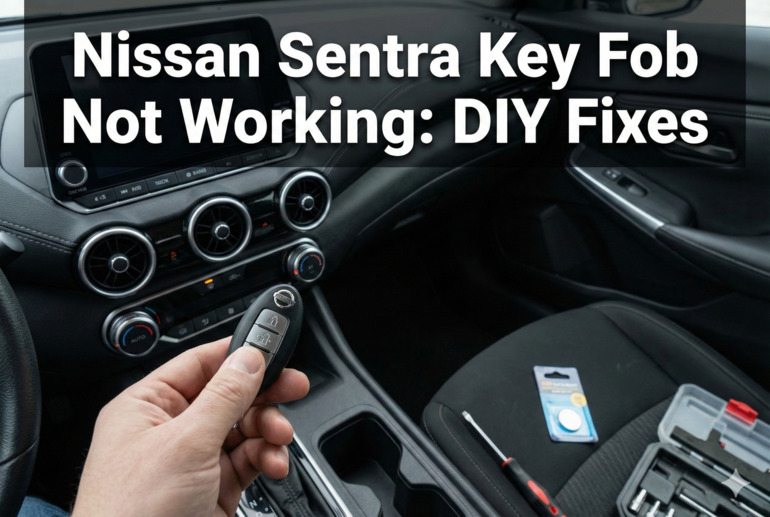
Start here because nine times out of ten, this solves your problem. You’ll need a small flathead screwdriver and a new CR2032 battery, which you can grab at any pharmacy or grocery store for a couple of dollars.
Look for a small slot on the edge of your key fob. Carefully insert the screwdriver and twist gently to pop the fob open. Inside, you’ll see the circuit board and battery. Note which side faces up before you remove the old battery.
Pop in the new battery with the correct side facing up, snap the fob back together, and test all your buttons. If this doesn’t work immediately, try removing the battery, waiting thirty seconds, then reinstalling it. Sometimes the fob needs a complete reset.
2. Clean the Battery Contacts
Even with a fresh battery, dirty or corroded contacts can prevent proper electrical connection. Open your key fob again and examine the metal contacts that touch the battery.
If you see any white or green corrosion, use a cotton swab dipped in rubbing alcohol to clean them. For stubborn corrosion, a pencil eraser works surprisingly well. Gently rub the contacts until they look shiny and clean. Make sure everything is completely dry before reassembling. This simple cleaning can restore the electrical connection and bring your fob back to life.
3. Check and Clean the Buttons
Sometimes the problem isn’t electronic at all. The rubber button pad inside your fob can get dirty or misaligned, preventing the buttons from making contact with the circuit board. After opening your fob, carefully remove the rubber button pad.
You’ll see small black dots on the underside of each button. These are the conductive parts that complete the circuit when pressed. Clean them with rubbing alcohol on a cotton swab. Also clean the corresponding spots on the circuit board where these buttons make contact.
Let everything dry completely, then reassemble carefully. Make sure the button pad sits properly aligned before closing the fob. Misalignment can make buttons feel mushy or unresponsive even when everything else works fine.
4. Reprogram Your Key Fob
If your Sentra stopped recognizing your fob, you might need to reprogram it. For most Sentra models, you can do this yourself without special equipment. Get in your car with your key fob and close all doors.
Insert your key in the ignition and remove it six times within ten seconds. Your hazard lights should flash twice, indicating you’re in programming mode. Now press any button on your key fob. The hazard lights will flash once to confirm successful programming.
Turn the ignition to the ON position to exit programming mode. Test your fob to make sure all functions work. If you have multiple fobs, program them all during the same session since this process can erase previously programmed fobs.
5. Reset Your Car’s System
Sometimes your Sentra’s computer needs a fresh start. Disconnect your car battery’s negative terminal for about fifteen minutes. This clears the car’s temporary memory and can resolve communication glitches between your fob and the receiver.
After reconnecting the battery, you’ll likely need to reprogram your key fob using the steps above. This reset also clears your radio presets and clock, so you’ll need to set those again. While inconvenient, this fix can solve persistent issues that other methods don’t address.
6. Contact a Professional
If none of these fixes work, your problem might be more serious. The receiver module in your car could be faulty, or your key fob might have internal damage beyond simple cleaning and battery replacement.
Visit a Nissan dealership or a trusted automotive locksmith who specializes in electronic keys. They have diagnostic tools that can pinpoint exactly where the problem sits. A professional can also program replacement fobs if yours is truly beyond repair.
Wrapping Up
Your Nissan Sentra’s key fob problems usually stem from simple issues you can fix in your driveway. A dead battery causes most failures, followed by dirty contacts and programming hiccups. Most of these fixes cost next to nothing and take only minutes to try.
Start with the easiest solutions first. Replace that battery, clean those contacts, and try reprogramming before assuming you need expensive repairs. Your fob will likely spring back to life with one of these simple fixes, saving you a trip to the dealer and keeping your wallet happy.